
Ruijie Networks Switch, PoE, Wi-Fi, and Network Systems Selection Guide
What is Ruijie Networks and how to choose network systems? We examine Ruijie and Reyee switches, PoE, routers, Wi-Fi 6/7 access points, Ruijie Cloud, VLAN, fiber optic, and CCTV network solutions. A technical guide for professional enterprise network design, PoE power budget calculation, bandwidth, cybersecurity, and system selection criteria.
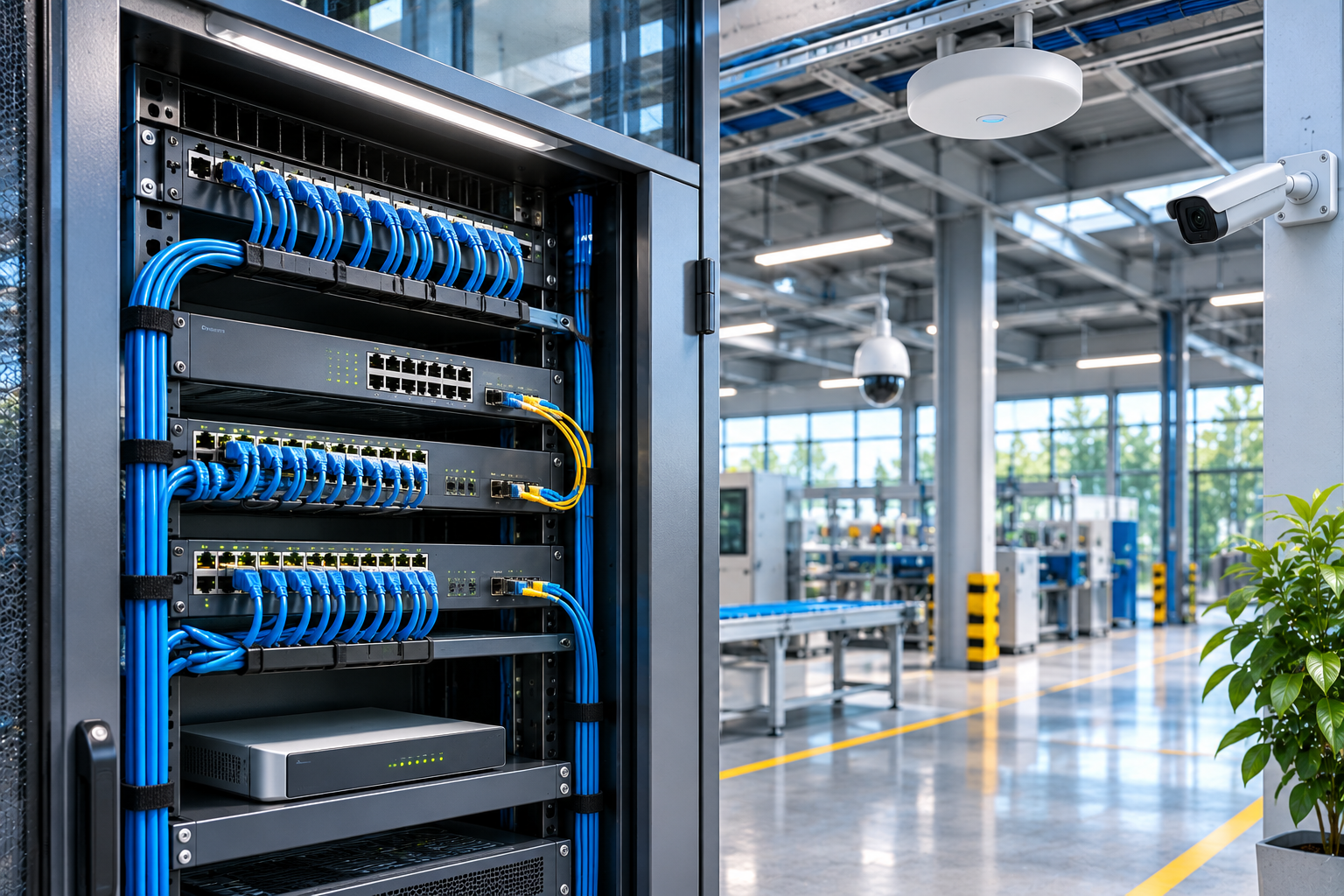
Today, enterprise network systems are not merely technologies that enable businesses to connect to the internet. IP security cameras, wireless access points, access control systems, servers, smart building solutions, and industrial automation infrastructures all operate together over a reliable computer network.
Therefore, what is expected from a professional network infrastructure is not just high connection speed, but also uninterrupted communication, sufficient bandwidth, centralized management, cybersecurity, and sustainable operational performance.
Among the manufacturers operating in this field, Ruijie Networks is a China-based technology company that develops solutions in enterprise network switches, routers, wireless access systems, data center networks, and cloud-based network management.
In Ruijie's product ecosystem, the Ruijie and Reyee brands, PoE switch systems, Wi-Fi 6/Wi-Fi 7 access point devices, Ruijie Cloud, Self-Organizing Network (SON), and AnyLink SD-WAN technologies particularly stand out.
Especially in CCTV projects, it is as important for video data to reach the recording device without interruption as it is for an IP camera to produce a correct image. Even if camera performance is high, a poorly designed network infrastructure can lead to image freezing, packet loss, connection interruptions, or recording issues.
So, what is Ruijie Networks, what are the differences between Ruijie and Reyee, how to choose a PoE switch, and what technical criteria should be considered in a professional network infrastructure?
What is Ruijie Networks?
Ruijie Networks is a technology manufacturer that develops enterprise and professional network infrastructure products.
The company's product portfolio offers solutions for data communication, wired and wireless access, network management, and security requirements of businesses of various scales.
Key product and technology areas include:
Managed Ethernet switch systems.
PoE and PoE+ network switches.
Layer 2 and Layer 3 switch solutions.
Industrial Ethernet switch devices.
Enterprise router and gateway systems.
Wi-Fi 6 and Wi-Fi 7 access points.
Wireless network control systems.
Fiber optic network components.
Data center and backbone switches.
Cloud-based network management.
SD-WAN solutions.
Firewall and network security products.
These solutions can be utilized in various structures, from small businesses to large corporate campuses, hotels to hospitals, factories to logistics centers.
However, not all Ruijie products have the same network capacity, management features, or security functions.
The correct product selection should be made based on the actual requirements of the network.
Which Country's Brand is Ruijie Networks?
Ruijie Networks is a China-based manufacturer of network technologies.
The company operates in Ethernet switching, wireless communication, network management, and enterprise connectivity solutions.
Ruijie's current brand structure includes product options tailored for different customer groups.
These include the Ruijie, Reyee, and Cybrey brands.
Ruijie primarily focuses on enterprise networks, large campuses, and service provider applications, while Reyee emphasizes easy installation and cloud management for small and medium-sized businesses.
Cybrey, on the other hand, is the manufacturer's product structure for specific professional small and medium-sized network solutions.
What is the Difference Between Ruijie and Reyee?
Ruijie and Reyee represent different product and solution approaches within the same manufacturer's ecosystem.
Ruijie offers options for advanced configuration, high capacity, and specialized network architectures required by large enterprises and complex network systems.
Reyee, on the other hand, focuses on easier installation, remote management, and the operational requirements of medium-sized applications.
Ruijie Enterprise Network Solutions
Ruijie branded enterprise products are particularly suitable for applications such as:
Large campus networks.
Data centers.
Enterprise backbone connections.
High-capacity routing.
Advanced VLAN and network policies.
Critical infrastructure communication.
Centralized network management.
Reyee Network Solutions
Reyee branded products offer practical solutions for:
Small and medium-sized businesses.
Stores and retail chains.
Hotels and restaurants.
Offices.
IP camera systems.
Wireless network installations.
Multi-location small businesses.
One of Reyee's prominent features is the ability to remotely configure and manage compatible devices via Ruijie Cloud.
Ruijie and Reyee Comparison
| Criterion | Ruijie | Reyee |
|---|---|---|
| Core approach | Enterprise and comprehensive network infrastructure | Easy installation and cloud management |
| Target application | Large campus, data center, enterprise network | SMB, store, hotel, CCTV |
| Switch options | Advanced access, distribution, and backbone | Managed and PoE access switches |
| Wireless systems | Enterprise AP and control solutions | Cloud-managed AP and mesh |
| Network management | Local/centralized/cloud depending on model | Ruijie Cloud and application-focused |
| Technical configuration | Wide range of enterprise feature options | Practical and centralized configuration |
This table shows general product positioning. Support for specific functions depends on the product model and software version.
What is a Ruijie Network Switch?
A network switch is a network device that enables data communication between devices within the same local area network.
Switch systems create an Ethernet connection between security cameras, computers, servers, access points, recording devices, and other IP-based equipment.
The Ruijie and Reyee product portfolios include switch models with different port counts, connection speeds, and management features.
What is an Unmanaged Switch?
An unmanaged switch is a network device typically used for basic Ethernet connectivity, with limited advanced configuration functions.
It may be sufficient for small and simple applications.
However, for projects requiring VLAN, advanced traffic management, remote diagnostics, and security policies, a managed switch may be more suitable.
What is a Managed Switch?
A managed switch is a network device that allows for the management of network traffic and port behavior.
Depending on the supported model, features such as:
VLAN creation.
Port speed and status management.
QoS.
Link Aggregation.
IGMP Snooping.
STP/RSTP.
Port isolation.
Traffic monitoring.
PoE management.
Network security policies.
can be utilized.
These functions are particularly important in projects where numerous IP cameras, access points, or different security systems are located on the same infrastructure.
Difference Between Layer 2 and Layer 3 Switches
One important criterion in switch selection is whether the device supports Layer 2 or Layer 3 functions.
Layer 2 Switch
A Layer 2 switch primarily provides switching of Ethernet frames based on MAC addresses.
Local network traffic can be managed with VLAN and other supported functions.
Layer 3 Switch
A Layer 3 switch, in suitable models, can also perform IP routing tasks.
For example, Layer 3 functions can be used when different VLAN networks need to communicate with each other.
However, it should not be assumed that all switches with Layer 3 support the same routing protocols, ACL capacity, or security functions.
Especially in large CCTV and enterprise network projects, access, distribution, and backbone layers should be evaluated separately.
What is a Ruijie PoE Switch?
PoE (Power over Ethernet) is a technology that allows electrical power to be transmitted along with data communication over a network cable.
PoE switch systems are particularly used for IP security cameras, access point devices, IP phones, and certain access control components.
PoE can reduce the need for separate electrical power lines for compatible devices.
Differences Between PoE, PoE+, and PoE++
| Standard | Maximum nominal power at switch output | General use |
|---|---|---|
| IEEE 802.3af | 15.4 W | Low-power IP devices |
| IEEE 802.3at (PoE+) | 30 W | Cameras and Wi-Fi access points |
| IEEE 802.3bt Type 3 | 60 W | Higher power requirements |
| IEEE 802.3bt Type 4 | 90 W | High-power compatible devices |
These values are the upper limits at the port side of the Power Sourcing Equipment (PSE). Usable power at the end device may be lower due to cable losses.
Therefore, a camera stating 25 W consumption does not mean it will reliably operate with all 30 W PoE ports under all conditions.
The IEEE PoE class supported by the camera and switch, power budget, and cable conditions should be checked together.
Ruijie Reyee PoE Switch Series
The Reyee product portfolio includes switch families for various CCTV and enterprise network applications.
Reyee RG-ES Series
The RG-ES series offers compact, smart, or cloud-managed Ethernet switch solutions.
Specifically, certain RG-ES200 models feature:
IP camera recognition.
Port and PoE status monitoring.
Remote PoE restart.
Loop prevention.
Basic management via the cloud.
Fiber SFP connectivity in suitable models.
The RG-ES series can be considered for small and medium-sized CCTV applications.
Reyee RG-NBS Series
The RG-NBS series covers network switches with more comprehensive Layer 2 and certain Layer 3 management features.
For example, the RG-NBS3100-24GT4SFP-P-V2 model offers:
24 Gigabit Ethernet PoE+ ports.
4 1G SFP uplink ports.
Total 370 W PoE power budget.
Maximum 30 W PoE per port.
VLAN and Link Aggregation.
IGMP Snooping.
IP camera recognition.
Ruijie Cloud management.
However, the 370 W power budget or 1G SFP uplink in this model is not applicable to all NBS series devices.
Furthermore, technical specifications may vary across different hardware versions of the same product name.
Ruijie Industrial Switch Systems
Ruijie's industrial switch portfolio includes Ethernet switches designed for harsh operating environments.
Depending on the product family, wide operating temperature, high electrical durability, and industrial connectivity features may be offered.
These devices can be considered for:
Factories.
Power plants.
Industrial automation.
Transportation infrastructures.
Outdoor cabinets.
Critical communication points.
However, installing a standard office-type switch inside an industrial cabinet does not automatically make it an industrial switch.
How to Choose a PoE Switch for CCTV Camera Systems?
In IP camera projects, PoE switch selection should not be based solely on the number of ports.
The most important criteria are port speed, total power budget, uplink capacity, management features, and the system's future growth needs.
Example PoE Power Budget Calculation
Let's assume the following system will be installed in a facility:
16 IP cameras.
Maximum 12 W power requirement per camera.
Total camera power consumption: 192 W.
Planning margin: 25%.
Calculation:
16 × 12 W = 192 W
192 × 1.25 = 240 W
In this scenario, a suitable switch with at least 240 W of available total PoE budget can be considered.
For example, models with 250 W or 370 W PoE budgets can be examined based on different growth requirements.
However, this calculation alone is not sufficient.
The power requirement per port for each camera, the PoE standard, cable losses, and the switch's power capacity under temperature conditions must also be checked.
Even if the PoE switch's total power budget is sufficient, if a port's power limit is inadequate, the respective camera may not operate.
How to Calculate Bandwidth in CCTV Networks?
In IP camera systems, data communication capacity is an important design criterion.
For example, in a 32-camera system, let's assume each camera generates an average video stream of 4 Mbps.
Total video speed:
32 × 4 Mbps = 128 Mbps
This value only represents the example total average video traffic.
In actual network design, the following should also be considered:
Instantaneous peak bit rates of cameras.
Overheads of network protocols.
Traffic to the NVR.
Multiple client viewing.
Analytic data streams.
Other devices sharing the same uplink.
Network redundancy and growth plan.
In this example, merely having an average of 128 Mbps video stream alone does not indicate whether a 1 Gbps uplink is sufficient or insufficient under all conditions.
The decision should be made based on network topology, simultaneous load, and peak traffic measurements.
When are 1G, 2.5G, and 10G Uplinks Necessary?
1G uplink may be sufficient for small and medium-sized systems with appropriate traffic loads.
2.5G or 10G connections can be considered in projects with higher data streams, numerous access points, or heavy server traffic.
However, using a 10G-supported switch does not automatically eliminate all network bottlenecks.
The capacity of the NVR, server, disk system, and other connected devices must also be sufficient.
What is Ruijie Cloud?
Ruijie Cloud is a cloud-based network management platform used for remote monitoring, configuration, and management of supported Ruijie and Reyee network devices.
The platform aims to facilitate centralized management of devices, especially across multiple locations.
On supported devices, functions such as:
Viewing network topology.
Switch and access point management.
Monitoring port and connection statuses.
PoE restart.
VLAN configuration.
Managing Wi-Fi settings.
Network fault notifications.
Firmware updates.
Remote diagnostics.
Project sharing and technical service management.
Certain AI-supported network optimization.
can be utilized.
Is Ruijie Cloud Free?
According to the manufacturer's current statement, the basic management features of Ruijie Cloud are offered free of charge for supported devices.
However, this does not guarantee that all advanced features, professional services, and future options will remain free indefinitely.
The manufacturer reserves the right to charge for advanced features in the future.
Therefore, in critical enterprise projects, the scope of cloud services, subscription terms, data residency, and product support should be evaluated separately.
What Can Be Done in CCTV Networks with Ruijie Cloud?
Certain Reyee switch solutions from Ruijie offer features that simplify the maintenance of IP camera networks.
For example:
IP Camera Recognition
Supported switches can recognize connected IP camera devices using specific methods.
This feature can help in easier evaluation of camera connections in the network topology.
However, a switch detecting an IP device as a camera does not guarantee that the image is being recorded to the NVR or that the camera is functioning correctly.
Remote PoE Restart
In case of certain camera connection issues, the PoE power of the supported switch port can be remotely cut and restored.
This action can help restart some devices.
However, for cameras requiring continuous restarts, the root cause of the fault should be investigated.
Network Topology
By monitoring the connection structure between devices, it is possible to see which switch or uplink is providing communication.
Network Fault Notifications
On supported devices, notifications can be received for network connection outages and specific errors.
Ruijie Cloud is not a CCTV video management software. A suitable NVR or VMS system is additionally required for recording and playback of camera footage.
What is Ruijie SON (Self-Organizing Network)?
SON is a technology that helps compatible network devices discover each other and facilitates easier network configuration.
In Reyee products, SON can be used particularly in projects where routers, switches, and access point devices are installed together.
In supported configurations, the following may be possible:
Automatic device discovery.
Creation of network topology.
Distribution of basic network settings.
Joint management of compatible devices.
However, it should not be assumed that all Ruijie and Reyee devices support all SON features.
Especially in projects with enterprise VLAN, IP addressing, network security, and complex routing needs, technical verification of automatic configurations is important.
Ruijie Wi-Fi Access Point Systems
An Access Point (AP) is an access point that allows wireless devices to connect to the local network.
Ruijie and Reyee offer AP devices for different Wi-Fi standards and density requirements.
Reyee RG-RAP Series
The RG-RAP product family includes:
Ceiling-mount access points.
Wall-mount access points.
Outdoor access points.
Wi-Fi 6 models.
Wi-Fi 7 models.
High-density user solutions.
For example, the RG-RAP2260 series covers Wi-Fi 6 access points, while the RG-RAP72 and RG-RAP73HD models are among the Wi-Fi 7 product options.
Difference Between Wi-Fi 6 and Wi-Fi 7
Wi-Fi 6 (IEEE 802.11ax) aims to increase network capacity and efficiency in crowded wireless environments.
Wi-Fi 7 (IEEE 802.11be), on the other hand, offers higher capacity, lower latency, and new technologies like Multi-Link Operation in compatible devices.
However, a higher theoretical Wi-Fi speed does not guarantee that the same actual user speed will be achieved in operation.
Performance depends on conditions such as:
Access point capacity.
Support from user devices.
Frequency band used.
Channel width.
Wall and metal obstructions.
Radio frequency interference.
Uplink speed.
Country-specific frequency regulations.
Where are Ruijie Wi-Fi Systems Used?
Hotels.
Shopping malls.
Stores.
Hospitals.
Schools.
Restaurants.
Corporate offices.
Warehouses and logistics facilities.
Manufacturing plants.
In these areas, the number of APs should not be determined solely by building square footage.
User density, coverage, and data load should be evaluated together.
Ruijie Router and Gateway Systems
A router is a network device that enables data routing between different IP networks.
A gateway, on the other hand, can refer to components that perform transition functions between different networks or services.
Reyee's RG-EG product family offers cloud-managed router options for small and medium-sized businesses.
Supported models may include:
Multi-WAN.
WAN load balancing.
VPN.
QoS and bandwidth management.
NAT.
Captive Portal.
User-based network policies.
Remote network management.
However, it should not be assumed that every RG-EG device has the same WAN capacity or security features.
What is Multi-WAN?
Multi-WAN allows multiple internet connections to be used within the same network architecture.
For example, a business might have fiber internet and a second internet line.
A suitable router can manage internet egress based on connection failure or traffic policy.
However, Multi-WAN does not mean that the total speed of two internet lines will automatically combine into a single connection.
The actual behavior depends on the load balancing method and connection characteristics.
Is a Ruijie Router the Same as a Firewall?
No.
A router primarily routes traffic between networks.
A firewall, on the other hand, focuses on controlling network traffic according to defined security policies.
Some router models may include firewall functions.
However, these features should not be considered equivalent to all threat prevention, application control, or security auditing features found in advanced enterprise firewalls.
What is Ruijie AnyLink SD-WAN?
AnyLink SD-WAN is Reyee's software-defined wide area network solution for connecting networks in different branches.
SD-WAN is an abbreviation for Software-Defined Wide Area Network.
AnyLink, with supported RG-EG devices, can help centralize the management of network connections across different locations.
For example, in a retail chain, an appropriate communication architecture can be established between:
Head office.
Store branches.
Security cameras.
POS and operational systems.
In supported options, connections can be established with Hub-Spoke or Mesh topologies.
What Does SD-WAN Provide in CCTV Systems?
In multi-location security projects, it can help provide centralized access to NVR and camera systems in different facilities.
However, the presence of an SD-WAN solution does not mean that high-resolution images from all cameras will be transmitted seamlessly over the internet.
Internet upload capacity, latency, packet loss, encryption, network policies, and actual image load must also be calculated separately.
Ruijie Fiber Optic Network Solutions
Fiber optic connections offer high data capacity and alternative connectivity options to electrical copper cabling over suitable distances.
Especially in large factories, shopping malls, campuses, and logistics facilities, fiber optic backbone can be used between different cabinets.
Ruijie's product portfolio includes switch devices with SFP, SFP+, and various high-speed optical connectivity options.
Why is Fiber Optic Uplink Important?
For example, in a facility, PoE switches placed at different points can be connected to a central recording network via fiber connections.
This approach can provide advantages such as:
Long-distance connection.
High uplink capacity.
Network communication between different buildings.
Appropriate optical isolation.
However, the use of fiber cable does not automatically mean the system is redundant.
For redundancy, appropriate topology, device support, and failure scenarios must be planned separately.
What is VLAN in CCTV Networks? Why is it Necessary?
VLAN (Virtual Local Area Network) is a technology that allows the creation of different logical network segments on the same physical network.
For example, in a large business, the following networks can be separated:
IP security camera network.
Office computer network.
Guest Wi-Fi network.
Access control system network.
Server and management network.
This approach can facilitate traffic management and the implementation of security policies.
However, using VLAN alone does not meet all network security requirements.
If there is communication between different VLANs, relevant routing and access control policies must also be applied.
VLAN Design for CCTV
In a professional camera system:
Connection points for IP cameras are determined.
A camera VLAN is created.
NVR/VMS access requirements are defined.
Management traffic is evaluated separately.
Unnecessary network transitions are restricted.
DHCP/IP plan is determined.
Network and recording performance are tested.
VLAN is an important part of network design; it does not replace a firewall on its own.
Can Ruijie Systems Operate Without Internet?
Yes. In a properly configured local network infrastructure, switches and other supported devices can maintain local data communication without an internet connection.
For example, in a factory CCTV system, if IP cameras and the NVR operate on the same local network, local recording can continue with an appropriate design even if the internet connection is lost.
However, remote access via Ruijie Cloud, cloud monitoring, and some management functions require an internet connection.
Therefore, in critical facilities, the operability of the local network and the accessibility of cloud management should be treated as different issues.
In Which Sectors Are Ruijie Systems Used?
Factories and Industrial Facilities
Can be used in production networks, IP cameras, personnel access control, industrial communication, and wireless access systems.
Shopping Malls
Can be utilized in shopping mall CCTV networks, Wi-Fi access points, tenant connections, and technical communication infrastructures.
Stores and Retail Chains
Branch switches, access point devices, and centralized cloud network management can be used.
Hotels
Suitable solutions can be offered for guest Wi-Fi, management networks, IP phones, and security camera infrastructures.
Hospitals
Can be considered for wired and wireless access, IP-based security, and appropriate communication infrastructure.
Logistics and Warehouses
Warehouse Wi-Fi coverage, handheld terminals, IP cameras, and connections for various field cabinets can be provided.
Educational Institutions
Can be used in student and staff networks, security systems, and wireless access infrastructures.
Multi-Location Corporate Businesses
Management of different branches can be facilitated with Ruijie Cloud and suitable SD-WAN options.
Technical Selection Table for Ruijie and Reyee Systems
| Application | Product to consider | Primary criterion |
|---|---|---|
| Small CCTV system | Reyee RG-ES PoE switch | Port count, PoE budget |
| Medium-sized CCTV | RG-NBS managed switch | VLAN, uplink, monitoring |
| Large enterprise network | Ruijie enterprise switch | L3, capacity, redundancy |
| Factory outdoor cabinet | Industrial switch | Temperature and environmental resistance |
| Small office | Reyee EG and RAP | Router capacity, Wi-Fi |
| Hotel and shopping mall Wi-Fi | RG-RAP Wi-Fi 6/7 | User capacity and coverage |
| Multi-branch store | RG-EG and Ruijie Cloud | Centralized management, WAN |
| Multi-location CCTV | AnyLink SD-WAN | Bandwidth, connection security |
| Fiber backbone | SFP/SFP+ supported switch | Distance, module compatibility, capacity |
This table provides general technical guidance. Final product selection should be determined based on project scale, actual network traffic, hardware, and software compatibility.
What to Consider When Choosing Ruijie Network Systems?
1. Network Purpose
CCTV, office, Wi-Fi, data center, or industrial automation needs should be evaluated separately.
2. Port Count and Speed
Future expansion plans should be considered in addition to the current number of devices.
3. PoE Power Budget
The switch's total power and the power class it supports per port should be checked.
4. Uplink Capacity
1G, 2.5G, 10G, and other connection options should be selected based on actual traffic requirements.
5. VLAN and Security Policies
Camera, office, and guest networks should be separated appropriately.
6. Fiber Optic Connection
Distance, optical module type, fiber type, and link budget should be verified.
7. Wireless Coverage
In Wi-Fi projects, radio frequency discovery, user density, and access point placement should be evaluated.
8. Network Management
Ruijie Cloud, local management, and the features supported by other relevant platforms should be compared.
9. Cybersecurity
User access, encryption, network segmentation, and firmware policies should be established.
10. Technical Service and Product Lifecycle
Warranty, support, spare parts, software, and regional sales status should be examined.
Cybersecurity in Ruijie Network Systems
Enterprise network devices are fundamental components of a business's communication infrastructure.
Therefore, switch, router, and access point security should be part of the overall network design.
Specifically:
Default user passwords should be changed.
Administrator accounts should be authorized.
Appropriate VLAN and ACL policies should be used.
Unnecessary management services should be disabled.
Firmware versions should be monitored.
Additional authentication methods supported in cloud accounts should be enabled.
Guest Wi-Fi should be separated from the corporate network.
Access to network management should be restricted.
Security logs should be reviewed.
Backup configurations should be prepared.
When using platforms like Ruijie Cloud, data processing, user access, and, if applicable, personal data transfer conditions should be evaluated separately.
A cloud-managed network should not be assumed to be automatically secure. Security is achieved through correct network architecture and configuration.
Periodic Maintenance in Ruijie Network Systems
In a professional network infrastructure, maintenance is not just about checking if the device is working.
Maintenance includes checking:
Switch port statuses.
PoE power consumption.
Uplink traffic.
Packet loss and connection errors.
Network topology.
VLAN configuration.
Fiber connection levels.
Access point performance.
Wi-Fi coverage and channel utilization.
Router and WAN connections.
Firmware versions.
Cloud management status.
System and security logs.
UPS and power infrastructure.
Configuration backups.
Especially in IP camera systems, the presence of a network connection does not guarantee that all video recordings are performed without issues.
Network performance, video recording continuity, and system accessibility should be tested separately.
Ruijie Networks Technical Checklist
Is the network's purpose determined?
Is the appropriate Ruijie or Reyee product family selected?
Are the switch port count and connection speeds sufficient?
Is the PoE and PoE+ power budget calculated?
Is the power class of cameras, APs, and other devices checked?
Is the total and peak bandwidth of the network calculated?
Is the uplink and backbone capacity sufficient?
Are VLAN and routing requirements determined?
Are fiber optic modules and cables compatible?
Is Wi-Fi coverage and capacity design completed?
Is Ruijie Cloud device compatibility verified?
Is system behavior tested when cloud access is interrupted?
Is network redundancy and UPS planned?
Are cybersecurity policies configured?
Are firmware and product lifecycle checked?
Is network topology and IP addressing documented?
Are recording, access, and communication tests performed?
Is a technical service and periodic maintenance plan created?
This checklist serves for general technical evaluation. It does not replace the manufacturer's current documentation, relevant IEEE standards, and project-specific engineering requirements.
Frequently Asked Questions
What is Ruijie Networks?
Ruijie Networks is a manufacturer of network technologies that develops switches, routers, wireless access, data center, and cloud network management systems.
Which country's brand is Ruijie?
Ruijie Networks is a China-based technology company.
Are Ruijie and Reyee the same?
Reyee is one of the product brands within the Ruijie Networks ecosystem. Reyee focuses more on easy installation and cloud management for small and medium-sized businesses.
What is a Ruijie switch?
A Ruijie switch is an Ethernet network switch that enables data communication between IP-based devices on a local network.
What is the purpose of a Ruijie PoE switch?
Supported PoE switch models provide electrical power to compatible devices along with data transmission over Ethernet.
What is Ruijie Cloud?
Ruijie Cloud is a cloud-based platform for remote monitoring, configuration, and management of supported network devices.
Is Ruijie Cloud free?
The manufacturer offers basic cloud management functions free of charge for supported devices. Advanced services and future usage terms may vary.
Does Ruijie support Wi-Fi 7?
Yes. Ruijie and Reyee have suitable Wi-Fi 7 access point models. However, actual performance depends on device and radio frequency conditions.
Can Ruijie switches be used in CCTV systems?
Yes. Especially Reyee's suitable PoE and managed switch models can be used in IP camera infrastructures.
Can a Ruijie switch operate without internet?
Suitable local network connections can operate without internet. However, cloud-based remote management functions require an internet connection.
Can a camera be restarted with a Ruijie PoE switch?
In supported models, the power of the relevant PoE port can be remotely cut and restored to restart the camera.
Does a Ruijie router replace a firewall?
Some router models offer basic security features. However, advanced firewall requirements may necessitate separate product and policy evaluation.
What determines Ruijie Networks prices?
Prices vary based on port count, connection speed, PoE power budget, Wi-Fi standard, Layer 2/Layer 3 features, fiber connections, management, and technical support scope.
Conclusion: How to Build the Right Network Infrastructure with Ruijie Networks?
Ruijie Networks offers various solutions in enterprise network infrastructure, PoE switches, wireless communication, routers, fiber connections, and centralized network management.
Ruijie products focus on comprehensive enterprise infrastructure requirements, while Reyee products provide practical installation and cloud management options for small and medium-sized businesses.
Ruijie Cloud facilitates remote monitoring and management of compatible devices, while AnyLink SD-WAN and advanced switch solutions offer technologies that can be utilized in multi-location network projects.
However, a successful network system cannot be built solely by selecting high-speed switches or powerful Wi-Fi access points.
Port capacity, PoE power budget, total bandwidth, VLAN, fiber optic connections, cybersecurity, redundancy, and periodic maintenance must be planned together.
Especially in CCTV, factory automation, shopping mall, logistics, hospital, and multi-location business networks, correct technical design directly affects system performance and service continuity.
The most suitable Ruijie or Reyee network solution is not the system with the highest port count or the most features; it is the infrastructure that reliably, securely, manageably, and sustainably meets the business's actual communication needs.