
Milestone XProtect Video Management Software, Features, and Selection Guide
What is Milestone XProtect, how does it work, and which version should be chosen? We examine Milestone Systems' open platform video management software, including Express+, Professional+, Expert, and Corporate editions, multi-brand IP camera integration, recording server, AI analytics, licensing, cybersecurity, and 2026 R2 innovations. A technical selection guide for professional CCTV projects.
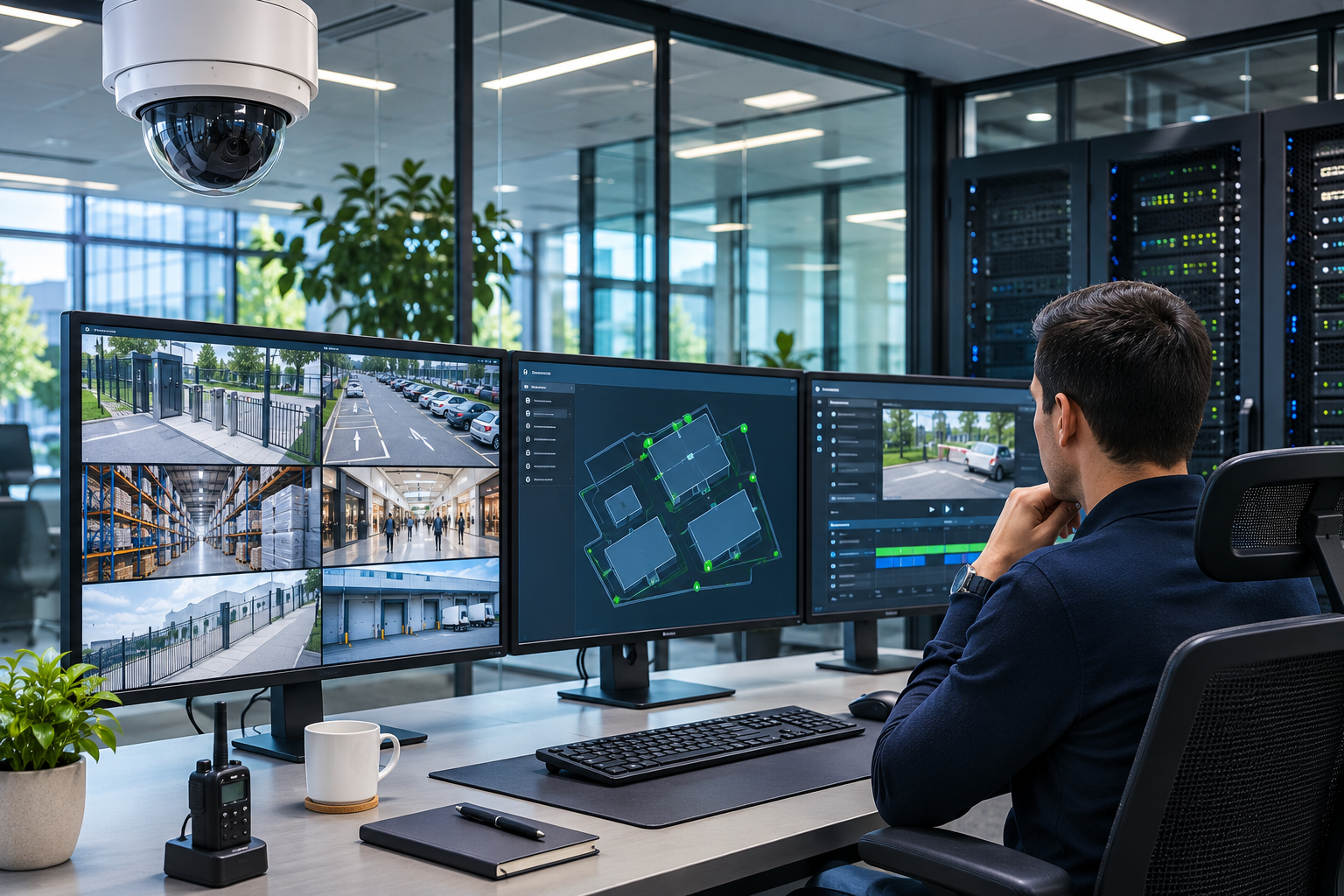
Today, security camera systems are no longer comprised solely of devices that record images. Especially in factories, shopping malls, airports, hospitals, logistics centers, and large corporate facilities, hundreds or even thousands of cameras may need to be centrally managed.
In projects of this scale, the ability for different brands of cameras to operate on a single platform, reliable recording of images, rapid investigation of security incidents, and integration with other electronic security systems are of paramount importance.
One of the solutions developed to meet these needs is Milestone XProtect video management software.
Developed by Denmark-based Milestone Systems, XProtect is a professional VMS (Video Management Software) solution that, with its open platform architecture, enables the central management of IP cameras, recording servers, and security applications from various manufacturers.
Milestone was founded in 1998 and has been operating as an independent company within the Canon Group since 2014.
XProtect offers various functions such as live camera monitoring, video recording, alarm management, incident investigation, advanced video analytics integration, and multi-site security operations.
However, the success of a professional VMS project does not depend solely on the features of the software used.
Camera compatibility, server capacity, recording storage architecture, network bandwidth, licensing, cybersecurity, and system continuity must be evaluated together.
So, what is Milestone XProtect, how does it work, what versions are available, and how is the right Milestone software chosen for professional CCTV projects?
What is Milestone XProtect?
Milestone XProtect is video management software that enables the central monitoring, recording, management, and analysis of IP-based security cameras and related electronic security devices.
XProtect is not a camera manufacturer or a standalone NVR recording device.
It is a platform that brings together various camera, server, storage, and security systems within a common software infrastructure.
Its main functions include:
Centrally managing IP cameras of different brands.
Creating live views and recordings.
Reviewing historical recordings from multiple cameras.
Managing security alarms and incidents.
Controlling PTZ cameras.
Providing remote access to authorized users.
Associating video analytics events with footage.
Integrating access control and license plate recognition in suitable systems.
Managing multi-site camera infrastructure.
Controlling recording security and access permissions.
Milestone's open platform approach facilitates the use of devices from different manufacturers within the same video security system.
However, this does not mean that all IP cameras on the market are automatically supported with all their features.
Compatibility must be verified based on the exact camera model, firmware version, driver used, and XProtect version.
What is VMS? What is the Role of Milestone Software?
VMS is an abbreviation for Video Management Software.
In Turkish, it is called video yönetim yazılımı (video management software).
A VMS enables the central management of devices and security incidents, in addition to monitoring and recording images from various security cameras.
Difference Between VMS and NVR
NVR (Network Video Recorder) is a recording device used for recording and managing video streams from IP cameras.
VMS, on the other hand, is a software platform that can run on appropriate server and storage infrastructure, offering broader integration and system management functionalities.
| Technical Criterion | Traditional NVR | Milestone XProtect VMS |
|---|---|---|
| System Architecture | Typically an integrated recording device | Software, server, and storage components |
| Camera Integration | Dependent on manufacturer and model support | Broad multi-brand device ecosystem |
| Scalability | Limited by device channel and capacity | Expandable depending on version and design |
| Centralized Management | Varies by model | Advanced centralized management options |
| Analytics Integration | Dependent on recording device | Expandable with supported applications and plugins |
| Recording Redundancy | Dependent on device features | Failover and advanced architectures in suitable versions |
| Licensing | Generally tied to hardware features | Base software, device, and additional feature licenses |
This comparison illustrates general system architecture. Today, some advanced NVR devices can also offer multi-server or integrated security functionalities.
While a suitable NVR may suffice for small projects with a limited number of cameras, VMS usage may be more appropriate for projects requiring complex integration or advanced centralized management.
How Does Milestone XProtect Work?
Milestone XProtect is based on a system architecture where camera, server, storage, and user components work together.
The basic structure consists of the following components.
1. IP Security Cameras
Supported IP cameras from Axis, Hikvision, Hanwha Vision, Bosch/IQSIGHT, Pelco, MOBOTIX, and other manufacturers can be connected to the system.
Video, audio, and specific analytics data from cameras can be retrieved via their respective drivers.
2. Management Server
The Management Server is the central configuration and management component of the XProtect system.
Its main tasks include:
Managing system configuration.
Defining cameras and recording servers.
Managing users and permissions.
Controlling alarm and rule configurations.
Distributing configuration information among system components.
System configuration information is stored in a Microsoft SQL Server database.
3. Recording Server
The Recording Server is the core component associated with recording video, audio, and supported metadata from cameras.
The recording server:
Manages camera connections.
Receives video data.
Writes recording data to the storage infrastructure.
Delivers live and recorded footage to clients.
Processes specific event and device status information.
Multiple Recording Servers can be used in large projects.
4. Storage System
Recordings can be stored in storage units appropriate for the system's architecture.
In storage design, the following should be considered:
Disk capacity.
Disk write and read performance.
Recording retention period.
Archiving.
Storage redundancy.
Data accessibility in case of failure.
must be evaluated.
5. XProtect Smart Client
Smart Client is a desktop application used by operators to monitor live and recorded footage, investigate incidents, and manage supported security devices.
6. Event Server and Other Services
The Event Server plays a role in managing events and specific integrations within the system.
The relevant mobile server, API, and other components can also be included in the system depending on their intended use.
Important: Running these components on a single computer or separate servers should be planned according to the software version and system capacity.
What are the Milestone XProtect Versions?
Milestone XProtect offers four main product versions tailored to different scales and security requirements.
XProtect Express+
XProtect Express+ is a video management solution designed for small-scale businesses.
It focuses on basic security and alarm management needs with a single-server architecture.
According to the manufacturer's current comparison, Express+ supports up to 100 IP devices on a single recording server.
For example, it can be considered for small businesses, retail stores, offices, and facilities with limited scope.
However, having fewer than 100 cameras does not mean Express+ will be sufficient for every project. Alarm, integration, and future growth requirements are also important.
XProtect Professional+
XProtect Professional+ is a solution for medium-scale and expandable security systems.
It offers features such as multi-server centralized management architecture and advanced alarm management.
Especially for:
Medium-sized factories.
Schools and campuses.
Retail chains.
Office complexes.
Businesses with different departments.
it can be considered.
XProtect Expert
XProtect Expert is aimed at medium and large-scale professional video security systems.
It focuses on meeting advanced video integrity, system continuity, and recording management needs.
According to the manufacturer's comparison, it can offer features such as suitable failover recording architectures and optional video wall.
It can be considered especially for large facilities with high security requirements.
XProtect Corporate
XProtect Corporate is the most comprehensive XProtect version offered for large-scale and critical security operations.
In multi-site and distributed security systems, it offers features such as:
Centralized management.
Advanced operator authorization.
Architectures supporting recording continuity.
Smart Wall.
Advanced evidence management.
Multi-site system integration.
Critical incident management.
Havalimanları, büyük kampüsler, şehir güvenliği sistemleri ve kritik altyapılar için değerlendirilebilir.
It can be considered for airports, large campuses, city surveillance systems, and critical infrastructures.
However, the use of the Corporate version alone does not guarantee an uninterrupted system or zero data loss.
Milestone XProtect Version Comparison
| XProtect Version | General Target | Key Need |
|---|---|---|
| Express+ | Small-scale facility | Single server, basic camera and alarm management |
| Professional+ | Medium-sized business | Multi-server centralized management |
| Expert | Medium and large facility | Advanced recording integrity and continuity |
| Corporate | Critical and multi-site projects | Distributed management, advanced security, and operator control |
This table provides general product positioning. Support for specific failover, Smart Wall, Evidence Lock, integration, or server features should be verified through the current Milestone product comparison.
Is XProtect Essential+ Free?
XProtect Essential+ was offered as a free version for small-scale systems in previous years.
However, Milestone has discontinued the Essential+ version with XProtect 2025 R2.
Therefore, when preparing new projects in 2026, descriptions of the free eight-camera Essential+ found in older internet sources should not be considered part of the current product portfolio.
For existing older installations, the software's support status, security updates, and appropriate upgrade options should be reviewed.
Milestone XProtect 2026 R2 Innovations
Milestone Systems announced the XProtect 2026 R2 version on October 27, 2026.
This version focuses particularly on enabling security operators to evaluate incidents more easily and simplifying management processes in large systems.
Sticky Notes
The new Sticky Notes feature allows for the use of operational notes associated with camera views.
For example, operators can add:
Specific alerts related to a camera point.
Shift handover information.
Operational instructions.
Field security notes.
This feature aims to support information continuity among security teams.
Server Logs
Server Logs help in more centrally evaluating system, audit, and rule logs within the XProtect environment.
Especially in large systems, it can be useful for:
Investigating system errors.
Evaluating user actions.
Researching incident history.
Integration with third-party monitoring and log management.
Permission Inheritance
Permission Inheritance is a management feature that allows permissions defined for device groups to be inherited by newly added related devices.
This approach can help manage access permissions more consistently in facilities with a large number of cameras.
Map-Based Incident Management
In its 2026 R2 announcement, Milestone also unveiled a next-generation map-based incident management approach.
Maps aim to help operators more easily pinpoint incident locations by evaluating the location information of cameras, alarms, and other devices together.
However, the manufacturer has stated that the new Maps experience will be available in future XProtect Smart Client versions.
Therefore, not all announced map features should be considered currently available in 2026 R2 installations.
Which Camera Brands Does Milestone XProtect Work With?
One of Milestone's most important features is its open platform architecture.
As of November 2026, the manufacturer's supported devices list includes over 17,000 device entries.
This list includes cameras and other IP devices from various manufacturers.
Example manufacturers include:
Axis Communications.
Hikvision.
Dahua.
Hanwha Vision.
Pelco.
Bosch Video Systems.
i-PRO.
MOBOTIX.
Sony's relevant older and supported products.
Various other IP security manufacturers.
However, the presence of a brand on the list does not mean that all camera models and all analytical features of that brand are supported.
How to Check for Supported Cameras?
In Milestone's Supported Devices database:
Select the camera manufacturer.
Search for the exact model number.
Check the tested firmware version.
Evaluate the driver used.
Review video, audio, PTZ, and I/O features.
Verify the required number of device licenses.
If advanced analytical events need to be transferred to the VMS, the relevant feature should be tested separately.
What is Milestone ONVIF Support?
ONVIF defines standard interfaces for the interoperability of IP-based physical security devices.
Milestone XProtect can connect with cameras from different manufacturers via supported ONVIF drivers.
The manufacturer's current driver documentation describes support for ONVIF Profile G, S, T, and M.
However, the ability to obtain video footage via ONVIF does not mean that every manufacturer's specific AI features will be usable in the same way.
For example, the following should be verified separately:
Live view.
Recording.
PTZ control.
Analytics metadata.
Alarm events.
Audio.
Playback.
In projects using different brands, the features of Milestone's manufacturer-specific driver should be compared with those of the generic ONVIF driver.
What is Milestone XProtect Smart Client?
XProtect Smart Client is a desktop application developed for security operators.
Through Smart Client, operators can:
Monitor live views from multiple cameras.
Review historical video recordings.
Compare recordings from different cameras chronologically.
Evaluate alarms and incidents.
Control supported PTZ cameras.
Export specific videos.
Utilize appropriate analysis and integration plugins.
XProtect Web Client and Mobile
Milestone also offers access options via web browser and mobile devices in supported systems.
However, the desktop Smart Client, Web Client, and Mobile applications do not have identical functionalities.
The appropriate client should be chosen, especially for advanced incident investigation, custom integration, and administrative tasks.
Remote access should be planned in conjunction with secure network connectivity and user authorization.
Is Milestone XProtect AI-Supported?
Milestone XProtect is a VMS platform that can integrate with various artificial intelligence and video analytics solutions.
However, there is an important distinction here:
While Milestone XProtect can manage video analytics data, this does not mean that every AI algorithm is included as a standard and free feature in the software.
AI functionalities can be performed:
On the camera.
On the recording or analysis server.
In third-party software.
In supported cloud services.
People and Vehicle Detection
People and vehicle events from suitable cameras or analysis software can be associated with XProtect.
This allows operators to review specific camera events along with video recordings.
People Counting Systems
Supported people counting sensors or analysis software can transfer events or metadata to the VMS environment with appropriate integrations.
However, displaying people counting results in the camera view does not automatically mean the data is accurate or calibrated.
License Plate Recognition
XProtect LPR is a plugin used in supported systems for recognizing vehicle license plates and associating license plate events with recordings.
Suitable camera footage, software components, and necessary licenses must be evaluated for use.
Milestone BriefCam
BriefCam is an AI-powered video analytics and incident investigation solution within the Milestone Systems portfolio.
With appropriate integrations, it can help in investigating specific objects and events within large volumes of video recordings.
However, BriefCam is not a standard feature included for free in all XProtect versions.
Its use may require separate product, license, server, and integration requirements.
What is Milestone XProtect MIP SDK?
The Milestone Integration Platform Software Development Kit (MIP SDK) is a development infrastructure that helps integrate third-party software and custom security applications with the XProtect platform.
Through this technology, appropriate integrations can be developed to link the following with XProtect:
Access control systems.
License plate recognition software.
Alarm systems.
Video analytics applications.
IoT sensors.
Specific building management systems.
Operational monitoring platforms.
Why is MIP SDK Important?
Especially in large corporate facilities, different security systems may operate independently.
MIP SDK can facilitate the evaluation of events from these systems within common operational workflows.
However, the technical feasibility of developing an integration does not mean that a ready-made and certified integration with a specific third-party system exists.
The scope of integration, version compatibility, license requirements, and actual field performance must be verified separately.
What are Milestone XProtect Access, LPR, and Transact?
The Milestone ecosystem includes various applications and plugins that extend video security functionalities.
XProtect Access
XProtect Access helps associate events from supported access control systems with video footage.
For example, a specific door access request or event can be evaluated together with the corresponding camera footage.
XProtect LPR
XProtect LPR is used for managing vehicle license plate recognition events and reviewing associated video recordings.
XProtect Transact
XProtect Transact is a solution for associating supported transaction or POS data with video footage.
For example, it can help locate camera footage associated with a specific sale or transaction event.
However, for each plugin, appropriate licenses, software, and relevant third-party system support must be checked.
Milestone XProtect Multi-Site Camera Management
For businesses with numerous facilities, one of the most important needs is to centrally manage the security systems of different locations.
Milestone XProtect offers different architectural options for this purpose.
Milestone Interconnect
Interconnect helps associate supported XProtect systems located at remote sites with a central system.
In this approach, remote systems can maintain certain functionalities independently, while video and events can be accessed from a central operations center.
Milestone Federated Architecture
Federated Architecture is an architecture designed to unify multiple XProtect systems under a hierarchical management structure.
It can be considered especially in large corporate structures and systems located in different regions.
However, Interconnect and Federated Architecture are not the same technology.
Data flow between systems, network dependency, management permissions, and licensing requirements differ.
What Happens if a Milestone XProtect Recording Server Fails?
Recording continuity is an important design criterion in professional CCTV systems.
A recording server failure can interrupt live view or recording services in a part of the system.
Milestone offers Failover Recording Server options in suitable versions and system architectures.
What is Failover?
Failover is a redundancy approach that allows specific services to be taken over by another server if one server becomes unavailable.
In Milestone, hot or cold standby scenarios can be used with appropriate configurations.
However, during the failover process, interruptions or recording loss may occur in certain video streams.
Therefore, the failover feature does not automatically guarantee zero downtime or zero data loss.
Are Failover and Backup the Same Thing?
No.
Failover focuses on ensuring service continuity.
Backup, on the other hand, aims to restore specific data in case of loss or corruption.
RAID, failover, and data backup address different risks.
In critical facilities, it is important to evaluate these three requirements together.
How is Milestone XProtect Recording Duration Calculated?
In an XProtect project, in addition to camera licenses, the recording server and storage capacity must also be calculated correctly.
Example Recording Capacity Calculation
In a factory, let's assume:
Number of cameras: 24.
Average bitrate per camera: 4 Mbps.
Daily recording: 24 hours.
Recording retention period: 30 days.
Total camera data rate:
24 × 4 = 96 Mbps
Theoretical raw video data for 30 days:
96 × 86,400 × 30 / 8 = 31.10 TB
In this case, the system may require approximately 31.1 TB of raw storage solely for video data.
However, the actual storage capacity depends on:
H.264/H.265 or other suitable encoding formats.
The actual bitrate of the cameras.
The amount of motion in the scene.
Audio and metadata recordings.
The storage architecture.
RAID configuration.
Archiving and cache requirements.
System reserve space.
Therefore, the 31.1 TB result is not a definitive physical disk capacity recommendation.
Furthermore, the recording server's ability to receive a 96 Mbps video stream does not automatically meet all the hardware capacity required for multiple operators to view footage simultaneously and for archiving operations to be performed.
How Should Server Hardware Be Chosen?
CPU, RAM, network connectivity, disk write/read performance, and necessary hardware acceleration features must be evaluated together.
Milestone's official XProtect system calculation and support tools can be used for project sizing.
Recording capacity, server performance, and user load must be verified separately.
How is Milestone XProtect Licensed?
Milestone XProtect is professional software licensed according to the product version used and the devices added to the system.
Licensing can fundamentally consist of different components.
Base Software License
Refers to the right to use the selected XProtect product version.
Device License
These are the necessary licenses for cameras or related hardware devices added and activated in the system.
The general approach is one device license per supported IP device.
However, different rules may apply for some multi-sensor cameras, video encoders, or devices not on the list.
For example, in cases where an unsupported device is connected with a generic driver, a license may be required per activated video channel.
Plugin Licenses
XProtect Access, LPR, and some other specialized applications may require additional licenses.
Milestone Care
Milestone Care is a service program offered for software maintenance, updates, and related support services.
Suitable systems under Care Plus may include management capabilities such as XProtect Remote Manager.
However, the scope and renewal conditions of the Care service should be evaluated according to the contract and product version.
What Factors Influence Milestone License Prices?
XProtect product version.
Number of camera or device licenses.
Licensing rules for multi-sensor devices.
Additional analytics and integration licenses.
Milestone Care service scope.
Server and storage infrastructure.
Installation, training, and technical support.
System expansion and maintenance requirements.
Therefore, the total system cost should not be calculated solely based on the software license fee per camera.
A correct cost assessment should be made based on the total cost of ownership, encompassing hardware, software, integration, and operational expenses.
Differences Between Milestone XProtect and Cloud Camera Systems
In addition to XProtect, Milestone's product portfolio also includes the cloud-based video service Arcules.
XProtect is primarily a VMS platform used with on-premise and privately managed server infrastructures.
Arcules, on the other hand, focuses on a cloud-based VSaaS (Video Surveillance as a Service) approach.
In suitable systems, XProtect and Arcules can be used together to create hybrid architectures.
| Criterion | XProtect | Arcules |
|---|---|---|
| Core Approach | Professional VMS | Cloud-based VSaaS |
| Server Architecture | On-premise, hosted, or suitable cloud infrastructure | Cloud and supported edge components |
| Management | XProtect clients and server components | Cloud-based management |
| Recording | Local/server storage according to design | Cloud/edge according to service and configuration |
| Integration | Broad XProtect ecosystem | Supported cloud and hybrid integrations |
| Cost | Licenses, hardware, maintenance, and other expenses | Service, device, and related usage expenses |
This comparison shows general architectural differences. Data residency, connectivity requirements, and retention options must be verified according to product and service terms.
Milestone XProtect Cybersecurity Features
The security of a VMS system does not depend solely on camera passwords.
Recording servers, management servers, client computers, databases, and network connections must be protected together.
Milestone's official XProtect Hardening Guide document describes various technical measures for system security.
In professional projects:
Strong password and authorization policies should be used.
Users should only be granted necessary access permissions.
Windows and relevant server components should be kept up-to-date.
The camera network should be managed within appropriate security zones.
Supported encrypted communication options should be enabled.
Certificate management should be planned.
Unnecessary network services should be disabled.
Secure remote access methods should be used.
System logs should be reviewed.
Software update and rollback plans should be prepared.
Physical security of the server and storage infrastructure should be ensured.
The expanded log management and permission inheritance features with XProtect 2026 R2 can contribute to management and auditing processes in large systems.
However, the presence of XProtect's security features does not automatically mean that a misconfigured system will be fully protected against cyberattacks.
Milestone XProtect and KVKK
Recording security camera footage with Milestone XProtect may involve the processing of personal data belonging to identified or identifiable individuals.
Therefore, in systems used in Turkey, the requirements of Law No. 6698 on the Protection of Personal Data (KVKK) and related legislation must be evaluated.
The Personal Data Protection Authority's statements regarding camera usage in workplaces are an important official resource on this matter.
Considerations from a KVKK Perspective
The purpose of camera use must be clearly defined.
Surveillance should be limited to necessary areas.
The privacy of employees and visitors must be protected.
An appropriate legal basis for personal data processing must be evaluated.
The obligation to inform must be fulfilled.
Access permissions to camera recordings must be restricted.
Retention periods must be clearly defined.
Unnecessarily long data retention should be avoided.
Necessary deletion and destruction processes for relevant recordings must be planned.
More intrusive processes such as audio and biometric analysis must be evaluated separately.
If data transfer abroad occurs, relevant obligations must be examined.
Especially when using Evidence Lock or other evidence protection functions, policies regarding why and for how long recordings will be preserved must be defined.
A VMS having long-term recording retention capacity does not mean that recordings can be stored indefinitely or for unnecessarily long periods.
In Which Sectors is Milestone XProtect Used?
Factories and Industrial Facilities
Camera systems in production areas, facility perimeter security, warehouse entrances, and critical operation zones can be centrally managed.
Shopping Malls
Centralized management of different brands of cameras can be provided at mall entrances, parking lots, common areas, and technical zones.
Retail Chains
CCTV systems in multiple stores can be managed with appropriate centralized architecture and authorizations.
Hospitals
Video management and alarm integration can be implemented at hospital entrances, relevant security areas, and appropriate access points.
Patient and visitor privacy must be evaluated separately.
Airports and Transportation Facilities
Advanced video management functions can be used in projects involving numerous cameras, operators, and security zones.
Logistics and Warehouses
Camera recordings at vehicle entrances, loading docks, and warehouse operations can be centrally reviewed.
Banks and Financial Institutions
Video security for different locations can be managed with centralized operations and recording access policies.
Relevant specific recording retention obligations must be evaluated separately.
Critical Infrastructure and Energy Facilities
Suitable XProtect architectures can be considered in projects with high system continuity, reliable recording, network redundancy, and advanced cybersecurity requirements.
What to Consider When Choosing Milestone XProtect?
To determine the correct software version for a Milestone project, the actual needs of the business must first be analyzed.
1. Number of Cameras and Locations
The current number of cameras and future growth plans must be determined.
2. Camera Compatibility
Every camera model, firmware version, and relevant driver must be checked against the supported devices list.
3. Recording Server Capacity
Total video bitrate, CPU, RAM, network, and storage performance must be evaluated.
4. Recording Retention Period
Relevant legal requirements and the business's actual recording needs must be determined.
5. Analytics and Integration
Necessary plugins for license plate recognition, access control, people counting, or other specialized applications must be verified.
6. Multi-Site Management
The requirement for Interconnect or Federated Architecture must be evaluated.
7. System Continuity
Failover, storage redundancy, and data backup requirements must be planned separately.
8. Cybersecurity
Network architecture, user permissions, certificates, updates, and monitoring processes must be designed.
9. Licensing and Technical Support
Software, device, and plugin licenses, along with maintenance services, must be calculated together.
10. Commissioning and Testing
After system installation, live view, recording, alarms, analytics, and error scenarios must be tested.
Milestone XProtect Technical Checklist
Is the purpose of XProtect use defined?
Have Express+, Professional+, Expert, and Corporate options been evaluated?
Have the number of cameras and locations been calculated?
Have all cameras been checked against the Supported Device List?
Have camera firmware and driver compatibilities been verified?
Has the Management Server architecture been designed?
Has the Recording Server capacity been calculated?
Have disk capacity and recording duration been calculated?
Have server network bandwidth and disk performance been evaluated?
Have the number of users and Smart Client requirements been determined?
Have ONVIF and custom manufacturer integrations been tested?
Have LPR, Access, and other plugin licenses been evaluated?
Has it been verified that AI features are truly supported?
Have multi-site system requirements been determined?
Has a failover and data backup plan been created?
Has the cybersecurity configuration been checked?
Have KVKK and recording retention policies been evaluated?
Have user permissions and event logs been tested?
Have historical recordings been verified by playback?
Has a software update and maintenance plan been created?
This list is for general technical evaluation purposes. It does not replace the manufacturer's current documentation and project-specific engineering work.
Frequently Asked Questions
What is Milestone XProtect?
Milestone XProtect is video management software used for monitoring, recording, managing, and integrating different brands of IP security cameras with other security systems.
Which country is Milestone a brand from?
Milestone Systems is a Denmark-based software company. It has been operating as an independent company within the Canon Group since 2014.
Does Milestone manufacture cameras?
Milestone primarily develops video management and analytics software. XProtect is designed to work with supported IP cameras from various manufacturers.
Is Milestone XProtect free?
The previously offered free Essential+ version was discontinued with 2025 R2. Current licensing and trial options should be verified through the manufacturer's official channels.
Which cameras does Milestone XProtect work with?
Milestone supports thousands of IP devices from various manufacturers. However, compatibility must be checked according to the device model, firmware, and software version.
What is the difference between Milestone XProtect and NVR?
NVR is typically an integrated recording device. XProtect, on the other hand, is VMS software that runs on appropriate server and storage infrastructure, offering comprehensive centralized management and integration options.
Is Milestone XProtect AI-supported?
XProtect can integrate with supported camera analytics and third-party AI solutions. However, not every AI feature is included for free in all versions.
Can Milestone XProtect be monitored via phone?
Supported XProtect systems can be accessed via mobile or web clients with appropriate server configuration and user permissions.
Does Milestone XProtect work without internet?
With a suitable local server and network architecture, many live viewing and recording functions can operate without internet. Remote access, licensing operations, and cloud services may have different requirements.
How many cameras does Milestone XProtect support?
The number of supported devices depends on the software version and system architecture. Express+ has a limit of 100 IP devices on a single recording server, while other versions can offer suitable scalable architectures.
What factors influence Milestone XProtect prices?
Prices depend on the software version, device licenses, additional applications, maintenance, server, storage, and installation requirements.
What are the innovations in Milestone XProtect 2026 R2?
XProtect 2026 R2 offers Sticky Notes, centralized server logs, permission inheritance in device groups, and management improvements. Some features of the new map experience have been announced for future Smart Client versions.
Conclusion: Milestone XProtect is an Open and Scalable Platform for Professional Video Security Systems
Milestone XProtect is one of the professional VMS solutions developed for the centralized management of security cameras from various manufacturers and the creation of a reliable video recording infrastructure.
The Express+, Professional+, Expert, and Corporate versions offer options tailored to different needs, from small businesses to large and critical security systems.
Its open platform approach, multi-brand camera integration, advanced incident management, video analytics applications, and multi-site system architectures are among XProtect's key features.
The new management tools introduced with the 2026 R2 version also aim to enable more effective security operations, especially in large-scale facilities.
However, a successful Milestone project is not completed solely by purchasing an XProtect license.
The correct VMS version, compatible cameras, sufficient server capacity, reliable storage, network security, integration, and recording continuity must be planned together.
Professional site surveys, technical design, and commissioning tests are crucial, especially in factory, shopping mall, airport, hospital, logistics center, and multi-site corporate projects.
The most appropriate Milestone XProtect solution is not the system using the highest version, but rather the architecture that measurably and sustainably meets the business's security, recording, integration, and long-term operational requirements.