
Genetec Security Center VMS, Security Management, and Technical Selection Guide
What is Genetec Security Center, how does it work, and how is it selected? We examine Omnicast video management system, Synergis access control, AutoVu license plate recognition, Mission Control, and Security Center SaaS solutions. A technical guide for camera compatibility, Security Center 5.14, recording server, licensing, cybersecurity, and professional VMS project design.
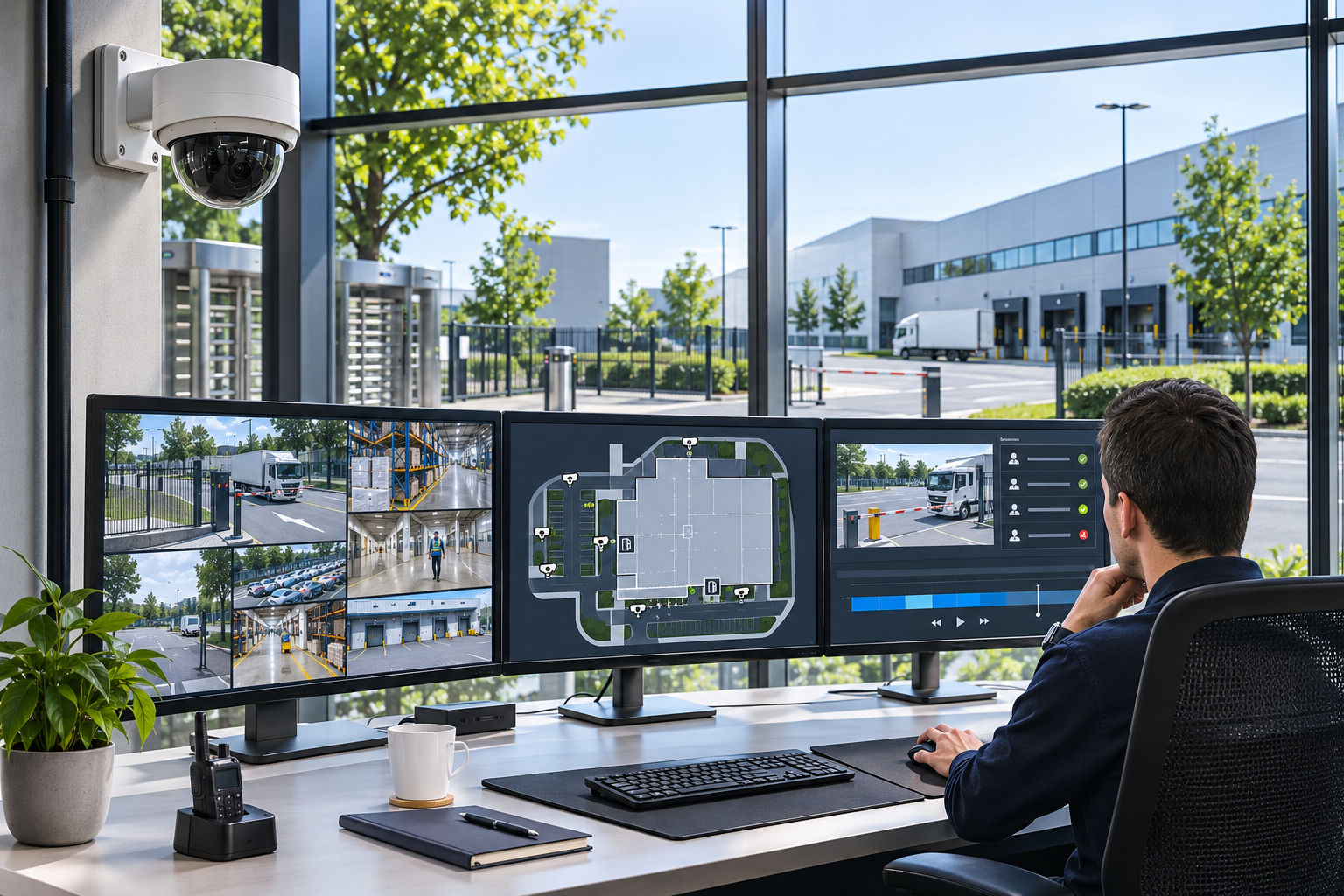
Professional security systems today consist of more than just IP cameras and recording devices. Especially in factories, shopping malls, airports, hospitals, data centers, and critical infrastructure facilities, the integrated management of video surveillance, access control, license plate recognition, and alarm systems is of paramount importance.
In traditional security architectures, these systems often operate through independent software. This can lead to security operators monitoring different screens, investigating incidents in separate systems, and complicating integration processes.
One of the solutions developed to address these needs is the Genetec Security Center platform.
Canada-based Genetec, founded in 1997, specializes in physical security software, video management, access control, license plate recognition, and cloud-based security technologies.
Security Center, one of Genetec's most important products, is an open-architecture software solution that enables the management of different electronic security systems through a single platform.
Key components of the platform include Omnicast video management, Synergis access control, AutoVu license plate recognition, Sipelia communication management, and Mission Control incident management.
Additionally, Genetec offers cloud-based security management options with Security Center SaaS.
However, the use of advanced security management software does not automatically mean that all technical requirements of the system are met.
A successful Genetec project must be designed with the right software architecture, compatible devices, sufficient server capacity, reliable recording infrastructure, appropriate licensing, and cybersecurity practices.
So, what is Genetec Security Center, how does it work, what is the difference between Omnicast and Security Center, and how is the right Genetec solution chosen for professional security projects?
What is Genetec Security Center?
Genetec Security Center is a physical security management software that unifies IP-based video surveillance, access control, automatic license plate recognition, alarm, and communication systems on a common platform.
Security Center is not just a VMS that manages camera recordings.
It unifies different security disciplines on a common user, alarm, event, and reporting infrastructure.
Depending on the supported configurations on the platform:
IP security cameras can be monitored and recorded.
Access control doors can be managed.
Cardholders and access privileges can be defined.
Vehicle license plates can be detected and associated with relevant records.
Alarm and intrusion events can be centrally evaluated.
Security equipment can be monitored via facility maps.
Multi-site systems can be unified in a common operator interface.
Automations can be created for specific security events.
Incident investigations and digital evidence sharing can be managed.
However, not all features are standard in every Security Center license.
The modules to be used, device connections, software packages, and relevant additional licenses must be determined according to project needs.
Which Country is Genetec From?
Genetec is a Canada-based security software manufacturer.
Founded in 1997, the company is headquartered in Montréal, Québec.
The manufacturer develops video security management, access control, license plate recognition, physical security automation, and cloud-based security services.
Genetec's core approach is to enable different brands and technologies to be used together through open-architecture security platforms.
However, an open architecture does not mean that all camera and access control systems on the market are automatically compatible with every function.
The actual support and integration status of devices should be checked on a model-by-model basis.
What is VMS? Is Genetec a VMS Software?
VMS (Video Management System) is a video management system used for monitoring, recording, managing security cameras, and investigating past footage.
The basic functions of a traditional VMS are:
Managing camera connections.
Live video monitoring.
Recording creation.
Playback of historical recordings.
PTZ control.
Viewing camera events.
Alarm and notification management.
Video export.
Defining user and access privileges.
Genetec's Omnicast solution is the VMS module that provides these functions.
Security Center, in addition to Omnicast, can also integrate other security systems such as access control and license plate recognition on a common platform.
Difference Between Genetec Security Center and Omnicast
| Feature | Security Center | Omnicast |
|---|---|---|
| Core definition | Unified physical security platform | Video management system |
| Camera management | Via Omnicast | Primary area of expertise |
| Access control | With Synergis | Via Security Center integration |
| License plate recognition | With AutoVu | Via relevant Security Center module |
| Alarm and event management | Covers multiple security systems | Video-focused events |
| Multi-site usage | Supported Federation architectures | Via Security Center infrastructure |
| System expansion | Different security modules | Video surveillance components |
Omnicast is part of the Security Center ecosystem. The two products should not be considered as completely independent, competing platforms.
How Does Genetec Security Center Work?
Genetec Security Center has an IP-based software architecture where different device and server components work together.
A professional installation may include the following components.
Directory Server
The Directory Server is the core server that hosts the central management and configuration services of the Security Center system.
It is responsible for managing components defined in the system, such as:
Users.
Privileges.
Devices.
Server roles.
Security rules.
Configuration information.
For critical projects, appropriate redundancy options can be considered for the continuity of the Directory service.
Archiver
The Archiver is the core component in the Omnicast video management system that enables the recording of camera footage.
Its main functions include:
Receiving camera video streams.
Writing footage to the recording storage system.
Making historical recordings accessible.
Implementing recording schedules.
Managing recording status and related events.
As the number of cameras increases, multiple Archivers can be used.
However, Archiver capacity should not be determined solely by the number of cameras.
Total video bitrate, disk performance, and recording and playback load must be calculated together.
Security Desk
Security Desk is the client software that allows security operators to monitor live footage, access control events, alarms, and other relevant security information.
In supported configurations, the following can be evaluated via a common interface:
Live video.
Historical recordings.
Alarm events.
Door statuses.
License plate recognition records.
Maps and security zones.
Incident reports.
Config Tool
Config Tool is the management application used for configuring the Security Center system.
Device addition, server roles, access privileges, camera recording schedules, and other system settings can be managed through this tool.
Other Server Components
Depending on the project scope, Media Router, Redirector, Federation roles, access control components, and various integration services may be used.
Whether these roles run on a single physical server or multiple servers should be planned according to the manufacturer's current system requirements.
What is Genetec Omnicast?
Genetec Omnicast is a video management system used for central monitoring, recording, event management, and integration of IP security cameras.
Key features of Omnicast include:
Multi-brand IP camera support.
Live video viewing.
Recording and playback.
PTZ camera management.
Multiple video streams.
Management of camera events.
Dynamic map and dashboard options.
Video export.
Secure access and authorization.
Advanced recording redundancy in appropriate packages.
Integration with other Security Center systems.
Omnicast Standard
The Standard package is offered for smaller-scale camera systems.
According to Genetec's current comparison, it supports:
Up to 50 cameras.
Up to 5 clients.
1 Archiver.
Omnicast Pro
The Pro package is designed for larger camera systems.
According to the manufacturer's package comparison, it supports:
Up to 250 cameras.
Up to 10 clients.
Up to 20 Archivers.
Omnicast Enterprise
The Enterprise package offers advanced system options for large-scale and critical security projects.
The manufacturer's package table does not specify a fixed package limit for the number of cameras, clients, and Archivers.
However, this does not mean that a single server can run an unlimited number of cameras.
Actual system capacity depends on server hardware, software architecture, licenses, and the manufacturer's sizing criteria.
Omnicast Standard, Pro, and Enterprise Comparison
| Criterion | Standard | Pro | Enterprise |
|---|---|---|---|
| Maximum cameras | 50 | 250 | No fixed limit at package level |
| Maximum clients | 5 | 10 | No fixed limit at package level |
| Number of Archivers | 1 | 20 | No fixed limit at package level |
| Basic video recording | Supported | Supported | Supported |
| Health monitoring | Supported | Supported | Supported |
| Remote Security Desk | Not available | Supported | Supported |
| Auxiliary Archiver | Not available | Not available | Supported |
| Archiver failover | Not available | Not available | Optional |
| Directory failover | Not available | Not available | Optional |
| Federation | Not available | Not available | Optional |
This table is based on Genetec's published Omnicast package comparison. Optional features, actual license scope, and system capacity should be verified before quoting.
What is Genetec Synergis?
Synergis is Genetec's IP-based access control management solution.
This software helps centrally manage specific door control devices, card readers, and access privileges.
What Functions Does Synergis Offer?
Depending on the supported products and licenses, functions such as the following can be used:
Personnel and cardholder management.
Door access privileges.
Card and mobile credentials.
Visitor management.
Recording of door events.
Unauthorized access alarm.
Monitoring of door statuses.
Security automation based on specific threat levels.
Association of access events with video recordings.
Camera Integration with Synergis
For example, when a card is swiped at a factory personnel entrance, the relevant door event can be associated with the security camera footage.
This allows security personnel to evaluate the access event not only through a text record but also with the appropriate camera footage.
However, managing access control and video systems on the same platform does not guarantee that every card swipe event is automatically matched with the correct person.
Physical conditions such as card sharing, tailgating, and camera angle should also be considered.
What is Genetec AutoVu?
AutoVu is Genetec's automatic license plate recognition solution.
License plate recognition technologies, referred to as ALPR or ANPR, aim to capture vehicle license plates, read their characters, and associate them with relevant system records.
AutoVu solutions can be used in both fixed and mobile license plate recognition scenarios.
Where is AutoVu Used?
Parking lot entrances and exits.
Corporate campuses.
Logistics and vehicle checkpoints.
Specific public safety applications.
Parking management.
Recording vehicle movements.
AutoVu SharpV and SharpZ3
SharpV is the camera solution offered for fixed license plate recognition applications.
SharpZ3 is the product family designed for mobile license plate recognition use.
These devices are developed for license plate reading tasks, differing from general-purpose CCTV cameras.
However, for a successful license plate recognition system, the following should be evaluated:
Vehicle speed.
Camera angle.
License plate size and pixel density.
Night illumination.
Mounting height.
Algorithm and country-specific license plate formats.
The accuracy of a license plate reading system cannot be determined solely by the camera's resolution.
What is Genetec Mission Control?
Genetec Mission Control is a decision and incident management solution developed for evaluating, prioritizing, and managing security incident response processes.
In large security systems, numerous alarms can originate from various sources.
These alarms can come from:
Camera analytics.
Access control.
Intrusion alarms.
Perimeter security sensors.
Specific industrial IoT systems.
Other security integrations.
How Does Mission Control Work?
For example, let's assume a perimeter intrusion alarm occurs at a factory outside working hours.
With appropriate integration and configuration, the system:
Evaluates the incoming alarm.
Associates relevant camera and zone events.
Helps determine the priority level of the incident.
Displays the defined response procedure to the security operator.
Supports informing relevant teams or assigning tasks.
Manages the incident closure and reporting process.
This approach can help implement standard response procedures in security operations.
However, the use of Mission Control does not eliminate human assessment or mandatory security procedures.
What is Genetec Federation?
Federation is a technology that enables independently operating Security Center or appropriate Security Center SaaS systems to be linked under central monitoring and management.
It is particularly important for organizations with multiple factories, shopping malls, campuses, or branches in different cities.
What Does Federation Provide?
Centralized monitoring of security events from different facilities.
Centralized access to appropriate cameras and door devices.
Centralized alarm management.
Joint evaluation of specific reports.
Ability for local systems to maintain certain independent functions.
Restriction of operator privileges for different locations.
However, using Federation does not mean that all remote locations will be accessible from the center during internet or network outages.
Network connectivity, latency, bandwidth, privilege management, and relevant licenses must be planned separately.
What is Genetec Security Center SaaS?
Security Center SaaS is Genetec's cloud-based unified physical security management platform.
SaaS stands for Software as a Service.
Security Center SaaS enables the management of functions such as video security and access control with a cloud-centric architecture.
In supported configurations, the platform can offer:
Cloud-based central video management.
Access control.
Alarm and event management.
Cloud and local recording options.
Smart video search.
Multi-site management.
Authorized remote access.
Integrated security workflows.
Is Security Center SaaS the Same as On-Premises Security Center?
No.
Security Center and Security Center SaaS are related but distinct product architectures from Genetec.
Although their names are similar, their version management, licensing, device connectivity, and some functionalities differ.
Numbered versions like Security Center 5.14 pertain to the traditional on-premises Security Center product family.
Security Center SaaS, on the other hand, uses a continuously updated cloud-based service architecture.
What is Genetec Cloudlink?
Genetec Cloudlink is a family of managed devices offered to connect supported existing devices to cloud-based Genetec services and execute appropriate local functions.
Cloudlink can be particularly useful when transitioning existing IP camera or access control infrastructure to the cloud.
However, using Cloudlink does not mean that all connected cameras will support all cloud features.
Genetec Security Center vs. Security Center SaaS Comparison
| Criterion | Security Center | Security Center SaaS |
|---|---|---|
| General architecture | On-premises server-based, with hybrid options | Cloud-first SaaS |
| Software version | Versions like 5.14 | Continuous service updates |
| Server management | By the enterprise or service provider | Cloud service and relevant edge components |
| Video recording | Local, supported hybrid/cloud options | Cloud, on-device, or suitable appliance |
| Camera connectivity | Approved IP devices and integrations | Direct-to-cloud or supported Cloudlink |
| Internet dependency | Local functions can operate without internet in appropriate architecture | Internet connection required for cloud management |
| Licensing approach | Software/module/device and maintenance terms | Subscription and service scope |
| Typical preference | Enterprise on-premises control and comprehensive integration | Cloud-centric multi-site management |
This table illustrates the general architectural distinction. Specific product features, subscription packages, storage, data residency, and device support should be verified with current product documentation.
What's New in Genetec Security Center 5.14?
Genetec released Security Center 5.14 in May 2026.
This version includes innovations that particularly enhance automation, system performance, and management processes.
Enhanced Automation
Security Center 5.14 has improved automation features for evaluating specific security events and conditions together.
For example, when an event occurs, a defined action can be executed based on another condition also being met.
This feature can help reduce unnecessary alarm and automation triggers.
64-Bit Security Desk
With Security Center 5.14, the transition of Security Desk to a 64-bit architecture stands out.
This change aims to improve the performance of operations such as video decoding, video processing, and panoramic image correction in suitable systems.
However, a 64-bit architecture does not mean that all performance issues will be eliminated under insufficient hardware or network conditions.
Genetec Web App
With Security Center 5.14, support for the old Security Center Web Client has been removed.
The manufacturer emphasizes the use of the Genetec Web App for the new web access approach.
Therefore, when upgrading from older Security Center versions, the compatibility of existing web client workflows should be checked.
Security Center 5.14.1
Version 5.14.1, released in August 2026, brought enhanced automation, system visibility, and operational management improvements.
According to the manufacturer's release notes, patch 5.14.1.3 was released on October 26, 2026.
When preparing an update plan, not only the main version number but also relevant security fixes, camera drivers, and integration compatibilities should be examined.
Which Camera Brands Work with Genetec Security Center?
Genetec Omnicast can integrate and work with numerous IP cameras and video devices from different manufacturers.
According to the manufacturer's statement, Omnicast has an open-architecture ecosystem that supports over 10,000 devices from various manufacturers.
For example, supported models may include:
Axis Communications.
Hanwha Vision.
Relevant devices from Bosch / IQSIGHT.
i-PRO.
Pelco.
Hikvision.
Dahua.
MOBOTIX.
Various other IP video manufacturers.
However, the presence of a camera brand among the supported products does not guarantee that all models and specific analytical functions of that brand are supported.
How to Check Camera Compatibility?
In a Genetec project:
The camera's full model number must be determined.
The firmware version should be checked.
Genetec's list of supported hardware and devices should be reviewed.
Video resolution and encoding format must be verified.
PTZ, audio, alarm, and analytical event support should be evaluated.
The required camera connection license must be determined.
Recording and playback of historical footage should be tested.
Especially in cloud systems, it should not be assumed that the devices and functions supported by Security Center and Security Center SaaS are entirely the same.
Is Genetec ONVIF Compatible?
Genetec can work with ONVIF-based IP security devices through appropriate product and device drivers.
ONVIF defines standard interfaces between IP-based physical security devices from different manufacturers.
However, the ability to receive live video via ONVIF does not mean that all analytical data or manufacturer-specific functions on the camera can be used.
For example, the following should be evaluated separately:
Live view.
Recording.
PTZ control.
Audio.
Camera inputs/outputs.
Analytical metadata.
Alarm events.
For Security Center SaaS, certain conditions such as H.264 and Digest Authentication apply to some ONVIF Profile S connection methods.
Therefore, it should not be assumed that every ONVIF-supported camera will work with all Genetec products with the same features.
Official standard conformance can be checked from the ONVIF Conformant Products database.
Does Genetec Offer AI-Powered Video Analytics?
The Genetec product ecosystem can associate AI analyses performed on cameras or other supported systems with security operations.
People and Vehicle Analysis
People and vehicle classification events from appropriate camera or video analytics applications can be used within the Genetec platform.
These events can be associated with specific security rules or operator workflows.
People Counting and Occupancy Analysis
Genetec Omnicast product packages include optional analytical features such as machine learning-based people counting.
Additionally, certain third-party people counting and visitor analytics systems can provide data to the platform through appropriate integrations.
However, displaying people counting data on the VMS screen does not automatically guarantee the accuracy of the data.
Accuracy tests, calibration, and validation processes are required for actual counting performance.
AI-Powered Video Search
Current features of Security Center SaaS include natural language-based and AI-powered video search functionalities.
By defining specific image characteristics within the supported camera, recording, and analysis infrastructure, relevant video recordings can be investigated.
However, this function is not standard in all Security Center 5.14 installations or on all cameras.
AI-powered video search results are investigative outputs that must be verified by a human operator. They should not be considered definitive proof of an event or identity.
Differences Between Genetec Security Center and Milestone XProtect
Genetec Security Center and Milestone XProtect are two different software platforms used in professional IP security projects.
Both products can offer multi-brand camera integration and scalable video management.
However, the core positioning of the products differs.
| Comparison | Genetec Security Center | Milestone XProtect |
|---|---|---|
| Main approach | Unified physical security platform | Open platform VMS |
| Video management | Omnicast | XProtect |
| Access control | On the same platform with Synergis | With XProtect Access and supported integrations |
| License plate recognition | Unified solution with AutoVu | With appropriate LPR plugins |
| Incident management | Expandable with Mission Control | VMS alarm, event, and integration functions |
| Multi-site structure | Federation | Interconnect / Federated Architecture |
| Cloud approach | Security Center SaaS as a separate product family | XProtect and related hybrid/cloud solutions |
| Extensibility | SDK and technology partners | MIP SDK and technology partners |
The table compares the general architectural approaches of the products. The presence of a feature as a separate module on one platform does not mean that a similar function cannot be performed on the other platform.
Which Software is More Suitable?
Genetec Security Center can be a strong option for organizations that want to manage video, access control, license plate recognition, and incident management on a unified security platform.
Milestone XProtect, on the other hand, can be considered for projects that center around video management with its broad device and software integration ecosystem.
However, the final choice should not be made based solely on the product's promotional features.
Actual camera compatibility, software licenses, recording capacity, security operations, and long-term operating costs must be compared.
What is Genetec Streamvault?
Streamvault is a family of ready-to-deploy security infrastructure and recording devices offered for use with Genetec Security Center systems.
Streamvault devices aim to simplify installation processes with pre-configured software and hardware components in suitable products.
The portfolio includes different capacity options, from small facilities to large enterprise applications.
Advantages of Using Streamvault
Ready-to-use system configuration.
Hardware optimized for security.
Centralized management of cameras and other devices.
Supported storage and redundancy options.
System health monitoring.
Manufacturer-supported hardware-software infrastructure.
However, using a Streamvault device does not mean that a separate server capacity calculation is unnecessary for every project.
The appropriate model should be selected based on the number of cameras, data rate, disk capacity, number of users, and analytical load.
How to Calculate Genetec Camera Recording Duration?
In Genetec Security Center projects, recording capacity depends on the number of cameras and the average video bitrate.
Example Recording Capacity Calculation
Let's consider the following recording scenario in a factory:
Number of IP cameras: 40.
Average bitrate per camera: 3 Mbps.
Recording method: 24 hours continuous.
Storage target: 30 days.
Total video bitrate:
40 × 3 = 120 Mbps
Approximate raw video data for 30 days:
120 Mbps × 86,400 seconds × 30 days / 8 = 38.88 TB
In this system, approximately 38.9 TB of raw storage may be required for video data alone.
However, actual disk capacity can vary depending on factors such as:
Video encoding method.
Actual average bitrate.
Amount of motion in camera footage.
Audio and analytical metadata.
Recording schedule.
File system and reserved areas.
RAID and redundancy.
Disk or server failure scenarios.
Therefore, the 38.9 TB value should not be used directly as a specific disk capacity recommendation.
Why is Archiver Performance Important?
Even if storage capacity is sufficient, the Archiver server must be able to reliably process the video data stream.
Server resources can be affected, especially when live monitoring, recording playback, video export, and archive transfer are performed simultaneously.
Therefore, in Genetec projects, the number of cameras, video bitrate, network capacity, disk performance, and client load must be sized together.
How is Genetec Licensing Done?
Genetec Security Center is a professional security platform licensed according to the software modules used and connected devices.
The licensing approach may vary depending on the project architecture and product family.
Core Platform and Module Licenses
It is determined which of the video management, access control, license plate recognition, or other security modules will be used in the project.
Camera Connection Licenses
Appropriate license capacity is required for camera connections within Omnicast.
However, for multi-sensor cameras, video encoders, and specialized devices, actual license consumption may depend on the model and integration.
Access Control and License Plate Recognition Licenses
When using Synergis and AutoVu, license requirements may arise for relevant door, device, or license plate recognition scopes.
Optional Features
Separate license or package requirements may exist for Federation, failover, video analytics, other integrations, and certain advanced security functions.
Security Center SaaS Subscription
In cloud-based Security Center SaaS, factors such as subscription, service scope, device type, and storage are important.
What Determines Genetec Pricing?
Software package to be used.
Number of cameras.
Number of doors and card readers.
License plate recognition components.
Additional security applications.
Recording and server architecture.
Storage needs.
Number of users and locations.
Cloud subscription.
Software maintenance and support terms.
Installation and integration costs.
The correct Genetec budget should be prepared based on the total cost of ownership, not just software licenses.
Genetec Security Center products are supplied through authorized channel partners. The current authorization of the relevant partner should be verified before quoting.
Cybersecurity in Genetec Security Center Systems
Genetec emphasizes a cybersecurity and data protection approach in its physical security software.
However, no software platform can eliminate all security risks on its own.
In professional systems:
Strong user passwords must be enforced.
Multi-factor authentication should be used in appropriate configurations.
User privileges should be limited according to their roles.
Camera and access control networks should be separated into appropriate security segments.
Supported encrypted communication methods should be used.
Server operating systems should be kept up to date.
Genetec software patches and security advisories should be followed.
Camera and control device firmware versions should be evaluated.
Security logs and unauthorized access attempts should be monitored.
Backup and recovery plans should be created.
What is Genetec Security Score?
Tools like Security Score, found in certain Genetec systems, can help evaluate the security configuration.
However, a high configuration score does not mean that the system is completely secure against all cyberattacks.
Network architecture, user behavior, third-party devices, and security updates should be evaluated together.
Genetec Security Center and KVKK (Personal Data Protection Law)
Recording images of specific or identifiable individuals with security camera systems may constitute a personal data processing activity.
Since video, access control, vehicle license plate, and other security information can be associated on a common platform in Genetec systems, data protection assessment is particularly important.
In Turkey, the use of relevant systems must comply with Law No. 6698 on the Protection of Personal Data (KVKK) and other relevant legislation.
Specifically:
The purpose of data processing must be determined.
Monitored areas should be limited to necessary zones.
Appropriate legal basis and disclosure obligations should be evaluated.
User access privileges must be defined.
Recording and event data should not be stored longer than necessary.
The association of video, access, and license plate information should be evaluated separately.
Data residency and cross-border transfer conditions for cloud services should be examined.
Sharing of recordings with third parties should be controlled.
Necessary deletion and destruction processes should be planned.
Especially in cloud systems, it must be verified through the project contract which data is processed on the camera, local device, or cloud infrastructure.
A software offering features that support KVKK compliance does not automatically mean that the operating entity using the system fulfills its legal obligations.
What is Genetec Clearance?
Genetec Clearance is a solution that enables the collection, management, and sharing of digital evidence with authorized individuals.
Appropriate video recordings obtained from Security Center can be associated with incident files in the Clearance system through relevant integration.
What Functions Does Clearance Offer?
Collecting video and other digital files.
Creating incident files.
Defining access for authorized individuals.
Securely sharing recordings.
Monitoring access and activity history.
Using supported privacy masking tools.
Managing retention and deletion policies.
This solution can be particularly valuable in corporate security incident investigations and authorized evidence sharing processes.
However, securely sharing a digital file does not automatically mean that the file meets all legal evidence requirements.
In Which Sectors is Genetec Security Center Used?
Factories and Industrial Facilities
It can be used for centralized management of video security, access control, perimeter intrusion, and related security events.
Shopping Malls
Video, alarm, and access control systems can be managed on a common platform in shopping mall parking lots, common areas, technical zones, and relevant entry points.
Airports and Transportation Facilities
Unified security management can be considered for facilities with numerous cameras, doors, vehicles, and security zones.
Hospitals
Security cameras, access control, and specific alarm events can be associated with appropriate authorization.
Patient and employee privacy must be evaluated separately.
Banks and Financial Institutions
Centralized video and access control management can be used in branches, data centers, and relevant security areas.
Logistics and Warehouses
It can be evaluated for the integrated management of warehouse doors, vehicle entrances, license plate recognition, and video recordings.
Energy and Critical Infrastructure
It can be used in projects where different security components such as perimeter security, access control, alarm, and incident management need to work together.
Multi-Site Businesses
Facilities located in different cities can be centrally monitored with appropriate Federation or SaaS architecture.
Which Genetec Software Solution Should Be Preferred?
| Security need | Solution to consider | Primary criterion |
|---|---|---|
| Small camera system | Omnicast Standard | Number of cameras, recording, cost |
| Medium-scale CCTV | Omnicast Pro | Multiple Archivers, management |
| Large and critical video system | Omnicast Enterprise | Redundancy, scale, integration |
| Camera and access control | Security Center + Synergis | Door events, video matching |
| Vehicle and license plate management | Security Center + AutoVu | License plate accuracy, vehicle workflows |
| Complex alarm operation | Mission Control | Incident priority and response procedures |
| Multiple independent facilities | Federation | Centralized monitoring and local continuity |
| Cloud-centric multi-site business | Security Center SaaS | Data residency, connectivity, subscription |
| Digital evidence sharing | Clearance | Authorization, retention, sharing |
This table represents a general technical selection approach. The exact product, license, and engineering architecture must be determined according to the manufacturer's current documentation and project requirements.
Common Mistakes in Genetec Security Center Installation
Considering Security Center as merely camera recording software.
Not selecting the Omnicast package based on camera and Archiver capacity.
Failure to verify camera model and firmware compatibility.
Assuming that analytical features will work standardly on every camera.
Underestimating server CPU, RAM, and disk performance.
Incorrect planning of Archiver and Directory redundancy.
Believing that Security Center and Security Center SaaS operate with the same licensing model.
Failure to determine network and Federation requirements for multi-site structures.
Not testing license plate recognition and access control integrations.
Determining recording retention solely based on theoretical capacity.
Neglecting cybersecurity and software updates.
Not performing alarm, recording, and access tests during commissioning.
To mitigate these errors, technical discovery, correct system architecture, and documented commissioning processes are crucial.
Genetec Security Center Periodic Maintenance and Checklist
Regular inspection of a professional Genetec system is important for long-term reliability.
Maintenance should include checking:
Directory Server operational status.
Archiver services.
Camera connections.
Recording server performance.
Disk health and capacity.
Accessibility of oldest recordings.
Security Desk clients.
User accounts and privileges.
Firmware and software versions.
Alarm and event automations.
Synergis door events.
AutoVu license plate recognition records.
Federation connections.
Backup and restore procedures.
Cybersecurity logs.
The live display of security cameras alone does not indicate that all recording, alarm, access control, and integration functions of the Genetec system are operating correctly.
Technical Checklist for Genetec System Selection
Has the scope and purpose of the security system been determined?
Is only a VMS needed, or a unified security platform?
Have Omnicast Standard, Pro, and Enterprise options been evaluated?
Have Security Center and Security Center SaaS architectures been compared?
Have camera models and firmware versions been verified?
Has camera and analytics compatibility been tested?
Have camera connection and other licensing requirements been determined?
Has the Directory Server and Archiver architecture been planned?
Has server capacity and network bandwidth been calculated?
Has a recording retention and redundancy strategy been established?
Have Synergis and AutoVu integration requirements been evaluated?
Has the need for Federation or Mission Control been determined?
Have cloud data storage and transfer conditions been examined?
Have user privileges and cybersecurity policies been established?
Have current software versions and support lifecycle been checked?
Have historical recordings and alarm functions been verified?
Have KVKK and relevant regulatory requirements been evaluated?
Has a maintenance and technical support plan been created?
This list has been prepared for technical evaluation purposes. It does not replace project-specific engineering work and manufacturer documentation.
Frequently Asked Questions
What is Genetec Security Center?
Genetec Security Center is security management software that unifies video surveillance, access control, license plate recognition, alarm, and communication systems on a single platform.
Which country is Genetec from?
Genetec is a Canada-based security software company. Its headquarters are in Montréal.
Is Genetec a VMS software?
Genetec's Omnicast product is a VMS. Security Center, however, is a unified security platform that includes different security systems in addition to Omnicast.
What is Genetec Omnicast?
Omnicast is the Genetec video management system used for central monitoring, recording, and managing video events from IP cameras.
What is Genetec Synergis?
Synergis is an access control solution that manages card access, door management, and access privileges.
What is Genetec AutoVu?
AutoVu is Genetec's ALPR solution used in fixed and mobile license plate recognition scenarios.
What is Genetec Mission Control?
Mission Control is a decision management system used for evaluating, prioritizing, and managing security incident response processes.
What is Genetec Security Center SaaS?
Security Center SaaS is a unified security platform that offers features such as video security and access control through a cloud-based service architecture.
What is Genetec's latest Security Center version?
As of November 1, 2026, the current main version is Security Center 5.14. The manufacturer's release notes include patch 5.14.1.3 dated October 26, 2026.
How many cameras does Genetec support?
Omnicast Standard supports up to 50 cameras, and Pro supports up to 250 cameras. For Enterprise, there is no fixed upper limit at the package level; actual capacity depends on hardware and system architecture.
Does Genetec work with different camera brands?
Genetec can work with supported IP cameras and devices. However, compatibility for the exact model, firmware, video, analytics, and other features must be verified separately.
Does Genetec Security Center work without internet?
In an appropriate on-premises Security Center architecture, many monitoring, recording, and control functions can operate without internet. Security Center SaaS and remote access features have different connectivity requirements.
What is the difference between Genetec and Milestone?
Genetec Security Center focuses on providing video, access control, and license plate recognition on a unified platform, while Milestone XProtect has a broad integration ecosystem centered around video management. The choice between the two systems is determined by actual project and licensing needs.
What determines Genetec software pricing?
Pricing varies based on the software package, number of cameras, other security modules, connection licenses, server and storage, cloud services, integration, and support scope.
Conclusion: What Does Genetec Security Center Offer in Unified Security Management?
Genetec Security Center is a professional solution developed to manage different electronic security systems such as video security, access control, license plate recognition, and alarm management on a common platform.
Omnicast is used for camera monitoring and recording management, while Synergis supports access control, AutoVu supports license plate recognition, and Mission Control supports the management of security incidents.
Security Center SaaS offers an alternative for different business needs with cloud-based and hybrid system architectures.
Security Center 5.14, released in 2026, and subsequent updates enhance automation and system management features.
However, a successful Genetec project is not completed merely by purchasing advanced software.
Compatible cameras, the correct server and recording architecture, sufficient license capacity, secure network infrastructure, operational needs, and long-term maintenance requirements must be planned together.
Especially in factories, shopping malls, logistics centers, hospitals, airports, and critical infrastructure facilities, technical discovery, integration verification, and actual field tests are of great importance.
The most appropriate Genetec solution is not the system using the most comprehensive license package, but rather the architecture that reliably, measurably, and sustainably meets the actual security needs of the business.