
What Are Video Analytics Systems? AI, Use Cases, and Technical Selection Guide
Video analytics systems analyze security camera footage using artificial intelligence and image processing technologies to detect people, vehicles, and specific events. We examine object classification, perimeter intrusion, people counting, license plate recognition, and behavior analysis applications; edge and server-based architectures, ONVIF integration, accuracy measurement, and technical criteria for selecting the right system.
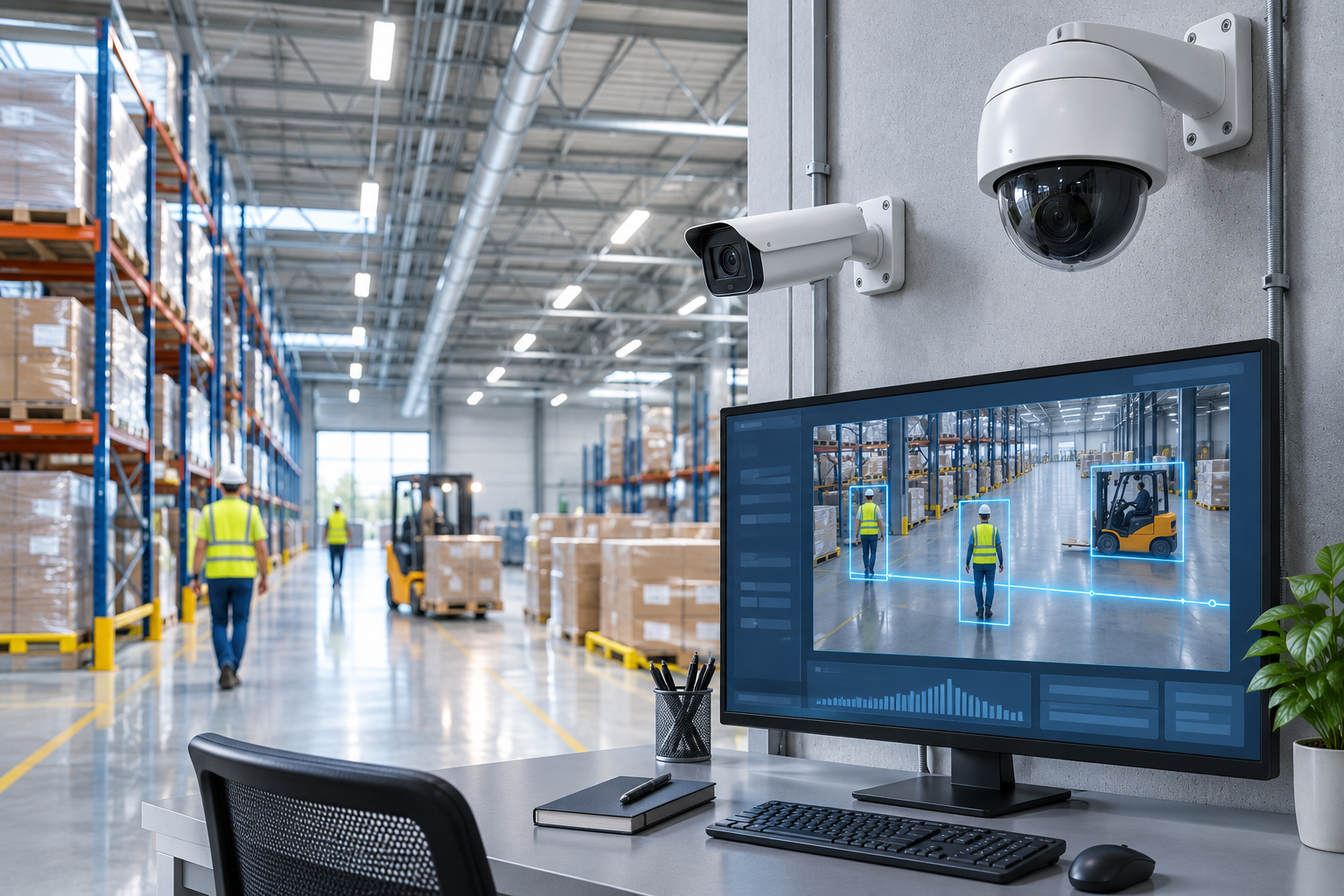
Video analytics systems are technologies designed to automatically detect people, vehicles, objects, and specific events by analyzing images obtained from security cameras using software algorithms. Unlike traditional CCTV systems, video analytics solutions are not limited to merely recording images; they enable the classification of events occurring in the image, the generation of alarms based on defined rules, and the production of operational data in appropriate applications.
Advances in artificial intelligence, machine learning, and computer vision technologies have expanded the scope of video analytics applications. Examples of these applications include human and vehicle classification, virtual perimeter intrusion, suspicious loitering, object left/removed detection, people counting, license plate recognition, and personal protective equipment (PPE) detection.
Today, video analytics systems can be used for various purposes in the protection of factories, logistics centers, airports, retail stores, shopping malls, energy facilities, and critical infrastructures.
However, the presence of AI or video analytics features in a security camera does not guarantee reliable detection under all conditions. The accuracy of the algorithm depends on camera placement, image quality, target distance, environmental conditions, and system configuration.
What is a Video Analytics System?
A video analytics system is a hardware and software solution that analyzes live or recorded video footage according to specific rules and algorithms.
In international terminology, concepts such as Video Analytics, Video Content Analysis (VCA), and Intelligent Video Analytics (IVA) are used.
The primary purpose of these systems is the automatic identification of meaningful events or objects within video footage.
For example, an IP camera placed around a factory can analyze the entry of a person into a defined security zone. In an appropriate system, an alarm can be sent to the security operator, the relevant camera feed can be displayed, and the event recording can be marked.
Similarly, a video analytics solution used in a shopping mall can count people passing through specific entrances or generate data about the occupancy density of certain areas under suitable viewing conditions.
However, the technical requirements for these two applications are not the same.
Perimeter intrusion detection, people counting, license plate recognition, and behavior analysis may require different algorithms and performance criteria. Therefore, the selection of a video analytics system should begin with the purpose of the analysis to be performed.
How Do Video Analytics Systems Work?
In video analytics systems, the basic process involves obtaining images, analyzing them, detecting specific objects or events, and transferring the results to the relevant software.
The method applied may vary depending on the algorithm used and the system architecture.
1. Image Acquisition
In the first stage, video is acquired from an IP camera or another suitable image source.
Image resolution, frame rate, lens characteristics, exposure settings, and lighting conditions affect subsequent analysis processes.
For example, detecting a person appearing small at a long distance might be more challenging for the algorithm than detecting a person located close to the camera.
2. Image Processing
Video analytics software performs specific operations on the image.
Depending on the method used, motion, object boundaries, color properties, depth, or other visual information in the image can be analyzed.
In modern AI-based systems, these operations can be performed through models that use patterns learned from training data.
3. Object Detection and Classification
Appropriate algorithms attempt to determine whether a human, car, motorcycle, or another object is present in the image.
Object detection enables the localization of a specific object within the image.
Object classification aims to determine which category this object belongs to.
However, classifying a person as a human does not mean that the person's identity has been determined.
Facial recognition and identity verification are applications that may entail separate technical and legal requirements.
4. Object Tracking
Some systems can track the movements of detected objects within the image for a certain period.
This process relies on associating the object's position across successive video frames.
Object tracking can generate information such as entry into, exit from, or duration of stay in specific areas.
However, object tracking within an image does not automatically mean that a person or vehicle in different cameras is matched with the same identity.
5. Rule and Event Analysis
Detected objects are compared with defined security or operational rules.
For example:
Crossing a defined line.
Entering a prohibited zone.
Staying in an area longer than a specified duration.
Detection of a specific object class.
Moving in a defined direction.
such conditions can be analyzed.
6. Alarm and Reporting
When a defined event occurs, the system can generate an alarm or metadata according to supported integrations.
This information can be transmitted to video management software, a security monitoring center, or other appropriate systems.
However, detecting an event and delivering the associated alarm to the operator are different processes. Network connectivity, integration, and event management processes also affect the system's success.
Technologies Used in Video Analytics Systems
Video analytics technologies are not solely composed of AI-based solutions.
Image processing methods developed across different generations continue to be used in various applications today.
Traditional Motion Detection
Traditional video motion detection methods rely on evaluating specific changes in the image.
These methods can be used for simple motion detection.
However, trees moving due to wind, shadows, rain, snow, or light changes can cause unwanted alarms.
The detection of motion does not directly indicate that this motion was caused by a human or vehicle.
Rule-Based Video Analysis
Rule-based analyses evaluate motion and object characteristics in the image against predefined conditions.
Applications such as virtual line crossing, motion in a specific area, and object left/removed can be performed using different methods.
These systems do not always have to use modern deep learning models.
AI-Powered Video Analytics
AI-powered systems can classify objects or events through patterns learned from training data.
In appropriate models:
Human and vehicle classification.
Recognition of specific objects.
Personal protective equipment detection.
Analysis of vehicle and pedestrian movements.
Detection of specific behaviors or situations.
can be performed.
Deep learning-based models can provide more detailed object classification in some applications compared to traditional motion analysis.
However, the AI model used may not exhibit the expected performance in environmental conditions or object types that are not sufficiently represented in the training data.
What Analyses Can Video Analytics Systems Perform?
Human and Vehicle Detection
Human and vehicle detection is one of the common applications of video analytics systems.
The system attempts to categorize specific objects within the image as human, car, or other supported categories.
This feature can help filter security events and generate alarms based on relevant object classes.
However, object classification performance is affected by camera angle, target size, occlusion, and image quality.
Virtual Perimeter and Line Crossing
Virtual perimeter analysis is a technology aimed at detecting the crossing of a defined line or boundary on the image.
It can be particularly useful for facility perimeters, entry points, and controlled access areas.
For the system to function correctly, the position of the detection line, direction of movement, and target object class must be appropriately defined.
Prohibited Zone Entry Detection
In this type of analysis, a detection zone is created on the image.
If a defined object class enters this zone, an alarm can be triggered in appropriate systems.
Examples include specific technical areas in factories or controlled zones in logistics facilities.
However, a video analytics alarm does not replace a physical access control system or necessary security barriers.
Loitering Analysis
Loitering Detection aims to identify when a specific object remains in a defined area for longer than a specified duration.
This feature can be evaluated in certain security applications.
However, staying in an area for a long time does not, by itself, indicate that the person is exhibiting suspicious or criminal behavior.
The alarm scenario should be configured according to the area's intended use and security procedures.
Object Left and Removed
Some video analytics solutions can detect when a specific object is left in the image or removed from its previous location.
These applications can be used in specific security and operational scenarios.
However, object size, background changes, image occlusion, or crowd movement can affect detection performance.
People Counting and Visitor Analytics
Video analytics systems can be used for people counting with appropriate camera and software infrastructure.
These applications can be particularly valuable for analyzing visitor movements in stores, shopping malls, museums, and commercial facilities.
Depending on the supported features:
Entry and exit counts.
Number of people in specific areas.
Regional density.
Movement directions.
Visitor traffic during specific time intervals.
can be reported.
However, a standard security camera's ability to detect humans does not mean it can perform high-accuracy people counting.
Crowded passages, people obscuring each other, and camera perspective can affect counting performance.
For a detailed comparison of people counting technologies, GüvenlikOnline's article titled What is a Store Customer Counter? 3D People Counting Guide can be reviewed.
License Plate Recognition Systems
License plate recognition aims to locate the license plate area from a vehicle image and obtain license plate information using appropriate character recognition algorithms.
These systems can be used in parking lots, vehicle access control, and specific transportation applications.
However, license plate recognition performance is affected by vehicle speed, camera angle, image resolution, lighting conditions, and regional license plate formats.
For projects in Turkey, it must also be verified that the system used supports Turkish license plates.
Personal Protective Equipment Analysis
Some video analytics systems offer features to assess whether employees are using specific personal protective equipment from the image.
For example, helmet or reflective vest detection can be performed with appropriate models.
However, these systems do not automatically verify all types of personal protective equipment or their correct usage.
Video-based occupational safety analytics should not be used as a substitute for relevant occupational safety procedures, physical safeguards, or necessary certified safety systems.
Video-Based Flame and Smoke Detection
Some specialized video analytics systems can evaluate signs of flame or smoke from an image.
However, video fire detection has different technical and compliance requirements than classic CCTV motion detection.
A camera's ability to detect a flame-like object in an image does not mean the device can be used as a certified detector in a fire safety system.
These applications must be evaluated separately in accordance with relevant fire safety standards and regulations.
Technical Comparison of Video Analytics Types
Analysis type | Primary purpose | Key technical criterion |
|---|---|---|
Human/vehicle detection | Object classification | Target size and image quality |
Line crossing | Detection of specific passage | Line geometry and direction of movement |
Zone intrusion | Detection of entry into defined area | Field of view, occlusion, and rules |
Loitering | Duration of stay in specific area | Object tracking and time threshold |
Object left/removed | Specific changes in the scene | Background and object stability |
People counting | Passage and density measurement | Counting accuracy, direction discrimination |
License plate recognition | Reading vehicle license plate | Pixel detail, angle, and speed |
PPE analysis | Detection of specific protective equipment | Viewing angle, object visibility |
Flame/smoke analysis | Detection of fire signs | Viewing conditions and compliance documents |
The table shows the general functions of the technologies. The technical performance of each analysis depends on the product, algorithm, and actual field conditions used.
Edge AI, Server, and Cloud-Based Video Analytics Systems
Video analytics solutions can be deployed in different architectures based on where the images are processed.
Edge AI: Video Analysis on the Camera
Edge AI refers to analysis performed directly on the IP camera or a suitable edge device.
The processor or AI accelerator on the camera can analyze images and generate information about specific objects and events.
This approach can, in some projects:
Reduce central server processing load.
Enable analytical operations to be performed locally.
Allow the transmission of specific metadata instead of raw images.
Support some local functions independent of network connectivity.
However, the processing capacity on the camera, the number of supported analytics, and software licenses can be limiting.
Server-Based Video Analytics
In server-based systems, images are transmitted over the appropriate network to central analysis hardware.
This approach can offer advantages in analyzing existing camera infrastructure with specific software.
It can be particularly useful in projects where different camera brands are used together.
However, the server's CPU, GPU, memory, network, and storage capacity must be calculated.
A software supporting a certain number of cameras does not mean it will provide the same performance at different resolutions and analytical loads.
Cloud-Based Video Analytics
In cloud-based systems, all or a specific part of the analysis process can be performed on remote servers.
This approach can be evaluated especially for central reporting or suitable advanced analysis services.
However, the transmission of images or personal data to remote infrastructures must be separately examined in terms of connectivity, data protection, cost, and latency.
Edge, Server, and Cloud Comparison
Criterion | Edge AI | Central server | Cloud |
|---|---|---|---|
Analysis location | Camera or edge device | Local server | Remote service infrastructure |
Processing capacity | Limited by device hardware | Depends on server capacity | Depends on service and subscription terms |
Network requirement | Advantage of local analysis | Network capacity for analysis streams | Internet and data transfer |
Scalability | Adding compatible cameras | Server and software expansion | Service scaling |
Latency | Can provide advantage in local operation | Depends on network and processing load | Depends on network connection and processing |
Data security | Local data processing options | Organization's server security | Cloud and transmission conditions |
In some projects, a hybrid architecture can be used. For example, event detection can be performed on the camera, while reporting or advanced analysis can be carried out on a central server.
Which architecture is more suitable should be determined based on the requirements of the analytical functions and the total system cost.
What is ONVIF Profile M in Video Analytics Systems?
The interoperability of cameras and software from different manufacturers is an important requirement in video analytics projects.
ONVIF is an organization that standardizes specific communication and control interfaces between IP-based security devices.
ONVIF Profile T
Profile T is used for advanced IP video streaming and related camera functions.
H.264/H.265 video transmission, imaging settings, and supported event functions can be evaluated under this profile.
ONVIF Profile M
ONVIF Profile M was developed for the use of video analytics metadata and event information between compatible systems.
According to ONVIF's official definition, Profile M is associated with the following functions:
Configuration and transmission of analytics metadata.
Object classification information.
Object counting events.
License plate and facial analytics events in supported systems.
Transmission of analytics events to other systems.
Event transmission via MQTT in compatible products.
However, ONVIF Profile M compliance does not guarantee that all video analytics features of the device will be transmitted via the standard.
Some features associated with the profile are conditionally defined. The full scope of camera and VMS support should be checked.
For example, obtaining video footage via ONVIF and transmitting human counting information generated by the camera to the VMS are different integration requirements.
For detailed information on this topic, GüvenlikOnline's article titled What is ONVIF? IP Camera, NVR, and ONVIF Profiles Guide can be reviewed.How is Accuracy Measured in Video Analytics Systems?
When evaluating video analytics systems, it is not sufficient to only look at the accuracy rate declared by the manufacturer.
In real-world usage conditions, whether the system detects correct events and how many false alarms it generates should be measured separately.
True Positive (TP): Correct Positive
An event that actually occurred and was correctly detected by the system.
False Positive (FP): Incorrect Positive
The system generating an alarm even though the targeted event did not actually occur.
For example, classifying an object moving in the wind as a human could be a false positive.
False Negative (FN): Incorrect Negative
An event that actually occurred but was not detected by the system.
For example, failing to detect a person entering a defined security zone is a missed event.
What are Precision and Recall?
Precision and Recall values are two important metrics in video analytics evaluations.
Precision:
Precision = TP / (TP + FP)
This value indicates how many of the events reported as positive by the system are actually correct.
Recall:
Recall = TP / (TP + FN)
This value indicates how many of the actual target events were detected by the system.
For example, a video analytics system might detect many real events but also generate a large number of false alarms. In this case, even if recall is high, alarm precision might be low.
How Should the False Alarm Rate Be Evaluated?
In security projects, instead of only percentage-based accuracy values, the number of false alarms generated during specific operating periods should also be evaluated.
For example, the number of false alarms per day or per camera during a specific operating period can help understand the operational load.
However, when comparing false alarm values from different projects, the detection conditions, test duration, and event definitions must be the same.
A claim of high accuracy should not be accepted as guaranteed system performance unless verified by real-world field tests.
Factors Affecting the Performance of Video Analytics Systems
Camera Resolution and Lens
Camera resolution and lens selection determine how many pixels the target object will occupy in the image.
The image detail required for analytical detection depends on the characteristics of the algorithm to be used.
Therefore, simply choosing a 4K or high-megapixel camera does not guarantee sufficient analytical performance.
DORI and Pixel Density
Methods such as DORI and pixel density (PPM) have been used in camera systems to evaluate image detail.
The current IEC 62676-4:2025 standard includes application criteria for the planning, design, installation, testing, and maintenance of video surveillance systems.
However, achieving a certain level of detail in the image and the AI model correctly detecting the object are different performance requirements.
For example, an operator being able to distinguish a target in the image does not guarantee that the algorithm will correctly classify the same target under all conditions.
For image detail calculations, GüvenlikOnline's technical article titled What is DORI Analysis in Camera Systems? can be reviewed.
Camera Mounting Height and Angle
Camera placement directly affects the size and visibility of objects in the image.
For example, a camera mounted at a very high angle might show a wide area but may not provide the object view required by a human or vehicle classification algorithm.
Axis Communications' September 2026 Object Analytics user manual explains that mounting height, camera angle, target distance, and object movement direction can affect analysis performance.
Lighting and Night Conditions
Low lighting, intense backlight, vehicle headlights, and image noise can negatively affect detection performance.
Especially in systems used at night, the actual detection distance should be evaluated in conjunction with infrared illumination or existing ambient light.
Video analytics solutions using thermal cameras can offer advantages in some conditions; however, thermal systems also have environmental limitations.
Object Occlusion
In crowded scenes, people or vehicles obscuring each other can reduce object detection and tracking performance.
This is particularly important in people counting and dense area analyses.
Camera Movement and Vibration
Camera pole sway, mechanical vibration, or PTZ movements can affect analytical results.
If analysis is desired on a moving camera, the relevant software must support this use case.
How is Field Validation Performed in Video Analytics Systems?
When deploying video analytics systems, real-world field conditions must be tested.
The NIST AI Risk Management Framework offers a risk management approach that recommends testing AI systems in environments similar to their intended use and monitoring their performance during operation.
This framework is not a mandatory product certification for video analytics systems; however, it is an important reference that can be used for performance measurement and verification.
An example field validation process can be planned as follows:
The event and object classes to be detected are clearly defined.
The camera's field of view and the analytical detection zone are determined.
Acceptance criteria and test scenarios are prepared.
Controlled reference events are created by authorized personnel.
Alarms generated by the system are compared with reference events.
True positive, false positive, and false negative events are evaluated.
Tests are repeated under different daytime, nighttime, and appropriate environmental conditions.
Sensitivity and event rules are reconfigured if necessary.
Results are documented with a test report.
Regular performance review is planned while the system is in use.
It is important that these tests are conducted under safe conditions and in accordance with relevant facility procedures.
The deployment of a video analytics system does not automatically mean it has verified performance.
True success should be evaluated by measuring defined scenarios in the field and comparing the results with acceptance criteria.
In Which Sectors Are Video Analytics Systems Used?
The purpose of using video analytics technologies varies by sector.
Sector | Example analysis applications |
|---|---|
Factories | Zone intrusion, human/vehicle detection, PPE analysis |
Logistics centers | Vehicle movement, prohibited area and loading zone analysis |
Malls and retail | People counting, visitor density, operational analysis |
Airports | Area security, vehicle and pedestrian analytics |
Energy facilities | Perimeter intrusion and monitoring of specific critical areas |
Parking lots | License plate recognition, vehicle classification, entry-exit |
Hospitals | Unauthorized area entries, appropriate density analysis |
Campuses | Area security, analysis of specific passages |
Ports | Perimeter security, human and vehicle movements |
These examples are applications that can be performed with systems supporting the relevant analytical features.
It should not be assumed that all video analytics products support all these functions.
Especially at the outer boundaries of large facilities, video analytics systems can be evaluated in conjunction with radar and other physical security technologies.
For alternative technologies on this topic, GüvenlikOnline's guide titled What Are Perimeter Security Systems? can be reviewed.
Video Analytics Systems and KVKK
Video analytics systems must be carefully evaluated in terms of personal data protection, as they can process individuals' images or identifying information.
In Turkey, Law No. 6698 on the Protection of Personal Data is one of the fundamental regulations for relevant data processing activities.
The Personal Data Protection Authority's statement published in 2026 regarding security cameras in workplaces emphasizes the importance of purpose limitation, necessity, and proportionality in monitoring activities.
Does Video Analytics Always Process Personal Data?
The data processing characteristics of video analytics systems vary.
Some applications only generate aggregated object counts, while others may process recognizable images, vehicle license plates, or movement information that can be associated with an individual.
Therefore, the evaluation of a system under KVKK depends on the analytical method used and the actual characteristics of the data processing activity.
Facial Recognition and Biometric Data
Detecting the presence of a face in an image is not the same as verifying or determining a person's identity from their facial features.
In biometric authentication and recognition applications, additional legal requirements regarding the processing of special categories of personal data may arise.
The use of such analyses should not be decided solely based on the device's technical support.
Data Security and Storage
In video analytics projects:
The purpose of data processing must be determined in advance.
Unnecessary personal data should not be collected.
Access to image and event records should be restricted.
Record retention periods must be defined.
Secure deletion processes for personal data should be implemented when necessary.
Data transfer to cloud or third-party systems should be evaluated.
Access permissions of system administrators should be controlled.
The technical feasibility of video analytics does not mean that every analysis method is legally appropriate in every environment.
Applications such as continuous monitoring of employee performance or analyzing individuals' behavior based on their identities should be carefully evaluated in terms of legal basis and proportionality.
What to Consider When Choosing Video Analytics Systems?
The selection of the correct video analytics system should not be based on the product having the most analysis features.
1. Define the Purpose of Use
First, the problem the system needs to solve must be defined.
For example, the success criteria for perimeter intrusion detection and people counting applications are different.
2. Verify Camera and Lens Suitability
The resolution, lens, target distance, and mounting angle of existing or new cameras should be evaluated.
3. Examine Algorithm Performance
Manufacturer's performance claims, along with relevant test conditions, should be evaluated.
Accuracy, false alarms, and missed events should be measured separately.
4. Select System Architecture
Edge AI, central server, or cloud-based solution alternatives should be compared in terms of processing capacity, network, and data security.
5. Check Software and Integration Compatibility
ONVIF Profile M, manufacturer APIs, VMS, and alarm management requirements should be verified.
6. Evaluate Cybersecurity
Network segmentation, user permissions, secure connection, firmware updates, and protection of event logs should be planned.
7. Calculate License and Operating Costs
Video analytics software may be built-in in some products, while in others it may require separate licenses.
In the total cost evaluation:
Camera and hardware expenses.
Server or AI accelerator hardware.
Analytics licenses.
Video management software.
Network and storage infrastructure.
Installation and commissioning.
Calibration and validation.
Maintenance and updates.
should be considered together.
Technical Checklist for Video Analytics Systems
Project engineers, system integrators, and technical procurement teams can use the following list:
- Is the purpose of use for the video analytics system defined?
- Are the types of objects and events to be detected determined?
- Are camera position, lens, and target distance checked?
- Is daytime and nighttime image quality evaluated?
- Are detection zones and virtual lines defined?
- Is Edge, server, or cloud architecture selected?
Are CPU, GPU, and network capacities calculated?
- Are relevant analytics licenses and device compatibility verified?
- Are ONVIF Profile M or required API integrations tested?
- Are measurement criteria for false alarms and missed events defined?
- Is field validation and acceptance testing planned?
- Are operator alarm management and intervention procedures prepared?
- Are KVKK and data retention requirements evaluated?
- Are cybersecurity and user access controls planned?
- Are software updates and periodic performance checks planned?
This list is for technical preliminary evaluation purposes. It does not replace definitive engineering design or relevant regulatory obligations.
Frequently Asked Questions
What is a video analytics system?
A video analytics system is a technology that analyzes camera images to automatically detect people, vehicles, objects, or specific events and report them in appropriate software.
Are video analytics and artificial intelligence the same thing?
No. Video analytics refers to the automatic analysis of images. Artificial intelligence is one of the methods that can be used in these analyses. Traditional image processing techniques can also be used in video analytics applications.
Do video analytics systems work with existing IP cameras?
If suitable camera, image stream, and server infrastructure are available, some analysis software can utilize existing IP cameras. However, not every camera supports all analyses.
What is the difference between Edge AI and server-based video analytics?
In Edge AI, analysis is performed on the camera or edge device. In a server-based system, images are analyzed on central processing hardware. The choice depends on processing capacity, network, and integration needs.
Do video analytics systems completely prevent false alarms?
No. AI-powered analyses can reduce certain sources of false alarms, but error-free operation cannot be guaranteed under all conditions.
How is accuracy measured in video analytics systems?
True positive, false positive, and false negative results are evaluated by comparing actual events with events detected by the system. Precision, Recall, and operational false alarm measurements can be used.
What is the purpose of ONVIF Profile M in video analytics systems?
ONVIF Profile M facilitates the transmission of supported analytics metadata and event information between different systems. However, it does not guarantee automatic compatibility for all advanced analysis features.
Can video analytics systems perform people counting?
People counting can be performed with appropriate algorithms and camera placement. However, for applications requiring high accuracy, validation of the system under real-world field conditions is important.
Do video analytics systems perform facial recognition?
Some specialized systems may support facial recognition technologies. However, human detection, face detection, and biometric identity recognition are different processes. Additional legal requirements must be evaluated for biometric applications.
What Determines Success in Video Analytics Systems?
Video analytics systems expand the capabilities of traditional CCTV infrastructure to detect security events, generate meaningful information from images, and support operational processes.
Human and vehicle classification, perimeter intrusion, people counting, license plate recognition, and other analyses can be evaluated for different needs.
However, the success of the system does not solely depend on the use of an advanced artificial intelligence algorithm.
Camera placement, appropriate image detail, the selected analytical model, correct integration, cybersecurity, and real-world field tests must be evaluated together.
At the core of a reliable video analytics system lies the clear definition of events to be detected, the measurement of false and missed alarms, the validation of field performance, and the sustainable monitoring of results.
References
IEC — IEC 62676-4:2025 — Planning, design, installation, testing, commissioning and maintenance of video surveillance systems.
ONVIF — Profile M — Video analytics metadata, object classification and event interfaces.
ONVIF — Profile T — Advanced IP video streaming and related camera functions.
Axis Communications — AXIS Object Analytics User Manual — Object detection, zone and line rules, mounting and environmental performance limitations.
Axis Communications — Video Analytics — Video analytics product classes and application examples.
NIST — Artificial Intelligence Risk Management Framework — Risk, performance and reliability assessment of AI systems.
NIST — AI RMF Measure — Measuring AI performance, test and monitoring approach.
Personal Data Protection Authority — Use of Security Camera Systems in Workplaces — Processing of camera images, purpose limitation, proportionality and data security.