
Smart Home Systems: A Guide to Security, Energy Management, and Automation
Smart home systems are automation solutions that integrate lighting, HVAC, cameras, alarms, electronic locks, blinds, and energy management. We examine the operating principles of wired and wireless systems, KNX, Matter, Zigbee, and Thread technologies, security integrations, and key technical selection criteria for a successful smart home project.
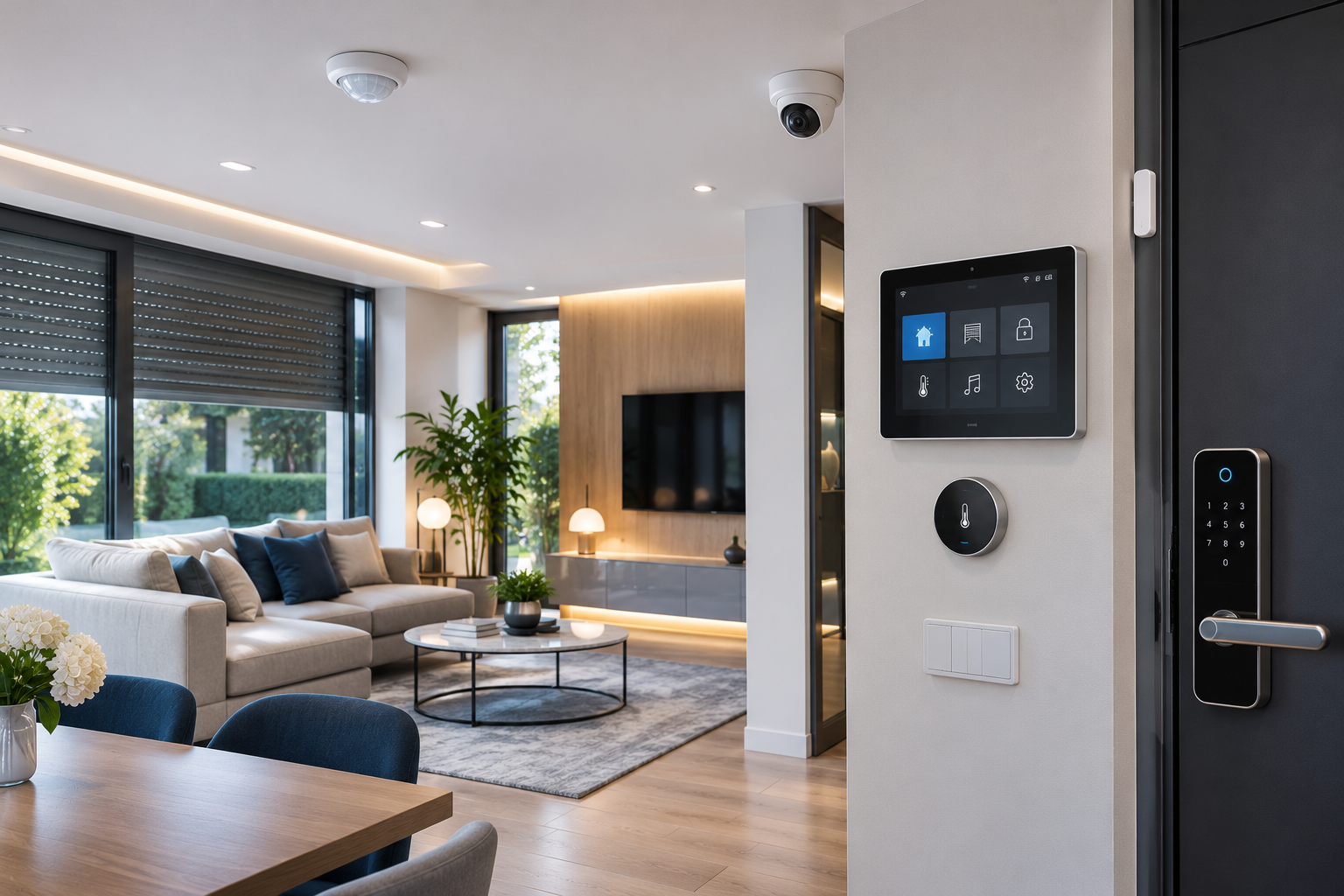
Smart home systems are automation technologies that enable lighting, HVAC, security, blinds/shutters, energy consumption, and electrical appliances in residences to work in coordination with each other. These systems allow different devices to be monitored via a central or distributed control infrastructure and managed according to specific scenarios.
Today, smart home technologies are not limited to simply turning lights on and off or changing thermostat temperatures with a mobile phone. Motion sensors, electronic locks, IP cameras, intruder alarm systems, energy metering devices, and motorized blinds can all be considered different components of the same automation project.
For example, when a user leaves home, lights can be turned off, HVAC can be set to an economic operating mode, and the intruder alarm can be armed in appropriate systems. Upon returning home, lighting and comfort scenarios can be activated once specified security conditions are met.
However, the reliability of a smart home system depends not only on the number of devices it controls but also on the communication technology used, compatibility between systems, cybersecurity, and proper project design.
What is a Smart Home System and How Does It Work?
A smart home system is an automation whole consisting of sensors, control units, actuators, communication infrastructure, and user interfaces.
The basic operating principle of the system is to detect specific conditions and operate appropriate devices according to predefined rules.
A typical smart home infrastructure may include the following components:
Sensors: Detect information such as motion, temperature, humidity, light levels, door/window status, and water leaks.
Control units: Evaluate data from sensors and manage automation scenarios.
Actuators: Control lighting circuits, blind motors, valves, or other suitable electrical equipment.
Communication infrastructure: Enables devices to communicate with each other.
User interfaces: Offer control via touch panels, physical switches, mobile applications, and supported voice assistants.
Management software: Allows for the management of automation scenarios, user permissions, and system status.
Not all of these components are required in every smart home installation.
While a simple system might consist of a few smart switches and sensors, a comprehensive residential automation project can manage numerous electrical circuits and different technical systems through the same infrastructure.
What Functions Can Smart Home Systems Control?
Smart Lighting Systems
Smart lighting can offer more comprehensive control possibilities than just turning lamps on and off.
In suitable systems:
Lighting levels can be adjusted.
Automatic control can be performed based on daylight.
Specific luminaires can be activated when motion is detected.
Time schedules can be created.
Different lighting groups can be managed according to usage scenarios.
For example, when motion is detected at night, corridor lighting can be set to a low level.
However, for dimming functions to be used, the luminaire, LED driver, and control hardware must be compatible with each other.
Heating, Cooling, and HVAC
Smart HVAC systems can help control temperatures and operating times of different rooms.
In suitable solutions, functions such as:
Room-based temperature control.
Heating and cooling according to time schedules.
Reducing HVAC load when windows are open.
Economic operation based on usage status.
Monitoring temperature and humidity information.
can be performed.
However, not every thermostat works the same way with every boiler or heat pump.
Especially for heat pumps, the device's supported control interfaces, operating modes, and manufacturer-specific communication protocols must be considered.
Incompatible control connections can negatively affect system efficiency or conflict with the device's safe operating requirements.
Motorized Blinds and Shutter Systems
Motorized blinds and shutters are components of smart home automation related to comfort and energy management.
They can be controlled by time schedules, light sensors, and user commands.
Managing the entry of sunlight into the indoor environment can contribute to regulating cooling or heating loads in appropriate applications.
However, in motorized blind systems, the motor type, limit settings, control interface, and mechanical safety features must be verified.
How Are Smart Home Systems Integrated with Electronic Security Systems?
One of the important application areas of smart home automation is integration with electronic security systems.
IP cameras, intruder alarm systems, electronic locks, and video intercoms can be connected to the automation infrastructure via supported interfaces.
However, the ability to view or control a security system from a smart home application does not mean that all security functions are transferred to the automation platform.
Integration with IP Camera Systems
IP cameras can be integrated into smart home platforms with appropriate software and communication interfaces.
In this integration, live image monitoring, specific event notifications, and supported automation scenarios can be used.
For example, when a video doorbell is activated, the door camera's image can be displayed on a supported control panel.
However, displaying a camera image on an automation screen does not guarantee that recording functions or all video analysis features can be used on the same platform.
When selecting a camera, lens, image detail, night performance, and recording features should be evaluated separately.
For technical criteria on this topic, GüvenlikOnline's guide titled What to Consider When Choosing a Security Camera? can be reviewed.
Integration with Intruder Alarm Systems
Intruder alarm systems are designed to monitor motion, door/window status, and other security events.
When appropriate integration is established with smart home systems, specific automation scenarios can be performed based on the alarm status.
For example:
Certain lights can be turned off when the alarm is armed.
Appropriate outdoor lighting can be activated during an alarm event.
In supported systems, the alarm status can be displayed on the user interface.
Authorized users can manage alarm modes under appropriate conditions.
However, the detection, siren, and security center notification functions of the intruder alarm system must meet the necessary reliability requirements independently of general-purpose automation scenarios.
Failure of the automation control unit should not disable the essential security functions of a professional alarm system.
Electronic Locks and Video Intercoms
Smart locks and video intercoms can be considered for managing residential entrances.
In suitable systems:
Doorbell notifications can be received.
The door entry camera image can be viewed.
Access operations for authorized users can be managed.
Temporary access can be defined for specific users.
Door and lock statuses can be monitored.
However, associating door opening authorization with automation scenarios must be carefully designed.
For example, automatically opening the door merely because motion is detected or the user's phone approaches home can pose a risk if appropriate additional security controls are not in place.
For electronic locks, mechanical compatibility, authentication, and behavior during power outages must be evaluated separately.
For a detailed technical comparison, GüvenlikOnline's article titled What are Smart Lock Systems? How Do They Work and How to Choose Them? can be reviewed.
Fire, Gas, and Water Leak Detection Integration
Supported smoke, carbon monoxide, gas, and water leak sensors can be used in smart home systems.
For example, when a water leak sensor triggers an alarm, water can be shut off via an appropriate motorized valve.
However, in such applications, the following must be considered:
Reliability of sensor detection.
Safe operating conditions of the valve mechanism.
Behavior during power outages.
Monitoring of sensor failures.
Possibility of manual intervention.
Especially for fire and gas safety, general-purpose smart home sensors are not an automatic alternative to appropriately certified alarm or security systems that may be required by regulations.
Smart Home Automation Scenarios
The functionality of smart home systems increases when different devices work together in common scenarios.
The table below illustrates how specific automation functions can be combined.
Scenario | Example automation | Critical condition |
|---|---|---|
Leaving home | Turn off lights, change HVAC mode | Verification of occupancy |
Returning home | Turn on designated lights | Secure identity and presence verification |
Night mode | Operate corridor lighting at a low level | Motion sensor and timing |
Vacation mode | Limit energy consumption, monitor security status | Remote access and connection continuity |
Water leak | Close appropriate valve, generate notification | Secure valve control |
Sun control | Position blinds according to sunlight | Motor and sensor compatibility |
Energy management | Monitor specific consumptions and schedule loads | Measurement accuracy and electrical suitability |
These scenarios are examples. It should not be assumed that every function is available on all smart home platforms.
Do Smart Home Systems Provide Energy Savings?
Smart home systems can enable monitoring of energy consumption and more controlled operation of specific electrical loads.
Especially in lighting and HVAC systems, automation scenarios created based on timing, sensor information, and user behavior can help reduce unnecessary consumption.
Energy metering and monitoring
Thanks to smart energy meters or appropriate metering modules, the consumption of specific electrical circuits can be monitored.
This data helps understand the change in consumption over time.
HVAC optimization
Changing temperature settings according to the occupancy status of the residence can reduce energy consumption under appropriate conditions.
However, excessive temperature changes and incorrect control strategies can reduce the expected savings in some systems.
Load management
In some applications, the usage hours of electrical appliances can be programmed.
For example, the goal might be to operate a high-energy-consuming device during an appropriate time slot.
However, automatic switching on and off of energy-consuming devices must be compatible with the manufacturer's safe operating instructions.
A general guarantee that smart home systems will provide a certain percentage of energy savings cannot be given. The result depends on the building's characteristics, device efficiency, control strategy, and user behavior.
Wired and Wireless Smart Home Systems
One of the most important technical decisions in smart home projects is the selection of a wired, wireless, or hybrid automation architecture.
Wired Automation Systems
In wired systems, appropriate physical communication infrastructure is used for data communication between devices.
Technologies like KNX TP are common in professional building automation applications.
Wired systems can be considered especially in newly constructed or extensively renovated residences.
Advantages:
Communication infrastructure can be planned during the project phase.
Reduced dependence on wireless signal conditions.
Ability to manage a large number of automation circuits.
Local operation and expansion possibilities with appropriate design.
Limitations:
Cabling, electrical panel, control devices, and the need for professional programming can increase initial costs.
Wireless Automation Systems
In wireless systems, devices communicate using radio technologies.
Zigbee, Thread, and Wi-Fi are among the technologies used in this field.
Wireless solutions can offer advantages, especially when adding functions to existing structures with limited structural intervention.
However, the reliability of wireless connectivity depends on the building structure, device placement, network capacity, and radio conditions.
Hybrid Systems
In a hybrid architecture, core automation functions are managed by a wired infrastructure, while some sensors or subsequently added devices may use wireless communication.
This method can be considered in comprehensive residential projects with different control requirements.
However, establishing a hybrid architecture requires compatible interfaces and verified communication links between the relevant systems.
Differences Between KNX, Zigbee, Thread, Matter, and Wi-Fi
These technologies undertake different tasks in smart home projects.
KNX is a standardized control technology developed for building automation. It supports different communication media.
Zigbee is used for low-power wireless device communication.
Thread is an IPv6-based low-power wireless mesh networking technology.
Matter is an interoperability standard aiming for compatible smart home devices to work across different manufacturer ecosystems via a common application model.
Wi-Fi provides IP-based wireless data connectivity.
Technology | Core function | Key selection criterion |
|---|---|---|
KNX | Building automation and device control | Infrastructure, engineering, and device compatibility |
Zigbee | Low-power wireless device communication | Coordinator, mesh coverage, device support |
Thread | IP-based low-power wireless network | Border Router and network infrastructure |
Matter | Interoperability between different brands | Certification, version, and supported functions |
Wi-Fi | Wireless IP communication | Network capacity, coverage, and security |
These technologies should not be considered direct alternatives as they do not operate on the same technical layer.
Why is KNX Secure Important?
KNX is an open building automation standard that aims to integrate automation devices from different manufacturers into a common infrastructure.
KNX Secure includes two fundamental security approaches:
KNX IP Secure: Aims to protect communication in the KNX IP communication medium.
KNX Data Secure: Provides secure communication for the protection of application data between compatible devices.
These security features include authentication, data integrity, encryption, and protection mechanisms against replay attacks.
However, it should not be assumed that a device with KNX Secure support necessarily has this feature enabled in the installation.
Secure management of the ETS project, device certificates, and cryptographic keys is particularly important.
What Changed with Matter 1.6?
The Connectivity Standards Alliance published Matter 1.5 in November 2025, extending standard support for video cameras and some new device types.
Matter 1.6, published on June 17, 2026, introduced innovations specifically improving device setup, joint management of multiple ecosystems, and sharing of device status information.
New features include:
Device setup via NFC.
Joint Fabric for common management of multiple authorized control platforms.
Improvements in thermostat control to consider user preferences.
Sharing event history in security sensors.
Additional information regarding the installation status of supported alarm devices.
However, the definition of a feature in the Matter 1.6 standard does not mean that all existing Matter devices support this feature.
Product certification, software version, control platform, and supported device functions should be verified before purchase.
Do Smart Home Systems Work Without Internet?
Whether an internet connection is required for smart home systems depends on the system architecture used.
In systems that support local automation control, some functions can continue to operate without an internet connection.
For example, in a suitable KNX installation, basic lighting control or specific blind scenarios can be maintained via local communication.
In contrast, in some devices that operate solely through the manufacturer's cloud, automation functions may not be available when the internet connection is lost.
Therefore, the following distinction should be made in the project:
Local functions: Controls that must operate without an internet connection.
Remote access: Functions that require the user to connect from outside the home.
Cloud services: Functions that require manufacturer servers or internet-based services.
What happens during a power outage?
The system's behavior during a power outage depends on the power supply of the control devices and related electrical equipment.
For example, having a UPS for the network router does not mean that lighting and motorized blinds will also work during a power outage.
Therefore, the need for energy redundancy should be evaluated separately for all components of the system.
Especially the emergency access features of electronic door locks and fire safety functions must comply with relevant technical requirements.
Cybersecurity in Smart Home Systems
A significant portion of smart home technologies consists of devices connected to the local network or the internet.
IP cameras, smart locks, control panels, and wireless gateways can pose cybersecurity risks if not properly protected.
The EN 303 645 V3.1.3 (2024-09) standard published by ETSI addresses fundamental requirements for the cybersecurity of consumer IoT devices.
NIST's NIST IR 8259 Rev. 1 publication from April 2026 also describes key activities for manufacturers to securely develop and support IoT devices.
Security measures that can be taken in smart home systems
Using strong, unique authentication credentials for each device and account.
Enabling multi-factor authentication for supported administrator accounts.
Keeping device and gateway software up to date.
Disabling unnecessary remote access and network services.
Keeping cameras and IoT devices in appropriate network segments.
Limiting user and guest access permissions.
Reviewing the manufacturer's security support and update policy.
Securely storing configuration backups of automation and network devices.
Protection of camera and personal data
Smart home security cameras can generate images containing personal data about residents and visitors.
Therefore, where images are stored, which accounts can access them, and whether they are transferred to third-party services is important.
Local recording and cloud recording have different security and privacy conditions.
For a detailed comparison, the article titled Differences Between Cloud Recording and Local Recording in Home Security Cameras can be reviewed.
How Should Smart Home System Installation Be Planned?
In a professional smart home project, the first step is not to buy devices, but to define the functions expected from the system.
1. Needs analysis
It should be determined which functions, such as lighting, HVAC, blinds, security, and energy management, will be included in the automation.
2. System architecture
A decision must be made on a wired, wireless, or hybrid infrastructure.
3. Technical compatibility
The compatibility of existing electrical installations, switches, blind motors, heating-cooling devices, and security systems should be evaluated.
4. Communication design
Wireless coverage, network capacity, IP addressing, and necessary gateways should be planned.
5. Security scenarios
Safe operating conditions for alarm, electronic lock, and emergency functions should be defined.
6. Automation scenarios
Control scenarios that meet users' daily needs and avoid unnecessary complexity should be created.
7. Commissioning
Sensors, actuators, time schedules, and inter-system communication should be tested under real field conditions.
8. User handover and maintenance
Users should be informed about manual control, access management, software updates, and basic troubleshooting procedures.
Especially in professional installations, securely handing over project files, device passwords, and management permissions is important.
How Does the Cost of Smart Home Systems Vary?
The cost of a smart home system is not solely comprised of the price of a touch panel or device.
Key factors affecting the total cost include:
Number of circuits and devices to be connected to automation.
Cabling and electrical panel requirements.
Control units, actuators, and sensors.
Communication technology to be used.
Camera, alarm, and electronic lock integrations.
Software, license, and subscription expenses.
Installation, programming, and commissioning.
Maintenance, service, and future expansion costs.
An automation system created with a few wireless devices in an existing apartment does not have the same cost structure as a comprehensive KNX project for a newly built villa.
A correct cost comparison should be made not only based on the initial purchase price but also on installation, software support, maintenance, and the system's lifecycle costs.
Technical Checklist for Smart Home System Selection
Before the project and purchase, the following questions should be answered:
- Are the systems to be controlled and automation scenarios defined?
- Has the need for a wired, wireless, or hybrid architecture been evaluated?
- Are the communication protocols of the devices to be used verified?
- Are KNX, Matter, or other compatibility features checked on a model-by-model basis?
- Are the technical limits of camera and alarm integrations defined?
- Are emergency access and safe evacuation conditions evaluated for electronic locks?
- Are functions that will operate without an internet connection defined?
- Are power outage scenarios planned?
- Has wireless network coverage and capacity been tested?
- Are user permissions and cybersecurity measures defined?
- Are data storage and remote access conditions reviewed?
- Is warranty, technical service, and software update support evaluated?
- Are post-installation functional tests performed?
- Is project documentation and user training completed?
This list is prepared for technical evaluation purposes. It does not replace electrical safety and project-specific engineering requirements.
Frequently Asked Questions
What is a smart home system?
A smart home system is a technology that enables lighting, HVAC, security, blinds, and other electrical appliances to be managed automatically or by user commands via sensors and control units.
Can smart home systems be installed later?
Yes. Especially wireless technologies can enable automation to be added to existing residences with limited structural intervention. However, electrical installation, connections, and device compatibility must be checked.
Should KNX or Matter be preferred?
KNX is a standard technology that can be used to create the control architecture of building automation. Matter aims for supported devices to work together in different ecosystems. Therefore, they are not direct alternatives to each other.
Do smart home systems work when the internet is down?
In suitable systems that support local control, basic automation functions can operate without an internet connection. Cloud-based services and remote access features, however, may require a connection.
Can smart home systems be integrated with security cameras?
Live view, event notifications, and some automation scenarios can be integrated in appropriate cameras and software platforms. However, product compatibility for recording, video analysis, and user permissions must be evaluated separately.
Do smart home systems save energy?
Well-designed lighting and HVAC scenarios can help reduce unnecessary consumption. However, the amount of savings depends on usage conditions and control strategy.
What is the most important security criterion in smart home systems?
A single criterion is not sufficient. Secure authentication, device updates, network security, user permissions, and the behavior of critical functions during connection outages must be evaluated together.
Why is Correct Integration Important in Smart Home Systems?
Smart home systems are important automation technologies that combine comfort, energy management, and electronic security functions.
Technologies such as KNX, Zigbee, Thread, Matter, and Wi-Fi can address different communication and interoperability needs.
However, the primary goal in a successful implementation is not to use as many smart devices as possible.
It is important that lighting, HVAC, security, and other components are correctly selected, work together, and can maintain their independent functions when necessary.
At the core of a reliable smart home system lies correct system architecture, secure integration, continuity of local control, and sustainable technical support.
References
KNX Association — What is KNX? — Operating principles and application areas of KNX building automation technology.
KNX Association — KNX Security Overview — KNX IP Secure and KNX Data Secure security mechanisms.
Connectivity Standards Alliance — Matter — Scope of the Matter interoperability standard.
Connectivity Standards Alliance — Matter 1.5 — Expansion of camera and energy management features.
Connectivity Standards Alliance — Matter 1.6 — June 2026 update.
Connectivity Standards Alliance — Zigbee 4.0 — Official announcement of Zigbee 4.0 technology.
Thread Group — Matter and Thread FAQ — Thread network architecture and Border Router requirements.
ETSI — EN 303 645 V3.1.3 (2024-09) — Cybersecurity requirements for consumer IoT devices.
NIST — NIST IR 8259 Revision 1 — Key cybersecurity activities for IoT manufacturers, April 2026.