
How to Perform Periodic Maintenance on Camera Systems?
Why is periodic maintenance necessary for security camera systems and how is it performed? We examine maintenance procedures covering IP and analog cameras, NVR/DVR recording devices, hard disks, lenses, night vision, DORI/PPM analysis, network connections, and recording security, along with sample maintenance periods and a technical checklist.
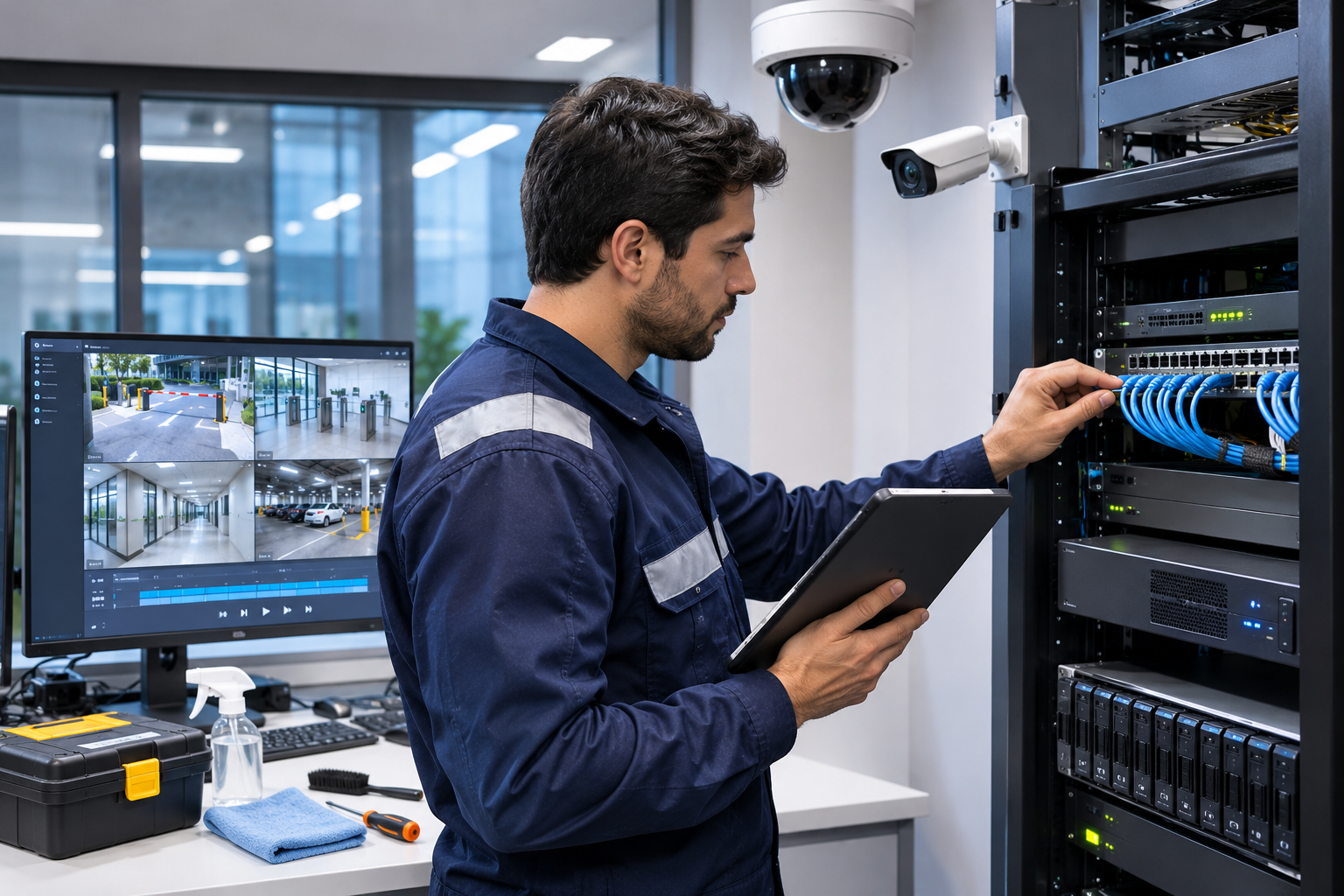
Security camera systems are electronic security solutions used in many areas, from homes to factories, shopping malls to banks. However, the mere installation of a CCTV system does not guarantee that images will be recorded with the same quality and without interruption for many years.
Over time, dirty camera lenses, changes in device viewing angles, network connection failures, wear and tear on recording disks, and software issues can negatively impact system performance.
For example, while a security camera continues to provide live footage, images might not be recorded due to a disk failure in the NVR recording device. Such a problem often only comes to light when past recordings are reviewed.
Similarly, a change of a few degrees in a camera's mounting angle can reduce image detail at a critical security point.
Therefore, periodic maintenance in camera systems is not merely about cleaning devices or checking if they provide images. It involves regularly verifying image quality, recording continuity, storage reliability, system settings, and security functions.
So, how is periodic maintenance performed on security camera systems, which equipment should be checked, and how should maintenance frequency be determined?
What is Periodic Maintenance in Camera Systems?
Periodic maintenance in camera systems is the entirety of inspection, testing, cleaning, necessary adjustments, and technical verification procedures performed at predetermined intervals to support the reliable operation of CCTV and IP camera infrastructure.
The purpose of these efforts is to identify potential system failures early and ensure that cameras continue to perform their expected security functions.
Professional CCTV periodic maintenance may cover the following components:
IP or analog security cameras.
Lenses and camera housings.
NVR, DVR, and video recording servers.
Hard disks and other storage units.
Network switches and PoE equipment.
Ethernet, coaxial, and fiber optic connections.
UPS and power supply infrastructure.
Video management software (VMS).
Remote access and user authorizations.
Artificial intelligence and video analytics functions.
The scope of maintenance should be determined according to the technology used and the project's security requirements.
Why is Periodic Maintenance Necessary for Camera Systems?
Preservation of Image Quality
Dust, dirt, and other debris accumulated on the camera lens or dome housing can reduce image quality.
Especially for outdoor cameras, rain, sun, air pollution, and environmental conditions can affect image performance.
During periodic maintenance, image clarity and field of view can be checked, and necessary corrective actions can be determined.
Prevention of Recording Loss
One of the significant risks in security systems is that images may not be recorded even though cameras appear to be operational.
Disk failures, errors in recording software, or incorrect configurations can lead to recording loss.
Regular maintenance helps in the early identification of these risks.
Early Detection of Failures
Loose camera connections, power supply issues, humidity, and cable damage can evolve into intermittent failures over time.
Planned maintenance allows potential problems to be assessed before they escalate.
Increasing System Reliability
The primary goal of maintenance is not merely to replace faulty devices.
It is to ensure that the security system can provide the correct image when needed and keep recordings accessible.
1. Physical Inspection and Cleaning of Security Cameras
One of the initial stages of camera maintenance is inspecting the physical condition of the devices.
Especially for cameras used outdoors, environmental factors can lead to contamination, corrosion, and connection issues over time.
Camera Lens and Housing Checks
During maintenance:
Cleanliness of the lens and protective glass.
Condition of the dome housing for scratches and dirt.
Integrity of camera mounting brackets.
Corrosion or physical damage on the camera body.
Cable entries and sealing elements.
Signs of moisture and condensation.
Whether the camera's orientation has changed.
should be inspected.
Appropriate materials and methods recommended by the manufacturer should be used for lens cleaning.
Harsh cloths, abrasive substances, or unsuitable chemicals can damage optical surfaces.
Especially for outdoor devices, electrical safety and working-at-height conditions should be assessed before cleaning.
Why Should the Camera's Field of View Be Checked?
Cameras can deviate from their initial positions over time due to wind, vibration, impact, or maintenance interventions.
For example, a camera positioned to monitor a factory entrance might exclude a significant portion of the entrance area from its view if its orientation shifts by a few degrees.
Therefore, the camera's view should be compared with the reference field of view established during installation.
2. Verification of Image Quality and DORI/PPM Analysis
One of the important stages of maintenance in professional CCTV systems is to check that the camera continues to provide the necessary image detail.
A camera providing a high-resolution image does not guarantee sufficient detail at a critical security point.
Therefore, in projects where needed, the DORI approach and PPM (Pixels Per Meter) calculation can be used as evaluation tools during the maintenance process.
Why is DORI/PPM Control Performed?
For example, when the camera was first installed, the goal might have been to capture individuals at a specific entry point with sufficient detail.
However, if the lens setting has been changed or the camera's field of view widened, the pixel density in the target area might decrease.
In this case, even if the camera continues to operate, the expected viewing objective might not be met.
During periodic maintenance:
Camera resolution.
Lens and focus settings.
Target distance.
Field of view width.
Image detail.
Blind spots in critical areas.
should be evaluated.
IEC 62676-4:2025 is the current international application guideline for the planning, installation, testing, commissioning, and maintenance of video surveillance systems.
The 2025 edition of the standard has updated the image detail classification from the older DORI approach. Therefore, it is important to consider which standard the system was designed according to and which performance objectives will be verified during maintenance.
For more technical information, GüvenlikOnline's article titled What is DORI Analysis in Camera Systems? How is it Performed? can be reviewed.
3. Night Vision and IR Illumination Checks
The performance of security cameras should not be evaluated solely under daytime conditions.
Nighttime imaging is a crucial criterion, especially in outdoor, parking lot, warehouse, and perimeter security applications.
IR Night Vision Test
For cameras using IR illumination:
Operation of IR illuminators.
Clarity of the night image.
Reflection and glare issues.
IR reflections caused by the lens and housing.
Adequate imaging of the target area.
Blurring of moving objects.
should be checked.
Low Light Performance
In low light conditions, extended exposure times can lead to blurry images of moving people or vehicles.
Therefore, merely having a clear view of an empty and static scene is not sufficient.
In necessary applications, image performance should also be evaluated based on moving targets.
WDR Control
In cameras with WDR (Wide Dynamic Range) feature, the image balance between bright and dark areas can be checked.
This check is particularly important in areas with intense backlighting, such as building entrances, glass facades, and parking garage gates.
4. Periodic Maintenance of NVR and DVR Recording Devices
One of the most critical maintenance procedures in camera systems is the inspection of NVR and DVR recording devices.
Because the ability to view images and the reliable storage of recordings are distinct functions.
What Should Be Checked in the Recording Device?
Overall operational status of the recording device.
Connection status of camera channels.
Recording schedule and timeline.
Recording resolution and bit rate.
Status of hard disks.
Recording capacity and retention period.
Date and time information.
Error and event logs.
Device temperature and cooling system.
User access and recording export functions.
Playback of Past Recordings
One of the most important stages of periodic maintenance is verifying whether past images are actually accessible.
For example, let's assume a business has a 30-day recording retention target.
During maintenance, not only today's recordings should be checked.
Sample recordings from past dates should be opened, in accordance with the targeted retention period, and it should be verified that the recordings:
Belong to the correct camera channel.
Contain accurate date and time information.
Are continuous or conform to the recording schedule.
Can be played back.
Can be exported when necessary.
should be verified. This process provides important information about the actual performance of the recording system.
The presence of a live image is not proof that the camera system is recording or that past recordings are accessible.
5. Maintenance of Hard Disk and Storage Systems
In security camera systems, hard disks are subjected to heavy write workloads, especially in continuous recording applications.
Therefore, monitoring disk health is crucial.
Hard Disk Health Check
On appropriate hardware, the following data can be examined:
S.M.A.R.T. health indicators.
Disk error and warning logs.
Read-write issues.
Reallocated or pending sector indicators.
Disk temperature.
Operating hours.
RAID or storage pool status.
However, normal S.M.A.R.T. indicators do not guarantee that the disk will never fail in the future.
RAID Check
In recording systems using RAID, the status of the disks and the data protection structure should be checked.
Disk failures or rebuild operations can affect the reliability of the storage system.
RAID is not a substitute for backup. While it can provide certain protection against disk failure, recording loss can still occur due to accidental deletion, device theft, or other systemic issues.
Recording Duration Verification
Even if the recording device's disk capacity appears sufficient, the actual retention period might be shorter than the targeted value.
Changes in camera count, bit rate, resolution, and recording settings can affect storage usage.
Therefore, the oldest and newest recording dates in the system should be checked, and it should be verified that the targeted retention period is actually being met.
6. Maintenance of IP Camera, Network, and PoE Infrastructure
In IP camera systems, network infrastructure is one of the fundamental components for image and recording continuity.
Especially in projects with numerous cameras, connection issues can lead to image interruptions and recording loss.
Network Connections
During maintenance:
Camera and switch connections.
Ethernet cables and connectors.
Switch port error indicators.
Network connection interruptions.
Bandwidth utilization.
Packet loss and latency where necessary.
Status of fiber optic connections.
can be evaluated.
PoE Power Control
For PoE-powered cameras, the switch power budget is important.
The power requirements of cameras using IR illumination, motorized lenses, PTZ, and additional hardware can vary.
Therefore:
Operational status of PoE ports.
Actual power consumption of devices.
Total switch power budget.
Power outage and restart logs.
Necessary cable and connection checks.
should be evaluated.
Intermittent camera connection might not only be a software or network setting issue; the power supply should also be examined.
7. Maintenance of UPS and Energy Systems
When power outages occur in camera systems, recordings may stop, or devices may shut down unexpectedly.
Therefore, in critical systems, appropriate uninterruptible power supply (UPS) and energy infrastructure should be evaluated.
During periodic maintenance:
UPS operational and alarm status.
Battery health and capacity indicators.
Power load.
Power distribution connections.
Grounding and electrical safety conditions.
Planned outage scenarios.
should be inspected.
Test methods compliant with manufacturer instructions should be used to assess battery capacity.
The presence of normal operation information on the UPS display does not guarantee that the targeted backup runtime will be definitively provided.
8. Control of Camera Software and Cybersecurity
Modern IP cameras and recording devices are electronic systems with network connectivity.
Therefore, cybersecurity should also be evaluated during periodic maintenance activities.
Firmware and Software Updates
Software versions of cameras and NVR/DVR devices should be checked.
Security updates released by the manufacturer should be evaluated for compatibility and operational impacts and applied in a planned manner.
However, automatically updating all devices to the latest software version during maintenance is not the correct approach.
Especially in large CCTV projects, the effects of software changes on:
NVR/VMS compatibility.
Camera connections.
Recording functions.
Analytics features.
System configurations.
should be examined.
Critical updates should not be performed without creating a necessary backup and rollback plan.
User Accounts and Authorization
During maintenance, user accounts, access permissions, and unnecessary services should be reviewed.
Especially:
Avoidance of default passwords.
Limitation of administrative privileges.
Deactivation of unused accounts.
Control of remote access security.
Use of supported secure communication.
Monitoring of security events.
is important.
The manufacturer's official security guides and support lifecycle should be taken into account.
9. Maintenance of Artificial Intelligence and Video Analytics Systems
Modern security camera systems can support human and vehicle classification, virtual boundary violation, area entry, or other video analytics features.
The mere installation of these functions does not mean they will always maintain the expected detection performance.
Analytical performance can be affected, especially when the camera's field of view changes, new obstacles are added to the scene, or environmental lighting differs.
Video Analytics Checks
During maintenance:
Defined detection zones.
Virtual boundary and direction parameters.
Target object size and distance.
Correct generation of detection events.
History of unnecessary alarms.
Possibility of missing real events.
Transmission of analytical events to VMS or alarm system.
should be evaluated.
Controlled test scenarios can be applied where necessary.
However, the accuracy of analytical algorithms cannot be assessed solely by observing whether the camera provides an image.
In professional video analytics maintenance, it is important to verify that the system can detect defined security events as expected.
10. Recording Backup and Data Security Checks
In camera systems, recording storage and backup are distinct processes.
The presence of images within an NVR does not indicate that these images are securely backed up in another location.
In appropriate systems:
NAS or external storage backups.
Remote location archives.
Cloud storage.
In-camera SD card recordings.
Backup recording mechanisms used in case of interruption.
can be evaluated.
During maintenance, it should be checked that backup tasks are completed and that necessary recordings can actually be retrieved.
Especially in critical projects, the possibility of main recording and backup systems being affected by the same failure should be evaluated.
For technical methods of recording backup, GüvenlikOnline's article titled Camera Recording Backup can be reviewed.
11. Maintenance Requirements for Different Camera Types
The maintenance needs of each camera type are not the same.
| Camera type | Primary maintenance focus |
|---|---|
| Fixed IP camera | Field of view, lens, network connection, recording |
| Dome camera | Dome surface, contamination, reflection, image |
| Bullet camera | Mounting integrity, housing, lens, and night vision |
| PTZ camera | Pan-tilt-zoom movements, preset positions, optical zoom |
| Thermal camera | Optical surface, thermal image, analytical function, and manufacturer-compliant verification |
| Exproof camera | Certified housing integrity, appropriate Ex control and maintenance procedures |
Especially for Exproof cameras, opening or replacing certified housings should not be considered a standard CCTV maintenance procedure.
Inspections in hazardous areas should be carried out by competent personnel familiar with the relevant Ex standards and manufacturer instructions.
How Often Should Periodic Maintenance Be Performed on Camera Systems?
The frequency of camera system maintenance should be determined according to the purpose of use, operating environment, system criticality, manufacturer instructions, and any special regulatory obligations.
For example, a factory camera exposed to heavy dust outdoors may not have the same maintenance needs as a camera located in a clean office.
Similarly, the consequences of recording loss can be more severe in a bank, currency exchange office, or a high-security industrial facility.
Sample CCTV Periodic Maintenance Program
| Check frequency | Recommended actions |
|---|---|
| Daily | Checking critical camera and recording system alerts |
| Weekly | Reviewing field of view, recording timeline, and important system alarms |
| Monthly | Sample recording playback, disk health indicators, and recording duration check |
| Quarterly | Lens and housing inspection suitable for the environment, network and power assessment |
| Semi-annually | Comprehensive site maintenance, image performance, and integration tests |
| Annually | Overall system performance evaluation, risk analysis, and renewal plan |
This table is an example maintenance program. It does not represent fixed periods mandated by legislation for all CCTV systems.
In critical systems, daily status monitoring and automatic fault notifications can support planned on-site maintenance activities.
Additionally, extra checks may be required after storms, floods, power outages, network infrastructure changes, or significant system updates.
Is Periodic Maintenance Legally Mandatory for Camera Systems?
In Turkey, it cannot be said that there is a single general maintenance interval that mandates periodic maintenance for all CCTV systems at the same frequency.
However, some sectors have specific obligations regarding camera systems.
For example, currency exchange offices have special regulations concerning keeping camera systems operational, storing recordings, daily control procedures, and maintenance agreements.
Therefore, when determining maintenance requirements, the legislation of the sector in which the business operates should also be examined.
There is also an important distinction:
Periodic maintenance carried out within the scope of technical service is not the same procedure as the official periodic inspection regulated by legislation for specific work equipment.
These procedures may have different purposes and authorization conditions.
For special recording obligations in currency exchange offices, GüvenlikOnline's technical article titled How to Retain 2 Years of Camera Recordings in Currency Exchange Offices? can be reviewed.
How to Prepare a Periodic Maintenance Report for Camera Systems?
One of the important stages of professional maintenance is the technical documentation of the performed checks.
The maintenance report should not merely be a document indicating that service personnel visited the premises.
Recommended Information to Include in the Maintenance Report
Business and facility information.
Maintenance date and technical service personnel.
Camera count and device inventory.
Camera model, serial number, and location information.
Lens and image checks.
Day and night image evaluations.
NVR/DVR and VMS test results.
Hard disk and storage health information.
Targeted and actual recording retention period.
Findings related to network and energy infrastructure.
Analytics and alarm function tests.
Identified faults and risks.
Corrective actions taken.
Unresolved non-conformities.
System operational status after maintenance.
Comparison with Previous Maintenance Results
One approach that enhances the technical value of maintenance is comparing measurable data with previous maintenance results.
For example:
Whether camera connection interruptions have increased.
Changes in the number of disk failures and warnings.
Whether the actual recording retention period has decreased.
Changes in night image quality.
Shifts in critical camera viewing angles.
Increase in unnecessary alarms in analytical systems.
can be evaluated.
This approach supports not only recording the current status of maintenance activities but also the earlier identification of developing problems in the system.
Common Maintenance Mistakes in Camera Systems
Considering maintenance solely as camera cleaning.
Assuming the recording system is problem-free because live footage is available.
Not checking hard disk health and error logs.
Not testing night vision and moving image performance.
Disregarding changes in camera viewing angles.
Not attempting to play back recordings from past dates.
Not checking network and PoE connections.
Performing firmware updates without a plan.
Not verifying the actual performance of AI analytics.
Closing the maintenance report as complete without resolving identified faults.
Standard inspection procedures, appropriate test equipment, and traceable technical reports are important in preventing these errors.
Technical Periodic Maintenance Checklist for Camera Systems
Is the camera and device inventory up to date?
Are live views of all cameras checked?
Has lens and housing cleanliness been evaluated?
Are camera orientations and mounting connections secure?
Have critical viewing areas and blind spots been verified?
Have necessary DORI/PPM or image detail checks been performed?
Has night vision, IR, and WDR performance been examined?
Have NVR/DVR recording functions been checked?
Have past recordings been played back and tested?
Have disk health indicators and storage warnings been examined?
Is the targeted recording retention period being met?
Have backup and restore functions been verified?
Have network and PoE connections been checked?
Has the UPS and energy infrastructure been evaluated?
Have software versions and security updates been reviewed?
Have user permissions and remote access been checked?
Have AI analytics been tested if required?
Have identified faults and corrective actions been reported?
Has the system's normal operational status after maintenance been verified?
This checklist has been prepared for general technical evaluation purposes. Additional requirements may exist depending on the manufacturer, project, or specific regulations.
Frequently Asked Questions
Why is periodic maintenance necessary for camera systems?
Periodic maintenance helps preserve image quality, prevent recording losses, detect failures early, and ensure the system can maintain its expected security functions.
How often should security cameras be maintained?
There is no single maintenance period applicable to every system. A maintenance program should be created considering the number of cameras, environmental conditions, purpose of use, and manufacturer requirements.
Is maintenance necessary if the camera system is working?
Yes. The presence of a live image does not prove that the recording device is healthy, that past recordings are completely stored, or that all security functions are operational.
Should hard disk checks be performed during CCTV periodic maintenance?
Yes. Disk health indicators, error logs, storage capacity, and the accessibility of past recordings are important maintenance considerations.
Is image quality checked during camera system maintenance?
Yes. Lens clarity, field of view, day and night performance, WDR, motion blur, and image detail in critical areas can be evaluated.
Should software updates be performed during camera maintenance?
Updates should be evaluated for security and compatibility. However, uncontrolled updates during every maintenance are not recommended. For critical systems, a compatibility and rollback plan should be prepared before updating.
Is periodic maintenance mandatory for camera systems?
There is no single general legal maintenance period for all CCTV systems. However, specific sector legislation, contracts, or operational requirements may create maintenance obligations.
Why is a camera system maintenance report important?
The maintenance report documents which devices were tested, which problems were identified, and which actions were performed. It also serves as a technical reference for subsequent maintenance and fault analyses.
Conclusion: Periodic Maintenance in Camera Systems is the Foundation of Recording Reliability
Periodic maintenance in security camera systems is a crucial technical process that supports the sustainable operation of electronic security infrastructure.
However, successful maintenance cannot be completed merely by cleaning cameras or checking live footage.
Camera image quality, DORI/PPM requirements, recording continuity, storage health, network connections, power infrastructure, and cybersecurity must be evaluated together.
Especially in factories, shopping malls, banks, warehouses, and large-scale facilities, it is important that maintenance activities are carried out in a planned, measurable, and reportable manner.
The primary goal of professional CCTV maintenance is not merely to repair faulty devices, but to ensure that the security system produces, records, and reliably presents the correct image when needed.