
How Should a CCTV Control Room Be Designed? Technical Design, Equipment and Monitoring Performance
How should a professional CCTV control room be set up? We examine the key technical criteria, from IP cameras, NVR, VMS and video wall infrastructure to operator displays, live video performance and alarm management. In light of the ISO 11064 and IEC 62676 standards, we provide a sample capacity calculation, system architecture, redundancy guidance and a commissioning checklist.
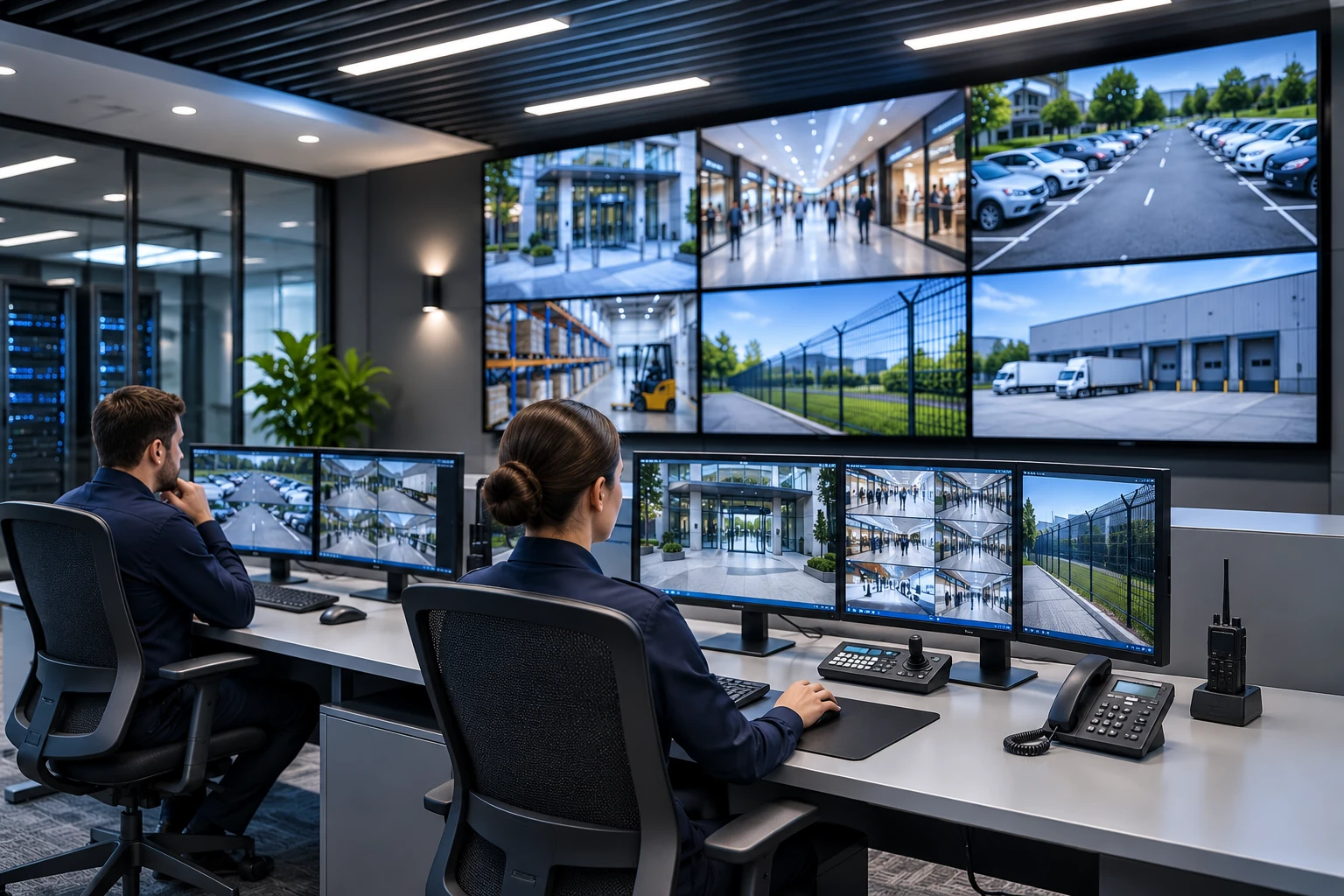
A CCTV control room is a central workspace where live footage from security cameras is monitored, recordings are reviewed, security incidents are assessed and, when necessary, responses are coordinated. In a professional CCTV control room, camera systems, recording devices, video management software, monitors, video wall infrastructure and operator workstations must work together seamlessly.
The growing number of cameras makes control room design increasingly important, particularly in shopping malls, factories, logistics facilities, hospitals, hotels, campuses and multi-site businesses.
However, using a large number of monitors or displaying hundreds of camera feeds simultaneously does not, by itself, amount to a successful security operation.
The primary purpose of a professional CCTV control room is to present the right image, at the right time, with sufficient detail, in a form that an authorized operator can assess.
Therefore, when establishing a CCTV control room, video stream capacity, screen resolution, decoding performance, access to recordings, operator ergonomics, alarm management and system continuity must all be planned alongside the number of cameras.
What Is a CCTV Control Room, and What Is It Used For?
A CCTV control room is an operations area that enables the centralized management of the video surveillance systems at one or more facilities.
Its main functions are:
Monitoring live footage from security cameras.
Monitoring critical areas and identified security incidents.
Reviewing historical camera footage.
Assessing motion-detection and video-analytics alarms.
Controlling PTZ cameras.
Monitoring camera, recording and network connection faults.
Reporting security incidents to the relevant personnel.
Carrying out authorized recording exports and incident documentation.
A CCTV control room may form part of a broader security monitoring center. However, it would not be accurate to classify every control room that only performs video monitoring as an alarm receiving center or a comprehensive security operations center.
How Should a CCTV Control Room Be Designed?
The first step in control room design is to determine which cameras will be monitored and what tasks operators will perform.
For example, the monitoring requirements of a busy shopping mall with 64 cameras may differ from those of a factory with the same number of cameras.
Perimeter security, production areas and vehicle entrances may be priorities in a factory, while entrances, car parks, circulation areas and emergency incidents may take precedence in a shopping mall.
Physical Layout and Ergonomics
Monitors, operator desks and other technical components in the control room should be arranged ergonomically.
The following should be considered:
The operator’s field of view.
Screen height and viewing distance.
Light reflections on monitors.
Ease of use of workstations.
Communication between operators.
Maintenance access and cable management.
Ventilation and ambient noise.
must be taken into account.
For control room ergonomics, ISO 11064 is an important technical reference series.
In particular, ISO 11064-4:2013 includes requirements and recommendations for workstation layouts and dimensions; ISO 11064-5:2008 covers screens and control devices; and ISO 11064-6:2005 addresses environmental conditions.
These standards should not be used to prescribe a single desk type or monitor distance for every project. Suitable dimensions should be assessed according to the operator’s duties, screen content and working conditions.
Technical System Architecture of a CCTV Control Room
In a professional CCTV control room, all system components through which images pass from the camera to the operator must be assessed.
In a typical IP-based architecture, the video stream follows this path:
IP Camera → PoE Network Switch → CCTV Network → NVR/VMS Recording Infrastructure → Display System → Operator Monitor / Video Wall
This is an example of a logical flow. In practice, the operator software or video decoder may also receive the image directly from the camera. It is not necessary for all images to pass through the recording server.
1. IP Cameras and Video Streams
IP cameras can transmit images over a network using video-coding technologies such as H.264 or H.265.
Many professional IP cameras can generate multiple video streams:
Main Stream: It is generally used for high-resolution recording and detailed monitoring.
Sub Stream: It can support multi-screen monitoring with lower bandwidth and decoding requirements.
Third stream: On supported models, it can be used for different applications and display requirements.
Displaying all cameras continuously in their highest-resolution main streams in the control room can place an unnecessary load on the network and decoding hardware.
Instead, using appropriate sub-streams in multi-view layouts and the main stream on detailed inspection screens may be considered.
This functionality must be supported by the camera, recording device, VMS software and decoder.
2. NVRs and Recording Servers
NVR devices and VMS recording servers are used to record camera footage and provide operators with past recordings when needed.
The recording infrastructure should be checked for:
Total camera capacity.
Incoming video bandwidth.
Disk write performance.
Recording duration.
Simultaneous playback.
User access.
Device and software compatibility.
must be checked.
The fact that cameras can record on an NVR does not mean that all of them can be displayed simultaneously at high resolution in the control room.
Especially when the NVR’s HDMI output is used, its local decoding capacity should be assessed independently of its recording capacity.
For detailed bandwidth and HDD criteria when selecting an NVR, How to Choose an NVR? the guide can be consulted.
3. Video Management Software (VMS)
VMS is the software infrastructure that enables centralized management of footage from different cameras and recording systems.
With supported VMS solutions:
Camera groups can be created.
Access to footage can be restricted according to permissions.
Relevant cameras can be displayed when an alarm is triggered.
Camera locations can be shown on a map.
Past recordings can be searched.
Operator actions can be logged.
Multiple sites can be monitored centrally.
When selecting a VMS, it is important to assess not only the number of licensed cameras but also simultaneous clients, video streams, integration and server capacity.
What Should a Video Wall in a CCTV Control Room Be Like?
Video wall systems are display infrastructures that enable large numbers of CCTV feeds to be shown centrally on large screens.
LCD- or LED-based video wall solutions can be used in professional control rooms.
However, the most important video wall design criterion is not the screen’s physical size so much as its ability to present the image detail and incident information operators need.
How Many Cameras Should Be Displayed on a Video Wall?
There is no single value applicable to every project for the number of cameras to display on a video wall.
For example, when 64 camera feeds are displayed in an 8 × 8 layout on a single 4K UHD screen, each image area theoretically receives approximately 480 × 270 screen pixels is allocated.
This value is obtained by dividing the 4K screen’s total 3840 × 2160 pixels equally. Borders and the application interface are not taken into account.
Even if the camera’s original resolution is 4MP or 8MP, the image area on a small screen cannot display all of that detail.
Consequently, displaying many cameras in small windows can make it harder to notice certain security incidents or object details.
A more effective control room design may:
Show critical cameras in larger image areas.
Monitor general-status cameras in separate groups.
Prioritize the relevant image when an alarm is triggered.
Open the camera selected by the operator on a detailed monitoring screen.
Video Wall Control System
Depending on the supported architecture, video wall control can use a video decoder, VMS client, video wall controller or centralized image distribution infrastructure.
When selecting a display solution, check the simultaneous video decoding capacity and supported stream formats in addition to the number of screen outputs.
For example, having four 4K HDMI outputs does not mean that the device can decode 4K main streams from all connected cameras simultaneously.
Decoding capacity should be assessed in conjunction with resolution, FPS, video codec and the number of simultaneous streams.
Differences Between an Operator Monitor and a Video Wall
The two display components serve different functions in control rooms.
Technical criterion | Operator monitor | Video wall |
|---|---|---|
Primary use | Detailed monitoring and operation | General status monitoring |
Display layout | Selected cameras and software screens | Priority camera groups |
User control | Mouse, keyboard, joystick | VMS or centralized control |
Recording review | Active playback and export | Supported incident display |
Most important criterion | Readability and interaction | Shared situational awareness |
Performance limit | Client hardware and software | Decoder and display infrastructure |
Using both systems together can be beneficial in many professional projects. However, a video wall is not essential for a small-scale control room.
The technical selection criteria for professional displays Security Monitors and CCTV Displays are discussed in detail in the article.
How Is Network Bandwidth Calculated for a CCTV Control Room?
Network capacity is one of the key factors affecting CCTV control room performance.
Transferring images from cameras to the recording system and sending them from the recording system to operator displays can create different network loads.
In systems where the same camera stream is sent to multiple clients, total bandwidth varies depending on where the stream is sourced and how the network is configured.
Example: A CCTV Control Room with 64 Cameras
Consider a system with 64 IP cameras.
If each camera produces a main stream averaging 4 Mbps:
Sample capacity calculation — 64 cameras
Main stream per camera
4 Mbps
Total recorded video stream
256 Mbps
Sub-stream per camera (assumption)
0.5 Mbps
Total for 64 sub-streams
32 Mbps
These are example values; they are not the manufacturer's capacity or a definitive recommended network speed.
In this example, the combined main-stream bitrate for 64 cameras is 256 Mbps.
Also, if substreams of 0.5 Mbps are received from 64 cameras, their combined bitrate is 32 Mbps.
If both streams pass simultaneously over the same network connection, the video load on that connection may be approximately 288 Mbps. However, actual network traffic depends on which device the streams are received from and on the replication architecture.
This calculation does not include protocol overhead, bitrate fluctuations or other traffic.
Important: Even if network bandwidth is sufficient, the computer or decoder device in the control room may not have enough capacity to decode video from 64 cameras simultaneously.
Network capacity and video-decoding capacity should therefore be treated as two separate technical acceptance criteria.
Recording Storage Requirements
In the same example, if each of the 64 cameras records continuously at 4 Mbps, the approximate raw video data for 30 days:
82.9 TB is.
This calculation uses decimal terabytes (TB). Actual disk requirements should also account for system reserve capacity, audio recordings, additional streams, recording policies, RAID or other data-protection methods.
CCTV Control Room Architecture Options
Control rooms can be built using different technical architectures.
Architecture | Advantage | Main limitation |
|---|---|---|
Direct monitoring through an NVR | Relatively simple design | Local viewing and decoding capacity |
Computer-based VMS | Flexible user and camera management | Client and server performance requirements |
VMS + video decoder | Centralized video wall management | Hardware and integration costs |
Multi-site centralized VMS | Monitoring different facilities together | WAN capacity and connection continuity |
The same architecture does not need to be used for every CCTV project.
For example, direct monitoring through an NVR may be sufficient for a small business with 16 cameras, while a multi-server VMS architecture may be considered for a campus with hundreds of cameras.
The choice should be based less on the number of cameras and users than on the project's actual performance, reliability and operational needs.
Camera Compatibility and ONVIF in a CCTV Control Room
Interoperability is an important selection criterion in projects using IP cameras from different manufacturers.
ONVIF defines standardized interfaces and profiles to support interoperability among network-based security devices.
In particular, the following can be checked:
ONVIF Profile T: Advanced video-streaming features and related viewing/event functions.
ONVIF Profile G: Recording, search and access to recorded footage.
in terms of.
However, a camera's ONVIF compatibility does not mean that all its functions will be supported by the VMS software.
In particular, H.265 video streaming, motion events, PTZ control, audio, recording search and video-analytics metadata should each be tested separately.
Alarm and Event Management in a CCTV Control Room
The primary role of a control room is not simply to monitor video continuously.
Events of security significance need to be detected as promptly as possible, and an appropriate response process initiated.
When an alarm is triggered in supported VMS or video-analytics systems, the relevant camera can be brought up automatically on the operator's screen.
Alarm Prioritization
It is not appropriate to assign the same priority to all security events.
For example:
Critical perimeter breach.
Unauthorized entry.
Emergency.
Camera tampering.
Camera connection loss.
Storage capacity warning.
Different priorities and response procedures can be assigned to events such as these.
Operator Response Process
A typical CCTV event-management workflow:
Receive the alarm or event information.
Open the relevant camera and assess the situation.
Classify the event according to predefined criteria.
Notify the necessary security personnel.
Monitor the response.
Record the event and the actions taken.
In emergencies involving life safety, additional verification via video must not delay mandatory emergency response procedures.
How Is the Number of Operators Determined in CCTV Control Rooms?
There is no single fixed number that applies to every project for the number of cameras an operator should monitor.
That is because camera count alone does not determine an operator's workload.
For example, a system in which most of 100 cameras monitor low-activity warehouse areas may not create the same operational workload as a system in which 100 cameras focus on crowded, high-activity areas.
When determining the number of operators, assess:
Number of critical cameras.
Alarm frequency.
Tasks expected of operators.
Active monitoring and recording-review requirements.
Shift and rest arrangements.
Communication and incident-documentation responsibilities.
should be assessed.
Although video-analytics systems can help prioritize some events, it should not be assumed that they eliminate the need for all human oversight.
24/7 Operation and System Continuity in CCTV Control Rooms
In a CCTV control room that must operate continuously, the impact of failures on operations should be assessed in advance.
Power Continuity
UPS capacity should not be determined solely by reference to operator monitors.
The computers, network devices, decoders, communications equipment and relevant server loads needed to keep monitoring operational should also be assessed.
Suitable generators or alternative power infrastructure can be planned for the risk of prolonged power outages.
Network and Server Redundancy
In critical projects, backup network paths, server redundancy, and alternative recording or video-access mechanisms can be considered.
However, the presence of redundant hardware alone does not prove system continuity.
The system's expected behavior after a failure should be tested.
Camera and Recording Health Monitoring
A control room should monitor not only live footage but also the status of recording systems.
For example, a camera may be providing live video while its recording stream has stopped.
The following conditions should therefore be monitored separately:
Camera offline.
Recording stopped.
HDD failure.
Server connection problem.
Time synchronization error.
Critical network connection outage.
Cybersecurity and the KVKK in CCTV Control Rooms
A control room is a critical access point because it provides access to numerous security cameras and recording systems.
Key cybersecurity measures include:
Authorized user accounts.
Role-based access permissions.
Strong authentication.
Appropriate network segmentation.
Secure remote connections.
Up-to-date software and firmware versions.
Operator activity and access logs.
are included.
In Türkiye, the processing and monitoring of camera footage that constitutes personal data should also be assessed under Personal Data Protection Law No. 6698.
The Personal Data Protection Authority's statements on the use of cameras in workplaces highlight the importance of lawful grounds for processing and proportionality, as well as access permissions and data-security measures.
Not everyone working in the control room needs access to all cameras, recordings and export functions.
The retention period for recordings should be determined not by applying a single general number of days, but according to the purpose of processing and applicable legislation.
Technical Acceptance Tests for CCTV Control Room Installation
A professional control room should not be accepted on the basis of obtaining live images on monitors alone.
After installation is complete, technical acceptance tests should be conducted using real-world operational scenarios.
Test | Condition to be checked |
|---|---|
Live video | Correct display of designated cameras |
Multi-screen display | Target layout works smoothly |
Main/substream | Stream switching and image quality |
Video decoding | Performance under simultaneous camera load |
Playback | Correct access to past recordings |
Alarm | Opening the relevant footage and event |
Camera failure | Connection-loss notification |
Recording failure | Disk and recording status warning |
Power outage | UPS and recovery behavior |
User permissions | Prevention of unauthorized actions |
Time synchronization | Alignment of camera, recording and event timestamps |
Recording export | Opening the file and checking its integrity |
During technical acceptance, the assessment should cover not only whether a function works, but also whether the performance targets defined in advance for the project have been met.
For example, the test plan can specify how long an alarm takes to reach the operator's screen, simultaneous viewing capacity, fault notifications and recording-access time.
These values do not have to be the same for every project.
For camera-side installation, image verification and commissioning, the Security Camera Installation and Commissioning Standards guide can also be consulted.
CCTV Control Room Installation Checklist
The following checklist can be used for the technical assessment of a professional CCTV control room.
Technical infrastructure
- Have the number of cameras and monitoring scenarios been determined?
- Have main-stream and substream capacities been calculated?
- Has total network bandwidth been verified?
- Have NVR/VMS recording and viewing capacities been examined separately?
- Have the simultaneous decoding capacities of the decoder and video wall been tested?
- Have monitor placement and ergonomics been checked?
- Have recording retention and storage requirements been calculated?
- Have system clocks been synchronized?
Operations and security
- Have operator access permissions been defined?
- Has alarm prioritization been established?
- Have incident response procedures been prepared?
- Are camera and recording failures being monitored?
- Have UPS and connection-outage scenarios been tested?
- Have KVKK and video-export processes been assessed?
- Have the technical acceptance results been documented?
- Have periodic maintenance and operator training been planned?
This checklist does not replace project-specific risk analysis or detailed engineering design.
Frequently Asked Questions About CCTV Control Rooms
How many monitors are needed for a CCTV control room?
The number of monitors is determined by the camera groups to be actively monitored, event volume, operator duties and viewing resolution. It should not be calculated solely on the basis of the total number of cameras.
Is an NVR sufficient for a CCTV control room, or is a VMS required?
For small systems, direct monitoring through an NVR may be sufficient. A VMS may be considered for projects involving multiple users, multiple sites or advanced alarm management. The final choice depends on operational requirements.
Can 100 cameras be monitored simultaneously on a video wall system?
Technically, a large number of cameras can be displayed simultaneously with suitable decoders, a VMS, and display infrastructure. However, being able to display the images does not mean that a person can effectively assess all their details.
Can a CCTV control room operate without internet access?
Yes. If the local network and recording infrastructure are designed appropriately, the control room can operate without an internet connection. Separate communications links may be required to access remote locations or online services.
Which standards should be considered in CCTV control rooms?
IEC 62676-4:2025 is an important technical reference for the implementation of video surveillance systems, while the ISO 11064 series is important for control room ergonomics. The applicability of the relevant standards to the project scope should be assessed separately.
Conclusion: Key Features of a Professional CCTV Control Room
A professional CCTV control room should not be designed merely as a space where a large number of cameras are connected to monitors.
In a successful system, the transmission, recording, display, and operator assessment of camera images should be planned as an integrated whole.
The key criteria for sound CCTV control room design are adequate network capacity, suitable image-decoding performance, ergonomic viewing, effective alarm management, reliable access to recordings, and operational continuity.
A control room's success should be measured less by the number of screens than by timely access to critical images, accurate assessment of incidents, and the technical systems working as expected.