
Security Camera Periodic Maintenance Standards: IEC 62676 and Inspection Guide
What are the periodic maintenance standards for security cameras? We examine CCTV maintenance procedures under IEC 62676-4:2025, camera image quality and PPM verification, NVR/HDD recording tests, PoE and network checks, UPS, cybersecurity, and fault management. A guide to sample maintenance intervals, measurable acceptance criteria, SLAs, and professional technical maintenance reports.
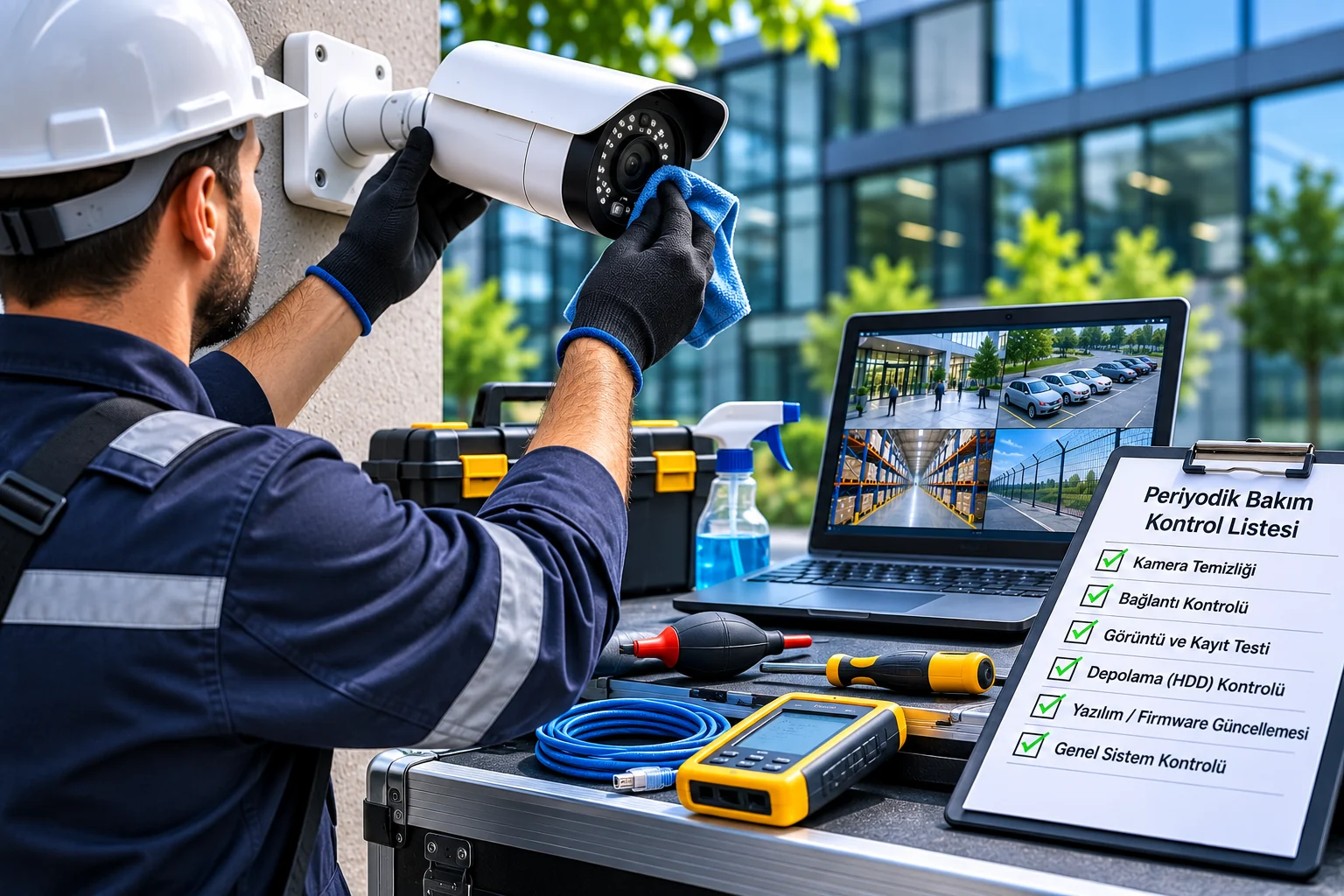
Periodic maintenance standards for security cameras cover the technical inspection, testing, measurement, maintenance, and reporting processes required to ensure that CCTV and IP video surveillance systems continue to perform their defined security functions throughout their service life. A professional maintenance program should include not only cleaning the cameras, but also verifying image quality, recording integrity, network infrastructure, continuity of power, cybersecurity, and alarm functions.
Security cameras can lose performance over time for mechanical, electrical, and software-related reasons. Dirt on a camera lens, a change in mounting angle, PoE connection problems, storage drive failures, or software updates can alter the system’s original operating conditions.
For example, a camera may continue to provide a live feed while footage from earlier periods is missing from the recording device. Likewise, a camera producing 4K images may fail to provide sufficient detail at an entrance of security significance because of an incorrect focus setting.
Therefore, the primary purpose of maintenance is not to check whether devices appear to be working, but to verify that the security system continues to meet the performance criteria defined during installation and commissioning.
One of the current international references for security video surveillance systems is IEC 62676-4:2025 standard. It addresses planning, design, installation, testing, commissioning, and maintenance as part of an integrated lifecycle.
In this guide, we examine CCTV periodic maintenance standards, inspection frequencies, image-quality measurements, NVR/HDD tests, network and power inspections, fault classification, maintenance contracts, and technical service acceptance criteria.
What Is Periodic Security Camera Maintenance?
Periodic security camera maintenance consists of preventive inspections, reviews, tests, and necessary maintenance work carried out at planned intervals to keep a video surveillance system functioning.
The main objectives of a professional maintenance program are:
Maintaining camera image quality.
Supporting complete and accessible recordings.
Identifying faults early.
Improving system reliability.
Reducing cybersecurity risks.
Checking the adequacy of the power and network infrastructure.
Verifying alarm and analytics functions.
Maintaining the system’s defined security functions.
However, maintenance activities must be based on measurable criteria to achieve these objectives.
For example, the statement “camera checked” is not, by itself, an adequate technical record.
Instead, it should be verified that the camera meets its imaging purpose, recorded on the specified date, passed a night-image test, and had any nonconformities documented.
Which Standards Are Used for Periodic CCTV Maintenance?
Depending on the system’s features, multiple technical standards and manufacturer manuals may be considered when maintaining security cameras.
Standard or reference | Scope | Role in maintenance |
|---|---|---|
IEC 62676-4:2025 | Application lifecycle of video surveillance systems | Maintenance, inspection, testing, and performance verification |
IEC 62676 series | Video surveillance systems and related technical functions | System performance and compatibility |
ISO/IEC 11801-1:2017 | Structured cabling | Assessment of network infrastructure |
IEEE 802.3af/at/bt | PoE power delivery | Camera power-supply compatibility |
IEC 60529 | IP enclosure protection ratings | Outdoor camera enclosures |
IEC 62262 | IK mechanical impact protection | Assessment of enclosure integrity |
IEC 62305 series | Lightning protection | Surge protection at applicable sites |
IEC 60079-17:2023 | Inspection and maintenance of electrical installations in explosive atmospheres | Exproof camera applications |
ONVIF profiles | Interoperability of IP devices | Verification of camera, NVR, and VMS integration |
Manufacturer maintenance instructions | Model-specific procedures | Cleaning, firmware, parts, and operating conditions |
These sources are not all of the same type. IEC and ISO standards provide standardized requirements and methods for specific technical subjects, whereas ONVIF profiles concern specific interface functions of devices.
Manufacturer instructions, in turn, contain model-specific conditions that must be followed when maintaining a product.
Important: When preparing a technical specification, the current TS or TS EN equivalent of the standard to be used in Türkiye, and its applicability to the project, must also be verified in the TSE catalogue.
What Does IEC 62676-4:2025 Bring to Periodic Maintenance?
IEC 62676-4:2025 is an international application standard addressing the service lifecycle of video surveillance systems for security purposes.
The standard was published on 9 October 2025 and replaced the previous 2014 edition.
The most important maintenance approach is to assess the system against the operational requirements defined at the outset.
If a camera was accepted after installation for a specific imaging purpose, maintenance should also examine whether that function has been preserved.
Maintenance Approach Under IEC 62676-4
The following activities should be distinguished from one another during maintenance:
Activity | Definition | Example |
|---|---|---|
Routine observation | Monitoring system status during daily operation | Checking offline-camera alerts |
Preventive maintenance | Planned activities to reduce faults | Physical inspection and connection review |
Technical inspection | Comparing the current condition with requirements | Image-quality and recording test |
Functional test | Verification that a specific function works | Testing an alarm notification |
Corrective maintenance | Rectification of an identified fault | Replacing a faulty switch port |
Reverification | Retesting performance after a change | Image test after camera replacement |
Improvement | A change intended to improve system performance | Adding infrastructure to monitor recording failures |
Carrying out preventive maintenance does not mean that no faults will occur in the system.
Furthermore, performing maintenance and rectifying all identified nonconformities are two different things.
A professional maintenance report should list completed inspections, faults found, and unresolved nonconformities separately.
Are Periodic CCTV Maintenance Standards the Same as a Legal Requirement?
No.
An international technical standard explaining a maintenance approach is not the same as imposing a legal requirement in Türkiye for all CCTV systems to be maintained at specified intervals.
No single general provision has been identified that unconditionally requires maintenance, for example every six months, for all security cameras in Turkey.
However, in certain sectors, the following may create additional obligations:
Private security or operating conditions.
Obligations concerning uninterrupted retention of camera recordings.
Sector-specific regulations.
Tender and technical specifications.
Operating permits.
Maintenance contracts.
These may give rise to additional obligations.
Furthermore, technical servicing of a CCTV system and electrical-installation or work-equipment periodic inspections that must be carried out by authorized persons under applicable legislation may be different activities.
Therefore, a CCTV maintenance report does not automatically replace an official periodic inspection report required under other legislation.
How Many Months Apart Should Security Cameras Be Maintained?
Maintenance frequency should be determined according to system criticality, device type, environmental conditions, manufacturer instructions, and operational needs.
For example, the maintenance needs of an indoor camera in a clean office differ from those of an outdoor camera exposed to corrosion on the coast.
Similarly, recording loss from a camera at a critical facility may pose a greater risk than a temporary image disruption in an ordinary area.
Sample Periodic Maintenance Program
Inspection interval | Recommended maintenance and test |
|---|---|
Daily | Critical camera connections, recording, and system fault alerts |
Weekly | Checks of fields of view and recording timeline |
Monthly | Sample playback, disk health, recording duration, and alarm review |
Quarterly | Planned inspection of cameras, enclosures, network, and power infrastructure |
Six-monthly | Comprehensive on-site maintenance, day/night image testing, and integration verification |
Annually | Overall system performance audit, risk assessment, and renewal review |
After an incident | Additional testing after a storm, fault, cyber incident, or significant configuration change |
This table is a sample risk-based maintenance program.
should not be interpreted as meaning that IEC 62676-4:2025 makes these intervals mandatory for all CCTV systems.
How Is Risk-Based Maintenance Frequency Determined?
Applying the same maintenance frequency to every camera is not always appropriate.
For example, a camera monitoring a factory’s perimeter entrance may be critical to the system’s overall security function.
Cameras can therefore be classified by importance level in the maintenance plan.
Camera group | Example use | Maintenance priority |
|---|---|---|
Critical | Controlled entrance, high-security area | High |
Important | General warehouse, loading area, corridor | Medium-high |
Supporting | General view and secondary areas | Subject to risk assessment |
This classification can help differentiate remote-monitoring frequency and physical maintenance needs for the designated camera groups.
However, a camera should not be designated as critical solely on the basis of its price.
The security function performed by the camera and the impact of its failure on operations should be assessed.
How Is Image Quality Verified During Periodic Maintenance?
Camera image quality is one of the key performance areas to assess during maintenance.
Reference images and test results produced during initial commissioning provide important comparative data for subsequent maintenance inspections.
Image-Quality Inspection Criteria
Inspection | Assessment |
|---|---|
Field of view | Is the intended area still in view? |
Camera orientation | Has it deviated from the initial acceptance setting? |
Lens sharpness | Is the image sufficiently sharp at the target distance? |
Pixel density | Is the specified image-detail task still being met? |
Lighting | Are daytime and nighttime conditions adequate? |
IR imaging | Is there infrared reflection or insufficient illumination? |
WDR | Are bright and dark areas sufficiently detailed? |
Moving images | Does motion blur affect the task? |
Compression | Are video details lost due to excessive compression? |
Privacy mask | Are defined privacy boundaries maintained? |
A camera image that appears clear overall does not always indicate adequate security performance.
Target-specific testing should be performed, particularly for entry points, areas requiring facial or vehicle details, and specific industrial applications.
Should DORI and PPM Values Be Re-measured During Maintenance?
In projects where imaging requirements are defined by pixel density, maintenance checks can assess whether the relevant values are being maintained.
PPM (Pixels Per Meter) indicates how many horizontal pixels correspond to one meter on the target plane.
PPM = Number of horizontal pixels in the image / Horizontal field width on the target plane
For example, if the camera records at a resolution of 2560 horizontal pixels and captures an area 10 meters wide on the target plane:
2560 / 10 = 256 PPM
is the result.
If the camera lens or angle of view changes, increasing the viewing width in the target area to 16 meters:
2560 / 16 = 160 PPM
the value drops to.
In this example, image detail has decreased significantly.
However, the calculated PPM alone does not guarantee successful identification or object recognition.
IEC 62676-4:2025 and Current Imaging Levels
Image detail classification has been updated with IEC 62676-4:2025.
In new projects, the current levels in the relevant standard should be evaluated alongside the system's operational requirements.
For a system accepted under the older DORI categories, the previous acceptance targets should not be disregarded during maintenance.
If the system is to be moved to a different standard or performance criterion, the change must be separately planned and approved.
The aim of maintenance is not to increase the resolution of every camera, but to preserve the imaging task specified in the contract or acceptance test.
Night Vision and IR Maintenance Tests
Night imaging performance is an important maintenance criterion, particularly in outdoor and perimeter security projects.
IR cameras may produce clear images during the day but experience reflection or focus problems at night.
Items to Check During Night Maintenance
Operation of IR illumination.
Reflections caused by the lens and housing.
New light sources in the field of view.
Overexposure.
Sharpness on moving targets.
Low-light noise.
Actual image detail at the target point.
Night imaging tasks defined during initial installation should be used as a reference for comparison during maintenance.
For example, a camera that captures a license plate at a parking entrance during the day may not provide the same detail at night because of headlight reflections.
Therefore, maintenance tests conducted only during the day should not be considered sufficient.
NVR and DVR Periodic Maintenance Standards
NVR and DVR devices form the recording infrastructure of a CCTV system.
The primary maintenance objective for recording devices is not merely to record footage, but to ensure it can be accessed when needed with the correct date and time information.
Recording Device Checks
Check item | Expected verification |
|---|---|
Camera connection | Required channels online |
Recording schedule | In accordance with the approved recording policy |
Main and substream | Required resolution and codec |
Playback | Selected recordings can be opened |
Recording continuity | No unexpected gaps in recordings |
Disk health | Critical faults and warnings assessed |
System clocks | Time synchronization is appropriate |
Recording export | Successful with an authorized user |
User permissions | Access policy maintained |
System event logs | Faults and unusual events reviewed |
Why Might Recordings Be Missing Even When Live Video Is Available?
Even when a camera connection is available, past footage may be missing because of recording schedule, disk, or software problems.
Therefore, during maintenance, all camera channels should be checked by sampling for both live video and past recordings.
Recording continuity and retention time should be verified directly, particularly for critical cameras.
Periodic Maintenance of HDD and RAID Systems
Hard drives used in CCTV systems operate under heavy video-writing workloads.
Storage health should be monitored regularly because disk failures can lead to recording loss.
HDD Health Checks
S.M.A.R.T. indicators on supported drives.
Disk error logs.
Storage controller alerts.
Recording write errors.
Disk temperature.
RAID status information.
Available capacity.
Recording retention time.
Recording accessibility.
The absence of errors in S.M.A.R.T. data does not guarantee that the disk will not fail in the future.
Similarly, a RAID system appearing healthy does not prove that all past recordings are complete.
RAID Checks
In systems using RAID:
Status of the RAID array.
Degraded or offline disks.
Rebuild operations.
Disk failure notifications.
Availability of spare disks.
Storage performance.
should be checked.
RAID is not a substitute for a backup system.
In addition, disks should not be removed or RAID arrays deliberately degraded without proper controls in a production environment. Such operations should be performed only under an approved test plan and with appropriate data-protection measures.
How Is Recording Retention Time Verified During Maintenance?
In CCTV systems, the target recording duration may differ from the recording history that is actually accessible.
For example, a system setting that says 30 days does not mean that 30 days of footage can be retrieved from every camera.
Sample Recording Duration Verification
Check parameter | Sample result |
|---|---|
Recording duration specified in the project | 30 days |
Oldest accessible recording from the camera | 27 days ago |
Playback test | Successful |
Recording continuity | Gaps occur at certain intervals |
Overall assessment | Non-compliant |
In this example, the fact that recordings can be played back does not mean that the target retention requirement of 30 days has been met.
The system is assessed as failing because the specified recording duration and recording continuity requirements have not been met.
The 30-day period mentioned here is an example. It is not a general statutory retention period applicable to all CCTV systems.
Recording Health Monitoring Software
Some VMS platforms provide centralized data on camera and recording system health.
For example, AXIS Camera Station Pro's system health monitoring features support monitoring storage status, camera-specific recording information, and certain system notifications.
However, the functions of such monitoring features may vary depending on the model and software version in use.
Remote health monitoring does not replace all periodic on-site tests; it supports maintenance continuity.
Periodic Maintenance of IP Camera Networks
In IP camera systems, network infrastructure directly affects video recording reliability.
The fact that devices appear online does not prove that network performance is entirely adequate.
Network Maintenance Checks
Check | Technical assessment |
|---|---|
Port connection | Expected speed and connection stability |
Packet loss | No unexpected loss under normal project load |
Port errors | CRC and similar error logs |
Bandwidth | Camera data load and network capacity |
PoE budget | Sufficient power per port and in total |
Fiber connection | Optical power and port health information |
Switch temperature | Manufacturer operating limits |
Network segmentation | Authorized communication paths |
Time synchronization | Camera and recording system clocks |
What Should Be Considered During PoE Maintenance?
In PoE systems, camera power consumption should be compatible with the IEEE 802.3 standard in use and the switch capacity.
A device's power requirements may change, particularly when functions such as IR illumination, motorized lenses, or PTZ are activated.
Therefore, testing should be conducted under actual load conditions where possible.
Problems such as camera disconnection at night due to IR activating in low light may not be detected during daytime maintenance alone.
UPS and Power Infrastructure Maintenance
Power continuity in a CCTV system is not ensured simply by keeping the NVR running.
In critical camera systems, the power supply to the following components should be assessed together:
IP cameras.
PoE switches.
Network distribution infrastructure.
NVRs or recording servers.
Storage.
Required communications equipment.
UPS Maintenance Checks
Check | Purpose |
|---|---|
Battery status | Assessing energy storage capacity |
Load level | Ensuring the UPS operates within its design limits |
Fault logs | Identifying past power problems |
Alarm transmission | Ensuring UPS faults are reported to the right person |
Backup duration | Meeting the project target |
Safe shutdown | Controlled shutdown on supported systems |
The UPS merely appearing on and in normal status does not show that its battery capacity is sufficient.
Backup duration should be verified in accordance with manufacturer instructions and safe test conditions.
Uncontrolled power-interruption tests that could damage active recordings should be avoided.
Firmware and Cybersecurity Standards in CCTV Maintenance
Security cameras and NVR devices are software-based systems operating on a network.
Therefore, periodic maintenance should include cybersecurity checks.
Axis Communications' AXIS OS Hardening Guide document provides recommendations on authentication, access restrictions, updates, and secure network configuration for the secure operation of devices throughout their lifecycle.
Cybersecurity Checks
User accounts and permissions should be reviewed.
Unused accounts should be assessed.
Administrator access should be restricted.
Firmware and VMS versions should be checked.
Manufacturer security advisories should be reviewed.
Unnecessary services and ports should be disabled.
Remote access methods must be verified.
Certificate validity periods must be checked.
Time synchronization and event logs must be reviewed.
System configuration backups must be retained.
Should Firmware Be Updated During Every Maintenance Visit?
Uncontrolled updates during every maintenance visit are not advisable.
Updates can affect codec or ONVIF compatibility, particularly in systems where cameras from different brands operate on the same NVR or VMS.
Therefore, before updating:
Record the current version.
Review security and bug-fix notes.
Check camera/NVR/VMS compatibility.
Create a configuration backup.
Schedule the necessary maintenance window.
Prepare an appropriate rollback strategy.
After the update, live video, recording, playback and relevant alarm functions must be retested.
Maintenance Checks in ONVIF-Compatible Systems
ONVIF compatibility is important in IP camera and NVR systems from different brands.
However, it should not be assumed that every feature of ONVIF-enabled devices will work in every system.
During maintenance, check in particular:
Main video stream.
Substream.
H.264/H.265 compatibility.
Recording.
Playback.
PTZ control.
Alarm events.
Analytics metadata.
Reconnection after a connection outage.
and other necessary functions.
According to ONVIF’s official conformant products database, product conformity is tied to a specific model and firmware version.
Therefore, it is important to verify that the relevant integration continues to work after camera software is updated.
Maintenance of Artificial Intelligence and Video Analytics Systems
Maintenance of AI-powered CCTV systems is not limited to checking image clarity.
It is also necessary to assess whether the algorithms correctly detect the specified events.
For example, if virtual line analytics are used on a perimeter-security camera, a change in camera orientation may cause the analytics zone to deviate from the actual security perimeter.
Similarly, a new display layout, a shadow or a change in routing in a people-counting system can affect counting accuracy.
Analytics Performance Checks
Analytics function | Maintenance verification |
|---|---|
Human detection | Detection of defined human movements |
Vehicle detection | Testing real-world vehicle scenarios |
Virtual line | Testing line direction and actual crossings |
Zone intrusion | Suitability of the detection area |
People counting | Comparison with a reference manual count |
License plate recognition | Testing accurate reads under defined conditions |
Automatic PTZ tracking | Suitable test scenario and tracking behavior |
Thermal analytics | Necessary performance check in accordance with the manufacturer’s procedure |
How Is AI Accuracy Reported?
In a particular test:
100 actual intrusion scenarios were run,
92 were detected correctly,
8 were not detected
let us say.
In that case, the sample test detection rate:
92 / 100 × 100 = %92
is.
However, this result alone does not indicate the system’s overall accuracy.
False alarms, test conditions, target distance and different environmental scenarios should be reported separately.
Maintenance results should be compared with performance in the initial acceptance test and with the thresholds defined in the contract.
Special Maintenance Requirements for Explosion-Proof and Thermal Cameras
Not all cameras can be assessed using the same maintenance method.
Explosion-Proof Camera Maintenance
Explosion-proof cameras used in areas with a risk of explosive atmospheres may be subject to special installation and maintenance requirements.
IEC 60079-17:2023, addresses the inspection and maintenance of electrical installations for explosive atmospheres.
In these environments, certified enclosures should not be opened or modified without authorization.
Maintenance must be carried out by competent personnel familiar with the applicable hazardous-area requirements.
Thermal Camera Maintenance
The optical surfaces and performance verification of thermal cameras may require methods different from those used for visible-light cameras.
For thermal systems used specifically for temperature measurement, the manufacturer’s instructions, measurement conditions and, where necessary, calibration requirements should also be assessed.
PTZ Camera Maintenance
For PTZ cameras, check:
Pan and tilt movements.
Zoom and focus.
Preset positions.
Automatic tour.
Mechanical noise and vibration.
Supported positioning functions.
must be checked.
How Is Availability Calculated in CCTV Systems?
Looking only at the number of failures may not be sufficient when maintaining a security system.
It is also possible to measure how much of a specified period the system remained operational.
Camera Availability Rate
Simplified formula:
Availability (%) = (Total scheduled operating time − Measured downtime) / Total scheduled operating time × 100
Example Calculation
Assume a system has 10 cameras and is expected to operate continuously over a 30-day period.
Total scheduled camera operating time:
10 × 30 × 24 = 7,200 camera-hours
If a total of 18 camera-hours of connection downtime was measured during this period:
(7200 − 18) / 7200 × 100 = %99.75
is calculated as.
EXAMPLE SYSTEM AVAILABILITY
Calculated availability
%99.75
Total measured downtime
18 hours
This calculation provides information about camera connection availability.
However, it does not mean that the camera is actually recording video every moment it is online.
Recording continuity should be assessed using a separate KPI.
Maintenance KPIs for Camera Systems
Professional maintenance contracts can use measurable performance indicators.
KPI | Description |
|---|---|
Camera availability | Operating rate measured for each camera |
Recording continuity | How much of the expected recording time is available |
Retention-period compliance | Meeting the target number of recording days |
Fault detection time | Time from fault occurrence to detection |
Response time | Time from notification to the start of technical intervention |
Fault resolution time | Time until the fault is resolved |
Recurring faults | Recurring issues with the same device or in the same area |
Open critical non-conformities | Unresolved high-risk issues |
Image performance | Cameras meeting the intended imaging task |
Analytics performance | Correct detections, missed events and false-alarm results |
These indicators make it possible to assess maintenance services by actual system performance, not merely by the number of visits.
However, it should not be assumed that the same target, such as 99.9% availability, is mandatory for all projects.
SLA and KPI targets should be set according to project risk, system architecture and operational requirements.
How Should an SLA Be Defined in a CCTV Maintenance Contract?
SLA (Service Level Agreement), is a service-level agreement.
Security camera maintenance contracts can specify how quickly a fault will be assessed, how technical intervention will be carried out and which services are included in scope.
Example Fault Priority Matrix
Priority | Example incident | Response approach |
|---|---|---|
P1 — Critical | Central recording has stopped completely | Urgent notification and priority response |
P2 — High | Critical entrance camera is out of service | Expedited response |
P3 — Medium | Image degradation on a secondary camera | Scheduled technical service |
P4 — Low | Non-urgent interface or reporting issue | Scheduled maintenance or change |
For example, the contract may stipulate that intervention must begin within four hours for a P1 fault, with a one-business-day target for P2.
These are example contract parameters; they are not universal time limits mandated by IEC 62676-4 for all systems.
Difference Between Response Time and Repair Time
The fact that a service technician has begun addressing a fault remotely or on site does not mean that the fault has been fully resolved.
Therefore, the contract should define the following separately:
Fault reporting.
Initial assessment.
Technical intervention.
Temporary solution.
Permanent repair.
Final check and job closure.
stages.
How to Prepare a Periodic Maintenance Report
A professional maintenance report should make the work performed traceable and auditable.
The report should include the results of the tests performed, not merely state that service personnel visited the site.
Example Camera-by-Camera Maintenance Form
Field | Example entry |
|---|---|
Facility | Factory A |
Camera ID | CAM-014 |
Camera location | Main vehicle entrance |
Model and serial number | Actual device information |
Maintenance date | Actual date |
Reference project | Approved as-built drawing |
Field of view | Acceptable |
Daytime image | Acceptable |
Night image | Unacceptable |
Recording and playback | Successful |
HDD/recording duration | Acceptable |
Alarm function | Successful |
Issue identified | Excessive reflection in night image |
Action taken | Camera housing cleaned |
Retest | Issue persists |
Final status | Open non-conformity |
Corrective action | Housing inspection and part replacement |
Responsible person | Assigned technical personnel |
This form is not an official form taken verbatim from an IEC standard.
It is an example technical template created to document maintenance and acceptance processes.
Which Status Results Should Be Used in a Maintenance Report?
In a suitable reporting system:
Status | Description |
|---|---|
Acceptable | Relevant criterion met |
Non-compliant | Criterion not met |
Test not performed | Test could not be performed for a valid reason |
Out of scope | The function is not available on this device or in this project |
Rectified | The fault was rectified and re-verified |
Open nonconformity | The issue has not yet been resolved |
open statuses such as these may be used.
Detecting a fault during maintenance does not mean that the maintenance was performed unsuccessfully. However, concealing a detected critical fault or reporting the system as compliant without rectifying it is a serious service-quality issue.
How Should a System Be Handed Over After Periodic Maintenance?
Upon completion of maintenance, the following documents or records may be prepared:
Test results by camera and device.
Maintenance and intervention records.
Identified nonconformities.
Corrective actions taken.
Details of replaced parts.
Reference images from critical cameras.
Evidence of required recording and playback tests.
Firmware or configuration changes.
Open faults and those responsible for them.
Date of the next maintenance.
Approval by authorized technical personnel and the operator.
The as-built inventory and appropriate technical documentation should also be updated, particularly if changes have been made to the system.
In addition, screenshots or video recordings collected as maintenance evidence may contain personal data.
Unnecessary copying or unauthorized sharing of this data should be prevented.
KVKK Requirements for Security Camera Maintenance
During periodic maintenance activities, technical personnel may access camera footage and historical recordings.
For this reason, the personal-data protection aspects of the maintenance service should also be assessed separately.
The Personal Data Protection Authority’s 2026 notice on workplace camera systems emphasizes the principles of proportionality, authorized access, data security, and retention only for as long as necessary.
Points to Consider When Providing Technical Service Access
Maintenance personnel’s access permissions should be restricted.
Unnecessary review of historical recordings should be avoided.
Recordings should not be copied without authorization.
Remote service connections should be established using secure methods.
The validity and scope of service accounts should be checked.
Recording and privacy settings changed during maintenance should be documented.
Where necessary, the contractual roles of the data controller and service provider should be defined.
Creating an unauthorized user in the system for maintenance purposes, or expanding existing access permissions without control, is not appropriate.
Common Mistakes in Periodic Security Camera Maintenance
Some mistakes recur in professional maintenance work.
Common mistake | Possible consequence |
|---|---|
Checking only the live view | Missing recordings go unnoticed |
Cleaning cameras only | Overlooking NVR, network, and power issues |
Not conducting a night test | Critical loss of image visibility |
Not examining disk alerts | Risk of recording loss |
Not verifying the target recording-retention period | Required historical footage is unavailable |
Updating firmware without a plan | Device incompatibility |
Not comparing the camera angle with the reference | Creation of a blind spot |
Not testing artificial intelligence | Undetected events and false alarms |
Failing to report open faults | Incomplete maintenance acceptance |
Not checking access permissions | Cybersecurity and KVKK risk |
To reduce these errors, the system’s initial acceptance documents, standard test procedures, and measurable maintenance criteria should be used together.
Technical Checklist for Periodic Security Camera Maintenance
The following list can be used as a starting template for standards-based maintenance inspections of CCTV systems.
- Has the current camera and device inventory been verified?
- Have the applicable standards and project acceptance criteria been identified?
- Have operational security tasks been reviewed?
- Have camera fields of view been compared with reference images?
- Have the integrity of camera mounting and housings been checked?
- Have the lenses and protective surfaces been inspected using appropriate methods?
- Has daytime imaging performance been tested?
- Has night and IR imaging been verified?
- Has pixel density been assessed at the necessary locations?
- Have NVR/DVR recording schedules been checked?
- Has playback testing been conducted on critical cameras?
- Has the actual recording-retention period been verified?
- Have HDD and RAID health indicators been checked?
- Have recording gaps and system event logs been reviewed?
- Have network switch and PoE connections been checked?
- Have network port errors and bandwidth been assessed?
- Has the UPS and backup power system been inspected?
- Have the firmware versions of the camera/NVR/VMS been checked?
- Has the need for security updates been assessed?
- Have user and remote access permissions been reviewed?
- Have ONVIF and related integration functions been verified?
- Have alarm and analytics scenarios been tested?
- Have system availability and recording KPIs been calculated?
- Have critical nonconformities been prioritized?
- Have corrective actions been recorded?
- Has re-verification been conducted after maintenance?
- Have the final technical report and open-fault list been delivered?
Frequently Asked Questions About Periodic Security Camera Maintenance Standards
What is the periodic maintenance standard for security cameras?
One of the key international standards of practice covering maintenance processes for video surveillance systems used for security is IEC 62676-4:2025.
Does IEC 62676-4:2025 cover the maintenance process?
Yes. The standard covers the planning, design, installation, testing, commissioning, and maintenance of video surveillance systems.
Is maintenance of security cameras every six months mandatory?
No single statutory requirement for six-monthly maintenance applicable to all CCTV systems has been identified. Maintenance frequency should be determined according to applicable specific regulations, manufacturer instructions, the contract, and risk assessment.
What information should a CCTV maintenance report contain?
It should include the device inventory, test results, image and recording checks, storage status, identified nonconformities, work performed, and technical service approvals.
Do cameras need maintenance if they are working?
Yes. The availability of a live image does not show that historical recordings have been stored completely or that the system meets all its security functions.
Is PPM measurement required during periodic maintenance?
For systems whose imaging requirements are based on pixel density, and at necessary critical locations, PPM or an appropriate image-detail verification may be considered.
Should hard drives be tested during CCTV maintenance?
Yes. Disk failures, storage capacity, recording continuity, and the accessibility of historical recordings are important maintenance concerns.
Should firmware be updated during periodic maintenance?
The need for an update should be assessed. However, uncontrolled updates should not be performed without compatibility testing and a rollback plan.
Is periodic maintenance the same as an SAT test?
No. SAT is conducted during site acceptance of the system. Periodic maintenance, by contrast, is intended to assess whether the accepted system continues to maintain its functions and performance during its operational life.
If a fault is found during maintenance, is the system considered compliant?
That depends on the nature of the fault and the specified acceptance criterion. If a critical function is not working, the system should not be reported as fully compliant until the relevant nonconformity has been rectified.
Should a CCTV maintenance contract include an SLA?
Particularly for critical or large-scale systems, it is useful to define response time, fault priority, maintenance scope, and corrective actions in an SLA.
Does a periodic maintenance report fall under KVKK?
If a maintenance report or test evidence contains images of identified or identifiable individuals, the relevant personal-data protection obligations should be assessed.
Conclusion: Periodic CCTV Maintenance Should Be Based on Measurable Performance
Periodic maintenance standards for security cameras focus not merely on keeping the system operational, but on ensuring that it can continue to perform its specified security functions.
IEC 62676-4:2025 is an important international reference covering the life cycle of video surveillance systems, from installation through maintenance.
Professional maintenance practices require camera image quality, recording integrity, NVR/HDD health, network and power infrastructure, cybersecurity, and alarm functions to be assessed together.
In addition, a traceable relationship should be established between the system’s initial acceptance criteria, actual field performance, and maintenance history.
Successful periodic CCTV maintenance is not merely completion of a service visit; it means proving through tests that the camera system continues to perform the required security functions and managing any identified nonconformities.
For this reason, technical service work should be based on per-device checks, measurable KPIs, clear SLA criteria, recording verification, and professional maintenance reports.