
How to Detect Hidden Cameras?
How to detect hidden cameras at home, in a hotel, or a rental apartment? We examine the operating principles, advantages, and technical limitations of lens inspection with phone light, infrared camera detection, Wi-Fi network scanning, and professional RF detectors. We explain what to do and your legal rights if a suspicious camera is found.
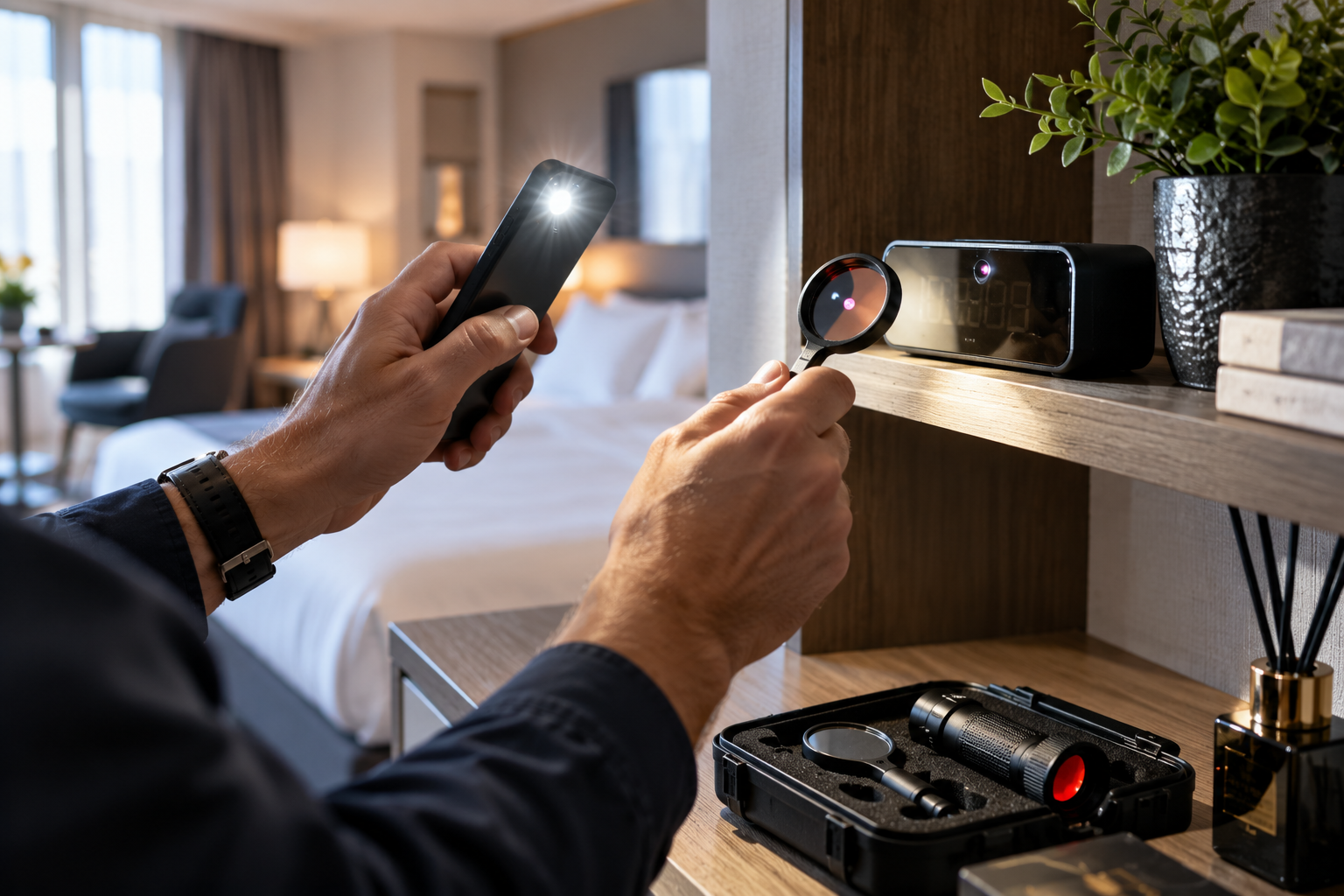
Hidden cameras are small camera systems concealed to record images without the knowledge or consent of individuals. With the advancement of miniature camera technologies today, some imaging devices have reached sizes that can be placed inside everyday electronic items.
Unauthorized image recording, especially in hotel rooms, daily rental apartments, residences, changing rooms, and other private living spaces, constitutes a serious privacy and security issue.
So, how are hidden cameras detected? Can a hidden camera in a room be detected with a phone? Do hidden camera detectors really work?
Different methods can be used to detect hidden cameras, such as physical inspection, optical lens control, infrared light scanning, and radio frequency analysis. However, none of these methods alone can definitively detect all types of hidden cameras.
Therefore, for a reliable check, the technical limitations of different methods should be known, and professional support should be sought when necessary.
What is a Hidden Camera? How Does It Work?
A hidden camera is a camera system used to record images of its environment discreetly or transmit them to another location.
The operating methods of these devices can vary.
Wi-Fi cameras: Can transmit images over a wireless network.
Local recording cameras: Can save images to a microSD card or internal memory.
Wired cameras: Can transmit images via wired connections.
Mobile network-connected cameras: Can transmit images over a cellular network with appropriate hardware and connection.
This distinction is important. Because a device that cannot be detected via a Wi-Fi network might be a camera recording to local memory.
A camera not appearing on the network does not prove that there is no hidden camera in that environment.
1. How to Detect a Hidden Camera Visually?
The first step in checking for hidden cameras is a careful inspection of the environment.
Camera systems typically require an appropriate optical line of sight towards the area to be monitored in order to record images.
Therefore, the location and viewing direction of suspicious devices are important.
Which Items Should Be Checked?
Since camera components can be placed inside everyday items, the following objects can be visually inspected:
Clocks and desktop electronic devices.
USB charging adapters and power outlet surroundings.
Table lamps and lighting products.
Devices resembling smoke detectors.
Wall decorations and decorative items.
Ventilation grilles.
Picture frames and objects on shelves.
The presence of these items alone is not suspicious.
The main things to pay attention to are indicators such as unusual placement of the object, the presence of a small optical aperture, or its orientation towards a private living area.
Small Holes and Optical Apertures
Miniature camera lenses can sometimes be placed behind very small apertures.
However, not every small hole or shiny surface means it's a camera.
LED indicators, light sensors, device ventilation openings, and decorative parts can also create similar appearances.
Therefore, a suspicious object should be evaluated in conjunction with other indicators.
2. How to Find a Hidden Camera with a Phone Flashlight?
One of the simple methods that can be used to detect hidden cameras is to look for light reflected from the camera lens.
Optical lenses can reflect light with appropriate illumination and viewing angle.
Lens Inspection with Phone Flashlight
Reduce the ambient lighting as much as possible.
Turn on your phone's flashlight.
Slowly illuminate suspicious surfaces.
Check for small, distinct light reflections from different angles.
Visually inspect points that catch your attention without damaging the devices.
This method can help detect some camera lenses.
However, the presence of a light reflection does not definitively indicate that the object in question is a camera.
Glass, metal, plastic, and other shiny surfaces can also create similar reflections.
Furthermore, even if a camera is present, no reflection might be seen due to the lens being behind a closed surface or an unsuitable inspection angle.
Inspection with a phone flashlight is a preliminary examination method; it is not a definitive detection system.
3. Infrared Hidden Camera Detection with a Phone Camera
Some security cameras use infrared (IR) LED illumination to capture images in low light.
The human eye cannot directly see most of this illumination.
However, some smartphone cameras can display certain infrared light sources.
How to Perform IR Check?
Whether a phone camera is sensitive to infrared light can be checked, for example, with the IR LED of a television remote control.
If light is seen on the screen when the remote's LED is pointed at the camera and a button is pressed, it may indicate that the phone camera can detect that infrared source.
Then, unusual light spots can be examined with the phone camera in a dark environment.
However, there are important technical limitations here:
Not every phone camera detects infrared light in the same way.
Some phones have IR filters.
Not every hidden camera uses infrared LEDs.
Cameras without infrared illumination may not be detected by this method.
Some normal electronic devices can also emit IR light.
Therefore, seeing a bright spot on the phone screen does not solely mean that a hidden camera is present.
4. How to Detect a Hidden Camera via Wi-Fi Network?
Some IP cameras transmit images over a Wi-Fi network.
Such systems can be detected under certain conditions through network scanning.
In a local network where you have authorization, network analysis applications that list connected devices can be used.
What to Pay Attention to in Network Scanning?
Finding unknown devices.
Seeing device information that can be associated with camera manufacturers.
Listing unidentified network devices.
Comparing the network list with known devices.
For example, network analysis applications like Fing can help identify devices on the connected network.
However, these applications do not perform the same function as professional camera detectors.
Limitations of Wi-Fi Scanning
A camera may not appear in a network scan in the following situations:
If it is connected to another network.
If it communicates via a mobile network.
If it records locally to a memory card.
If it is wired but operates on another inaccessible network.
If it is turned off or not performing network communication.
If there are access restrictions between devices on the network.
Furthermore, finding an unrecognized device during a scan does not necessarily mean it is a hidden camera.
Network scanning should only be performed on networks where you have access authorization; unauthorized operations on passwords, configurations, or recordings of unknown devices should not be carried out.
5. How Do Professional Hidden Camera Detectors Work?
Devices with different technologies can be used for professional camera detection.
Two of the most common methods are optical lens detection and radio frequency analysis.
Optical Lens Detectors
Optical detectors help identify reflections that camera lenses can create with an appropriate light source and observation setup.
Some devices have special light sources and optical filters.
This method can also make some camera lenses visible under suitable conditions, even if they are not transmitting images or are turned off.
However, the lens must be physically visible and examinable from the correct angle.
RF (Radio Frequency) Detectors
RF detectors are used to detect specific radio frequency signals present in the environment.
Some cameras that transmit images wirelessly can be detected by such devices if their operating frequencies are within the detector's range.
However, RF detectors detect radio frequency energy, not camera images.
Therefore, the following sources can also cause an RF alert:
Wi-Fi modems.
Mobile phones.
Bluetooth devices.
Wireless peripherals.
Other electronic equipment using radio frequencies.
A camera that records to local memory or operates wired may not generate a detectable radio emission.
The absence of a signal in an RF detector does not definitively confirm that there is no camera in the environment.
6. Comparison of Hidden Camera Detection Methods
| Detection method | What indicator does it look for? | Main limitation |
|---|---|---|
| Visual inspection | Unusual lens, aperture, or device placement | Well-hidden devices may not be noticed |
| Phone flashlight | Optical lens reflection | Requires clear view and appropriate angle |
| IR check with phone | Some infrared light sources | Not every camera uses IR |
| Wi-Fi network scan | Devices on an accessible network | Offline or devices on different networks are not visible |
| RF detector | Active radio frequency emissions | May not find wired and non-transmitting cameras |
| Professional technical inspection | Multiple physical and electronic indicators | Depends on equipment, expertise, and inspection conditions |
This comparison shows that it is not possible to detect all hidden cameras with a single method.
7. Do Hidden Camera Detection Apps Really Work?
Some applications developed for smartphones claim to detect hidden cameras.
However, the methods used by these applications differ from each other.
Some utilize the phone's camera and flash, while others evaluate network scan or magnetic field sensor data.
There is an important technical distinction here:
A phone's magnetic field sensor is not a professional radio frequency analysis device.
Therefore, a change measured by the phone's magnetometer does not prove the presence of a hidden camera.
Similarly, an application's inability to identify a device does not indicate that the environment is secure.
When choosing an application, not only the detection claims stated in the advertisement should be examined, but also the technical method used and independent verification information.
8. Hidden Camera Check in Hotels and Rental Apartments
Hotel rooms and daily rental apartments are areas where individuals have high expectations of privacy.
Therefore, if an unusual imaging device is suspected during accommodation, a careful and secure assessment should be made.
Secretly viewing bedrooms, bathrooms, changing areas, and private use sections, in particular, can constitute a serious privacy violation.
Airbnb's Camera Policy
As of April 30, 2024, Airbnb has banned security cameras monitoring indoor spaces in accommodation listings.
This policy covers indoor cameras regardless of whether they were previously disclosed or visible. There are also disclosure and placement rules for outdoor cameras.
This is Airbnb's platform policy; it does not mean that the same specific platform rules apply to all accommodation facilities.
Before accommodation, the security camera policy of the relevant establishment and booking platform can be reviewed.
9. What to Do if a Hidden Camera is Found?
When encountering a suspicious camera or recording device, personal safety should be prioritized.
In the initial stage, the following precautions can be considered:
Stop using the area where the suspicious object is located.
If you do not feel safe, leave the environment.
From a safe location, document the location and general appearance of the suspicious device.
Do not dismantle, break, or delete recordings from the device.
Report the situation in writing to the accommodation establishment or the relevant platform.
If there is suspicion of unauthorized recording, contact law enforcement.
Objects resembling smoke detectors, electrical outlets, or other security equipment should not be dismantled. This action could create electrical hazards or prevent the relevant security system from functioning.
Unauthorized examination, sharing, or publication of recordings from a suspicious device on the internet can also create legal problems.
It is important to preserve evidence and ensure that the necessary technical examination is carried out by authorized personnel.
10. Is Hidden Camera Use a Crime in Turkey?
In Turkey, the privacy of individuals' private lives is under constitutional and legal protection.
Article 134 of the Turkish Penal Code No. 5237 regulates the violation of privacy of private life and the unlawful recording or disclosure of images or sounds related to private life.
However, the mere fact that a camera is small or hidden does not alone determine the legal outcome. The purpose of use, the area where it is located, the recording activity, and the privacy rights of the individuals concerned are evaluated together.
Under the Personal Data Protection Law No. 6698, legality, specific purpose, proportionality, and necessary disclosure obligations are important in the processing of personal data.
The Personal Data Protection Authority emphasizes the protection of private living spaces and the avoidance of unnecessary image or sound recording when using security cameras.
Therefore, the legal use of security cameras and unauthorized image recording in individuals' private living spaces should be evaluated separately.
11. When is Professional Hidden Camera Detection Necessary?
In some cases, preliminary checks performed with a phone or simple detectors may not be sufficient.
Especially in sensitive areas where suspicion of covert recording persists, a professional technical surveillance countermeasures (TSCM) inspection can be considered.
Methods that can be used in such inspections include:
Optical lens scanning.
Radio frequency analysis.
Authorized network and connection inspections.
Physical device and installation control.
Other appropriate electronic detection methods
can be found.
However, professional inspection is also subject to the technical limitations of the methods and equipment used.
The scope and results of the inspection should be clearly reported; claims of certainty should only be based on technically verifiable findings.
12. Also Prevent Unauthorized Monitoring of Your Existing Security Camera
The threat of hidden cameras and unauthorized access to existing security cameras are not the same issue.
However, both situations can pose a risk to privacy.
For example, if the password of a legitimate IP camera used at home is compromised, it could lead to unauthorized individuals accessing the footage.
Therefore, in existing camera systems:
Default passwords should be changed.
Strong authentication should be used.
Unauthorized user accounts should be checked.
Camera software should be kept up to date.
Remote access permissions should be regularly reviewed.
For more information on this topic, GüvenlikOnline's technical article titled Someone Might Be Watching Your Home and Workplace? can be reviewed.
Hidden Camera Checklist
When evaluating an environment, the following checks can be utilized:
Were suspicious objects directed towards private living areas examined?
Were unusual optical apertures or lens-like surfaces checked?
Was lens reflection sought from appropriate angles with a phone flashlight?
If the phone supports it, was an infrared light check performed?
Were unidentified devices on the authorized network evaluated?
Were the limitations of the detection methods used taken into account?
Was damage to suspicious objects avoided?
In case of serious suspicion, was support from authorized persons planned?
These checks are for preliminary assessment purposes. A negative result from any method does not definitively indicate that the environment is free of hidden cameras.
Frequently Asked Questions
Can a hidden camera be detected with a phone?
In some cases, yes. Lens reflection can be sought with the phone's flashlight, infrared light sources can be seen on supported cameras, or devices on an authorized network can be scanned. However, it is not possible to detect all hidden cameras with a phone.
Does a hidden camera work without internet?
Yes. Some cameras can record images to internal memory or a microSD card. These devices may not require a continuous internet connection to operate.
Does a hidden camera always emit light?
No. Some cameras do not have visible LEDs. Also, there may be devices that do not use infrared illumination or have their illumination disabled.
Does Wi-Fi scanning find all hidden cameras?
No. Network scanning can only provide information about devices on an accessible network. Cameras that record locally, are on another network, or do not use wireless communication may not be detected.
Does a hidden camera detector provide definitive results?
No consumer-type detector should be assumed to definitively detect every type of camera in every environment. Optical and RF methods have different strengths and limitations.
Where should one report if a hidden camera is found?
In case of suspicion of unauthorized image recording, authorized law enforcement units such as the police or gendarmerie can be contacted. Situations experienced in accommodation establishments or on booking platforms can also be reported to the relevant establishment or platform.
Conclusion: Do Not Rely on a Single Method for Hidden Camera Detection
Methods such as physical inspection, optical lens control, infrared light scanning, and network analysis can be used to detect hidden cameras.
However, each of these methods evaluates different physical or electronic indicators.
Phone applications and camera detectors are auxiliary tools; they are not systems that provide one hundred percent reliable results on their own.
Especially if suspicion persists, personal safety should be prioritized, evidence should not be damaged, and support should be sought from authorized authorities or professional technical experts when necessary.
The primary purpose of security technologies is to ensure the safety and protect the privacy of individuals. Therefore, preventing and detecting illegal imaging activities is as important as the use of camera systems.