
How to Store 2 Years of Camera Footage in Exchange Offices? Legal Requirements and System Design
Storing camera recordings for at least 2 years in exchange offices and backing them up weekly to a different location or cloud is mandatory. So, how many TB of storage are needed for 24 months of camera footage? We examine NVR, NAS, cloud archiving, RAID, backup, and regulatory-compliant system design with technical examples.
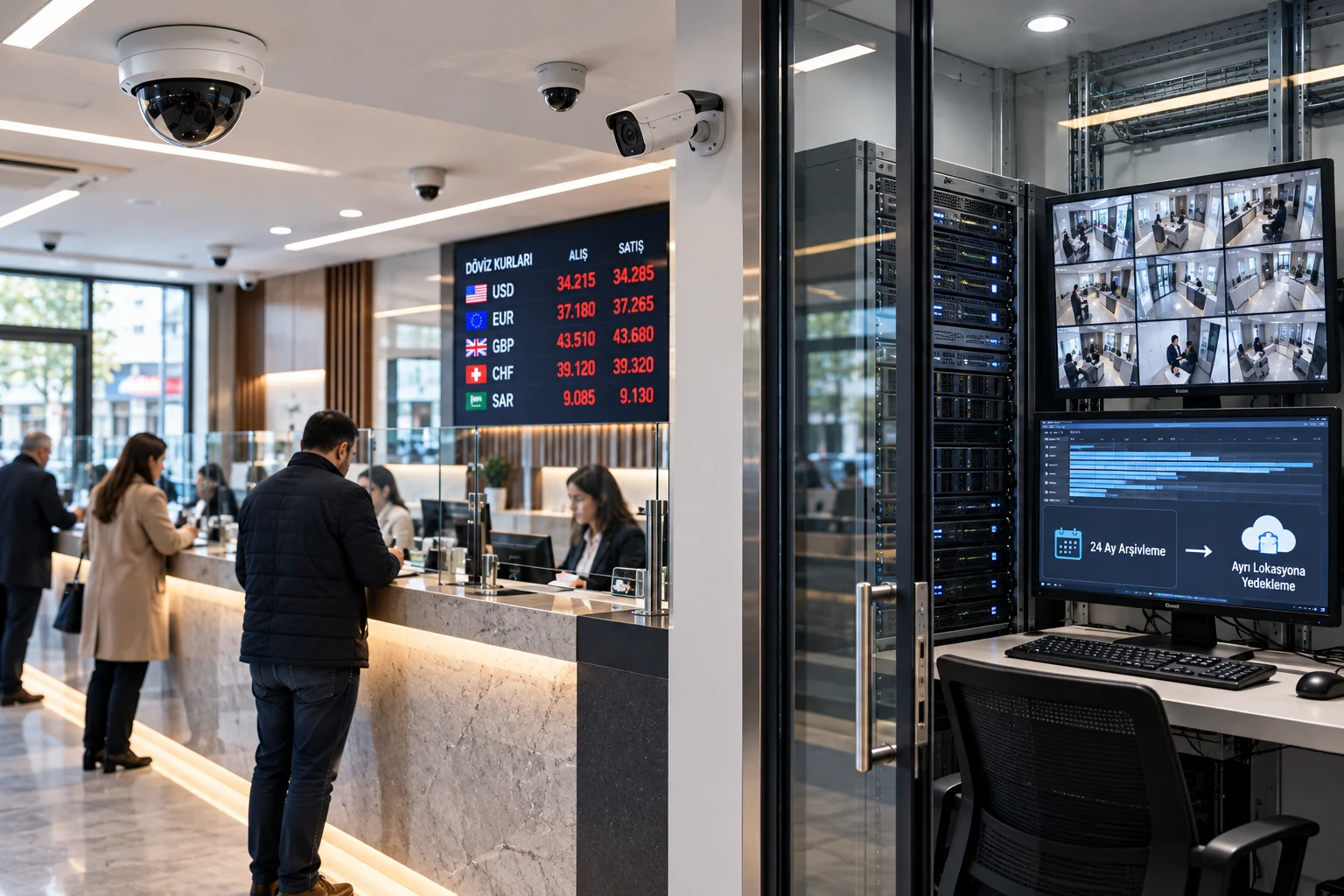
Camera and video recording systems in exchange offices are critically important not only for operational security but also for legal obligations determined by the Ministry of Treasury and Finance.
With the regulation dated March 6, 2025, the retention period for camera recordings by authorized institutions has been extended from one year to at least two years. Furthermore, it is mandatory to back up recordings weekly to a different physical location or cloud environment, preserving the same image quality, and these backups must also be stored for at least two years.
This requirement necessitates a re-evaluation of the storage capacity and technical infrastructure of camera systems used in exchange offices.
So, how are camera recordings stored for two years in exchange offices? How many terabytes of storage does an eight-camera business need? Which of NVR, NAS, cloud storage, and backup systems should be used?
In this guide, we examine legal regulations, storage calculations, and how to design a reliable camera recording system with technical details.
What is the 2-Year Camera Recording Obligation in Exchange Offices?
The primary basis for the camera recording obligation in exchange offices is Article 26 of Communiqué No. 2018-32/45 Regarding Decree No. 32 on the Protection of the Value of Turkish Currency.
With Amendment No. 2025-32/73, published in the Official Gazette dated March 6, 2025, and numbered 32833, the retention period for video recordings has been extended to two years.
According to the regulation, authorized institutions must:
Keep camera and video recording systems operational.
Store camera recordings for at least two years from the recording date.
Back up recordings weekly to a location different from the workplace or to a cloud environment.
Preserve the image quality of the backups.
Store backup recordings for at least two years as well.
Regularly check system operation and report malfunctions as specified in the legislation.
The obligations are more comprehensive than simply increasing the disk capacity of the recording device.
Being able to record for two years is not the same as storing images completely, securely, and accessibly for two years.
What Conditions Does the Ministry of Treasury and Finance's Circular No. 2025/2 Impose?
The Camera and Video Recording System Circular (2025/2), issued by the Ministry of Treasury and Finance on March 11, 2025, and containing amendments, details the implementation principles for camera systems.
Camera Placement and Fields of View
According to the Circular, the camera system must be installed to capture every teller counter, all areas where foreign exchange purchase-sale transactions are conducted, the safe, transaction points, and individuals performing transactions.
The system must consist of a sufficient number of cameras to avoid blind spots in these areas.
Therefore, the number of cameras cannot be determined solely by the square footage of the workplace.
Specifically, individuals in front of the counter, banknote transactions, the general view of the transaction area, and the necessary security sections around the safe must be evaluated.
Weekly Backup Obligation
Camera recordings must be backed up weekly to a location different from the workplace or by using a cloud computing service.
Backups must also be stored for at least two years and with the same image quality.
For example, if main recordings are kept in high resolution while backups are created from a lower-quality sub-stream, this will not meet the same image quality requirement.
Minimum Two-Year Maintenance Agreement
The Circular requires a minimum two-year agreement with one or more companies responsible for the maintenance of the camera and video recording system.
The agreement must include the contact information of the maintenance company and provisions for rectifying malfunctions within the periods specified in the legislation.
Daily Control and Malfunction Notification
The camera placement, image capture, and recording functions of the system must be checked daily.
In case of malfunctions such as image loss, lens obstruction, deletion of recordings, degradation of image quality, or system deactivation, the notification procedure in Article 5 of the Circular must be applied.
Notification to the Ministry via YMBS must be made within a maximum of 48 hours from the start of the malfunction. If the malfunction cannot be rectified within this period, the notification obligation continues.
The Circular contains special provisions regarding daily control and malfunction notification for periods when operations are suspended.
Accuracy of Camera Times
The date and time information in camera recordings must be current and compatible with the transaction time in foreign exchange purchase and sale documents (DAB/DSB) on an hour and minute basis.
Therefore, system time synchronization is not only a technical convenience but also an important regulatory requirement.
What Kind of System Should Be Installed for 2 Years of Camera Recording?
The most accurate solution for two years of camera recording is not simply purchasing a large-capacity NVR.
A professional recording infrastructure must collectively manage the recording, storage, backup, and retrieval of images when needed.
The following three-tiered structure can be considered for exchange offices.
1. Layer: Camera and NVR Recording System
IP cameras capture images of the required areas and transfer recordings to an NVR or appropriate video management system.
The NVR can be used for daily monitoring of recordings and reviewing events.
Depending on the system architecture, a 30–90 day quick access archive can be kept on the NVR, for example.
However, the 30–90 day recording on the NVR alone does not meet the two-year retention obligation.
Older images must be reliably transferred to a separate main archive layer that meets the two-year retention period.
2. Layer: Long-Term NAS or Video Archive Server
A high-capacity NAS, video archive server, or suitable enterprise storage infrastructure can be used for storing two years of images.
In this system:
Images can be archived based on camera and date.
Appropriate protection against disk failures can be provided.
Archive capacity can be increased.
Authorized personnel can search for old recordings.
The integrity and accessibility of recordings can be controlled.
The storage system should be designed so that the selected software and hardware can maintain indexing, search, and playback performance in the two-year archive.
3. Layer: Backup in a Different Location or Cloud
The third important element in a regulatory-compliant architecture is the protection of recordings in a location different from the workplace.
For this purpose:
A storage server in another physical location.
Remote NAS accessed via a secure connection.
Suitable enterprise cloud object storage system.
Managed video archiving and backup services
can be evaluated.
Backup should be automated to meet the weekly obligation, its success monitored, and the integrity of recordings checked.
This structure aims to ensure that a second copy is accessible if the main recording system is damaged or images are lost.
Recommended system architecture: Camera → NVR/VMS → Two-Year Main Archive → Two-Year Backup Archive in a Different Location.
In this model, the main archive and backup archive require separate capacity and access security.
How Many TB Are Needed for 2 Years of Camera Recording in Exchange Offices?
One of the most important factors determining storage capacity is the number of cameras and the average video bit rate generated by the cameras.
Recording capacity varies depending on the following parameters:
Number of cameras.
Camera resolution.
H.264, H.265, or other compression methods.
Frames per second (FPS).
Average and maximum bit rate.
Motion and scene complexity in the image.
Daily recording hours.
Recording retention period.
Designing a system for exchange offices that can record continuously, 24 hours a day, is a reliable approach.
Storage Capacity Calculation Formula
Approximate daily storage amount for a camera recording continuously for 24 hours:
Daily recording (GB) = Average bit rate (Mbps) × 10.8
The theoretical two-year storage amount can be calculated as follows:
Total capacity (TB) = Number of cameras × Average Mbps × 10.8 × 730 / 1000
Here, 730 days is the approximate two-year calculation period. For differences due to calendar year and leap days, actual retention dates should be used, and a safety margin should be left in capacity planning.
Example: 8-Camera Exchange Office
Let's assume eight IP cameras each record continuously at an average bit rate of 3 Mbps for 24 hours.
Daily data amount for one camera:
3 × 10.8 = 32.4 GB
Daily data amount for eight cameras:
32.4 × 8 = 259.2 GB
Total recording amount for 730 days:
259.2 × 730 = 189,216 GB
This means approximately 189.2 TB of theoretical video data is generated.
This calculation does not include file system overheads, storage reserve, indexes, other data, and additional capacity required for disk failure protection.
For example, if a 25% additional capacity margin is allocated to the theoretical amount:
189.2 × 1.25 = approximately 236.5 TB
This value is an initial capacity target for the main archive in the example. If RAID protection is used, the physical disk capacity must be calculated separately.
Moreover, the capacity for the two-year off-site or cloud backup must also be planned separately.
Two-Year Recording Capacity by Number of Cameras and Bit Rate
The following calculations are based on 24-hour continuous recording and an approximate 730-day retention period.
| Number of cameras | Average bit rate / camera | 2-year theoretical capacity |
|---|---|---|
| 4 cameras | 2 Mbps | 63.1 TB |
| 8 cameras | 2 Mbps | 126.1 TB |
| 8 cameras | 3 Mbps | 189.2 TB |
| 8 cameras | 4 Mbps | 252.3 TB |
| 12 cameras | 4 Mbps | 378.4 TB |
| 16 cameras | 4 Mbps | 504.6 TB |
This table is an example capacity calculation. Exact storage capacity cannot be determined without measuring the actual data stream of camera models. Values do not include RAID loss, system reserve, backup copies, or storage differences of cloud services.
As seen, increasing the number of cameras and bit rate significantly affects the cost of two-year recording.
Therefore, efficient compression methods that preserve image quality and correct camera settings are important.
However, reducing image detail in transaction areas merely to save disk capacity is not a correct engineering approach.
For broader recording capacity considerations, GüvenlikOnline's technical article titled Security Camera System Recording Duration can be reviewed.
H.264 or H.265? The Importance of Compression in Two-Year Recording
Video compression technology directly affects the storage space occupied by recordings.
H.265/HEVC can provide similar image quality at a lower bit rate compared to H.264 under suitable conditions.
Therefore, efficient video compression technologies can offer an advantage in long-term recording projects.
However, using H.265 alone does not guarantee a specific savings rate.
Actual performance depends on the camera sensor, scene motion, lighting conditions, encoder settings, and target image quality.
What to Consider When Reducing Bit Rate?
Especially in exchange offices:
Sufficient detail in imaging individuals performing transactions.
Blind spot-free monitoring of teller and transaction areas.
Avoiding excessive compression artifacts in moving images.
Ensuring recorded images can be reviewed when needed.
No loss of image quality between main recording and backup
are important.
After changing compression settings, verification should be performed using actual recorded images.
Storage savings should not be achieved in a way that causes recordings to lose the necessary image detail for evidence or review purposes.
RAID 5, RAID 6, and Protection Against Disk Failures
Numerous high-capacity disks can be used in a two-year image archive.
Appropriate storage protection methods can be considered to prevent complete loss of recordings in case of a single disk failure.
RAID 5
RAID 5 can provide resilience against a single disk failure in an appropriate disk array.
However, additional risks may arise during the reconstruction of large-capacity disks.
RAID 6
RAID 6 can provide resilience against up to two disk failures in an appropriate disk array.
It is one of the options that can be considered for large and long-term video archives.
RAID 10
RAID 10 combines mirroring and distributed data writing methods.
It may be preferred in some applications for performance and reconstruction features; however, it can incur significant costs on usable capacity.
RAID is not a backup system.
RAID protection helps against disk failure. However, a separate backup system may be needed in situations such as accidental deletion, malware, device theft, or physical disaster.
Which RAID level to use should be determined by considering the number of disks, disk capacity, archive size, performance, and acceptable risk of failure.
Can Cloud Camera Archiving Be Used in Exchange Offices?
Yes. The Ministry of Treasury and Finance's Circular No. 2025/2 defines backing up recordings weekly using cloud computing services as one of the foreseen options.
However, not every cloud storage service may meet the two-year video archiving requirement.
When evaluating a cloud solution, the following criteria should be examined:
Retention period and recording integrity.
Preservation of the same image quality as the main recording.
User permissions and secure access.
Encryption and key management.
The country and infrastructure where the data is stored.
Protection against data deletion or modification.
Monitoring of backup operations.
Time to retrieve images from the archive.
Data transfer and restoration costs.
Data processing and transfer obligations under KVKK (Law on Protection of Personal Data).
Especially in long-term cloud archives, data transfer and retrieval costs should be considered as much as storage costs.
How to Calculate Internet Speed for Weekly Backup?
Let's assume eight cameras each generate an average of 3 Mbps of data.
Total camera data stream:
8 × 3 = 24 Mbps
Theoretical recording amount for one week:
259.2 GB × 7 = approximately 1.81 TB
If this amount of data is to be transferred to a remote location within a single day, approximately 168 Mbps of continuous upload capacity is required for raw data alone.
Due to protocol overheads, encryption, other network traffic, and potential connection interruptions, the actual requirement may be higher.
If the backup is distributed over the week, the instantaneous bandwidth requirement can be reduced. However, the weekly backup schedule must be successfully completed, and accumulation of recordings must be prevented.
Thus, in the design of long-term recording systems, internet upload speed and backup time become as critical as storage capacity.
Why is Time Synchronization Important in Camera Systems?
Transactions conducted in exchange offices can be associated with Foreign Exchange Purchase Documents (DAB) and Foreign Exchange Sale Documents (DSB).
The Ministry of Treasury and Finance's Circular No. 2025/2 mandates that camera times be current and accurate, and compatible with DAB/DSB time information at the hour and minute level.
Therefore, reliable time management must be implemented in camera, NVR, archive server, and transaction systems.
Time Synchronization with NTP
NTP (Network Time Protocol) can enable systems on the network to synchronize with a common and reliable time source.
In appropriate systems:
The time of cameras and recording devices is checked.
Time zone configuration is verified.
NTP access is monitored.
Time changes and synchronization errors are recorded.
Recording times are compared with transaction document times.
Simply enabling the NTP setting is not enough. It must be verified that actual synchronization is achieved and maintained.
How is Data Security Ensured in Two-Year Camera Recordings?
In long-term camera archives, data integrity, access permissions, and protection against deletion are important.
Specifically, the following security measures can be considered:
Access Authorization
Users who can view, export, or delete recordings should be defined with separate permissions.
Encryption
In appropriate systems, encrypting recordings during transmission and storage can provide additional protection against unauthorized access.
Immutable Archiving
In supported storage systems, WORM (Write Once, Read Many) or similar immutable archiving features can be evaluated.
These methods can reduce the risk of unauthorized modification or deletion of recordings within the retention period.
Verification of Recording Integrity
In appropriate systems, file integrity checks, hash verification, and transaction logs can be used.
Off-Site Backup
It is important to protect backups in a different physical location with separate security permissions from the main system.
The goal should be to prevent a security incident in the main system from also damaging the backup storage.
For more technical information on these topics, GüvenlikOnline's article titled Camera Recording Backup can be reviewed.
How Should Two-Year Camera Recordings Be Evaluated from a KVKK Perspective?
The use of cameras in exchange offices is an obligation arising from legislation.
However, this does not eliminate other obligations regarding the protection of personal data.
In its decision dated November 24, 2022, and numbered 2022/1249, the Personal Data Protection Board evaluated that camera recording in an exchange office could be carried out for the purpose of fulfilling a legal obligation.
Nevertheless:
Information regarding camera use must be provided.
Images must not be shared with unauthorized persons.
Access permissions must be restricted.
The security of personal data must be ensured.
Recordings must not be used for purposes other than their intended use.
The mandatory retention period and any other legal retention reasons must be considered.
If the cloud archiving service is provided abroad or if data is transferred abroad, the relevant transfer provisions of KVKK must be evaluated separately.
When the two-year mandatory period expires, recordings for which there is no other legal retention requirement should be planned for secure deletion or destruction.
How to Establish a Daily Control and Periodic Maintenance System?
The two-year recording system should not only be tested during initial installation.
Retrospective recording loss can occur if camera malfunctions, disk fullness, storage errors, recording gaps, or network connection problems go unnoticed.
Therefore, a management plan should be prepared that supports both the business's daily control obligations and facilitates the intervention of the maintenance company.
Daily Controls
Verify that all cameras are providing images.
Check the coverage of mandatory viewing areas.
Verify that recordings are ongoing.
Check image quality and camera times.
Evaluate recording or device malfunctions.
Weekly Controls
Verify that backup operations are completed.
Check backed-up date and camera ranges.
Examine backups for missing files or recording gaps.
If necessary, sample images are retrieved and tested.
Periodic Technical Maintenance
According to the maintenance plan:
Disk health and error indicators are examined.
RAID or storage protection system is checked.
Camera lenses and connections are evaluated.
NVR/VMS and archive software are checked.
UPS and power infrastructure are tested.
Cybersecurity and access permissions are reviewed.
Recording restoration tests are performed.
This plan can be supported by more frequent controls based on operational risks.
It is as important to demonstrate that the system is working as it is to verify that a recording from two years ago can actually be retrieved when needed.
Mistakes Made When Installing Camera Systems in Exchange Offices
Significant mistakes that can be encountered in two-year recording retention projects include:
Calculating storage capacity based only on camera resolution.
Not measuring the actual average bit rate.
Not allocating sufficient capacity reserve for two years of recording.
Confusing disk failure protection with a backup system.
Not planning for weekly off-site or cloud backup.
Storing backup images in low resolution.
Not synchronizing the clocks of camera and transaction systems.
Not testing whether recordings can actually be played back.
Neglecting malfunction notification processes and maintenance contracts.
Not controlling recording security and access permissions.
To prevent these errors, the system must be designed from the initial stage according to regulatory and technical requirements.
Technical Checklist for a Two-Year Camera Recording System
Relevant legislation and Circular No. 2025/2 reviewed?
Camera placement for each teller, safe, and transaction area verified?
Need to image individuals performing transactions met?
Camera recordings confirmed to be stored for at least two years?
Weekly off-site or cloud backup being created?
Backup recordings ensured to be protected for at least two years?
Original image quality preserved in backups?
Capacity calculation performed based on average bit rate?
Appropriate protection against disk failures planned?
Camera and DAB/DSB time information synchronized?
Daily control procedures being applied?
Malfunction notifications and technical reporting processes defined?
Minimum two-year maintenance agreement made?
Installation and compliance documents prepared?
Old recordings and remote backups subjected to restoration tests?
KVKK and access security requirements evaluated?
This checklist has been prepared for technical evaluation purposes. It does not replace Ministry audits, official compliance documents, or project-specific legal reviews.
Frequently Asked Questions
How many years should camera recordings be stored in exchange offices?
According to Article 26 of Communiqué No. 2018-32/45, recordings must be stored for at least two years from the recording date.
Is it mandatory to back up camera recordings to the cloud in exchange offices?
It is mandatory to back up recordings weekly to a different physical location or by using a cloud computing service. Cloud is one of the permitted backup options; it is not the only option.
How many TB of disk space are needed for two years of camera recording?
It depends on the number of cameras and the average bit rate. For example, if eight cameras record continuously at an average of 3 Mbps each, approximately 189.2 TB of theoretical video data is generated for 730 days. Storage reserve, RAID, and off-site backup must be calculated separately.
Is it sufficient to use only an NVR in an exchange office?
An NVR alone should not be assumed to meet the two-year recording and weekly off-site backup requirements. The system must be evaluated together with the relevant retention and backup conditions.
Does using RAID 6 meet the two-year backup obligation?
No. RAID 6 can provide protection against disk failures; however, it does not replace off-site or cloud backup.
Does using H.265 increase recording duration?
Under suitable conditions, H.265 can provide similar image quality at a lower bit rate. However, actual capacity savings depend on the camera, scene, and recording settings.
Can cameras be turned off on holidays?
Authorized institutions must keep camera and video recording systems operational even during periods when their activities are suspended. Special provisions regarding daily control and malfunction notification for periods of suspended activity must also be considered.
What should be done if the camera recording system malfunctions?
According to Article 5 of the Circular, notification must be made via YMBS within a maximum of 48 hours from the start of the malfunction, and relevant maintenance company reports must be prepared. The inability to rectify the malfunction within this period does not remove the notification obligation.
Conclusion: Two-Year Camera Recording Requires Sustainable System Design, Not Just Storage
The obligation to store camera recordings for two years in exchange offices requires comprehensive planning in the storage and backup infrastructure of security systems.
Simply purchasing high-capacity disks is not sufficient to meet the legal obligation.
The correct solution must collectively provide appropriate camera placement, continuous recording, sufficient storage capacity, weekly off-site backup, data integrity, time synchronization, regular maintenance, and verifiable recording access.
Especially in long-term image archives, NVR, NAS, enterprise storage, and cloud technologies can be considered as complementary components.
The goal of a successful system design is not just to accumulate data for two years, but to reliably store the necessary images for two years and retrieve them completely when needed.
Resources
T.C. Ministry of Treasury and Finance – Camera and Video Recording System Circular (2025/2)
Official Gazette – March 6, 2025, Amendment Communiqué No. 2025-32/73
T.C. Ministry of Treasury and Finance – Exchange Offices Frequently Asked Questions
Personal Data Protection Authority – Camera Recording in Exchange Offices, Decision No. 2022/1249