
What Are Security Cameras? Types, How They Work, and Applications
Security cameras are used to monitor different settings, from homes and commercial businesses to industrial facilities, and to record security incidents. We examine how IP, analog, dome, bullet, PTZ, thermal, and AI-powered security cameras work, their technical differences, applications, recording methods, and criteria for secure installation.
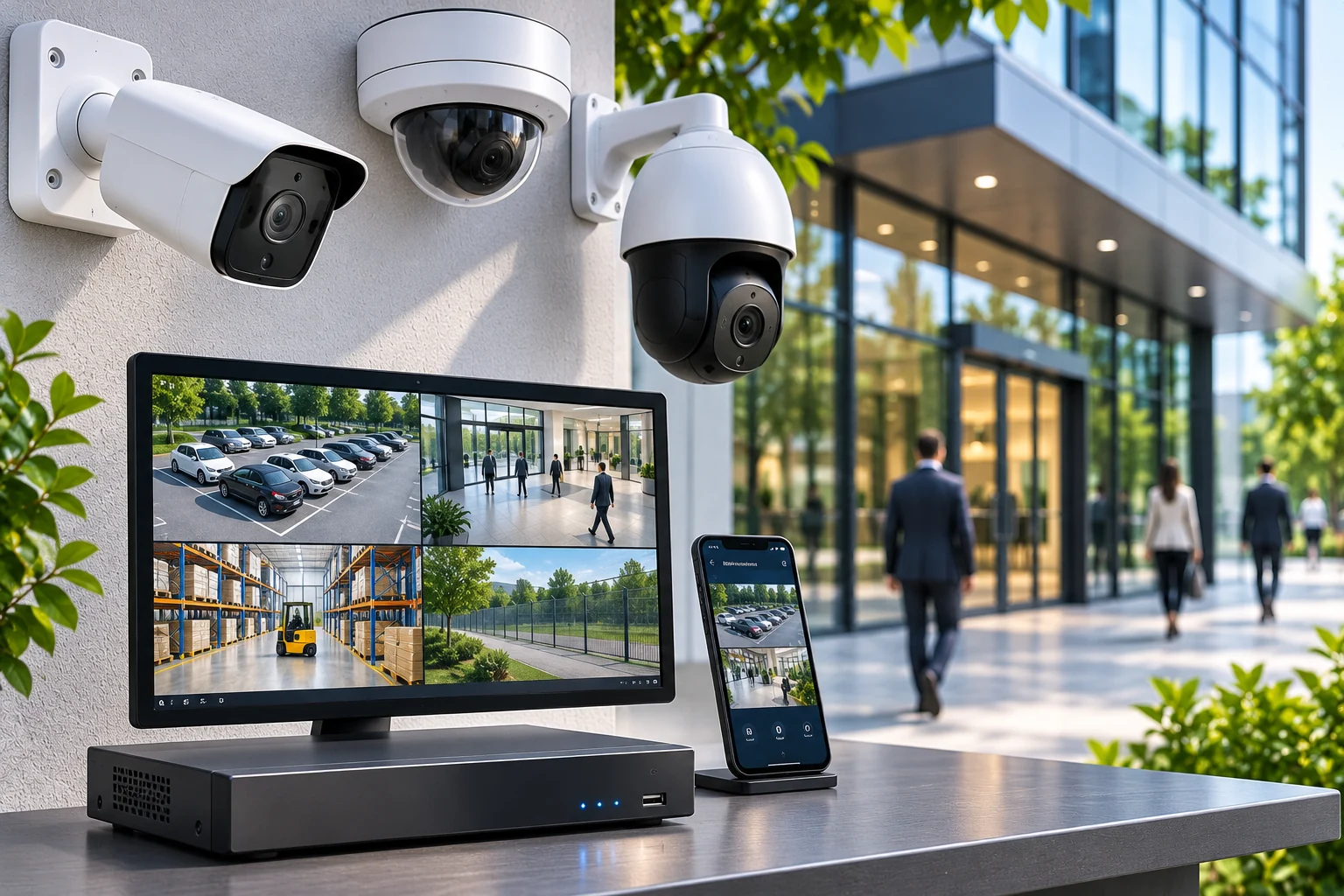
Security cameras are electronic imaging devices used to monitor specific areas, observe security incidents, and store video recordings when needed. With applications ranging from homes and workplaces to shopping malls and factories, these systems are an important component of physical security.
Today, security camera technology is not limited to recording images. IP-based communications, high resolution, low-light performance, thermal imaging, AI-powered video analytics, and centralized management software offer solutions for a range of security requirements.
However, a good security camera is not simply one with a high megapixel count. Whether a camera meets actual security needs depends on its image sensor, lens, mounting position, lighting conditions, recording infrastructure, and system design.
What Is a Security Camera?
A security camera is a device that detects images within a specific field of view and converts them into an electronic video signal. On supported systems, the resulting footage can be viewed live, recorded, or analyzed.
Security cameras are generally used as part of CCTV (Closed-Circuit Television) and video surveillance systems.
Traditional analog security cameras transmit video signals to a recording device over cable, while modern IP cameras process images digitally and transmit them over Ethernet or suitable wireless network connections.
The terms security camera and camera system should be distinguished:
Security camera: The device that captures the image.
Camera system: The complete setup, encompassing recording, storage, networking, software, and monitoring components in addition to the cameras.
Therefore, buying a camera does not always mean that a complete security camera system has been installed.
How Do Security Cameras Work?
In modern security cameras, image formation depends on the lens, sensor, image-processing unit, and communications infrastructure working together.
1. Lens and Image Sensor
The camera lens directs light from the scene being monitored onto the sensor.
Image sensors such as CMOS convert incoming light into electronic signals.
The sensor's physical size, pixel structure, light sensitivity, and dynamic range are important characteristics that affect image quality.
2. Image Processing
Data from the sensor are processed by the camera's processor.
At this stage, exposure, white balance, noise reduction, WDR, and other image optimizations may be applied.
3. Video Compression
Images in digital security cameras can be compressed using supported video encoding methods.
H.264 and H.265 are video encoding technologies widely used in IP camera systems.
Video compression helps reduce the amount of data required for recording and communications.
4. Image Transmission
IP cameras can transmit images over a network to an NVR recorder, a video management server, or another supported recording medium.
With analog cameras, the appropriate video signal is transmitted to a DVR or XVR device.
5. Live Monitoring and Recording
Authorized users can view images live.
If recording is enabled, video data can be written to a hard drive, a memory card inside the camera, or another supported storage system.
Important: Not every security camera records on its own. Recording capability depends on the hardware of the model in use and the system configuration.
What Are the Different Types of Security Cameras?
Security cameras are divided into different groups according to their physical design, imaging technologies, and intended use.
Dome Security Cameras
Dome cameras are security cameras with a dome-shaped housing.
They are widely used in offices, shopping malls, stores, hotels, and shared areas in buildings.
Some models may be available with vandal-resistant housings.
However, a dome design alone does not guarantee suitability for outdoor use or impact resistance. These features should be checked in the device specifications.
Bullet Security Cameras
Bullet cameras are a type of camera that typically has a prominent, elongated body design.
They can be used around buildings, in parking lots, at entrances, and in open areas.
Suitable models may include motorized lenses, IR illumination, and outdoor protection features.
Mounting a camera in a high or hard-to-reach position does not, by itself, guarantee good image quality.
Turret Security Cameras
Turret cameras are compact models with an adjustable camera body.
They can be used in settings similar to those for dome cameras, but some designs do not have a separate dome in front of the lens.
In certain environments, this design can help reduce image problems caused by IR light reflecting off the dome surface.
PTZ Security Cameras
PTZ (Pan-Tilt-Zoom) cameras support horizontal movement, vertical movement, and optical zoom.
They can be used in stadiums, ports, squares, industrial facilities, and large open areas.
Supported models may offer functions such as automatic patrol, moving to preset positions, and object tracking.
However, when a PTZ camera is pointed in a particular direction, it may not monitor other areas with the same level of detail. For this reason, using it alongside fixed cameras at critical points may be considered.
Fisheye and Panoramic Cameras
Fisheye cameras use special lenses that provide a very wide field of view.
When positioned appropriately, a single camera can provide an overall view of an area that would otherwise require multiple narrow-angle cameras.
However, a wide field of view does not provide the same level of detail at every point in the image.
Thermal Security Cameras
Thermal cameras produce images based on the infrared energy emitted by objects.
In some conditions with limited visible light, they can help detect targets such as people or vehicles.
However, thermal imaging does not provide detailed facial or color information in the same way as a conventional optical camera.
Furthermore, not every thermal camera is a radiometric device capable of measuring temperature accurately.
Comparison of Security Camera Types
Camera type | Example application | Main limitation |
|---|---|---|
Dome | Stores and offices | Housing features depend on the model |
Bullet | Building perimeter | Dependence on mounting and field of view |
Turret | Corridors and entrances | Lens and environmental resistance depend on the model |
PTZ | Large open areas | Monitoring other areas while the camera changes direction |
Fisheye | Large indoor spaces | Image distortion and loss of detail at the edges |
Thermal | Perimeter security | Limited detail in the optical image |
License plate recognition | Vehicle entry and exit | Conditions involving angle, speed, lighting, and integration |
This comparison is based on general use cases. Camera type should not be treated as a definitive engineering recommendation for every project.
Differences Between IP and Analog Security Cameras
The two main video transmission architectures used in security camera systems are IP and analog systems.
IP cameras process images digitally and transmit them over a network. Analog cameras transmit signals to a DVR or XVR device according to the supported analog video standard.
Feature | IP camera | Analog HD camera |
|---|---|---|
Image transmission | Ethernet/IP | Usually coaxial cable |
Recording | NVR, VMS, or supported local recording | DVR or XVR |
Power | PoE or separate power supply | Separate power supply or a suitable coaxial power solution |
Integration | ONVIF, API, and manufacturer protocols | Depends on the manufacturer and system features |
Network requirements | IP network infrastructure | Direct coaxial connection is common |
Expansion | Depends on network and recording capacity | Depends on DVR/XVR inputs and system capacity |
Advantages of IP Cameras
IP cameras offer a range of options, including high resolution, network-based management, video analytics, and centralized viewing.
A network-based system architecture can offer advantages, particularly in large projects involving multiple buildings.
Advantages of Analog Cameras
In buildings with existing coaxial infrastructure, HD analog cameras can be introduced as an upgrade without changing the cabling.
However, it cannot be said that IP cameras always provide better images or that analog systems are always more economical.
Performance depends on the camera sensor, lens, recording system, and application conditions.
Wired and Wireless Security Cameras
Security cameras can also be classified according to their video transmission method.
Wired Security Cameras
In wired cameras, data is transmitted over a physical connection.
IP cameras use suitable Ethernet cables such as Cat5e/Cat6, while coaxial cable is common in analog systems.
In PoE-enabled IP cameras, power and data can be supplied through the same Ethernet cable.
Wired infrastructure can reduce dependence on radio signal conditions. However, incorrect cabling, unsuitable cable lengths, or an insufficient PoE power budget can cause system failures.
Wireless and Wi-Fi Security Cameras
Wi-Fi cameras can transmit video data over a wireless network.
These systems may be considered particularly in areas where running cables is difficult.
However, there is an important distinction: An Wi-Fi camera is not necessarily a battery-free or completely wireless device. Many Wi-Fi cameras require a separate power supply.
Wireless connection performance can be affected by signal strength, channel congestion, interference, building materials, and network capacity.
What Affects Image Quality in Security Cameras?
Looking only at the megapixel count when choosing a security camera can lead to an inaccurate assessment of its actual image quality.
Resolution
Camera resolution indicates the number of pixels that make up an image.
Options such as 2 MP, 4 MP, and 8 MP are common.
However, higher resolution does not automatically provide better person recognition or identification at long distances.
Lens and Field of View
The focal length and optical characteristics of the lens affect the width of the area captured by the camera.
A wide angle can show a larger area, while a narrow angle can provide more image detail for a specific target.
Sensor and Low-Light Performance
The sensor's light-gathering ability, the lens aperture, and the camera's image-processing technology affect image quality in low light.
Motion blur, exposure time, and image noise in night footage should be assessed separately.
WDR Technology
WDR (Wide Dynamic Range) helps preserve detail when very bright and dark areas appear in the same image.
For example, WDR may be important at building entrances exposed to sunlight.
FPS
FPS indicates the number of image frames generated per second.
Frame rate is important when capturing moving targets. However, a higher FPS can also create greater processing and storage demands.
DORI and PPM: Is Security Camera Image Quality Sufficient?
Pixel-density calculations can be used to assess how much image detail security cameras provide at specific distances.
PPM (Pixels Per Meter) indicates the number of horizontal pixels per meter of the area being viewed.
PPM = Number of horizontal pixels / Width of the viewed area in meters
For example, if a camera with 2560 horizontal pixels views an area 16 meters wide at the target distance:
2560 / 16 = 160 PPM
This result indicates the approximate horizontal pixel density on the target plane in question.
The traditional DORI approach uses the levels Detection, Observation, Recognition, and Identification.
However, image-detail assessments were updated in the 2025 edition of the IEC 62676-4 standard.
Therefore, the old DORI thresholds should not be considered directly equivalent to the operational image-detail levels used in the current standard.
For those seeking to assess camera selection against engineering criteria, GüvenlikOnline’s What Is DORI Analysis in Camera Systems? article offers more detailed calculation methods.
How Do Security Cameras Capture Images at Night?
Night-vision systems use a range of technologies.
IR illumination: Infrared LEDs on the camera help the supported sensor produce an image in low light.
Color imaging in low light: With a suitable sensor, lens, and image-processing technologies, color images can be obtained in limited lighting.
White-light-assisted imaging: Color images can be produced under certain conditions using visible illumination.
Thermal imaging: Infrared energy emitted by objects is evaluated. It does not work like a standard camera based on visible light.
The IR range specified in a camera’s datasheet does not guarantee that an image suitable for identification will be obtained at that distance.
For this reason, real-world field tests should be conducted, particularly in projects where nighttime security is important.
AI-Powered Security Cameras
AI-powered security cameras can enable the automatic analysis of specific objects and events in video footage.
Depending on the models supported, the following functions may be available:
Human and vehicle classification.
Virtual line crossing detection.
Detection of entry into a designated area.
Object or vehicle tracking.
License plate recognition.
People counting and queue analysis.
Event-based video search.
Analysis of specific behaviors and occupational safety incidents.
In some systems, analytics are performed on the camera (edge AI); in others, they are performed on an NVR, VMS, or server.
The presence of AI features does not mean that every event will be detected without error.
In particular, moving crowds, backlighting, obstructions to the field of view, and poor image quality can affect analytical performance.
Moreover, the legal requirements for functions such as people counting, facial recognition, and biometric identification may differ from one another.
Security Camera Recording Systems
Footage from security cameras can be recorded using different methods.
DVR
DVR (Digital Video Recorder) is used in systems that process and record analog video signals.
NVR
NVR (Network Video Recorder) enables IP camera video streams to be recorded over a network.
VMS
VMS (Video Management Software) is software that can be used to centrally manage multiple cameras and recording devices.
Memory Card Recording
Some IP cameras can record locally to a microSD card.
However, the card’s capacity, write endurance, and risk of physical access to the camera should be taken into account.
Cloud-Based Recording
In supported systems, footage can be transferred to cloud-based storage infrastructure.
With this method, internet connectivity, data-transfer speed, access security, subscription terms, and the country where the data is stored are important.
How Many Days Do Security Cameras Record?
The recording period of a security camera system varies depending on the number of cameras and hard-drive capacity.
However, the number of cameras is not the only determining factor.
Resolution, FPS, bitrate, compression method, and recording type also matter.
Example Recording Capacity Calculation
Suppose each of 8 security cameras generates an average of 3 Mbps of video data and records continuously for 30 days.
Daily data for one camera:
3 × 10.8 = 32.4 GB
Total daily data for eight cameras:
32.4 × 8 = 259.2 GB
Total data for 30 days:
259.2 × 30 = 7776 GB
8 cameras · 3 Mbps · 24 hours · 30 days
7.78 TB
Approximate theoretical recording data; excludes RAID, file system, and capacity reserve
If an example reserve of 20% is assumed for usable space, approximately 9.72 TB of total usable capacity should be planned. Actual disk requirements may vary depending on the recorder’s storage management.
Legal requirements concerning how long camera footage is retained should be assessed separately from capacity calculations.
On this subject, GüvenlikOnline’s How Many Days Should Security Camera Recordings Be Retained? article can be consulted.
What Is ONVIF Support in Security Cameras?
ONVIF is a set of standardized interfaces and profiles developed to improve interoperability among IP-based security devices.
With ONVIF, IP cameras, NVR devices, and video management software from different manufacturers can communicate through shared functions in compatible products.
The main profiles are:
Profile | Core function |
|---|---|
Profile T | Advanced video streaming |
Profile G | Recording and retrieval of recordings |
Profile M | Video analytics metadata and events |
However, ONVIF compatibility does not guarantee that all features on a camera and recording device will work together.
Support for AI events, audio, PTZ, and proprietary camera features should be checked against the model and firmware version in particular.
For more information, What Is ONVIF? What Is It Used for in IP Camera and NVR Systems? the guide can be consulted.
Where Are Security Cameras Used?
Homes and Villas
Building entrances, gardens, garages, and suitable outdoor perimeter areas can be monitored.
Apartment Buildings and Residential Complexes
They can be used at building entrances, car parks, perimeter areas, and legally appropriate shared-use locations.
Shops and Retail Businesses
Security monitoring can be carried out at store entrances, around checkout areas, and in storage and sales areas.
Shopping Centers
Car parks, service entrances, shared circulation areas, and technical spaces can be monitored using centralized systems.
Factories and Warehouses
Production areas, loading doors, facility perimeters, and specific critical equipment can be monitored.
Banks and Financial Institutions
Camera systems tailored to specific security needs can be used in transaction areas, at building entrances, and at designated security points.
Hotels, Hospitals, and Public Buildings
Security surveillance can be conducted in appropriate shared areas. Privacy and personal data protection requirements should be assessed separately.
Do Security Cameras Work Without the Internet?
Yes. Security cameras can operate without an internet connection.
With a suitable DVR connection, analog cameras—and with a suitable local network and NVR connection, IP cameras—can transmit video and record without internet access.
However, remote mobile access, cloud recording, and certain notification features may require an internet connection.
The absence of an internet connection does not, by itself, mean that a camera system is secure. Access control and system configuration on the local network remain important.
Cybersecurity in Security Camera Systems
IP cameras are electronic devices that use a network connection. Risks such as unauthorized access, software vulnerabilities, and account compromise should therefore be assessed.
Basic cybersecurity measures include:
Using strong, unique user passwords.
Disabling unnecessary services.
Managing firmware updates securely.
Segmenting camera and NVR networks where possible.
Using secure connection methods for remote access.
Limiting user permissions according to their roles.
Monitoring access and system events.
Leaving camera footage directly accessible from the internet can increase the risk of unauthorized access.
Network design and maintenance processes should be planned together to ensure that a device used as part of a security system does not also create a cybersecurity risk.
Security Cameras and the KVKK
In Türkiye, security camera footage constitutes personal data when it is associated with identified or identifiable individuals.
In its public announcement dated 8 June 2026 concerning the use of security cameras in workplaces, the Personal Data Protection Authority emphasized that the purposes of camera systems must be clearly defined and the principles of proportionality and data minimization observed.
Accordingly, when assessing camera use in workplaces:
Camera use should have a legitimate and specific purpose.
The camera’s field of view should be limited to the areas requiring security coverage.
Cameras should not be installed in areas where expectations of privacy are high, such as toilets, changing rooms, prayer rooms, and rest areas.
Employees and relevant individuals should be appropriately informed.
Access permissions for camera recordings should be restricted.
Recordings should not be retained longer than necessary.
Audio recording and biometric data processing should be assessed separately.
There is no single general retention period applicable to all camera systems in Türkiye. Different obligations may arise from specific sectoral legislation.
The retention period should therefore be determined in light of the applicable legislation and the purpose of processing.
What to Consider When Choosing a Security Camera
Choosing a security camera should begin by identifying the needs of the area to be protected, before considering the resolution of the device to be purchased.
To make the right choice, answer the following questions:
What security purpose will the camera serve?
What are the dimensions of the area to be monitored and the target distance?
Will the camera be used indoors or outdoors?
What level of nighttime and low-light performance is required?
Will the image provide sufficient detail of the target?
Will the infrastructure be wired, wireless, or hybrid?
Where and for how long do recordings need to be stored?
Is AI analytics and remote monitoring needed?
Is the camera technically compatible with the recording system?
Can the system be managed and maintained securely?
How these questions translate into camera selection, together with lens and pixel-density calculations, is explained in detail in GüvenlikOnline’s What to Consider When Choosing a Security Camera? guide.
Common Mistakes in Security Camera Installation
Incorrect Camera Placement
Placing the camera too high, too far away, or at an unsuitable angle may reduce the desired level of image detail.
Choosing Based on Megapixels Alone
A high-resolution camera may not provide adequate images without a suitable lens and mounting.
Insufficient Night-Time Lighting
A camera that delivers good images during the day may perform inadequately at night.
Incorrect Recording Capacity Calculation
An incorrect HDD capacity calculation may cause footage to be deleted earlier than planned.
Neglecting Cybersecurity
Default or weak passwords, outdated firmware, and uncontrolled remote access can create security risks.
Lack of Maintenance
Dirty lenses, loose connections, faulty drives, or changes in camera angles may degrade system performance.
Technical Checklist for Security Camera Systems
- Has the purpose of using the camera system been defined?
- Have camera locations and fields of view been planned?
- Have lens and resolution requirements been assessed?
- Have image detail and target distance been checked?
- Has image performance been tested during the day and at night?
- Have the cabling, network, and power infrastructure been verified?
- Has compatibility between the camera and NVR/DVR been checked?
- Have HDD capacity and the target recording duration been calculated?
- Have remote access and user permissions been configured securely?
- Have KVKK and privacy requirements been assessed?
- Has playback of recordings been tested?
- Has a system maintenance and technical service plan been established?
This checklist is a general preliminary assessment tool. For professional projects, applicable standards, manufacturers’ technical documentation, and site requirements should be taken into account.
Frequently Asked Questions About Security Cameras
How do security cameras work?
Security cameras convert light from a scene into electronic image data using a lens and image sensor. On supported systems, footage can be viewed live and stored on an NVR/DVR device or another storage medium.
Do security cameras record without the internet?
Yes. Camera systems with local recording infrastructure can record without an internet connection. Internet access may be required for remote access and cloud features.
Are IP cameras or analog cameras better?
No single technology is the best choice for every project. IP cameras can offer network-based management and advanced integration options, while HD analog systems may be suitable for buildings with existing coaxial infrastructure.
What is the difference between 2 MP, 4 MP, and 8 MP cameras?
The main difference is image resolution. However, image quality and target detail are also affected by the sensor, lens, lighting, and camera settings.
How many days of footage can a security camera record?
Recording duration depends on HDD capacity, the number of cameras, average bit rate, and recording method. No single definitive duration can be given for every camera system.
Can security cameras be viewed on a phone?
Supported models can be viewed on mobile devices using a suitable network connection and an app. Remote access security must be configured separately.
Do security cameras work during a power outage?
Cameras connected to an external power supply normally stop working when power is lost. Systems with a suitable UPS, battery, or backup power infrastructure can continue operating for a certain period.
What is artificial intelligence used for in security cameras?
Suitable models can offer functions such as human and vehicle detection, area intrusion detection, license plate recognition, and classification of specific events. However, accuracy varies depending on the application.
Is a permit required to install a security camera?
The answer depends on the nature of the area where the camera will be installed and the applicable legislation. Different obligations may apply to private property, workplaces, shared areas in apartment buildings, or public spaces. Personal data protection and informing the people concerned should also be assessed separately.
The Right Approach to Security Camera Systems
Security cameras are important electronic security devices used in a range of settings, from homes to critical infrastructure, for video monitoring and recording and for assessing security incidents.
IP camera technologies, advanced image sensors, AI analytics, and centralized recording systems are expanding the range of applications for camera solutions.
However, camera count or resolution alone is not enough to build a reliable security system.
The right security camera is one that provides images suited to the actual needs of the area to be protected, works compatibly with existing infrastructure, supports recording integrity, and can be managed securely.
For this reason, security cameras should be considered alongside proper site assessment, camera and lens selection, recording capacity planning, installation, commissioning, and regular maintenance.