
AI-Powered Video Analytics Solutions: Technologies, Applications, and Selection Guide
How do AI-powered video analytics solutions work? We examine object detection, human and vehicle tracking, behavior analysis, Edge AI, server-based video analytics, smart alarm management, and integration with existing CCTV systems, focusing on technical criteria and selection recommendations.
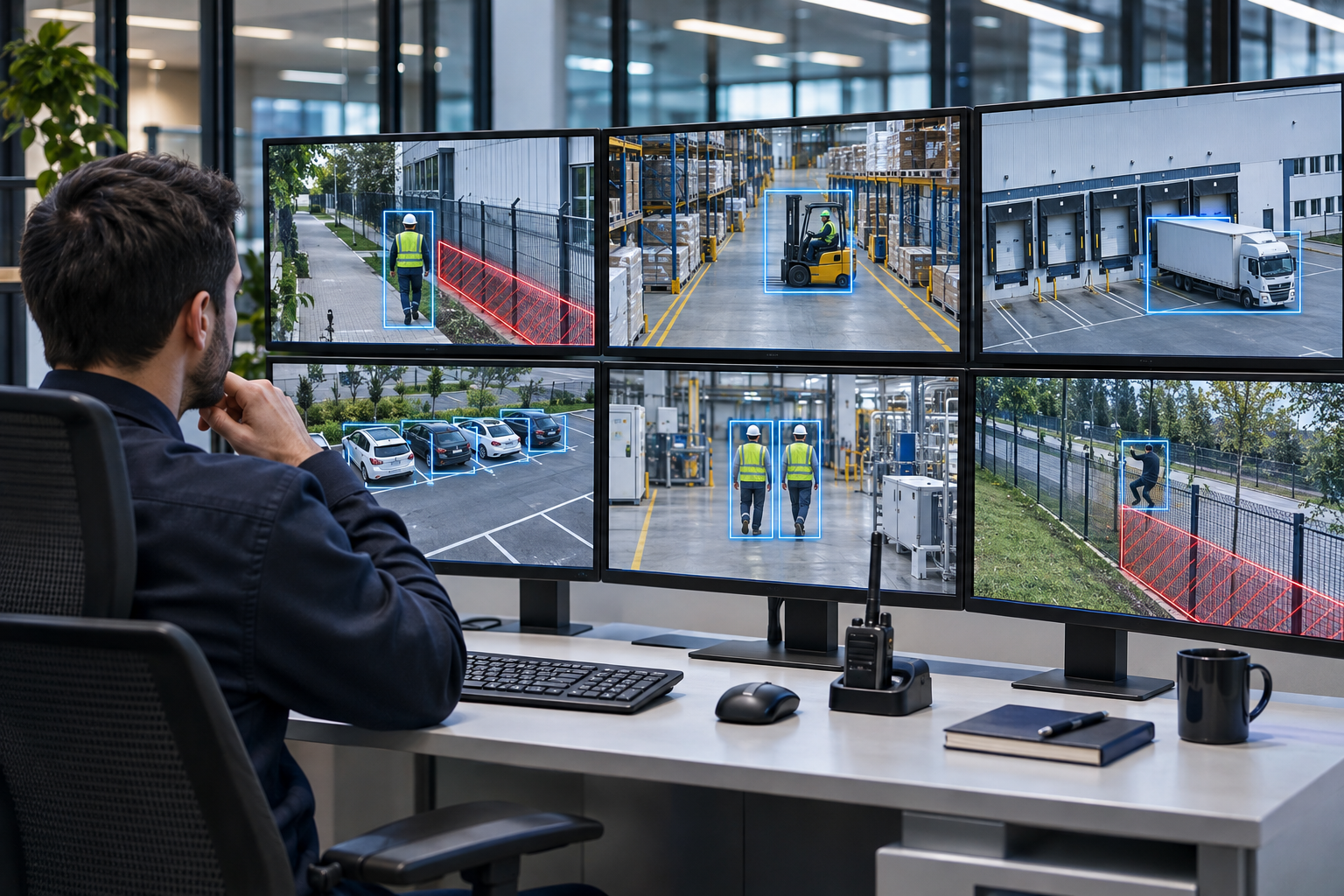
AI-powered video analytics solutions process footage from security cameras using computer vision and machine-learning algorithms to automatically analyze people, vehicles, objects, and specific events. By enhancing the basic viewing and recording functions of traditional CCTV systems, they generate meaningful data for security, operations management, and business intelligence applications.
Today, AI-powered video analytics systems are used across a range of sectors, from shopping malls and factories to logistics facilities, airports, retail stores, and critical infrastructure.
These systems can automatically analyze unauthorized entry into designated areas, the movement of people and vehicles, abandoned objects, visitor density, and certain predefined risk situations.
However, the presence of AI features in a security camera does not mean that it supports every type of video analytics application or will perform with the same accuracy in every environment. Actual performance depends on camera placement, image quality, the algorithm used, processing capacity, and site conditions.
What Is AI-Powered Video Analytics?
AI-powered video analytics is the automated detection of specific objects, movements, events, or visual patterns by processing digital video footage with artificial intelligence algorithms.
In English, this technology is called AI Video Analytics or AI-Powered Video Analytics.
In traditional video analytics systems, events can be generated based on motion detection, virtual line crossing, or specific changes in the image.
AI-powered systems may also classify objects, track them across multiple frames, and associate them with specific event rules.
For example, a traditional motion-detection system may treat tree branches moving in the wind as an alarm.
An AI model trained to detect people, under suitable conditions, can distinguish human movement from that of other moving objects.
This approach can help reduce unnecessary alarms. However, it does not eliminate the possibility of false alarms or missed events.
How Do AI-Powered Video Analytics Systems Work?
The process used by AI video analytics systems consists of multiple technical stages, from capturing footage to reporting events.
1. Capturing the Video Footage
The system receives a video stream from an IP security camera or another supported imaging source.
The footage can be processed by the camera’s own processor, an NVR, a local analytics server, or suitable cloud infrastructure.
Camera resolution, frame rate, compression method, lens, and lighting conditions affect analytics performance.
2. Object Detection
The AI algorithm attempts to detect specific object classes within the image.
Depending on the supported model, the following objects may be detected:
People
Cars
Trucks and buses
Motorcycles and bicycles
Certain animal species
Bags and packages
Certain types of personal protective equipment
Not every algorithm supports all object classes.
3. Object Classification
Detected objects are categorized according to the classes on which the model was trained.
For example, the system may determine whether a moving object in the image is a person or a vehicle.
However, object classification is not the same as identifying a specific person.
4. Object Tracking
The movement of detected objects can be tracked across video frames.
This makes it possible to analyze the direction in which an object is moving, whether it enters a specific area, and whether it crosses a virtual line.
Object tracking can be performed within a single camera view and, in more advanced systems, across different cameras.
Matching objects or people across different cameras requires additional algorithms and suitable data-processing methods.
5. Event and Behavior Analysis
Detected objects are associated with predefined event rules.
For example:
People entering a restricted area,
A vehicle stopping in a designated area,
An object appearing to have been left in place for a specified period,
A person crossing a defined line,
An increase in the number of people in an area
can be analyzed.
These operations depend on the features supported by the algorithm and the rules that have been defined.
6. Alarms and Reporting
When a defined event occurs, the system can generate an alarm, notification, event log, or statistic.
With suitable integrations, this data can be sent to video management systems (VMS), security operations centers, or reporting platforms.
Differences Between Traditional Video Analytics and AI-Powered Video Analytics
Traditional video analytics systems and AI-powered solutions differ significantly in the methods they use and their analytical capabilities.
Technical feature | Traditional video analytics | AI-powered video analytics |
|---|---|---|
Basic approach | Image changes and defined rules | Learned visual features and rules |
Object classification | Generally limited | Advanced for supported classes |
Distinguishing people from vehicles | Not available in every system | Possible with suitable models |
Object tracking | Limited or rule-based | Possible with advanced models |
Behavior analysis | Limited to predefined events | Depends on the model and application |
False alarms | Can be affected by environmental movement | Can be reduced under suitable conditions |
Processing requirements | Generally lower | Depends on the model and hardware |
Calibration | May be required | May be required |
Performance validation | Field testing required | Field testing required |
Important: Traditional video analytics and AI analytics are not entirely separate categories. Modern systems can combine machine-learning-based object detection with traditional rule-based event analysis.
Applications of AI-Powered Video Analytics Solutions
Perimeter and Border Security
The movement of people or vehicles can be analyzed around factories, energy facilities, logistics centers, and critical infrastructure.
Rules can be defined for virtual line crossing, zone breaches, and movement in specific directions.
However, moving vegetation, precipitation, fog, nighttime conditions, and obstructions in the field of view can affect system performance.
Smart People and Vehicle Detection
Unlike traditional motion-detection systems, these systems can classify people and vehicles.
This makes it possible to create alarm rules for specific object types.
For example, an alarm could be triggered only when a person enters, or vehicle movements could be assessed separately.
Retail and Store Analytics
In retail stores, visitor movements, entry and exit traffic, and how heavily specific areas are used can be analyzed.
Suitable systems may offer:
People counting
Area occupancy analysis
Heat maps
Queue density
Visitor movement patterns
and similar functions.
However, not all these analytics are available in standard security cameras. In addition, entry count, unique visitor count, and repeat-visit analysis are distinct metrics.
Occupational Health and Safety
Specific workplace-safety scenarios can be monitored with video analytics in industrial facilities.
Applications may include hard-hat and high-visibility vest detection, forklift-pedestrian proximity, and restricted-area breaches.
However, video analytics does not replace certified machine-safety systems or mandatory physical safety measures.
Traffic and Parking Management
AI can be used to detect vehicles, analyze direction, count vehicles, and monitor specific traffic events.
Functions such as license plate recognition require specialized algorithms and suitable imaging conditions.
Crowd and Density Analysis
Human density in specific areas can be analyzed at airports, stadiums, shopping malls, and public spaces.
These analyses can support the assessment of space usage and operational planning.
However, it is important to verify estimated camera-based density values against actual people counts.
Flame and Smoke Detection
Specialized video analytics algorithms can be used to detect specific signs of flames or smoke in images.
However, a standard AI video analytics feature does not mean that a product can be used as a certified fire detection system.
Applicable regulations and compliance requirements must be assessed separately for fire-safety applications.
Edge AI, Server-Based, and Cloud Video Analytics Systems
AI video analytics solutions can be deployed in different architectures depending on where the footage is processed.
Edge AI: Artificial Intelligence on the Camera
In Edge AI systems, analytics are performed directly on the camera’s processor.
Potential advantages of this approach include reduced need for centralized processing and, in some applications, lower network load.
However, the camera’s processing capacity may limit the number of supported algorithms and its ability to analyze multiple streams simultaneously.
Server-Based Video Analytics
In server-based systems, footage from multiple IP cameras is processed on a centralized analytics server.
This approach can be advantageous when making use of existing CCTV infrastructure.
However, GPU or CPU capacity, video resolution, frame rate, number of simultaneous streams, and software licenses must be planned appropriately.
Cloud-Based Video Analytics
In cloud-based systems, some footage or analytics data may be processed on remote servers.
Potential advantages include centralized management, reporting across multiple locations, and scalability.
Conversely, internet connectivity, data-transfer costs, latency, cybersecurity, and personal-data protection requirements must be considered.
Comparison of Video Analytics System Architectures
Criterion | Edge AI | Local server | Cloud |
|---|---|---|---|
Analytics location | Camera or edge device | On-premises server | Remote infrastructure |
Central hardware | May be less necessary | Usually required | Depends on the service |
Network requirements | Depends on the analytics method | Video stream required | Depends on the data transferred |
Scalability | Limited by device capacity | Limited by server capacity | Depends on the service architecture |
Latency | Local processing may offer an advantage | Depends on network and server load | Depends on connectivity |
Using existing cameras | Depends on camera support | Possible with compatible cameras | Depends on service compatibility |
Data control | Local processing may offer an advantage | Greater organizational control may be possible | Depends on the contract and architecture |
This comparison presents general architectural characteristics. Actual performance, total cost of ownership, and data security should be assessed for each product.
Can Existing Security Cameras Be Made Smart with AI?
Yes, under suitable conditions.
Footage from some IP cameras without built-in AI features can be processed using external video analytics software.
This approach may be worth considering for businesses that want to add new analytics features while retaining their existing CCTV infrastructure.
However, the ability to transmit video alone is not sufficient.
Camera and Video Stream Compatibility
The camera’s supported RTSP, ONVIF, or manufacturer-specific connection methods should be checked.
The video stream must be available in a format compatible with the analytics software.
Image Quality
The object to be analyzed must appear in the image at sufficient size and clarity.
For example, an image sufficient for general people detection may not be adequate to classify a small object.
Processing Capacity
If analysis is performed on a server, the number of simultaneous cameras, resolution, analytics frame rate, and model complexity should be considered.
Licensing and Integration
Determine whether the software is licensed per camera, per analytics channel, or under another licensing model.
Also verify that events can be sent to the existing VMS or alarm management system.
False Alarms and Missed Events
A video analytics system should not be judged solely on its high detection rate.
Systems that generate too many false alarms can reduce operational efficiency.
In security applications in particular, false negatives can also create significant risks.
System performance should therefore be assessed against acceptance criteria defined for the use case.
Field Validation
The following steps may be used in professional video analytics projects:
Define the analytics scenario and target object.
Check camera placement and image quality.
Configure analytics zones and alarm rules.
Create controlled reference events.
Compare system results with real events.
Analyze false-positive and false-negative results.
Test during the day, at night, and in different weather conditions.
Verify alarm latency and integration.
Prepare a validation report against the acceptance criteria.
Schedule periodic performance checks.
Why Are DORI and PPM Important in AI Video Analytics?
Technical concepts such as DORI and pixel density can be used to assess image detail in camera systems.
DORI is an image-assessment approach used for detection, observation, recognition, and identification tasks.
PPM refers to the number of horizontal pixels corresponding to one meter of physical width at a given distance.
These measurements can be useful when selecting cameras and lenses.
However, meeting DORI or PPM values does not guarantee that the AI algorithm will correctly classify a particular object.
For example, a person appearing at a sufficient size in the image does not mean that a small item they are wearing can also be detected reliably.
Video analytics projects should therefore assess the manufacturer’s algorithm-specific pixel requirements alongside field tests.
Cybersecurity in AI Video Analytics Systems
Because video analytics systems comprise network-connected cameras and servers, they should also be assessed for cybersecurity.
The following measures are particularly important:
Secure user authentication
Role-based access permissions
Supported encrypted communication methods
Network segmentation
Security updates
Protection of event logs
Restricting API access
Backup and recovery procedures
Changing default passwords
Disabling unused services
ONVIF compliance does not mean that a product supports all video analytics metadata or meets all cybersecurity requirements.
AI Video Analytics Systems and KVKK
Whether personal data is processed in AI video analytics applications depends on how the system actually operates.
Data-protection requirements become particularly important for features such as identifiable images of people, facial recognition, people tracking, and re-identification.
Personal Data and Anonymous Analytics
A system that produces only aggregated, genuinely anonymous statistics should not be assessed in the same way as one that processes images of identifiable people.
However, deleting images after analysis does not automatically eliminate the personal-data processing that took place during the analysis.
Facial Recognition and Biometric Data
Facial recognition and human detection are different technological functions.
A system does not need to identify a person to determine that someone is present in an image.
If biometric identification is involved, the KVKK provisions on special-category personal data should also be assessed.
Data Minimization
Not collecting or retaining personal data that is unnecessary for the analytics purpose should be a fundamental design principle.
Cloud infrastructure, third-party access, retention periods, and transfers of personal data abroad should also be assessed.
How to Choose an AI-Powered Video Analytics System
Choosing the right video analytics solution should not depend solely on the camera brand or the marketing features of the AI algorithm.
1. Define the Use Case
Clearly define objectives such as people detection, perimeter security, people counting, behavior analysis, or industrial risk monitoring.
2. Verify the Algorithm’s Capabilities
Check whether the software supports the required object and event classes.
3. Assess Camera Placement
Check the viewing angle, lens, mounting height, target-object size, and lighting conditions.
4. Choose the System Architecture
Compare Edge AI, local-server, and cloud architectures in terms of processing capacity, cost, latency, and data security.
5. Define Integration Requirements
Test compatibility with existing VMS, NVR, alarm, and reporting systems.
6. Measure Field Accuracy
Assess metrics such as Precision, Recall, false-alarm rate, and event detection latency under real-world operating conditions.
7. Calculate the Total Cost of Ownership
Calculate camera, server, software-license, installation, maintenance, update, and data-transfer costs together.
Technical Checklist for AI Video Analytics Systems
- Have the use cases and analytics objectives been defined?
- Has it been confirmed that the algorithm supports the relevant objects and events?
- Are the camera resolution, lens, and field of view suitable?
- Is the target object’s pixel size in the image sufficient?
- Have nighttime and adverse weather conditions been tested?
- Has Edge AI or server processing capacity been calculated?
- Have ONVIF, RTSP, and API integrations been verified?
- Have Precision, Recall, and false-alarm results been measured?
- Has alarm latency been tested?
- Have cybersecurity and KVKK requirements been assessed?
- Have licensing, maintenance, and update costs been calculated?
- Has a periodic validation and technical-support plan been established?
Frequently Asked Questions
What is AI-powered video analytics?
It is the automated analysis of people, vehicles, objects, and specific events by processing security-camera footage with artificial intelligence algorithms.
Can every IP camera perform AI video analytics?
No. On-camera analytics require suitable processing hardware and software support. Footage from some existing IP cameras can instead be processed on external analytics servers.
Do AI video analytics systems generate false alarms?
Yes. Lighting, image quality, weather, occlusion, and algorithm limitations can lead to false alarms or missed events.
What is the difference between Edge AI and server-based video analytics?
Edge AI performs analytics on the camera or edge device, whereas server-based systems analyze footage on centralized processing infrastructure.
Can AI video analytics systems be integrated with existing CCTV infrastructure?
Existing CCTV infrastructure can be used when the video stream, software, and hardware are compatible. Integration must be verified for each product and system.
How is accuracy determined in AI video analytics systems?
System results are compared with real events to measure Precision, Recall, false alarms, and missed events. Performance should be confirmed through field validation.
Do AI video analytics systems comply with KVKK?
They may comply with KVKK if designed and operated appropriately. However, when personal data is processed, requirements for legal grounds, information notices, retention, and security must be met.
Conclusion
AI-powered video analytics solutions expand the viewing and recording capabilities of traditional security cameras, creating new applications for security, operations management, and data analytics.
People and vehicle detection, object tracking, perimeter security, people counting, density analysis, and detection of specific risk events are important applications of these technologies.
However, the success of a professional video analytics system does not depend on the AI algorithm alone.
Camera placement, image quality, processing capacity, the right system architecture, integration, cybersecurity, and field validation should all be assessed together.
The right AI video analytics solution is not the one with the most features, but the one that can analyze the target events with measurable, sustainable performance under real-world site conditions.