
Hikvision Camera Systems, Technologies, Features, and Selection Guide
What are Hikvision camera systems, how do they work, and how are they selected? We examine Hikvision IP camera, Turbo HD, AcuSense, ColorVu, DarkFighter, Smart Hybrid Light, NVR/DVR, and Hik-Connect technologies. A comprehensive technical guide for artificial intelligence, night vision, lens selection, DORI/PPM analysis, recording capacity, cybersecurity, and correct CCTV installation.
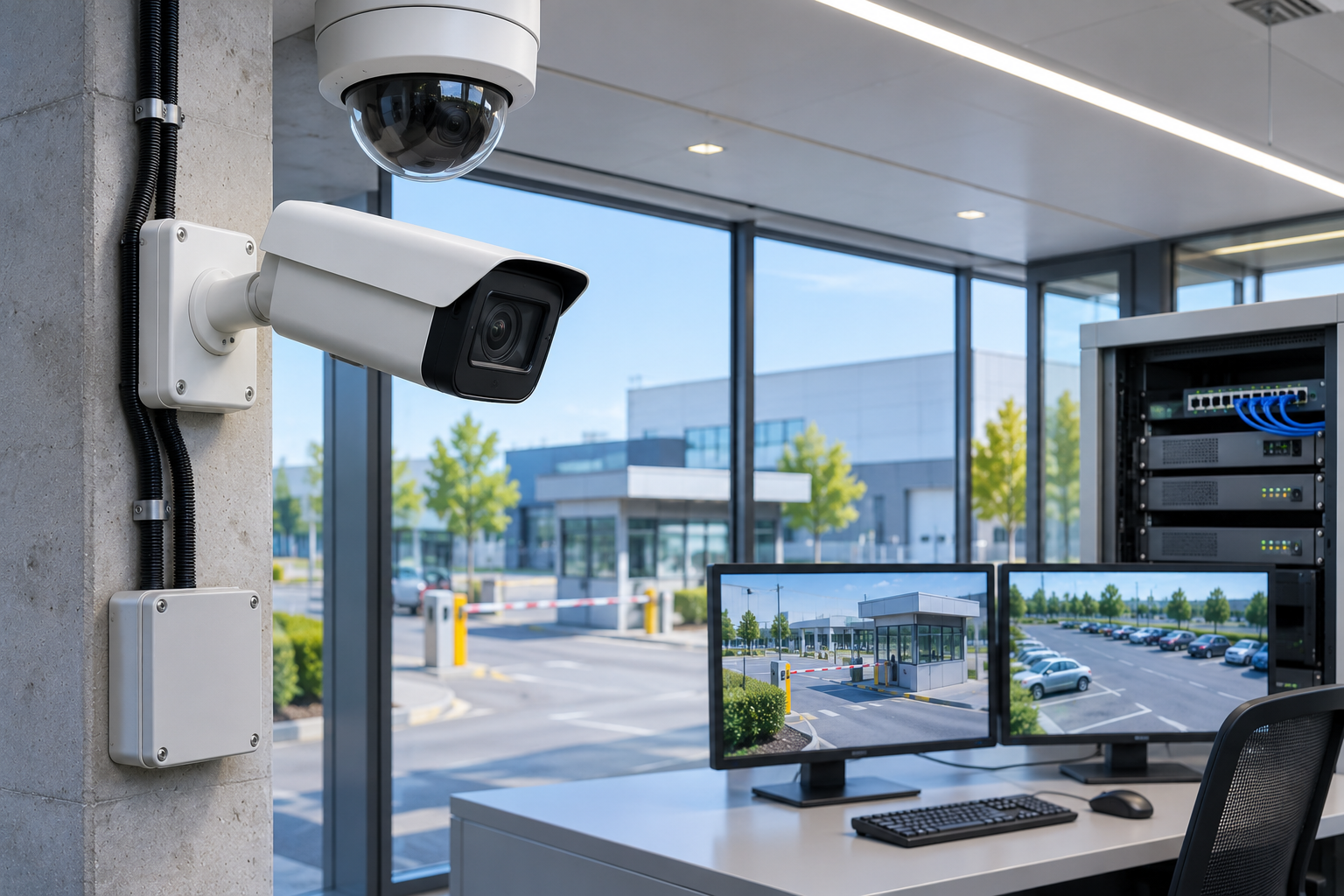
Security camera systems are electronic security solutions used in various areas, from residences to factories, shopping malls to large industrial facilities. Hikvision, one of the manufacturers operating in this field, offers IP cameras, Turbo HD systems, NVR/DVR recording devices, AI-powered video analytics technologies, and central security management software.
Hikvision camera systems have a wide product portfolio addressing different needs in terms of image resolution, lens options, low-light performance, recording capacity, and smart analysis features.
Specifically, AcuSense, ColorVu, DarkFighter, Smart Hybrid Light, AcuSearch, and AcuSeek technologies help traditional CCTV systems gain capabilities such as video analysis, target classification, and event search, beyond just viewing and recording functions.
However, a security camera having advanced artificial intelligence features does not mean it will provide the same viewing and detection performance in all projects.
For example, a high-resolution wide-angle camera may not show a person's face at a distant point with sufficient detail. Similarly, a camera that provides clear images during the day may record moving objects blurred at night due to incorrect lighting or exposure settings.
Therefore, correct Hikvision camera system selection requires a combined evaluation of camera resolution, sensor, lens, target distance, image detail, night vision, recording continuity, and cybersecurity.
So, what are Hikvision camera systems, how do they work, what is the difference between AcuSense and ColorVu, and how should the right Hikvision camera be selected in a professional CCTV project?
What Are Hikvision Camera Systems?
Hikvision camera systems are video surveillance solutions created with viewing, recording, analysis, and security management hardware offered by Hikvision.
Systems can be installed with IP or coaxial-based camera infrastructures depending on project needs.
Hikvision's product portfolio includes:
IP network cameras.
Turbo HD coaxial cameras.
Bullet, dome, and turret cameras.
PTZ and speed dome cameras.
Panoramic and multi-sensor cameras.
Thermal and special-purpose cameras.
NVR and DVR recording devices.
Video management software.
AI-powered video analysis solutions.
Compatible mobile and remote management applications.
These components can be used in various scales, from home security to corporate video surveillance infrastructures.
However, it should not be assumed that all Hikvision products support the same technologies. Each camera or recording device should be evaluated based on its full model number and software version.
How Do Hikvision Camera Systems Work?
The operating method of Hikvision camera systems depends on the transmission and recording technology used.
Fundamentally, there are significant architectural differences between IP camera and Turbo HD systems.
Hikvision IP Camera Systems
IP cameras transmit images over a digital network.
Video data generated by the camera can be transferred to an NVR recording device or video management software via appropriate Ethernet or fiber optic infrastructure.
A typical system may include the following components:
Hikvision IP camera.
PoE network switch.
Cat6 or other suitable data cabling infrastructure.
NVR or video recording server.
Hard disk and storage system.
Monitoring monitor and management software.
UPS or appropriate backup power infrastructure.
Some Hikvision IP cameras can also support local recording with a microSD card.
Advantages of IP systems include network integration, advanced video analytics on compatible devices, and central management options.
However, as the system scales up, network bandwidth, PoE budget, recording capacity, and cybersecurity must be planned more carefully.
Hikvision Turbo HD Camera Systems
Turbo HD is Hikvision's coaxial imaging solution based on HDTVI technology.
These systems can be used to provide high-resolution image transmission over existing coaxial cable infrastructure.
Turbo HD cameras typically work with compatible DVR recording devices.
Especially in projects where old analog camera infrastructure needs to be renewed, it can provide the opportunity to utilize existing cables.
However, the presence of old coaxial cables in a building does not necessarily mean they will meet new resolution and transmission requirements.
Cable length, connection quality, and compatibility of the camera and DVR used must be checked.
Differences Between Hikvision IP Camera and Turbo HD
| Technical feature | Hikvision IP camera | Hikvision Turbo HD |
|---|---|---|
| Video transmission | Ethernet/IP network | HDTVI, coaxial infrastructure |
| Recording device | Typically NVR | Typically DVR |
| Power supply | PoE or separate power supply suitable for the model | Separate power supply or supported special methods |
| AI video analytics | On camera and/or NVR | Depends on compatible camera and DVR features |
| Network integration | Directly with IP-based systems | Via DVR or with suitable converters |
| Existing coaxial infrastructure | May generally require new network infrastructure | Modernization advantage with suitable cable |
| Typical preference | New and expandable IP projects | Renewal of existing analog infrastructure |
This table shows fundamental architectural differences. Exact features and compatibility depend on the camera and recording device model.
IP camera systems can be considered for newly established facilities requiring advanced analytics.
For facilities where existing coaxial infrastructure is usable, Turbo HD can be an economically and technically suitable option.
What Are the Types of Hikvision Cameras?
Hikvision offers camera designs for different physical environments and viewing purposes.
Hikvision Bullet Cameras
Bullet cameras are designs with a distinct body and adjustable direction.
They can be used in building entrances, exterior facades, parking lots, warehouse entrances, and perimeter security projects.
Depending on the model, IR illumination, ColorVu, AcuSense, motorized lens, and other features may be available.
Hikvision Dome Cameras
Dome cameras have a dome-type housing.
They are commonly used in offices, stores, corridors, and common areas.
Some models may have mechanical impact resistance ratings like IK10.
However, it should not be assumed that every dome-shaped camera is vandal-resistant.
Hikvision Turret Cameras
Turret cameras have adjustable direction and typically lack a protective outer dome.
In some applications, they can offer advantages in managing IR reflections and adjusting camera direction.
Hikvision PTZ Cameras
PTZ (Pan-Tilt-Zoom) cameras offer horizontal and vertical movement, as well as optical zoom.
They can be used in large factory sites, open parking lots, and perimeter security applications.
Some models offer automatic patrol, predefined positions, and specific target tracking features.
However, when a PTZ camera is directed to a different area, the previous area may be out of view. Therefore, it may need to be supported by fixed cameras at critical points.
Hikvision Panoramic Cameras
Panoramic or multi-sensor cameras can facilitate viewing large areas from a single mounting point.
However, a wide field of view can reduce image detail at certain distances.
Therefore, when selecting a panoramic camera, the pixel density in target areas should be calculated separately.
Hikvision Thermal Cameras
Thermal imaging solutions work with sensors sensitive to the thermal emission of objects.
Specific models can be considered for perimeter security, temperature monitoring, or special industrial applications.
However, it should not be assumed that a thermal camera can perform precise temperature measurements under all conditions or replace fire alarm systems.
What is Hikvision AcuSense?
AcuSense is Hikvision's deep learning-based video security technology focused on human and vehicle classification.
In traditional motion detection methods, trees swaying in the wind, insects, light changes, and other environmental events can cause unnecessary alarms.
Suitable AcuSense-supported products help make alarm events more relevant by distinguishing targets such as humans and vehicles from other moving objects.
What Functions Does AcuSense Offer?
Depending on the model:
Human and vehicle classification.
Virtual line crossing analysis.
Region intrusion detection.
Smart motion detection.
Human/vehicle-focused event search.
Active deterrence integration in specific models.
may be offered.
What is AcuSense 3.0?
AcuSense 3.0 is Hikvision's enhanced AI detection approach offered in its relevant Pro Series cameras.
The manufacturer states that the new algorithms aim to reduce certain false alarm scenarios and enable faster investigation of events.
However, the improvement rates stated in product promotions do not mean that the same results will be obtained in all sites.
Camera placement, target size, lighting, weather conditions, and software settings affect actual performance.
The purpose of AcuSense technology is not to detect all movements, but to enable more effective analysis of security-relevant human and vehicle events.
What is Hikvision ColorVu?
ColorVu is Hikvision's camera technology focused on obtaining colorful images in low-light conditions.
While night images in traditional IR cameras are mostly black and white, ColorVu-supported cameras can provide colorful images with appropriate optical systems and image processing features.
This approach can be particularly useful in applications where vehicle color, clothing color, and environmental details need to be viewed.
How Does ColorVu Work?
ColorVu cameras, depending on their model, can use:
Large aperture lens.
Image sensor with high light sensitivity.
Low-light suitable image processing.
Auxiliary visible light illumination when needed.
ColorVu 3.0 Technology
In Hikvision's ColorVu 3.0 product family, technologies such as HikAI-ISP image processing and F1.0 Super Confocal lens stand out in suitable models.
These features aim to help reduce image noise and motion-induced distortions in low-light conditions.
However, the presence of ColorVu does not mean that colorful and clear images can be obtained in all conditions without auxiliary illumination in environments with no light.
Actual performance depends on the camera model and environmental conditions.
What is Hikvision DarkFighter?
DarkFighter is Hikvision's technology family focused on image generation performance in low-light conditions.
Different product technologies such as DarkFighter and DarkFighterX may be available.
In this approach, sensor characteristics, optical components, and image processing techniques play an important role.
It can be particularly considered for large outdoor areas, low-light perimeter security points, and certain professional surveillance applications.
Difference Between ColorVu and DarkFighter
ColorVu is positioned specifically for colorful imaging in low light.
DarkFighter, on the other hand, covers different products and imaging architectures aimed at improving image quality in low light.
The performance of the two technologies should not be compared solely by looking at the brand name.
Specifically:
Need for color or black-and-white image.
Minimum illumination conditions.
Clarity of moving targets.
Light gathering capability of the lens.
Use of IR or visible light.
should be evaluated together.
What is Hikvision Smart Hybrid Light?
Smart Hybrid Light is a technology that enables the controlled use of IR and white light illumination in Hikvision's compatible cameras.
These systems may have three basic illumination modes:
IR mode: Black-and-white night image with infrared illumination.
White light mode: Visible light for colorful night images under suitable conditions.
Smart mode: IR use in normal conditions, with white light activating for specific target events.
How Does Smart Mode Work?
For example, a camera around a warehouse can normally image with IR.
When a defined human or vehicle event occurs, white light can be activated in the supported configuration.
After the target leaves, the camera can return to IR use.
This approach can support colorful imaging of necessary events in some areas without continuous white light.
However, the system should be configured appropriately so that the illumination does not disturb nearby residences, drivers, or other users.
Comparison of Hikvision AcuSense, ColorVu, and Smart Hybrid Light
| Technology | Primary purpose | Key function |
|---|---|---|
| AcuSense | Smart target analysis | Human and vehicle classification |
| AcuSense 3.0 | Enhanced event analysis | Reducing specific false alarm types |
| ColorVu | Colorful imaging in low light | Colorful image details |
| ColorVu 3.0 | Enhanced low-light image | HikAI-ISP and suitable optical features |
| DarkFighter | Low-light performance | Imaging in challenging lighting conditions |
| Smart Hybrid Light | Night illumination management | IR, white light, and smart mode |
These technologies are not mutually exclusive product categories. Multiple technologies can be present together in the same Hikvision camera model.
For example, when AcuSense and ColorVu features are used together, the system can provide both human/vehicle classification and colorful night imaging under suitable conditions.
What are Hikvision AcuSearch and AcuSeek?
In advanced video surveillance systems, it is important not only to create recordings but also to quickly find the desired event in those recordings.
Hikvision offers video search methods such as Smart Search, AcuSearch, and AcuSeek, which can be used in different products.
AcuSearch
AcuSearch can be used in supported systems to search for relevant video recordings based on a specific image of a person or object.
For example, an operator can select a target in a specific image and search for recordings that might be associated with it.
AcuSeek
AcuSeek is Hikvision's natural language-based video search approach offered in compatible NVR and software solutions.
According to the manufacturer's description, recordings can be searched using text that describes specific visual features, utilizing a multi-modal artificial intelligence model.
For example, in a suitable system, searches can be performed for images of people wearing specific colored clothing or associated with certain objects.
Difference Between AcuSearch and AcuSeek
AcuSearch focuses more on searching for associated recordings based on a selected visual target, while AcuSeek is an advanced approach that supports video search with text-based descriptions.
However, these technologies are not available in all Hikvision NVR devices.
Compatibility of the camera, NVR, software license, algorithm source, and firmware version should be checked.
AI-powered video search results should not be considered definitive event evidence or automatic identity verification of individuals.
Hikvision NVR and DVR Recording Devices
Hikvision offers different recording devices for IP and Turbo HD systems.
What is Hikvision NVR?
NVR (Network Video Recorder) is a device that records and manages digital video streams from IP cameras.
Depending on the model, functions such as:
Different camera channel numbers.
4K and other resolution support.
H.265/H.265+ video compression.
Smart video search.
AI analysis on camera or recording device.
RAID and different storage options.
PoE camera connections.
Remote viewing.
may be available.
What is Hikvision DVR?
DVR (Digital Video Recorder) is a recording device primarily used in Turbo HD and suitable coaxial camera infrastructures.
Some DVR models may support different analog video formats or additional IP camera channels.
However, it should not be assumed that every DVR works the same way with all camera technologies.
Camera and NVR Compatibility
When selecting a camera and recording device, the following should be checked:
Supported camera resolution.
NVR input bandwidth.
Recording bit rate and frame rate.
Video compression method used.
AI analysis features.
Channel-based analytic capacity.
Number of disk bays and capacity.
PoE power budget.
For example, an NVR having 16 camera channels does not alone guarantee that 16 high-resolution cameras can operate simultaneously with all features and full performance.
What is Hikvision ANR? How Does It Help Prevent Recording Loss?
ANR (Automatic Network Replenishment) is a feature used in supported Hikvision IP camera and NVR systems to maintain recording continuity during network connection interruptions.
In a suitable system, the camera can store images in its local storage when it loses connection with the NVR.
When the connection is re-established, supported recordings can be transferred to the NVR.
However, for ANR to function correctly, the following are required:
The camera must support local storage.
Suitable microSD or supported storage must be present.
ANR features must be compatible with the camera and NVR.
Camera power supply must continue.
The interruption duration must not exceed the local storage capacity.
For example, if the camera receives power directly from the NVR's PoE port, the camera may also lose power when the NVR completely shuts down.
Therefore, the presence of ANR does not guarantee uninterrupted recording in all power or network failures.
Regarding Hikvision ANR, GüvenlikOnline's existing article titled How to Use Hikvision ANR to Back Up Videos? can also be reviewed.
How to Calculate Hard Disk and Recording Duration for Hikvision Cameras?
The recording duration of a CCTV system depends on the number of cameras, bit rate, and storage capacity.
A common mistake is to determine hard disk capacity based solely on the recording device's channel count.
Example Recording Capacity Calculation
Let's assume eight Hikvision IP cameras record continuously for 24 hours with an average video bit rate of 4 Mbps.
Number of cameras: 8
Average bit rate per camera: 4 Mbps
Recording: 24 hours
Storage target: 30 days
Total average bit rate:
8 × 4 = 32 Mbps
Approximate raw video data amount for 30 days:
32 Mbps × 86,400 × 30 / 8 = 10.37 TB
In this example, 30 days of video data will be approximately 10.4 TB.
However, this calculation does not include elements such as file system, additional recording space, audio, storage reserve, and RAID.
The actual bit rate can also vary depending on motion in the image, compression method, and camera settings.
Therefore, it should not be used directly as a specific disk capacity recommendation.
What is Hikvision H.265+?
H.265+ is an encoding approach used in Hikvision's compatible products, aiming to optimize standard video compression methods according to scene characteristics.
Under some conditions, it can reduce bandwidth and storage requirements.
However, it should not be assumed that it will provide the same level of savings in all camera scenes.
Recording duration should be evaluated not only by theoretical storage calculation but also by verifying that past recordings are actually accessible while the system is operating.
How to Monitor Hikvision Camera Systems via Phone?
Hikvision offers the Hik-Connect software for remote management of compatible security devices.
What is Hik-Connect?
Hik-Connect is a software platform that helps manage supported Hikvision products via mobile or a suitable web interface.
Depending on the model and supported services, the following may be offered:
Live viewing.
Playback of recordings.
Alarm and event notifications.
Video intercom.
Specific access control functions.
Device status information.
Supported additional services.
However, remote viewing through Hik-Connect does not mean that recordings are automatically saved to the cloud.
Cloud storage features and subscription terms should be evaluated separately based on the device, region, and service.
What is HikCentral Professional?
HikCentral Professional is a software platform offered for central management of video, access control, and different security components in large-scale security projects.
It can be considered for multi-location businesses, factories, campuses, and corporate facilities.
However, the number of cameras, licenses, server requirements, and integration features should be determined according to the scope of the project.
The mobile monitoring needs of a small business do not require the same software architecture as the central management needs of a facility with hundreds of cameras.
Are Hikvision Camera Systems ONVIF Compatible?
Some of Hikvision's IP cameras and recording devices support specific ONVIF profiles.
ONVIF provides standard interfaces that facilitate interoperability of IP-based physical security products from different manufacturers.
However, it should not be assumed that all Hikvision models support all ONVIF profiles.
When checking compatibility, the following should be evaluated together:
Full camera model.
Firmware version.
ONVIF profile.
NVR or VMS used.
Required video, audio, recording, and analytic functions.
For example, being able to view live video from the camera via a third-party VMS does not mean that all AcuSense events or advanced search features can be transferred to the same software.
For official verification, the ONVIF Conformant Products database should be used.
What to Consider When Choosing a Hikvision Camera?
Choosing the right Hikvision camera is not just about determining the product series or megapixel value.
Camera Resolution
The appropriate resolution should be selected according to the image detail requirement.
4 MP, 6 MP, or 8 MP camera options should be evaluated together with the lens and target distance.
Lens Selection
Fixed, varifocal, and motorized lens options can meet different usage needs.
A wide angle views a large area but can reduce the number of pixels per target at a certain distance.
DORI and PPM Analysis
PPM (Pixels Per Meter) refers to the horizontal pixel density in the target area.
Basic formula:
PPM = Horizontal image resolution / Horizontal field of view width at target distance
For example, if a camera with 3840 pixels horizontal resolution views an area 16 meters wide at the target distance:
3840 / 16 = 240 PPM
This calculation shows the approximate pixel density.
However, a 240 PPM value alone cannot guarantee reliable facial recognition or identity verification.
The image detail classification in the IEC 62676-4:2025 standard has been updated, differing from the old four-level DORI model.
For a more detailed technical explanation, GüvenlikOnline's guide What is DORI Analysis in Camera Systems? can be reviewed.
Night Vision
ColorVu, DarkFighter, and IR technologies should be evaluated according to application conditions.
Especially at night, not only an empty scene but also moving people and vehicles need to be viewed with sufficient clarity.
WDR and Exposure
WDR can help balance images in high-contrast areas.
However, problems such as strong backlight, excessively long exposure, and incorrect camera positioning may not be completely resolved by software image processing alone.
IP and IK Protection
For outdoor cameras, the dust and water protection class should be evaluated; for areas with physical impact risk, mechanical impact resistance should be considered.
IP66/IP67 and IK10 are different protection classes.
Artificial Intelligence Features
Features such as AcuSense, human/vehicle classification, or advanced video search should only be selected if there is a genuine security need.
It is not necessary to use the most advanced analytic technology in every project.
Recording and Software Compatibility
The camera, NVR, network, and software must work together.
Additionally, it should be evaluated whether the analytic function is performed on the camera or the recording device.
In Which Areas Are Hikvision Camera Systems Used?
Home and Residential Security
Can be used for entrance doors, gardens, garages, and suitable private property areas.
Store and Retail
Viewing can be performed around cash registers, entry points, warehouses, and other security areas.
Human detection or other video analytic functions can be considered in suitable models.
Factory and Industrial Facilities
Can be used for perimeter security, logistics areas, vehicle access points, and critical facility zones.
Shopping Malls
Systems can be installed with different camera types in common areas, parking lots, technical areas, and designated security points.
Sites and Residences
Suitable camera solutions can be considered for vehicle entrances, building entrances, and common areas.
Hospitals and Public Buildings
Camera systems can be used in suitable areas requiring security.
However, the scope of viewing should be carefully determined with regard to patient, visitor, and employee privacy.
Logistics and Warehouses
Camera viewing and event analytics can be applied to loading docks, vehicle entrances, and warehouse aisles.
Multi-Location Institutions
With appropriate central video management software, it may be possible to manage video and event information from different facilities.
Cybersecurity in Hikvision Camera Systems
IP camera systems are network-connected electronic devices. Therefore, cybersecurity should be one of the fundamental design criteria for CCTV projects.
Hikvision's official cybersecurity center provides product security advisories, update information, and secure configuration recommendations.
However, regardless of brand or manufacturer, it should not be assumed that any network-connected camera is completely free from all software security risks.
Basic Cybersecurity Measures
Default or weak passwords should not be used.
Administrator accounts should be restricted.
Security updates for camera and NVR software should be followed.
The camera network should be appropriately segmented.
Unnecessary services and internet access should be disabled.
Supported secure communication methods should be used.
Remote access permissions should be controlled.
If necessary, VPN and other network security measures should be considered.
Configuration backups should be taken before critical updates.
System logs and unauthorized access alerts should be reviewed.
When updating, attention should be paid not only to the availability of the newest version but also to its compatibility with the relevant model and the effects it may have on the system.
The ability to remotely monitor a camera does not require the recording device to be directly and unprotectedly exposed to the internet.
Hikvision Camera Systems and KVKK
Recording images of identifiable individuals with security cameras may constitute personal data processing activity.
Therefore, regardless of whether Hikvision or another brand is used, the requirements of Law No. 6698 on the Protection of Personal Data (KVKK) should be taken into account.
The Personal Data Protection Authority's statement dated June 8, 2026, on the use of cameras in workplaces, specifically addresses camera placement, proportionality, purpose limitation, and data security issues.
In this context:
The purpose of camera use must be clearly defined.
Unnecessary areas should be avoided from being viewed.
Employees' reasonable privacy expectations should be observed.
Cameras should not be used in private areas such as toilets, changing rooms, and similar spaces.
Necessary illumination obligations must be fulfilled.
Access permissions to recordings should be restricted.
Retention periods should be determined in accordance with the relevant purpose and legal obligations.
More intrusive operations such as audio recording and biometric analysis should be evaluated separately.
The presence of facial recognition or advanced video analytic features on a camera does not mean that this feature can be legally used in every business.
Periodic Maintenance in Hikvision Camera Systems
Periodic maintenance in Hikvision CCTV systems is not just about cleaning camera lenses.
Professional maintenance should check:
Camera housings.
Lens and focus settings.
Mounting connections.
Day and night images.
NVR/DVR operating status.
Hard disk health indicators.
Recording continuity.
Playback and recording export.
PoE and network connections.
Software and security updates.
AcuSense and other analytic events.
Necessary UPS and power systems.
Especially in projects using video analytics, defined detection zones, virtual lines, and false alarm situations should be evaluated.
After maintenance, merely having a live view is not sufficient.
It must also be verified that past recordings are actually accessible and that expected security functions are working.
Common Mistakes Made in Hikvision Camera Systems
Selecting the camera based solely on its megapixel value.
Failure to calculate lens and target distance.
Not testing night vision under actual field conditions.
Assuming AcuSense will not generate false alarms.
Failure to check the compatibility of camera and NVR analytic features.
Failure to calculate recording duration.
Underestimating PoE power capacity.
Assuming ONVIF support covers all advanced features.
Neglecting firmware and cybersecurity checks.
Failure to perform DORI/PPM and past recording verification after installation.
To reduce these errors, site surveys, correct product selection, actual field tests, and documented commissioning procedures are important.
Hikvision Camera Systems Technical Selection Table
| Application area | Solution to consider | Primary technical criterion |
|---|---|---|
| Home and small business | Suitable IP camera or Turbo HD | Basic image, night vision, recording |
| Store and office | Suitable IP camera with AcuSense features | Human/vehicle detection, event recording |
| Low-light area | ColorVu or DarkFighter | Moving target and night performance |
| Warehouse and factory perimeter | AcuSense and Smart Hybrid Light | False alarm, target distance, illumination |
| Large outdoor area | Fixed camera + suitable PTZ | Coverage, optical zoom, tracking |
| Existing analog infrastructure | Turbo HD and compatible DVR | Cable quality, format compatibility |
| Multi-camera corporate facility | IP camera, NVR, and HikCentral | Scalability, storage, integration |
| Advanced video search | System supporting AcuSearch/AcuSeek | Compatible camera, NVR, and software features |
This table is an example selection approach. It is not a definitive product or project design recommendation.
Technical Checklist for Hikvision Camera Selection
Is the purpose of the camera system determined?
Have IP and Turbo HD alternatives been evaluated?
Have lens, target distance, and field of view been calculated?
Is the required PPM or image detail target determined?
Has night vision and moving image performance been tested?
Are AcuSense, ColorVu, or DarkFighter features truly necessary?
If Smart Hybrid Light will be used, are the lighting conditions suitable?
Is camera and NVR/DVR resolution compatibility verified?
Has it been determined whether the analytic function runs on the camera or the recording device?
Have network bandwidth and PoE power budget been calculated?
Have hard disk capacity and recording retention period been calculated?
Have past recordings been checked by playing them back?
Has the need for Hik-Connect or HikCentral been evaluated?
If ONVIF and third-party integration are required, has it been verified?
Has a software update and cybersecurity plan been prepared?
Have KVKK and privacy requirements been evaluated?
Has the commissioning and periodic maintenance plan been documented?
This checklist is prepared for general technical evaluation purposes. It does not replace the manufacturer's model-specific installation instructions and professional engineering assessment.
Frequently Asked Questions
What are Hikvision camera systems?
Hikvision camera systems are security systems consisting of IP or Turbo HD cameras, NVR/DVR recording devices, video management software, and AI analysis solutions in suitable models.
Are Hikvision camera systems good?
Hikvision offers a wide product portfolio for different needs. However, the suitability of a camera should be evaluated not solely based on the brand name, but on image quality, lens, reliability, software support, cybersecurity, and intended use.
What is Hikvision AcuSense?
AcuSense is an AI-powered video analysis technology that helps distinguish humans and vehicles from other moving objects in compatible cameras and recording devices.
What is Hikvision ColorVu?
ColorVu is a camera technology that aims to provide colorful imaging in low-light conditions using suitable sensors, lenses, and illumination technologies.
What is the difference between Hikvision ColorVu and AcuSense?
ColorVu relates to imaging and colorful night image quality. AcuSense focuses on analyzing targets such as humans and vehicles. Both technologies can be present together in a suitable camera.
What is Hikvision DarkFighter?
DarkFighter is Hikvision's technology family aimed at improving image performance in low-light conditions.
Can Hikvision cameras work without internet?
IP or Turbo HD systems with appropriate local network and recording infrastructure can perform viewing and recording without internet. Remote access and cloud services depend on the relevant connection conditions.
Can Hikvision cameras be monitored from a phone?
Supported devices can be managed remotely via Hik-Connect when appropriate connection and authorization are provided.
Can a different brand camera be used with Hikvision NVR?
Some models may work via supported ONVIF profiles or other suitable protocols. However, the actual compatibility of video, recording, and analytic functions should be tested separately.
How many days are Hikvision camera recordings stored?
The duration depends on the number of cameras, bit rate, resolution, recording plan, and available disk capacity. Additionally, applicable legal retention obligations for the relevant sector should be considered.
Do Hikvision cameras provide color images at night?
Models with ColorVu or other suitable imaging technologies can provide color images under certain low-light conditions. However, not all models have this feature.
What determines Hikvision camera prices?
Components such as camera resolution, sensor, lens, night vision, AI features, housing protection, recording device, and storage affect the cost. Installation, license, maintenance, and operating expenses should also be considered in the overall evaluation.
Conclusion: Correct Technology Selection is Important in Hikvision Camera Systems
Hikvision camera systems offer a wide range of product options for different usage scenarios, from basic viewing needs to advanced AI-powered security applications.
IP and Turbo HD systems meet different infrastructure needs, while technologies like AcuSense, ColorVu, DarkFighter, and Smart Hybrid Light aim to enhance specific viewing and analysis functions.
Advanced recording search methods such as AcuSearch and AcuSeek can help expedite event investigation in a suitable video management infrastructure.
However, a successful Hikvision CCTV project cannot be evaluated solely based on brand, high megapixel value, or artificial intelligence features.
Camera resolution, lens, target distance, night vision, recording capacity, network security, and maintenance requirements must be planned together.
Especially in factories, shopping malls, warehouses, offices, and large-scale facilities, technical surveys and actual field verification play an important role in correct product selection.
The most suitable Hikvision camera system is not the one with the most features, but the system that meets security needs with appropriate image detail, reliable recording, and sustainable operating conditions.