
EZVIZ Camera Systems: Models, Features and Selection Guide
EZVIZ camera systems offer Wi-Fi, IP, battery-powered, solar-powered and 4G security solutions for homes and small businesses. We examine H6c, H3c, H8c, H9c Dual, EB3 and EB8 4G models in terms of AI-powered motion detection, CloudPlay, microSD recording, ONVIF/NVR compatibility, cybersecurity and choosing the right camera.
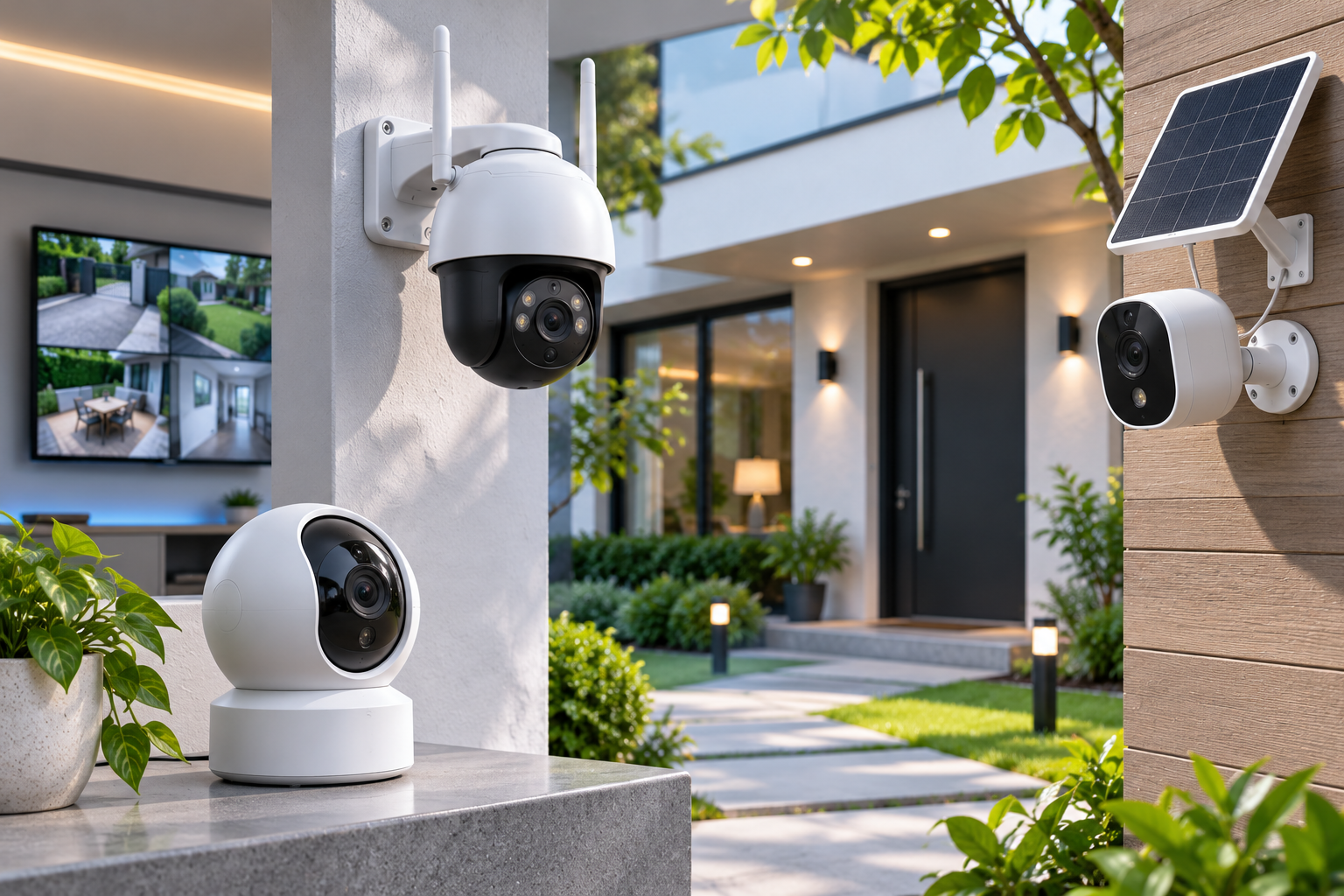
EZVIZ camera systems are smart camera solutions that provide surveillance, video recording and remote monitoring for security in homes, villas, offices and small businesses. The brand's portfolio includes indoor Wi-Fi cameras, outdoor IP cameras, pan-and-tilt (PT) cameras, dual-lens models, battery-powered security cameras, solar-powered solutions and devices that operate over 4G LTE.
In addition to imaging, EZVIZ cameras can offer features such as motion and human detection, mobile alerts, two-way audio, color night vision and, on supported models, active deterrence.
Among the brand's prominent solutions are H6c, H3c, H8c, H9c Dual, EB3 and EB8 4G product families. However, not all models support the same connectivity technology, storage method or video analytics features.
Especially when installing a professional security system, evaluate not only the camera's image quality but also recording continuity, NVR compatibility, behavior during internet outages, network security and long-term technical support.
What Is EZVIZ?
EZVIZ is an international technology brand that develops smart home security cameras and connected-living technologies.
The brand's product approach focuses on bringing imaging, mobile management, event alerts and selected smart-home functions together in a user-friendly system.
General features of EZVIZ camera systems include:
Wi-Fi, Ethernet or, on suitable models, 4G LTE connectivity.
Indoor and outdoor camera options.
HD, 2K, 3K and 4K resolution classes.
Motion detection and, on supported models, human/vehicle detection.
Management through the EZVIZ mobile app.
Local recording to a microSD card.
EZVIZ CloudPlay cloud storage in supported regions.
Pan-and-tilt movement and auto-tracking on certain models.
Battery-powered products and options supported by solar panels.
ONVIF and NVR integration on compatible models.
An EZVIZ camera should not automatically be assumed to be fully compatible with Hikvision NVRs or recording devices from other brands. Integration must be verified against the device's exact model code and firmware version.
How Do EZVIZ Camera Systems Work?
The basic operating principle of EZVIZ IP cameras is to process data from the image sensor and transmit it to the user or a recording medium over a suitable network connection.
A typical operating process is as follows:
The camera lens and image sensor detect light from the scene.
The image processor handles exposure, color, noise reduction and other processing.
Video data is encoded using a supported compression method.
The camera communicates over Wi-Fi, Ethernet or a suitable cellular connection.
Users can access the live view through the EZVIZ app.
An alert can be generated when motion or another event is detected.
Depending on the recording feature enabled, video can be saved to a microSD card, an NVR or the CloudPlay service.
However, recording, notification and connectivity functions vary by device model.
For example, a Wi-Fi camera powered by a constant electrical supply may record continuously, while a battery-powered model may record only when certain events occur to conserve energy.
What Types of EZVIZ Cameras Are Available?
EZVIZ Indoor Wi-Fi Cameras
Indoor cameras are designed to monitor specific areas in homes and small businesses.
EZVIZ's indoor product families include H6c, H6c Pro, C6N and some H6 models.
Depending on the features supported, these cameras may offer:
Pan-and-tilt movement.
Human motion detection.
Two-way audio communication.
Auto-tracking.
Night vision.
Privacy mode.
Local or cloud recording.
EZVIZ H6c G1 3K
The H6c G1 3K is one of the brand's next-generation indoor pan-and-tilt Wi-Fi cameras.
Some features described on the manufacturer's Türkiye product page:
Feature | H6c G1 3K |
|---|---|
Model code | CS-H6c-R200-1Q5WFL |
Resolution | 2880 × 1620 |
Image sensor | 1/3-inch CMOS |
Lens | 4 mm, F1.6 |
Pan | 350° |
Tilt | 85° |
Video encoding | H.264 / H.265 |
Key features | Human detection, auto-tracking, patrol |
Connectivity | Wi-Fi |
Storage | microSD and eligible CloudPlay option |
The H6c G1 may be considered for applications requiring a moving camera to monitor a large indoor area.
However, because a PT camera moves to view different directions, it does not capture all fields of view simultaneously like a fixed camera.
Also, having Wi-Fi 6 on the camera does not mean the router or network infrastructure will automatically deliver Wi-Fi 6 performance.
EZVIZ Outdoor Security Cameras
The outdoor camera family includes different product groups such as H3c, H3, H4, H8c and H9c.
These cameras can be used at building entrances, in gardens and garages, and in suitable commercial areas.
When choosing an outdoor camera, consider water and dust protection, night vision, lens angle, mounting height and power supply in addition to resolution.
EZVIZ H3c 2K+
The H3c 2K+ is a fixed-body Wi-Fi camera designed for outdoor use.
Some features specified by the manufacturer:
4 MP, 2560 × 1440 resolution.
H.265 and H.264 video encoding.
Frame rate up to 30 FPS in certain configurations.
Smart human motion detection.
Color night vision.
Two-way talk.
Active siren and light warning.
IP67 enclosure protection rating.
microSD support up to 512 GB.
CloudPlay storage in eligible markets.
The H3c 2K+ may be considered for fixed monitoring of an entrance or a specific point around a building.
However, the manufacturer's stated IR night-vision range does not mean that a person's face can necessarily be recognized at that distance.
EZVIZ H8c Pro 4K
The H8c Pro 4K is a model designed for pan-and-tilt imaging outdoors.
With 4K resolution and a pan-and-tilt mechanism, it may help monitor different directions across certain large areas.
Supported detection and auto-tracking functions may help assess certain security events.
Nevertheless, the term 360-degree coverage does not mean that the camera records 4K footage in every direction simultaneously.
While the camera is tracking a target, it may not be viewing another area.
Therefore, consider supplementing it with fixed cameras where necessary, such as at critical entrances or cash registers.
EZVIZ Dual-Lens Camera Systems
Dual-lens camera systems combine two optical imaging units for different viewing angles or target distances.
EZVIZ's H9c Dual product family is one example of this approach.
EZVIZ H9c Dual 2K and 3K
The H9c Dual product group is available in different resolution options.
The Türkiye product catalogue lists the H9c Dual 2K, while the manufacturer's international catalogue also includes an H9c Dual 3K model.
For the H9c Dual 3K, the manufacturer describes an architecture in which a fixed wide-angle lens works together with a second motorized, moving lens.
Key functions include:
Imaging through two separate lenses.
Wide-area viewing and focusing on a specific target.
Supported human/vehicle detection.
Linked auto-tracking.
Patrol options.
Color night vision.
Two-way talk.
microSD and CloudPlay support with eligible recording options.
However, the H9c Dual 2K and H9c Dual 3K are not products with the same resolution. Furthermore, do not assume from the international product page that the 3K model is in stock in Türkiye on a particular date.
EZVIZ Battery-Powered and Solar Cameras
Battery-powered security cameras can be used in locations where running a power cable is difficult.
EZVIZ's EB3, CB3, BC1C, HB8 and various kit products may be considered in this category.
Their main advantage is flexible installation under certain conditions and less reliance on mains electricity.
However, the actual performance of battery-powered cameras is affected by:
Number of motion detections per day.
Live-viewing time.
Video recording length.
Wi-Fi signal strength.
Ambient temperature.
Use of IR and visible-light illumination.
The battery's capacity, which changes over time.
The solar panel's actual energy output.
EZVIZ EB3 AOV Camera
The AOV-enabled version of the EZVIZ EB3 is an example of the brand's approach to recording images throughout the day with battery-powered cameras.
However, an important technical distinction applies here.
AOV (Always-On Video) is not the same method as conventional, continuous, full-speed 24/7 video recording.
According to EZVIZ, in AOV mode, images can be captured at preset intervals during periods with no motion to create a time-lapse (time-lapse) recording.
When a motion event is detected, the camera may switch to normal-speed video recording.
This method may help reduce battery consumption and storage requirements.
However, there is no continuous, full-frame-rate video recording of every second during periods when no motion is detected.
Therefore, applications that require detailed footage from before and after an event must take into account the difference between AOV and true continuous recording.
EZVIZ 4G SIM Card Security Cameras
4G LTE camera systems may be considered in areas without Wi-Fi or fixed internet infrastructure.
EZVIZ's EB8 4G is an example in this category.
EZVIZ EB8 4G Technical Specifications
Feature | EB8 4G |
|---|---|
Model | CS-EB8 (3MP,4GA) |
Connectivity | 4G LTE |
Maximum resolution | 2304 × 1296 |
Frame rate | Up to 15 FPS |
Battery | 10400 mAh |
Movement | 340° pan / 65° tilt |
Smart detection | Human motion |
Night vision | IR and color night vision options |
Local storage | microSD up to 512 GB |
Enclosure | IP65 |
Additional power | Compatible Type-C solar panel |
The EB8 4G may be considered for agricultural land, gardens, construction sites and certain locations without fixed internet.
However, 4G connectivity requires a suitable SIM card, adequate cellular coverage and mobile data service.
Check the LTE frequency bands supported by the camera against the operator and device variant to be used in Türkiye.
Solar-panel support does not mean the device is guaranteed to operate without interruption in every season.
Comparison of EZVIZ Camera Models
Model | Camera type | Primary use |
|---|---|---|
H6c G1 3K | Indoor pan-and-tilt Wi-Fi | Home and office interiors |
H3c 2K+ | Fixed outdoor Wi-Fi | Building entrance and garden |
H8c Pro 4K | Outdoor pan-and-tilt Wi-Fi | Wide-area monitoring |
H9c Dual 2K | Dual-lens outdoor Wi-Fi | Wide-area viewing and target tracking |
EB3 AOV | Battery-powered Wi-Fi | Locations where running cables is difficult |
EB8 4G | Battery-powered 4G LTE | Areas without fixed internet |
This table shows the primary intended uses of the product families. Lens, storage, connectivity, battery and analytics features must be verified against the exact model code being purchased.
What Is the EZVIZ App and How Is It Used?
The EZVIZ app is a mobile platform for viewing and managing supported cameras and smart-home devices.
Compatible devices may provide the following functions:
Live video viewing.
Motion and person-detection alerts.
Playback of past recordings.
Camera direction control.
Two-way audio communication.
Managing camera and imaging settings.
Multi-user sharing on supported devices.
CloudPlay subscription and recording management.
However, being able to access a camera through the app does not mean that all video recordings are stored in the cloud.
Similarly, a camera that operates through an EZVIZ account may not work with all its features in a third-party video management system.
What Is EZVIZ CloudPlay?
CloudPlay is EZVIZ's cloud video storage service for supported devices.
Under the relevant plan, camera events may be uploaded to remote storage infrastructure, allowing users to review past recordings.
Consider the following when using CloudPlay:
Whether the service is available in the relevant country.
Whether the camera is among the supported products.
Free-trial and paid-plan terms.
Recording history duration.
Event-based or other recording options.
Number of connected cameras.
Data processing and privacy policy.
For example, a 7-day event history does not mean that the user's subscription will expire after seven days. It may mean that certain event recordings are retained for the most recent seven-day period.
Because CloudPlay prices and plan terms can vary by country, check the final subscription details for Türkiye in the EZVIZ app.
microSD Card or CloudPlay?
Criteria | microSD recording | CloudPlay |
|---|---|---|
Recording medium | Card in the camera | Cloud service |
Subscription | May generally not be required | Plan-dependent |
Internet requirement | Depends on the model for local recording | Required for uploading to the cloud |
If the camera is stolen | Recordings on the card may be lost | Recordings uploaded earlier may be retained |
Retention period | Depends on capacity and bit rate | Depends on subscription plan |
Data access | Depends on device and app functions | Suitable internet connection and account access |
Some models can also use both methods together.
For a detailed comparison of recording approaches, see GüvenlikOnline's Differences Between Cloud and Local Recording in Home Security Cameras guide.
Do EZVIZ Cameras Record 24/7?
The answer depends on the model, power source and recording settings.
EZVIZ's official support documents explain how to initialize a microSD card on compatible cameras and enable the all-day recording option in the app.
However, do not assume that all EZVIZ cameras support continuous recording.
In particular, distinguish between these three methods:
Continuous video recording: The camera writes the video stream continuously to the storage medium.
Event-based recording: A recording is created when specific motion or another event is detected.
AOV recording: On supported battery-powered cameras, inactive periods may be represented by time-lapse images, while detected events may be recorded as normal-speed video.
When determining recording requirements for professional security applications, take into account that these three methods differ.
Do EZVIZ Cameras Work with NVRs?
Compatibility between EZVIZ cameras and third-party NVR systems depends on the model and firmware version.
The manufacturer's official support page states that certain camera models support ONVIF.
Examples of supported model families include certain variants of H8c, H3c, H4, H6c and H6.
However, the support list specifies not only the product family but also the exact model code and minimum firmware version as well.
For example, the manufacturer's support record includes specific model codes such as CS-H8c-R100-1K2WKFL and CS-H6c-R105-1L2WF.
Therefore, do not assume that two cameras labelled only “H8c” or “H6c” have the same ONVIF features.
What Should You Consider When Integrating ONVIF?
The camera's exact model number.
Firmware version.
Official ONVIF conformance.
Supported video encoding format.
Resolution and stream types accepted by the NVR.
Main-stream and substream live-view behavior.
Recording and playback.
PTZ control support.
Transmission of alarms and AI events.
An ONVIF-enabled camera does not guarantee that all EZVIZ-specific AI features will work on an NVR from another brand.
Camera compatibility should be verified against both EZVIZ support documentation and the relevant NVR manufacturer's compatibility list.
Artificial Intelligence in EZVIZ Camera Systems
Some EZVIZ camera models offer AI features for detecting certain object classes, such as people or vehicles.
These functions may help reduce some unnecessary alerts compared with general motion detection.
For example, moving leaves or certain environmental changes may trigger general motion detection, while supported object classification may provide a different basis for assessing an alert.
However, the presence of AI features does not guarantee:
Detection of every person.
No false alarms.
The same detection accuracy at every distance.
Recognition of every type of object.
The same tracking performance on every model.
Detection accuracy depends on image quality, target distance, lighting, obstructions and the device's algorithm.
Furthermore, detecting a human shape is not the same as biometric facial recognition or identifying a person.
Internet and Power Outages in EZVIZ Camera Systems
How EZVIZ camera systems behave during connection outages depends on the product architecture.
If the Internet Goes Down
Compatible devices with local recording may continue preconfigured microSD recording.
However, mobile remote access, cloud recording and app notifications may be affected by an internet outage.
If the Wi-Fi Connection Is Lost
If the camera cannot connect to the wireless network, it may not be able to transmit video over the network.
Local recording on the camera may nevertheless continue with suitable products and settings.
If the Power Goes Out
Cameras powered by an adapter may stop operating if no backup power is available.
Battery-powered devices may continue operating if they have sufficient charge. However, remote access may be affected if the home router or modem shuts down.
Therefore, power, network and storage continuity should be assessed together at critical locations.
How to Calculate EZVIZ Camera Recording Time
The number of days an EZVIZ camera can record depends on more than resolution or microSD card capacity alone.
Average video bit rate, recording type and compression technology used are also important.
Simple calculation for continuous video recording:
Daily recording (GB) = Average bit rate (Mbps) × 10.8
For example, for a camera recording continuously at an average bit rate of 4 Mbps:
4 × 10.8 = 43.2 GB/day
is the result.
Assumed usable recording capacity | Theoretical recording time |
|---|---|
128 GB | 2.96 days |
256 GB | 5.93 days |
512 GB | 11.85 days |
This table assumes that the full capacity is available for video and that continuous recording is performed at an average video bit rate of 4 Mbps.
Actual recording time may be shorter.
Also, this calculation should not be applied directly to AOV or camera systems that record only when motion is detected.
Where Are EZVIZ Cameras Used?
Homes and Apartments
Indoor Wi-Fi cameras and suitable entrance cameras can be used for residential security.
However, camera placement must meet privacy requirements.
Villas and Detached Houses
H3c, H8c or suitable dual-lens models may be considered for areas such as gardens, garages and building entrances.
Check the camera's actual field of view and night-time image under site conditions.
Small Businesses
EZVIZ camera systems can be used in offices, small shops and certain warehouse areas.
However, assess product suitability separately for projects requiring long-term continuous recording and a centralized VMS.
Construction Sites and Rural Areas
Suitable battery-powered, solar-powered or 4G models may be considered in areas with limited electricity and internet infrastructure.
Garages and Parking Lots
Vehicle entrances and suitable sections of parking lots can be monitored.
However, if license-plate characters need to be legible, calculate target angle, lens, exposure and lighting requirements rather than relying on standard camera resolution alone.
Cybersecurity and Privacy in EZVIZ Camera Systems
Cybersecurity is important because EZVIZ cameras use network connections and a mobile app.
The manufacturer states that it uses protection mechanisms such as encryption in its cloud infrastructure and multi-step authentication.
However, a brand's provision of these features does not mean its devices are completely protected against every cyber threat.
Users should consider the following measures:
Unique, strong account passwords.
Multi-factor authentication on supported accounts.
Camera firmware updates.
Securing the router and Wi-Fi.
Avoiding unnecessary device and account sharing.
Disabling remote access that is not being used.
Reviewing cloud subscription and data-retention settings.
Erasing data as necessary before disposing of a camera or memory card.
EZVIZ Cameras and the KVKK
In Türkiye, security-camera footage may constitute personal data when it relates to identified or identifiable individuals.
Accordingly, the legal conditions for camera use may differ in homes, workplaces and apartment buildings.
In particular:
Protecting neighbours' privacy.
Avoiding unnecessary coverage of areas.
Not sharing recordings with unauthorized people.
Assessing audio recordings separately.
Meeting appropriate notification obligations in workplaces.
Reviewing data-processing and transfer terms for cloud storage
is important.
Having a privacy mode or masking feature on the camera does not automatically satisfy all personal-data processing obligations.
What to Consider When Choosing an EZVIZ Camera
1. Intended Use
Will the camera be used indoors or outdoors?
2. Connection Type
Which is needed: Wi-Fi, Ethernet, PoE or 4G?
3. Power Supply
Determine whether a fixed adapter, battery or solar panel is needed.
4. Image Quality
Resolution, lens, sensor and low-light performance should be assessed together.
5. Field of View
Choose a fixed, PT or dual-lens design to suit the actual use case.
6. Recording Type
Determine the differences between continuous recording, event-based recording and AOV.
7. Local Storage
Check supported microSD capacity, recording time and card endurance.
8. CloudPlay Requirements
Find out about subscription, support and retention terms in Türkiye.
9. NVR Compatibility
Verify ONVIF, the exact model code and firmware version.
10. AI Features
Check real-world performance of human/vehicle detection or tracking functions.
11. Outdoor Protection
Assess IP rating, mounting and operating-temperature requirements.
12. Technical Support
Review the warranty, service, spare parts and long-term software support.
EZVIZ Camera System Installation Checklist
- Has the camera's security purpose been defined?
- Have the exact model and hardware variant been verified?
- Has Wi-Fi or 4G coverage been tested at the actual mounting location?
- Are the camera's field of view and mounting height suitable?
- Have night-time imaging and moving-object performance been tested?
- Have battery or fixed-power requirements been calculated?
- If there is a solar panel, has its actual energy adequacy been assessed?
- Has the intended recording type been verified?
- Has the microSD card been initialized correctly?
- If CloudPlay is required, have the subscription and recording history been checked?
- If an NVR will be used, have ONVIF and stream compatibility been tested?
- Have human/vehicle detection zones been configured?
- Have mobile alerts and user permissions been tested?
- Has behavior during internet and power outages been verified?
- Have KVKK and privacy requirements been assessed?
- Have firmware, maintenance and technical-service plans been established?
Frequently Asked Questions About EZVIZ Camera Systems
What is an EZVIZ camera?
An EZVIZ camera is an IP-based imaging and video security device offered by the brand for smart-home and certain commercial uses.
Do EZVIZ cameras work without the internet?
Certain functions, such as local recording, can continue without the internet on compatible models. However, mobile remote access and cloud services may be affected.
Do EZVIZ cameras record continuously?
Some mains-powered models can record continuously. Battery-powered models have different recording features; AOV should not be confused with conventional continuous recording.
Do EZVIZ cameras record to a memory card?
Models that support microSD can record locally. Check the maximum card capacity and recording method for the exact model.
Is EZVIZ CloudPlay paid?
CloudPlay is a service with certain trial and subscription options. Prices and features may vary by country, device and plan.
Do EZVIZ cameras work with Hikvision NVRs?
Integration may be possible on certain models. However, ONVIF support, model code, firmware, codec and NVR compatibility must be verified.
Does EZVIZ H9c Dual work with two cameras?
The H9c Dual family uses a dual-lens camera design. However, resolution and supported functions differ between the 2K and 3K variants.
Does EZVIZ EB8 4G require Wi-Fi?
The EB8 4G can transmit data over an LTE network using a suitable SIM card. It can be used in locations without Wi-Fi infrastructure.
Is EZVIZ AOV mode true 24/7 video?
On supported models, AOV can produce time-lapse images during inactive periods and normal-speed video recordings when events occur. It is not the same as conventional continuous full-speed video recording.
Can EZVIZ cameras be used in professional CCTV systems?
Suitable models that meet a project's requirements may be used. However, systems requiring centralized recording, a large number of cameras, reliability, long recording times and integration need a separate technical assessment.
Conclusion: Who Are EZVIZ Camera Systems Suitable For?
EZVIZ camera systems offer options for different security needs, with features such as Wi-Fi connectivity, mobile app management, motion detection, local and cloud recording, battery-powered operation and 4G communication.
H6c and similar models focus on indoor imaging; the H3c and H8c families on outdoor security; H9c Dual on dual-lens monitoring; and EB3 and EB8 4G on certain wireless-use scenarios.
However, choosing the right EZVIZ camera does not mean selecting the model with the highest resolution or the greatest number of features.
The right product is a camera that provides the necessary image detail, can establish a reliable connection at the actual mounting location, supports the intended recording method and operates suitably under the conditions of use.
Therefore, EZVIZ camera investments should be assessed not only by product features but also by verifying connection reliability, recording capacity, cybersecurity, technical support and, where needed, NVR integration.