
What is ONVIF? What Does It Do in IP Camera and NVR Systems?
What is ONVIF and what does it do in IP camera systems? We examine the ONVIF standard, which enables security cameras, NVR recording devices, and video management software from different brands to work together. We explain the differences between Profile S, T, G, and M, camera compatibility, AI analytics integration, and current technical selection criteria.
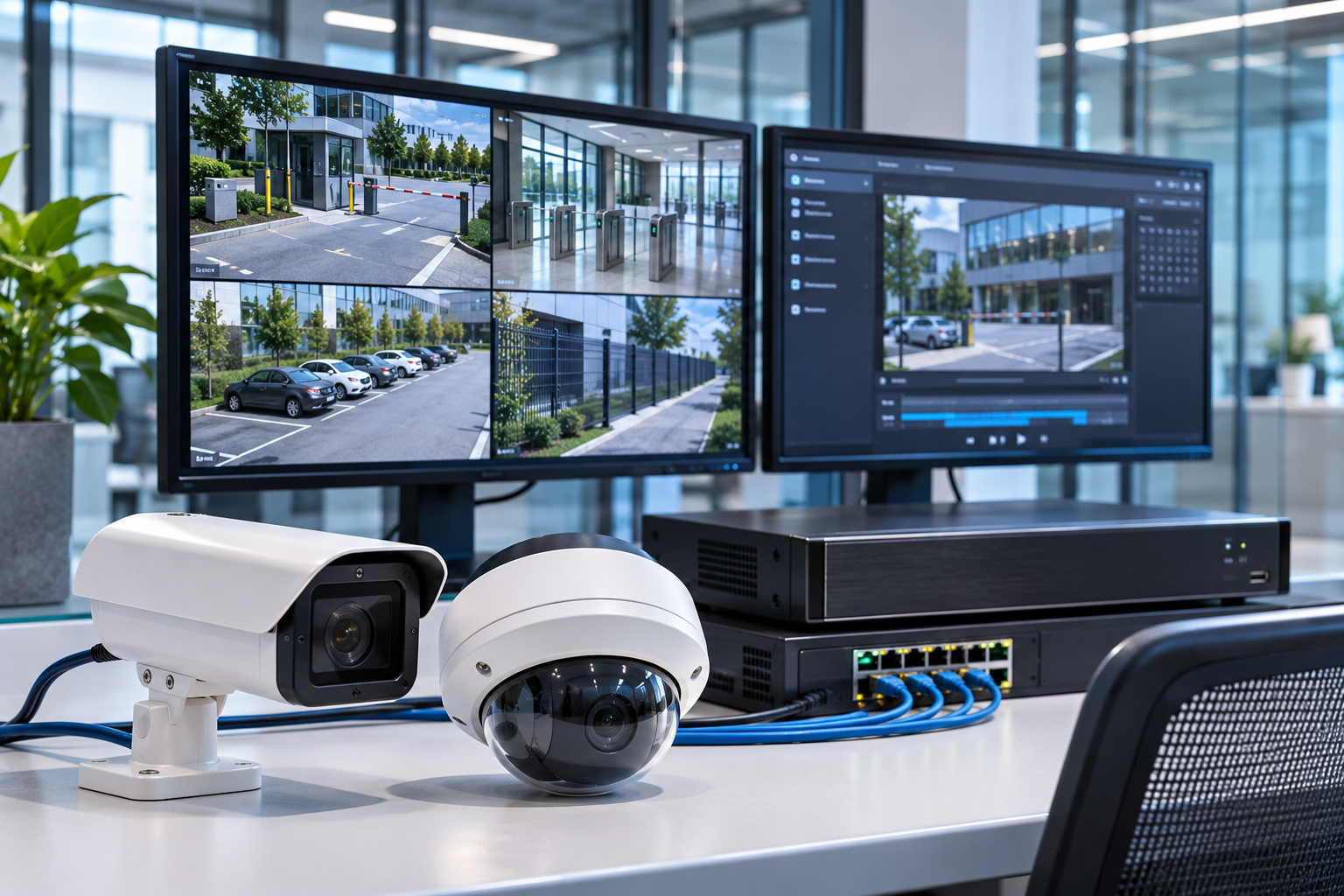
The ability of devices from different brands to work together in security camera systems is one of the most important technical requirements for professional CCTV projects.
In a security project, IP cameras, NVR recording devices, and video management software from different manufacturers may be used. However, merely connecting these devices to the same IP network does not mean they can work together with all their features.
This is where the ONVIF standard stands out as an important technology that enables IP-based electronic security devices to work together through common communication methods.
Thanks to ONVIF, operations such as video streaming, camera configuration, PTZ control, recording management, and the transfer of certain video analytic events can be performed between compatible devices via standard interfaces.
However, ONVIF compatibility also has certain limits. A camera supporting ONVIF does not guarantee that all its features can be used with a recording device of a different brand.
So, what is ONVIF, how does it work, and why is it important in security camera systems? What are the differences between ONVIF Profile S, T, G, and M?
What is ONVIF?
ONVIF is an acronym for Open Network Video Interface Forum.
It is an international industry forum that creates standardized network interfaces to improve interoperability between IP-based physical security products.
Founded in 2008 by Axis Communications, Bosch Security Systems, and Sony, ONVIF initially focused on the integration of IP video surveillance systems.
Today, its scope includes IP cameras, recording devices, video management software, video analytics systems, and electronic access control applications.
The primary goal of ONVIF is to facilitate communication between devices from different manufacturers through common technical interfaces.
For example, an IP camera from one manufacturer and an NVR recording device from another manufacturer can work together via standardized functions if they support the appropriate ONVIF profiles.
This approach helps system integrators develop projects without being limited to products from a single manufacturer.
How Does ONVIF Work?
ONVIF standardizes specific communication and control operations between security devices operating on an IP network.
This structure has two main components.
ONVIF Device
An ONVIF Device is a device or software component that provides services through standardized interfaces.
For example, an IP security camera can provide video streaming and certain device management functions within the scope of the ONVIF profile it supports.
ONVIF Client
An ONVIF Client is software or a system that communicates to use the functions offered by the device.
For example, an NVR recording device or Video Management Software (VMS) can be a client that requests images from an IP camera and performs supported management operations.
ONVIF Communication Process
In a typical IP camera and NVR integration, the process can occur as follows:
The camera connects to the IP network.
The NVR or VMS finds the camera using a supported discovery method, or the camera address is manually defined.
The system performs the necessary authentication processes.
The services and features supported by the camera are queried.
The relevant profile and video stream configuration are evaluated.
The client receives the image stream via supported media connections.
Control, event, or recording operations can be performed with other appropriate ONVIF interfaces.
This communication uses different technical components such as device discovery, service definitions, and media connections.
ONVIF is not a video compression technology itself. It provides standards for how images generated by the camera are managed and which common interfaces are used between relevant systems.
What Does ONVIF Do in Security Cameras?
The most significant advantage of ONVIF is that it supports interoperability between manufacturers in IP-based security systems.
Using Different Brand Cameras on the Same NVR
A CCTV project may include IP cameras from different brands.
If appropriate ONVIF profiles and system features are supported, these cameras can be used within the same NVR or VMS infrastructure.
However, the profile supported by the devices and the necessary functions must be mutually verified.
Centralized Video Management
It may be possible to monitor IP cameras from different manufacturers on a common video management platform and manage their supported features.
This feature is particularly important in large facilities, factories, shopping malls, and multi-location security projects.
System Expansion and Modernization
When adding new cameras to an existing CCTV system or changing the recording infrastructure, ONVIF compatibility can facilitate integration.
Thus, it may not be necessary to replace all cameras with every system upgrade.
Video Analytics and Event Integration
Appropriate ONVIF profiles can enable the transfer of specific events and metadata generated by the camera or analysis software to other systems.
However, the presence of an analytic function on the device and the provision of this function via ONVIF are different matters.
What Are ONVIF Profiles?
ONVIF groups different device features and usage scenarios under standardized function groups called Profiles.
Each profile defines the functions that a device and client must provide for a specific application.
Four profiles are particularly important in IP camera systems:
Profile S – Basic video streaming.
Profile T – Advanced video streaming.
Profile G – Recording and retrieval of recordings.
Profile M – Video analytics metadata and events.
In addition to these, there are also profiles such as Profile A, C, and D for electronic access control systems.
What is ONVIF Profile S?
Profile S was developed for basic video streaming and related configuration functions in IP-based camera systems.
It enables the camera to transmit images over the network to the client and the client to manage supported video streams.
Within Profile S, PTZ control, audio, and other specific functions may be available depending on the product's features.
Is Profile S Being Discontinued?
ONVIF has announced that it will end support for Profile S on October 9, 2025.
The stated deadline for new Profile S product conformance applications is March 31, 2027.
ONVIF recommends using Profile T in new projects.
This is because Profile T covers more current video technologies and security needs.
However, this development does not mean that existing Profile S cameras will automatically stop working on the specified date.
Interoperability of existing products may continue depending on the software versions of the devices used and the application conditions.
What is ONVIF Profile T?
Profile T was developed for advanced IP video streaming and modern imaging functions.
It extends Profile S's basic video streaming approach with more current features.
The following functions stand out within Profile T:
Working with H.264 and H.265 video compression formats.
Managing camera image settings.
Transmitting motion detection and tampering events.
Metadata streaming.
Image transmission over HTTPS in supported products.
Functions such as PTZ and two-way audio in compatible devices.
Not all of these functions must be present in every Profile T device to the same extent. The mandatory and conditional requirements of the profile must be considered.
Evaluating Profile T conformance in new IP camera and NVR projects is important for long-term interoperability.
What is ONVIF Profile G?
Profile G is concerned with managing video recordings and retrieving recorded images.
It can be used especially in IP video systems that can record on the device or offer recording management functions.
Through the features supported within Profile G:
Recording configuration can be done.
Recording information can be queried.
Specific recording intervals can be searched.
Supported recordings can be retrieved via the client.
Recording playback operations can be managed.
Why is Profile G Important for SD Card Recordings?
An IP camera recording on a microSD card does not mean that these recordings are automatically accessible via every NVR or VMS.
If the camera and client support the necessary functions within Profile G, it may be possible to manage and retrieve recordings using standardized methods.
However, the physical presence of the card alone does not imply Profile G conformance.
Therefore, in projects where in-camera recording and a central recording system will be used together, Profile G requirements should be evaluated separately.
What is ONVIF Profile M?
Profile M supports the standardized transfer of metadata and event information used in video analytics applications.
Modern security cameras do not just produce video. Some models can also generate analytical data related to people, vehicles, or specific event types.
Profile M aims to make this data more easily usable between compatible systems.
In Which Applications Can Profile M Be Used?
Within Profile M, depending on the features supported by the device, metadata and event interfaces related to the following applications may be found:
Human and vehicle classification.
People counting and object counting events.
License plate recognition.
Face and human body metadata.
Object location information.
Analytic event notifications.
Event transmission via MQTT in supported systems.
For example, a camera with people counting analytics can transmit counting events to another software via supported Profile M event interfaces.
However, Profile M support does not necessarily mean that the camera has a people counting, face recognition, or license plate recognition algorithm.
Profile M enables the transfer of existing analytic capabilities via relevant standard interfaces; it does not create new artificial intelligence capabilities.
Furthermore, the transfer of raw counting events does not mean that all reports, repeat visit analyses, or specific commercial KPIs in visitor analytics software can be directly transferred between different manufacturers.
Such functions may require additional integration and software support.
ONVIF Profile S, T, G, and M Comparison
| Profile | Primary use case | Technical evaluation |
|---|---|---|
| Profile S | Basic video streaming | In the process of being discontinued; T is recommended for new projects |
| Profile T | Advanced video streaming | Modern codecs, image, and supported event functions |
| Profile G | Recording and playback | Management of in-camera or network-based recordings |
| Profile M | Analytic metadata and events | People counting, object, license plate, and other supported event interfaces |
These profiles are not exact equivalents of each other. A device can be conformant to more than one profile. For example, Profile T and G can be present together in the same camera.
What is ONVIF Profile V? How Will It Affect Cloud Camera Systems?
ONVIF published a draft candidate version for Profile V on July 9, 2026.
Profile V aims to improve interoperability between cameras from different manufacturers and cloud video management platforms in cloud-based video surveillance systems.
Targeted functions include secure video streaming, cloud recording, event notifications, and remote device management.
However, as of November 2026, Profile V is not yet a finalized conformance profile.
Therefore, Profile V should not be considered a finalized standard with product conformance records in current procurement specifications.
What is the Difference Between ONVIF and RTSP?
In IP camera systems, the concepts of ONVIF and RTSP are often confused.
RTSP (Real Time Streaming Protocol) is a protocol used to control media streams.
ONVIF, on the other hand, defines broader standard interfaces for device management, video streaming, recording, events, and other functions in IP-based security products.
Key Difference
RTSP: Can be used to connect to a suitable media stream and manage the streaming session.
ONVIF: Helps discover compatible devices, query their supported features, perform relevant configuration operations, and manage standardized functions.
A camera can provide images via RTSP but may not have ONVIF compatibility.
Similarly, an NVR can record the camera's RTSP image but may not be able to manage camera configuration or special analytic events.
The ability to obtain an image via RTSP is not proof of ONVIF conformance.
Does an ONVIF-Supported Camera Work with Every NVR?
This question is one of the most common integration problems in CCTV systems.
Short answer: It cannot be guaranteed that every device will work with all its features.
An ONVIF-compliant camera and NVR supporting the same relevant profile ensures interoperability for standardized functions.
However, the following functions may differ between products:
Supported video codec and streaming settings.
PTZ control options.
Audio functions.
Motion and tampering events.
Retrieval of in-camera SD card recordings.
AI analytic metadata.
Manufacturer-specific smart search functions.
Special image enhancement and maintenance features.
For example, while a camera's live image may open seamlessly on an NVR of a different brand, the camera's advanced object classification or special alarm functions may not be usable via the NVR.
Therefore, ONVIF compatibility and full functional integration should be evaluated separately.
How to Determine if a Camera is Truly ONVIF Compliant?
The presence of an ONVIF logo on a product box or technical data sheet is not, by itself, official proof of conformance.
According to ONVIF's official statement, the primary resource for verifying a product's conformance status is ONVIF's database of registered conformant products.
How to Check ONVIF Conformance?
Go to the ONVIF Conformant Products page.
Search for the manufacturer or product model.
Check the product's full model code.
Review the supported ONVIF profiles.
Check the registered firmware or software version.
Evaluate the product's Feature List, Declaration of Conformance, and Interface Guide documents.
Is ONVIF Membership the Same as Product Conformance?
No.
A manufacturer being an ONVIF member does not mean that all its products are ONVIF compliant.
ONVIF conformance is declared for a specific product model and firmware/software version.
The official conformance process relies on tests performed by the manufacturer and conformance documents submitted to ONVIF.
Therefore, a conformance record in the database does not mean that ONVIF independently tests every product in the field or provides an unlimited integration guarantee.
How to Add an ONVIF Camera to an NVR?
The installation interface may vary depending on the manufacturer and recording device.
However, the basic integration process is generally performed as follows.
1. Verify Network Connection
It should be checked that the camera and NVR can reach each other.
IP addresses, gateways, firewall rules, and necessary network services should be evaluated.
2. Check ONVIF Service
In some cameras, the ONVIF service or user permissions can be configured separately.
The requirements in the device's user manual should be followed.
3. Define Camera Credentials
The necessary username and password for the camera are entered on the NVR.
Some products may require a separate user account or permission definition for ONVIF access.
4. Select Camera Profile and Video Stream
The profiles, image codecs, and streaming features supported by the camera and NVR are compared.
5. Test Live View and Recording Functions
It is not enough for the camera to merely appear in the device list.
Obtaining a live view, creating recordings, and playing back recordings must be verified.
6. Check Advanced Features
If required by the project, PTZ, motion alarm, analytic events, and SD card recording functions should be tested separately.
ONVIF Connection Issues and Solutions
Some technical issues may be encountered when integrating devices from different brands.
| Issue encountered | Possible cause | Things to check |
|---|---|---|
| Camera not found | Network access or device discovery blocked | IP network, VLAN, firewall, ONVIF service |
| Camera visible but no image | Stream or codec incompatibility | H.264/H.265, stream profile, authentication |
| PTZ not working | Lack of function or client support | Supported profile, PTZ capability, and configuration |
| Motion alarm not received | Event interface incompatibility | Camera event settings, profile, and NVR support |
| SD card recordings not visible | Recording retrieval function not supported | Profile G and client features |
| Analytic events not transmitted | Metadata or event function incompatibility | Profile M, Feature List, VMS integration |
| Connection occasionally drops | Network, power, or software issues | PoE, bandwidth, logs, firmware |
This table is a general troubleshooting approach. It should not be assumed that the same causes apply to every manufacturer and system.
Especially, the failure of device discovery in different VLANs or subnets may not mean that the camera is inaccessible.
If the necessary routing and security rules are provided, it may be possible to add the device with its manual IP address.
Is ONVIF Secure from a Cybersecurity Perspective?
ONVIF provides common communication functions between IP-based security devices. However, a device supporting ONVIF does not automatically mean its cybersecurity is ensured.
For a secure integration, the following controls are important:
Using strong authentication on the camera and NVR.
Changing default passwords.
Limiting user permissions.
Enabling supported secure communication methods.
Disabling unnecessary network services.
Proper segmentation of the CCTV network.
Managing firmware updates according to manufacturer recommendations.
Preventing direct and unnecessary device access over the internet.
Monitoring access and security events.
Particularly, ONVIF's decision to end Profile S support was influenced by older authentication methods becoming incompatible with current cybersecurity expectations.
Therefore, in modern systems, in addition to the relevant profile, the device's actual secure communication and user management features should also be checked.
Why is ONVIF Important in System Selection?
ONVIF offers significant advantages not only during the camera purchase phase but also for the long-term operation and development of the system.
Can Reduce Brand Dependence
When compatible devices are used, certain parts of the system can be expanded with products from different manufacturers.
However, brand dependence may continue for manufacturer-specific features.
Can Facilitate Modernization
It may be possible to replace the NVR or VMS infrastructure while retaining existing cameras.
In such modernizations, the profiles and functions supported by the devices must be verified separately.
Can Help Reduce Integration Costs
The use of common interfaces can reduce the need for manufacturer-specific development in some projects.
However, it is not guaranteed that additional software development will not be required for all functions.
Can Support Large-Scale CCTV Management
In multi-brand and multi-location camera systems, standardized device interfaces can simplify central management processes.
Technical Checklist When Choosing ONVIF-Supported Cameras and NVRs
The following questions should be evaluated before procurement or project planning:
Are the full model codes of the camera and NVR determined?
Are the products listed in ONVIF's official conformance database?
Are the firmware and software versions checked?
Do the camera and client have a common ONVIF profile?
Has Profile T conformance been evaluated for new video projects?
Are H.264/H.265 and necessary image streams supported?
If PTZ and other control functions are required, have they been verified?
If in-camera recording is required, have Profile G features been checked?
If analytic metadata is required, has Profile M support been examined?
Have the relevant analytic events been tested on the actual system?
Has secure communication between the camera and NVR been configured?
Have network access, bandwidth, and PoE requirements been verified?
Have live view, recording, and playback tests been performed?
Has system documentation and integration results been recorded?
This checklist supports technical procurement and commissioning evaluation. It does not replace manufacturers' official conformance documents or field tests.
Frequently Asked Questions
What is ONVIF and what does it do?
ONVIF is an international industry forum that creates common communication interfaces between IP-based electronic security devices. It facilitates the use of video, recording, control, and specific event information between systems from different manufacturers in compatible products.
Can an ONVIF-supported camera connect to every NVR?
It cannot be guaranteed that every camera will work with every NVR with all its features. The relevant ONVIF profiles, software versions, and necessary functions must be mutually verified.
What is the difference between ONVIF Profile S and Profile T?
Profile S focuses on basic video streaming. Profile T covers H.264/H.265, more current imaging functions, and supported event interfaces. ONVIF recommends using Profile T instead of Profile S.
Is ONVIF Profile M an artificial intelligence feature?
No. Profile M enables the standardized transfer of analytic metadata and event information. Whether the camera itself supports specific artificial intelligence algorithms is a separate matter.
Are ONVIF and RTSP the same thing?
No. RTSP is concerned with managing media streaming sessions. ONVIF is a broader set of standards that also covers device discovery, configuration, video, recording, and event interfaces.
Does an ONVIF-supported camera work without internet?
Yes. If there is an appropriate IP network and system configuration, ONVIF communication can be established between the camera and NVR over the local network. An internet connection is not a mandatory requirement for basic local ONVIF integration.
How is ONVIF compatibility checked?
The manufacturer's full model code and firmware version should be checked against ONVIF's official Conformant Products database.
Is ONVIF mandatory for security cameras?
There is no general ONVIF usage requirement for every CCTV application. However, in professional projects where systems from different brands will work together, ONVIF conformance is an important technical selection criterion.
Conclusion: ONVIF is the Foundation of Interoperability in Professional CCTV Systems
ONVIF plays a crucial role in the electronic security industry by providing standardized communication interfaces between IP-based security cameras, NVR recording devices, and video management software.
It offers benefits particularly for using devices from different manufacturers in the same system, expanding existing systems, and integrating new security technologies.
However, being ONVIF-supported is not the same as the system working compatibly with all its features.
For successful integration, official conformance records, supported profiles, software versions, and actual field performance of the products must be evaluated together.
In new CCTV projects, Profile T, Profile G for applications requiring recording integration, and Profile M for systems needing video analytic metadata are important evaluation points.
The goal of correct ONVIF integration is not just to display images from different brands on the same screen; it is to reliably, sustainably, and verifiably operate the required security, recording, and analysis functions together.