
Western Digital Security Drives: WD Purple and WD Purple Pro
Western Digital WD Purple and WD Purple Pro security drives are designed for 24/7 video recording in DVR and NVR systems. We examine capacities of up to 8 TB and 26 TB, AllFrame technology, workloads of 180 TB/year and 550 TB/year, CMR recording, WDDA drive-health monitoring, and criteria for choosing the right security drive.
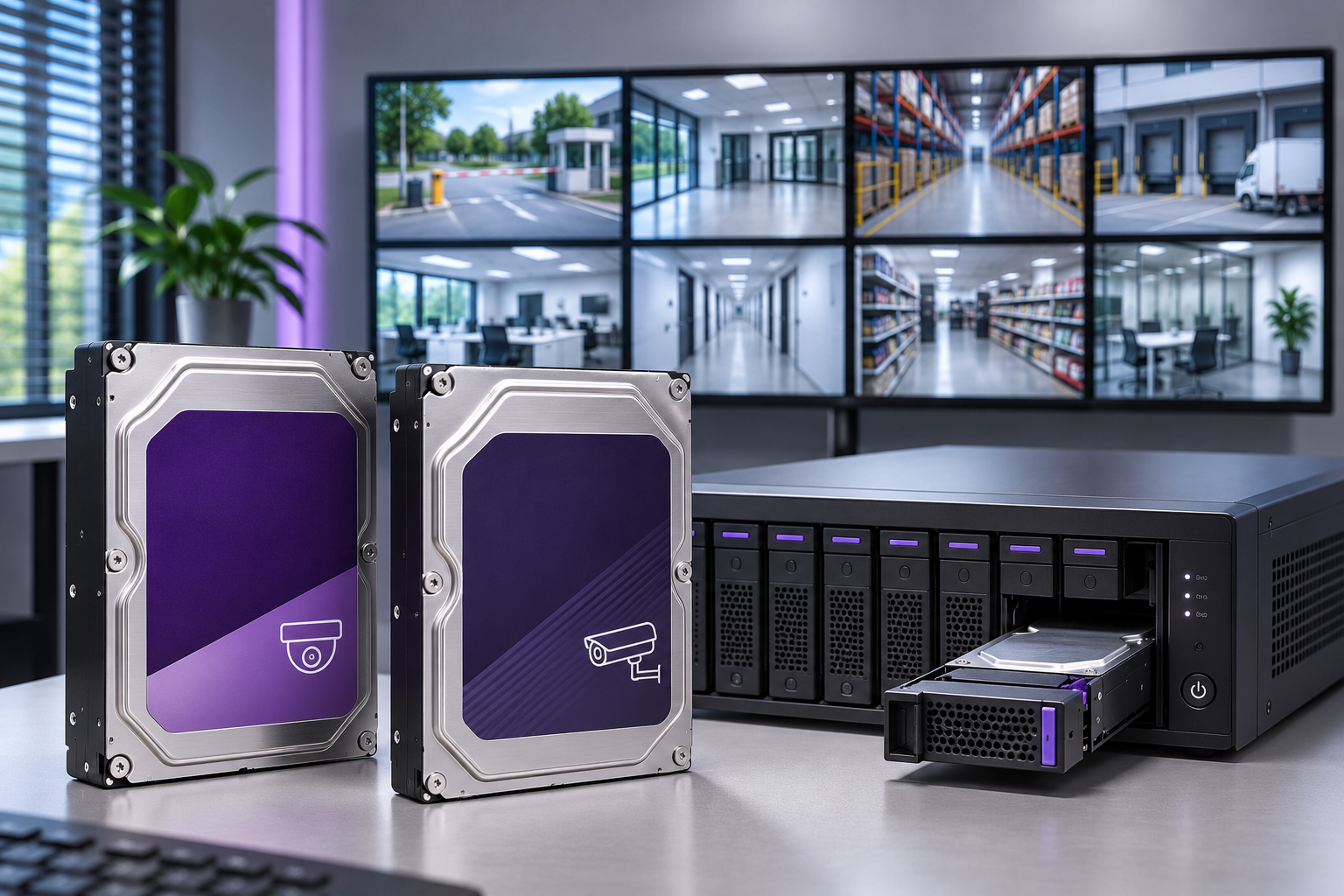
Western Digital security drives are hard-drive solutions developed to record footage from security cameras continuously in DVR, NVR, and video-management systems. Western Digital's product families for video-surveillance applications WD Purple and WD Purple Pro are designed for 24/7 operation, recording multiple cameras, high data-write workloads, and long-term footage retention.
The standard WD Purple series targets small and medium-sized camera-recording systems, while WD Purple Pro is designed for high-capacity NVR devices, multi-drive storage infrastructure, and AI-powered video-analytics applications.
In product information published by the manufacturer as of November 2026, the WD Purple series offers up to 8 TB, while WD Purple Pro offers up to 26 TB of capacity.
However, choosing the right drive for security-camera systems should not be based on capacity alone. Camera count, video bit rate, annual workload, retention period, CMR/SMR technology, drive health, and NVR compatibility should all be considered together.
What Is a Western Digital Security Drive?
Western Digital is an international manufacturer that develops data-storage systems. The HDD solutions it offers under its WD Purple brand focus on the continuous video-recording needs of CCTV and IP-camera systems.
The operating conditions of hard drives used in video-surveillance systems can differ from those of general-purpose desktop computer drives.
For example, in an NVR system with 32 cameras, while footage from all cameras is being recorded simultaneously, operators can review past recordings, export footage, or perform video analytics.
In this case, the storage system must handle additional data-reading and management operations as well as the continuous write workload.
Key features of Western Digital video-surveillance drives include:
Designed for video-recording applications operating 7 days a week, 24 hours a day.
Firmware that supports simultaneous storage of numerous camera streams.
A range of storage-capacity options.
Models designed for high annual data workloads.
Vibration-management features on selected products.
WDDA technology, which supports drive-health monitoring on compatible devices.
CMR recording technology and extended-warranty options for professional systems.
Nevertheless, designing a drive for video surveillance does not eliminate the possibility of recording loss or mechanical failure.
Western Digital WD Purple Security Drives
WD Purple is Western Digital's hard-drive family developed for mainstream DVR and NVR applications.
The series is designed especially for video-surveillance systems in which footage is written continuously throughout the day and recordings are cyclically overwritten after a defined retention period.
The manufacturer's current product portfolio includes capacities such as 1 TB, 2 TB, 3 TB, 4 TB, 6 TB, and 8 TB.
WD Purple Technical Specifications
Specification | WD Purple |
|---|---|
Product class | Video-surveillance HDD |
Form factor | 3.5-inch |
Interface | SATA 6 Gb/s |
Maximum family capacity | 8 TB |
Annual workload | Up to 180 TB/year |
Camera streams | Up to 64 single-stream HD cameras |
Firmware | AllFrame |
Drive-bay support | Up to 16 bays |
Operating profile | 24/7 video recording |
Limited warranty | 3 years |
These figures describe general features of the product family. Cache capacity, rotational speed, recording technology, and performance are not the same for every model.
For example, the manufacturer lists the following specifications for the 8 TB WD Purple drive, model WD85PURZ:
8 TB storage capacity.
CMR recording technology.
5640 RPM rotational speed.
256 MB cache.
Data-transfer rate of up to 215 MB/s.
180 TB/year workload rating.
3-year limited warranty.
These figures should be used only for the model concerned. WD Purple drives with different capacities or production revisions should not be assumed to have the same performance characteristics.
Which Camera Systems Are Suitable for WD Purple?
The WD Purple family may be considered for the following applications:
Residential camera systems.
Small and medium-sized stores.
Offices and business centers.
Restaurants and cafés.
Residential-complex and apartment security systems.
Standard DVR/NVR recorders.
However, the application alone is not enough to choose a drive. For example, if a small store uses high-resolution, high-bit-rate cameras, its workload may exceed that of a larger business with a low-bit-rate recording system.
Western Digital WD Purple Pro Security Drives
WD Purple Pro is Western Digital's professional HDD family developed for video-surveillance systems requiring higher data workloads and large storage capacities.
The series is designed for use not only in conventional video recording, but also in advanced video analytics, high-resolution camera streams, multi-drive recording systems, and video-management servers.
The WD Purple Pro family offers capacities of 8 TB, 10 TB, 12 TB, 14 TB, 18 TB, 22 TB, 24 TB, and 26 TB.
WD Purple Pro Technical Specifications
Specification | WD Purple Pro |
|---|---|
Product class | Professional smart-video HDD |
Form factor | 3.5-inch |
Interface | SATA 6 Gb/s |
Maximum family capacity | 26 TB |
Annual workload | Up to 550 TB/year |
HD camera streams | Up to 64 |
Additional AI streams | Up to 32 |
Firmware | AllFrame AI |
Magnetic recording | CMR |
Drive rotational speed | 7200 RPM |
MTBF | Up to 2.5 million hours |
Limited warranty | 5 years |
The manufacturer's 550 TB/year figure is the workload rating for the drive family. It does not mean that the drive operates three times faster in every task than a drive rated at 180 TB/year.
WD Purple Pro 26 TB — WD260PURP
One of the high-capacity models in the WD Purple Pro family is the WD260PURP model-numbered 26 TB drive.
According to Western Digital's official product information:
Capacity: 26 TB.
Model number: WD260PURP.
Interface: SATA.
Recording method: CMR.
Rotational speed: 7200 RPM.
Cache: 512 MB.
Maximum data-transfer rate: 287 MB/s.
Annual workload: 550 TB.
Technologies: AllFrame AI, OptiNAND, and WDDA.
Limited warranty: 5 years.
This model may be considered for high-capacity recording systems. To use a 26 TB drive, however, the NVR or storage server must support the drive capacity, firmware version, and physical requirements concerned.
Having a SATA interface does not mean that the WD260PURP model is compatible with every NVR device.
Differences Between WD Purple and WD Purple Pro
The main differences between Western Digital's two security-drive families concern capacity, workload rating, video-analytics optimization, and features intended for different system scales.
Comparison | WD Purple | WD Purple Pro |
|---|---|---|
Primary use | Standard DVR/NVR | Advanced NVR/VMS |
Maximum capacity | 8 TB | 26 TB |
Workload | Up to 180 TB/year | Up to 550 TB/year |
HD camera streams | Up to 64 | Up to 64 |
AI streams | Varies by model | Up to 32 |
Technology | AllFrame | AllFrame AI |
Recording method | Check by model | CMR |
Rotational speed | Varies by model | 7200 RPM |
Warranty | 3 years | 5 years |
WD Purple Pro is not essential for every camera system.
Standard WD Purple may be suitable for a system with few cameras, a limited annual workload, and basic video recording.
WD Purple Pro may instead be considered for high-capacity NVRs, intensive analytics, or professional storage servers containing many drives.
The choice should be based on the actual system workload, not just the product family.
What Is Western Digital AllFrame Technology?
AllFrame is a firmware technology developed by Western Digital for video-surveillance systems.
The technology aims to improve the management of write-intensive workloads and multiple data streams generated by video recording.
When many cameras send footage simultaneously to an NVR system, the drive must continuously process the data.
In such recording scenarios, AllFrame aims to optimize data transfer and help reduce video-frame loss under certain conditions.
However, using AllFrame does not mean that video recordings will never lose frames.
Other factors affecting recording integrity include network bandwidth, NVR processing capacity, video-stream stability, drive write performance, and continuity of power.
AllFrame AI Technology
AllFrame AI is an advanced video-storage optimization used in the WD Purple Pro product family.
It was developed to support workloads involving images, files, and metadata generated by analytics applications, in addition to conventional video streams.
For WD Purple Pro drives, the manufacturer specifies support for up to 32 concurrent AI streams in addition to 64 single-stream HD cameras.
An important technical distinction should be noted here:
The WD Purple Pro drive itself does not perform AI analysis. AI inference is performed by a supported camera, NVR, GPU, or analytics server.
The drive's role is to store the relevant data and read it when needed.
The manufacturer's figures of 64 HD cameras and 32 AI streams are based on specific workload conditions. They should not be interpreted as definitive capacity limits applicable to every resolution, bit rate, and analytics scenario.
What Is Western Digital WDDA?
WDDA is short for Western Digital Device Analytics . The term
The technology helps monitor storage-system status by evaluating health and operating information from supported Western Digital drives.
WDDA features may support:
Assessing drive-health information.
Monitoring certain indicators of operating conditions.
Alerts and recommendations concerning potential storage problems.
Proactive maintenance management on supported recording systems.
However, WDDA is not a universal feature that works automatically on every recording device.
To use these functions, the NVR or video-management system must support WDDA as well as the drive.
Difference Between WDDA and S.M.A.R.T.
S.M.A.R.T. is a general technology that monitors certain hard-drive health and error indicators.
WDDA includes manufacturer-specific drive-management features offered by Western Digital in compatible video-surveillance systems.
The two technologies are not the same.
Drive-health monitoring systems also cannot predict every failure in advance. A separate backup and failure-management plan should be established for critical security footage.
CMR and SMR Technologies in WD Purple Drives
One important criterion affecting hard-drive selection for security systems is the magnetic recording method.
What Is CMR?
CMR (Conventional Magnetic Recording) is a recording method in which data is written to magnetic tracks on a disk without deliberately overlapping adjacent tracks.
CMR drives may provide more predictable performance, particularly for continuous writing, intensive data access, and some RAID applications.
The WD Purple Pro family uses CMR recording technology.
For the standard WD Purple family, the recording method should be checked using the full model number. For example, the manufacturer specifies CMR for model WD85PURZ.
What Is SMR?
SMR (Shingled Magnetic Recording) is a technology intended to increase storage density by writing magnetic data tracks so that they partially overlap.
With this method, certain rewrite operations may create additional data-management overhead.
However, one should not conclude generally that no SMR drive can be used for security-camera recording.
Drive suitability should be assessed against the workload specified by the manufacturer and the actual use case.
The model's recording method must be verified, especially for intensive simultaneous writing and RAID applications.
What Do 180 TB/Year and 550 TB/Year Mean for WD Purple Drives?
The annual workload specified in hard-drive specifications is the total volume of data the drive is expected to process under certain conditions.
This figure differs from storage capacity.
For example, an 8 TB WD Purple drive can process a total volume of data throughout the year far greater than its physical capacity as new data repeatedly overwrites old recordings.
Both read and write operations should be considered when assessing the manufacturer's workload rating.
Example: Annual Workload of an NVR System with 16 Cameras
Suppose each of 16 cameras generates an average of 3 Mbps and all cameras record continuously.
Daily data from one camera:
3 × 10,8 = 32.4 GB
Daily data from 16 cameras:
32,4 × 16 = 518.4 GB
Total data over 365 days:
518,4 × 365 = 189216 GB
In this scenario, the annual video-writing volume is approximately 189.2 TB per year.
If all recordings are directed to a single drive, this figure exceeds the 180 TB/year workload rating specified for the standard WD Purple family.
For such an application, WD Purple Pro or a different storage design that distributes the workload across several suitable drives may be considered.
However, if the system contains multiple drives, the actual distribution of workload should be examined. It should not be assumed that every drive will process 189.2 TB of data.
How Many Days Can Western Digital Security Drives Record?
The recording duration provided by a WD Purple or WD Purple Pro drive depends as much on the actual data generated by the cameras as on capacity.
Key parameters affecting recording duration:
Number of cameras.
Average bit rate (Mbps).
Resolution and FPS.
H.264, H.265, or other compression technologies.
Continuous or event-based recording.
Amount of audio and metadata.
RAID configuration.
Usable drive capacity.
HDD Recording-Capacity Calculation Formula
Approximate daily data volume for continuous recording:
Daily recording (GB) = Average bit rate (Mbps) × 10.8
For multiple cameras:
Total TB = Number of cameras × Average Mbps × 10.8 × Number of days ÷ 1000
This formula gives a theoretical estimate based on decimal storage units and a fixed average bit rate.
Example: 16 Cameras, 30 Days of Recording
Let's calculate the continuous recording capacity needed for 30 days in a system where each of 16 cameras generates an average of 3 Mbps.
Parameter | Value |
|---|---|
Number of cameras | 16 |
Average bit rate | 3 Mbps |
Total daily data | 518.4 GB |
Recording duration | 30 days |
Theoretical capacity | 15.55 TB |
Target with a 20% free-space reserve | 19.44 TB |
This example assumes that 80% of the total usable capacity is allocated to recording. A 20% reserve is not mandatory for every system.
Depending on project requirements, WD Purple Pro models with suitable capacities of 22 TB or more may therefore be considered.
However, not all drive capacity may be available for recording. In addition, in systems using RAID, usable capacity differs from the total nominal capacity of the drives.
For general methods of calculating video-surveillance storage and options from other manufacturers, readers may consult GüvenlikOnline's Video-Surveillance Hard Drives: HDD Selection Guide for CCTV and NVR article.
Can WD Purple Drives Be Used in Dahua and Hikvision NVR Devices?
WD Purple and WD Purple Pro drives can be used in DVR and NVR devices from different brands that meet the relevant hardware and software requirements.
However, one should not assume that every WD Purple model is compatible with every Dahua, Hikvision, Hanwha, Uniview, or other-brand recorder.
1. HDD Capacity Supported by the NVR
First, check the maximum capacity supported per drive by the recorder.
For example, one should not assume that a 26 TB WD Purple Pro drive can be used in an older recorder specified to support 10 TB per drive.
2. SATA Interface and Physical Compatibility
WD Purple drives use a 3.5-inch form factor and a SATA interface.
Check the recorder's HDD bay, connection interface, and power requirements.
3. Firmware Version
Some NVR models may require a firmware update to recognize drives with newer capacities.
However, updating firmware does not mean that every unsupported drive will become compatible.
4. Recording Bandwidth
The NVR's total recording bandwidth should be assessed separately from the drive's data-transfer rate.
Even in a system with sufficient drive capacity, footage may be lost if the NVR's recording bandwidth or processing capacity is inadequate.
5. Vibration in Multi-Drive Systems
Mechanical vibration becomes important in enclosures containing multiple HDDs.
The number of drive bays, the enclosure configuration supported by the manufacturer, and features such as RV sensors should therefore be considered.
WD Purple Pro is a product family designed for professional multi-drive systems.
Using RAID with WD Purple Pro Drives
RAID is a technology that allows multiple hard drives to operate under a shared storage architecture.
Methods such as RAID 1, RAID 5, or RAID 6 can improve data availability against certain drive failures when configured appropriately.
However, using RAID does not guarantee that all recordings will be preserved under every condition.
For example:
RAID 0 provides no protection against drive failure.
In RAID 1 consisting of two drives of equal capacity, usable capacity is approximately that of a single drive.
RAID 5 can tolerate one drive failure in an appropriate configuration.
RAID 6 can tolerate two drive failures in an appropriate configuration.
With high-capacity drives in particular, consider RAID rebuild time, the workload during rebuilding, and the risk of a second drive failure.
RAID is not a substitute for an independent backup system.
What Is MTBF for Western Digital Security Drives?
MTBF is short for Mean Time Between Failures and is a statistical reliability measure representing the average time between failures.
For the WD Purple Pro family, the manufacturer specifies an MTBF of up to 2.5 million hours.
However, this figure does not mean that an individual drive will operate for 2.5 million hours without failing.
MTBF is a reliability assessment based on the operating conditions defined by the manufacturer.
A drive's actual service life may be affected by temperature, vibration, workload, power quality, and other physical conditions.
A high MTBF figure should therefore not replace periodic drive checks or data backups.
What to Consider When Choosing WD Purple and WD Purple Pro
1. Camera Count and Average Bit Rate
Calculate not only the number of cameras but also the total amount of data they generate.
2. Recording Retention Period
Determine the number of recording days the organization needs and the applicable retention requirements.
3. The Drive's Annual Workload
Manufacturer figures such as 180 TB/year or 550 TB/year should be assessed against the actual write and read workload.
4. NVR Compatibility
Check the exact model number of the drive to be purchased against the recorder's compatibility list, rather than checking only the product family.
5. CMR/SMR Recording Technology
Verify the recording method, especially in applications involving intensive data writing, simultaneous reads, and RAID.
6. Drive Count and Storage Architecture
Assess single-drive or multi-drive system requirements in terms of capacity and fault tolerance.
7. Cooling and Physical Environment
Check airflow in the NVR enclosure, drive temperature, and vibration conditions.
8. Warranty and Product Verification
Verify the drive's full model number, serial number, warranty coverage, and source of supply.
9. Drive-Health Monitoring
Check support for WDDA and S.M.A.R.T. features and the available failure-notification mechanisms.
10. Data Security and Backup
Do not rely solely on HDD selection to protect critical video recordings.
Plan secure export of important incident recordings, authorized access, and recovery procedures.
Western Digital Security Drive Installation Checklist
- Have the number of cameras and recording scenario been determined?
- Has the total average bit rate been calculated?
- Has the target recording-retention period been determined?
- Have HDD capacity and usable-space reserve been calculated?
- Has the annual data workload been assessed?
- Has WD Purple or WD Purple Pro been selected?
- Has the full HDD model number been verified?
- Has CMR/SMR recording technology been checked?
- Has the NVR's per-drive capacity limit been verified?
- Have NVR firmware and HDD compatibility been checked?
- Have drive temperature and cooling conditions been assessed?
- Has a RAID or independent-drive configuration been determined?
- Have WDDA/S.M.A.R.T. monitoring options been checked?
- Have playback and export of recordings been tested?
- Have procedures for drive failure and data backup been established?
This list is intended for preliminary technical assessment. The final storage design should be determined using the latest technical documentation from the drive and NVR manufacturers.
Where Are Western Digital Security Drives Used?
Homes and Small Businesses
The WD Purple family may be considered for standard DVR and NVR systems that record continuously using a small number of cameras.
Stores and Retail Businesses
It can be used to record footage from in-store security cameras, checkout areas, storage spaces, and entrances.
Shopping Centers and Commercial Buildings
Capacity, recording bandwidth, and storage continuity are important at sites with many IP cameras.
For these applications, WD Purple Pro may be considered according to the actual workload and storage architecture.
Industrial Facilities
It can be used in camera-recording systems operating 24/7 in factories and logistics centers.
However, in dusty, hot, or vibration-prone environments, the environmental conditions around the NVR cabinet should also be examined.
AI-Powered Video-Analytics Systems
The WD Purple Pro family may be considered for systems requiring object detection, event indexing, searches across archived footage, and high-volume video analysis.
However, for large data-center or enterprise-server applications, other Western Digital product families, such as Ultrastar, and different architectures may also need to be compared.
Frequently Asked Questions About Western Digital Security Drives
What is WD Purple?
WD Purple is Western Digital's hard-drive family developed for 24/7 operation in security-camera recording systems using DVR and NVR.
What is the difference between WD Purple and WD Purple Pro?
Standard WD Purple targets mainstream camera-recording systems, while WD Purple Pro addresses requirements for higher annual workloads, larger capacities, and advanced video analytics.
What is the maximum capacity of WD Purple?
In the manufacturer's current product family, standard WD Purple offers up to 8 TB, while WD Purple Pro offers up to 26 TB.
Can WD Purple drives operate 24/7?
Yes. The WD Purple and WD Purple Pro families are designed for 24/7 video-surveillance applications. Actual durability, however, depends on operating conditions.
Does WD Purple Pro perform AI analysis?
No. WD Purple Pro is a hard drive. It is optimized to store workloads generated by AI processes; the camera, NVR, or server performs the analysis.
Are WD Purple drives CMR?
The WD Purple Pro family uses CMR recording technology. For standard WD Purple models, check the technical information for the exact product number.
How many days can a WD Purple 8 TB drive record?
Recording duration depends on camera count, average bit rate, compression settings, and usable capacity. A precise recording duration cannot be determined from the 8 TB figure alone.
Are WD Purple drives compatible with Hikvision and Dahua NVR devices?
They can be used in suitable models. However, drive capacity, model number, and NVR firmware compatibility should be checked against the manufacturer's latest support documents.
What does 550 TB/year mean for WD Purple Pro?
This figure represents the drive's annual data-processing workload rating. It does not mean the drive can store 550 TB of footage at once or that it is faster than other drives in every operation.
How long do WD Purple drives last?
A drive's exact service life cannot be determined in advance. Factors such as temperature, workload, vibration, power conditions, and maintenance affect failure risk. Drive health should be monitored regularly, and critical recordings should be backed up.
How to Choose the Right Western Digital Security Drive
Western Digital's WD Purple and WD Purple Pro product families were developed for the video-storage needs of CCTV and IP-camera systems of varying sizes.
WD Purple may suit standard video-surveillance recording, while WD Purple Pro offers options for applications requiring high capacity, intensive data workloads, and advanced video analytics.
However, the right security drive is not the model with the highest capacity or the most technical features; it is the drive that meets the recording system's actual data workload, target retention period, and reliability requirements.
HDD selection should therefore be considered alongside actual bit-rate measurements, capacity calculations, annual-workload analysis, NVR compatibility checks, and a data-protection strategy.