
Teletek Alarm Systems: Eclipse, BRAVO and EMA Solutions
Teletek alarm systems offer a range of security solutions for homes, offices and commercial businesses, including Eclipse wired and hybrid alarm panels, BRAVO wireless security products and the next-generation EMA alarm platform. We examine Teletek alarm models, their technical specifications, remote management options, system compatibility and the criteria to consider when choosing the right product.
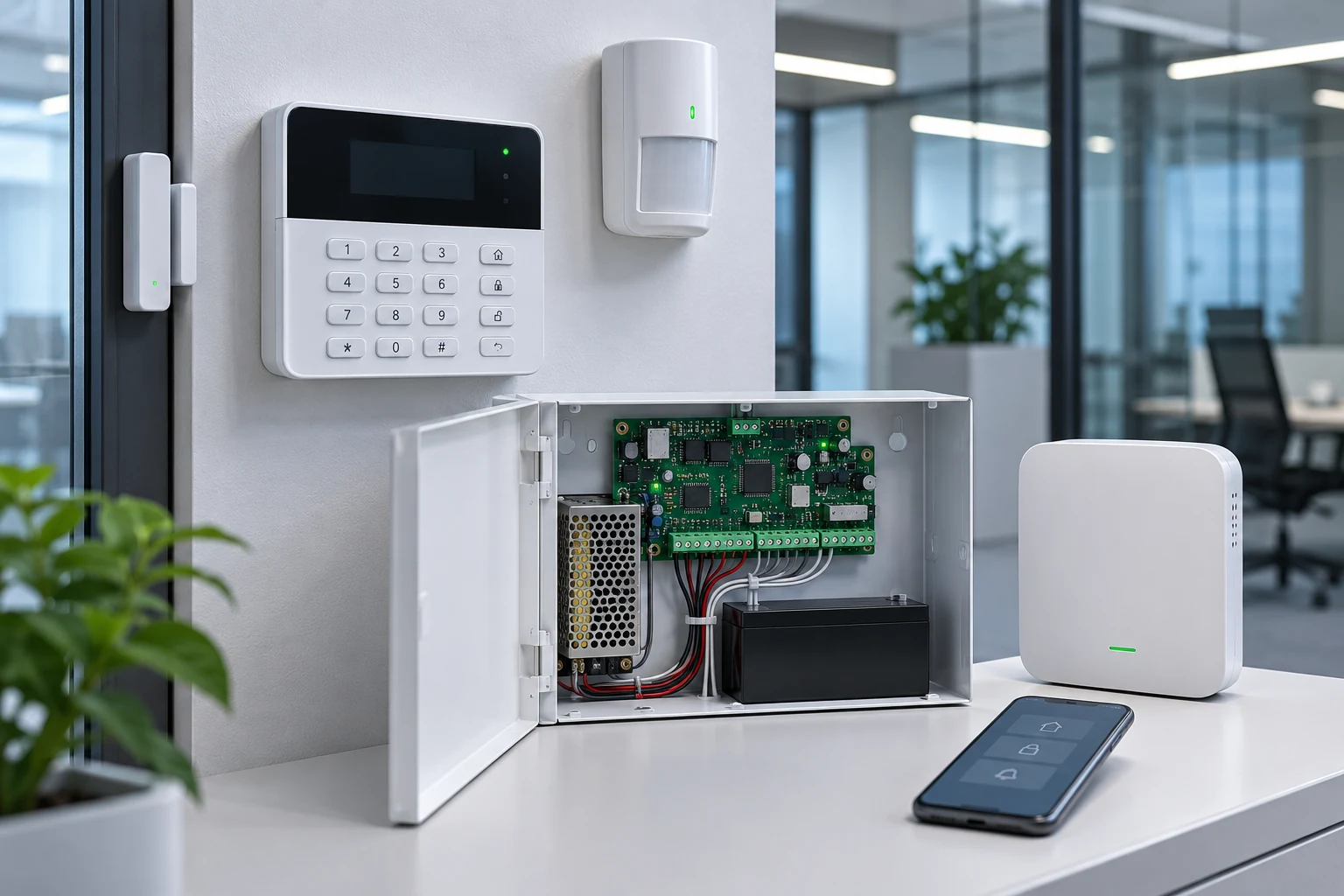
Teletek alarm systems are electronic security solutions designed to protect homes, workplaces, offices and commercial facilities against unauthorized entry. The Teletek product range includes wired, wireless and hybrid alarm technologies, comprising alarm control panels, motion detectors, magnetic contacts, keypads, sirens and communication modules.
The brand’s Eclipse series offers expandable alarm panel options for projects of different sizes, while the BRAVO family stands out for its wireless security components. The EMA platform, introduced by Teletek in 2026, brings together encrypted wireless communication, mobile management and video alarm verification with supported devices.
Choosing the right Teletek alarm system depends on the size of the area to be protected, security risks, number of detectors, existing cabling infrastructure, communication options and future expansion needs.
About Teletek Electronics
Teletek Electronics is an electronic security technology manufacturer founded in Sofia, Bulgaria, in 1991. The company currently operates as part of Comelit Group.
Teletek’s principal areas of activity include intruder alarm systems, fire detection systems, voice evacuation solutions, alarm communication infrastructure and security management software.
Three main approaches stand out in Teletek’s intruder alarm portfolio:
Wired alarm systems: Solutions that operate through physical cable connections and can be considered particularly for new construction and facilities with existing wired infrastructure.
Hybrid alarm systems: Architectures that allow wired and wireless detectors to be used in the same system through compatible expansion modules.
Wireless alarm systems: Solutions in which detectors connect to the central control unit by radio communication, potentially reducing the need for cabling.
These approaches are not necessarily mutually exclusive. The project’s physical conditions and security needs should guide the choice of a suitable system architecture.
How Do Teletek Alarm Systems Work?
Teletek intruder alarm systems work by having the alarm control panel assess information received from detectors installed in the areas to be protected.
The system’s main components are:
Alarm control panel: Assesses alarm, tamper and fault information received from detectors.
Motion detectors: Detect movement in protected areas. PIR or dual-technology models may be used.
Magnetic contacts: Monitor the status of openable building elements such as doors and windows.
Keypads and control devices: Enable the system to be armed and disarmed and allow users to perform their operations.
Sirens: Provide an audible or visual alert when an alarm occurs.
Communication modules: In supported systems, help transmit alarm information to the user or an alarm monitoring center.
When a detector identifies an alarm condition, it sends information to the control panel. The panel performs the relevant actions according to the programmed zone type, whether the system is armed, entry and exit delays, and other alarm scenarios.
Whether an alarm activates the siren, generates a mobile notification or is transmitted to an alarm monitoring center depends on the system configuration.
For more information about the basic operating principles of intruder alarm systems and different alarm technologies, consult GüvenlikOnline’s guide titled Intruder Alarm System . ар: «نظام إنذار التسلل».
Teletek Eclipse Alarm Systems
Eclipse is Teletek’s family of intruder alarm control panels based on wired infrastructure, with wireless expansion supported on suitable models.
The product family includes models with different capacities, such as Eclipse 8, Eclipse 8+, Eclipse 16, Eclipse 32 and Eclipse 99.
Teletek Eclipse 8 Alarm Panel
Eclipse 8 is an entry-level alarm control panel developed for small homes, offices and commercial spaces.
According to the manufacturer’s technical information, Eclipse 8 supports a total of 8 alarm zones. The control board has 6 physical zone inputs; the other inputs can be used through compatible keypads.
Key features:
Up to 8 alarm zones.
One independent alarm group.
Programming via keypad.
Configuration with ProsTE software.
Built-in telephone-line alarm communication support.
Communication options expandable with suitable communication modules.
The manufacturer describes Eclipse 8 as certified to EN 50131 Grade 2, Class I.
Teletek Eclipse 8+ Alarm Panel
Eclipse 8+ is designed for applications requiring more expansion than entry-level systems.
The manufacturer states that this model’s 8 zone inputs can be increased to up to 16 zones using suitable expansion methods.
It can be considered for small and medium-sized projects planning to add detector connections without completely replacing the existing alarm system infrastructure.
However, the supported zone expansion method, number of peripherals and compatible wireless equipment should be checked in the latest product documentation.
Teletek Eclipse 16 Alarm Panel
Eclipse 16 is an alarm panel that supports 16 alarm zones and can be used in homes, shops, offices and small to medium-sized commercial spaces.
The main features stated by the manufacturer are:
16-zone capacity.
Programmable inputs and outputs.
Control with LCD or LED keypads.
Programming through ProsTE software.
Built-in digital alarm communication.
Event log monitoring.
Compatible communication and control accessories.
The manufacturer’s page lists EN 50131 Grade 2, Class I certification for Eclipse 16.
Teletek Eclipse 32 Alarm Panel
Eclipse 32 is an alarm system designed for commercial projects requiring more detectors and independent security areas.
The control panel has 8 physical inputs. With supported zone connection and expansion options, the total can reach up to 32 zones.
Key technical features of Eclipse 32:
Up to 32 alarm zones.
8 independent alarm groups.
LCD/LED keypad support.
Programmable outputs.
Zone and output expansion modules.
User codes and event memory.
Programming with ProsTE software.
Independent groups help manage different security sections separately.
For example, in a business, the warehouse, office, sales area and technical rooms can be managed using different alarm groups. This allows controlled activity in specific sections without disarming the entire building.
Teletek Eclipse 99 Alarm Panel
Eclipse 99 is a model in the Eclipse family developed for projects requiring higher zone capacity and detailed management of security areas.
Product documentation and product information in Turkey list the following capacities:
Up to 99 alarm zones.
16 independent security groups.
Zone and output expansion options.
User control with card-reader support.
Programmable schedules.
Alarm events recorded.
Remote monitoring with suitable communication modules.
Eclipse 99 can be considered for commercial buildings with multiple areas of use and different authorization levels.
However, a high zone capacity does not mean this panel is the right choice for every project. The security grade, panel hardware version, existing peripherals and expansion capacity should all be considered together.
Teletek BRAVO Wireless Alarm Systems
BRAVO is Teletek’s wireless alarm product family. Different products and generations include wireless detectors, remote controls and other security accessories.
Wireless alarm systems can offer an advantage, particularly in completed buildings where installing new cabling is difficult.
However, not all of Teletek’s wireless products are automatically compatible with one another.
According to the manufacturer’s official technical statement, older BRAVO-series wireless devices are not compatible with the BRAVO NEXT control panel. BRAVO NEXT works with PAX-series wireless devices.
This distinction is particularly important when expanding existing alarm systems or replacing faulty devices.
When selecting a wireless system, check the frequency used, support for two-way communication, device pairing method, battery life and coverage conditions.
Teletek EMA: Next-Generation Wireless Alarm System
Teletek Electronics introduced its new EMA wireless intruder alarm system on 19 February 2026.
EMA is a wireless alarm solution developed for homes and small businesses, aiming to combine mobile management and various security functions on a single platform.
According to the manufacturer, the system’s main features are:
Encrypted wireless communication.
LAN, Wi-Fi and 4G communication options.
Control through a mobile app.
Video alarm verification with supported PAX PIRCAM devices.
Live viewing from compatible IP cameras.
Expansion options with fire, flood and water-leak detection devices.
EMA System Technical Capacity
The maximum capacity values specified for EMA on the manufacturer’s product page are as follows:
Technical specification | EMA capacity |
|---|---|
Independent security group | 8 |
Detector | Up to 32 |
Output or siren | Up to 32 |
Control device | Up to 32 |
IP camera | Up to 4 |
PIRCAM | Up to 4 |
Wireless repeater | Up to 4 |
User | Up to 64 |
Scenario | 10 |
These figures are the system capacities stated by the manufacturer. The conditions for components to operate together, firmware version and product compatibility should be checked before the project begins.
Video Alarm Verification in the EMA System
One notable feature of EMA is that it helps visually assess alarm events using supported PIRCAM detectors.
While conventional motion detectors generate only an event signal when an alarm occurs, devices with video verification can provide visual information about the alarm event.
This feature can make it easier to assess an alarm. However, factors such as image quality, transmission time, lighting, network connection and data privacy affect system performance.
Comparison of Teletek Alarm Panel Models
When comparing Teletek alarm systems, consider not only the number of alarm zones but also the wired or wireless architecture, independent group management, communication options and expansion requirements.
Model | Stated capacity | Typical application |
|---|---|---|
Eclipse 8 | 8 zones | Small home and office |
Eclipse 8+ | Up to 16 zones | Expandable small system |
Eclipse 16 | 16 zones | Small and medium-sized commercial premises |
Eclipse 32 | 32 zones, 8 partitions | Multi-partition commercial business |
Eclipse 99 | 99 zones, 16 partitions | Larger premises with multiple partitions |
EMA | Up to 32 detectors, 8 groups | Wireless homes and small businesses |
Important: EMA’s detector capacity and the alarm-zone capacity of Eclipse models are not the same technical concept. These values should not be treated as directly equivalent. In addition, the application areas in the table are preliminary assessment examples, not definitive product recommendations.
Remote Control and Communications in Teletek Alarm Systems
In modern alarm systems, it is important not only to detect an alarm, but also to reliably deliver event information to the user or alarm receiving centre.
The following communication options can be considered through the models and modules supported by the Teletek Eclipse family:
Digital alarm reporting over a telephone line.
IP communication using compatible TTE LAN modules.
Supported cellular communication modules.
Remote system management with suitable software and communications infrastructure.
Event transmission to alarm receiving centres.
ProsTE Programming Software
ProsTE is software developed by Teletek to configure compatible alarm control panels.
Using this software, installation personnel can configure alarm zones, users, entry and exit delays, and system parameters on supported panels.
ProsTE also supports creating and storing project configurations as files. This feature can help manage standard configurations across similar premises.
Home ProTTEct Mobile App
Home ProTTEct is a mobile app for remotely managing supported Eclipse and BRAVO alarm systems.
On compatible systems, it offers functions such as remotely arming and disarming the alarm, part-set modes, viewing alarm status, and receiving notifications.
However, it should not be assumed that all Teletek models can be managed through the mobile app without additional hardware. The required communication module, server registration, app compatibility, and software version should be checked.
What to Consider When Choosing a Teletek Alarm System
Choosing an alarm system requires a risk assessment that goes beyond the brand or panel capacity.
1. Alarm Zone and Detector Capacity
The doors, windows, rooms, and other areas to be protected should be identified in advance.
Future expansion requirements should also be considered when calculating the number of detectors.
2. Choosing a Wired or Wireless System
Suitable cabling infrastructure can be planned in a new building, whereas a wireless system may require less construction work in an existing, operational business.
Nevertheless, signal coverage, interference, battery status, and communication continuity are important in wireless systems.
3. Detector Technology
The detector should be selected to suit the characteristics of the environment.
For example, detector selection may differ in homes with pets, warehouses with moving equipment, or areas subject to significant temperature fluctuations.
Installation that is unsuitable for the technology may cause false alarms and detection gaps.
4. Alarm Communication Reliability
It should be established in advance how the system will behave if the internet or telephone line is interrupted.
For the required risk levels, alternative communication channels, line monitoring, and connection to an alarm receiving centre should be considered.
5. Independent Alarm Partitions
Independent alarm partitions offer operational convenience in businesses with multiple departments or areas of use.
This feature may be particularly important in projects where the store, warehouse, office, and management areas have different operating hours.
6. Maintenance and Technical Service
System reliability is not limited to installation.
Detector tests, battery and rechargeable-battery checks, tamper-circuit verification, communication tests, and periodic maintenance should be scheduled regularly.
EN 50131 Compliance in Teletek Alarm Systems
The EN 50131 family of standards is an important reference for the technical assessment of intruder and hold-up alarm systems. IEC 62642-1 is also one of the international standards addressing general requirements for these systems.
Within the EN 50131 framework, security grades help assess a system against specific threat and risk levels.
However, a control panel’s compliance with a particular security grade does not mean that the entire system automatically meets the same grade.
Detectors, warning devices, power supplies, communication components, tamper protection, and system design should be assessed together.
Although certification information published for some Teletek Eclipse models under EN 50131 is available, the current conformity document for the exact model and hardware version selected should be verified separately.
Technical Installation Checklist for Teletek Alarm Systems
It is recommended that the following checks be carried out during installation and commissioning:
- Has the risk analysis of the areas to be protected been completed?
- Are the panel’s zone, partition, and expansion capacities sufficient?
- Has the compatibility of the detectors to be used with the panel been verified?
- Have the position and detection area of the motion detectors been tested?
- Was the signal level of wireless devices measured at their actual installation points?
- Have cable connections, line balancing, and tamper circuits been checked?
- Have the sirens and programmable outputs been tested?
- Have the backup battery and continuity of the power supply been verified?
- Have the alarm communication modules and connection to the monitoring centre been tested?
- Have user codes, permissions, and mobile access been configured securely?
- Have event logs and alarm scenarios been tested?
- Have the maintenance plan and user training been completed?
This checklist is intended for preliminary technical assessment. Final system design should be based on applicable standards and the manufacturer’s current installation documentation.
Where Can Teletek Alarm Systems Be Used?
Homes and Villas
Suitable alarm detectors can be used to monitor entrance doors, windows, and interior spaces. Wireless solutions such as EMA may be considered in homes where installing new cabling is difficult.
Stores and Retail Businesses
Store entrances, display windows, areas around cash registers, and warehouses can be assigned to separate alarm zones.
Offices and Commercial Buildings
Work areas and shared-use sections can be managed through independent alarm partitions.
Warehouses and Industrial Facilities
In large areas, detector coverage, environmental conditions, and communication infrastructure should each be assessed separately.
In areas with high ceilings, metal structures, moving machinery, and harsh environmental conditions in particular, standard indoor detectors should not be assumed to be suitable without assessment.
Those wishing to compare alarm architectures from other manufacturers can also consult GüvenlikOnline’s Hikvision Alarm Systems: AX PRO, Wireless and Hybrid Security Solutions technical review, titled.
Frequently Asked Questions About Teletek Alarm Systems
Can Teletek alarm systems operate wirelessly?
Yes. Teletek offers wireless alarm solutions. Suitable models in the Eclipse family can be configured as hybrid systems using compatible wireless expansion modules, while EMA is designed around a wireless alarm architecture.
Can a Teletek alarm system be controlled from a phone?
Supported models can be controlled remotely with suitable communication infrastructure and a mobile app. This feature may not be standard on every panel.
What is the difference between Teletek Eclipse 32 and Eclipse 99?
Eclipse 32 offers capacity for 32 zones and 8 independent groups, while Eclipse 99 can be expanded to a capacity of up to 99 zones and 16 independent groups. Product versions and module capacities should be compared for other technical differences.
Are Teletek EMA and Eclipse the same system?
No. EMA is a wireless alarm platform. Eclipse is a product family consisting primarily of wired control panels, with hybrid expansion available in suitable configurations.
The Right Approach to Teletek Alarm Systems
Teletek’s alarm portfolio includes a range of options, from small-scale security needs to commercial applications requiring more alarm zones and independent partitions.
The Eclipse family can be considered for wired and hybrid system designs, while EMA may suit applications requiring wireless infrastructure and mobile security management.
The right alarm system is not the panel that supports the most detectors, but the system that meets the risks, usage conditions, and communication requirements of the area to be protected.
Therefore, product selection should be considered alongside a technical site survey, compatibility verification, correct detector placement, and commissioning tests.