
Ajax Alarm Systems: Wireless and Hybrid Security Solutions
Ajax alarm systems offer wireless intruder alarms, hybrid security panels, motion and door sensors, photo verification, and mobile access solutions. We examine Ajax Hub, Jeweller, Wings, Fibra, MotionCam, and Superior technologies in terms of their operating principles, security, integration, and technical selection criteria.
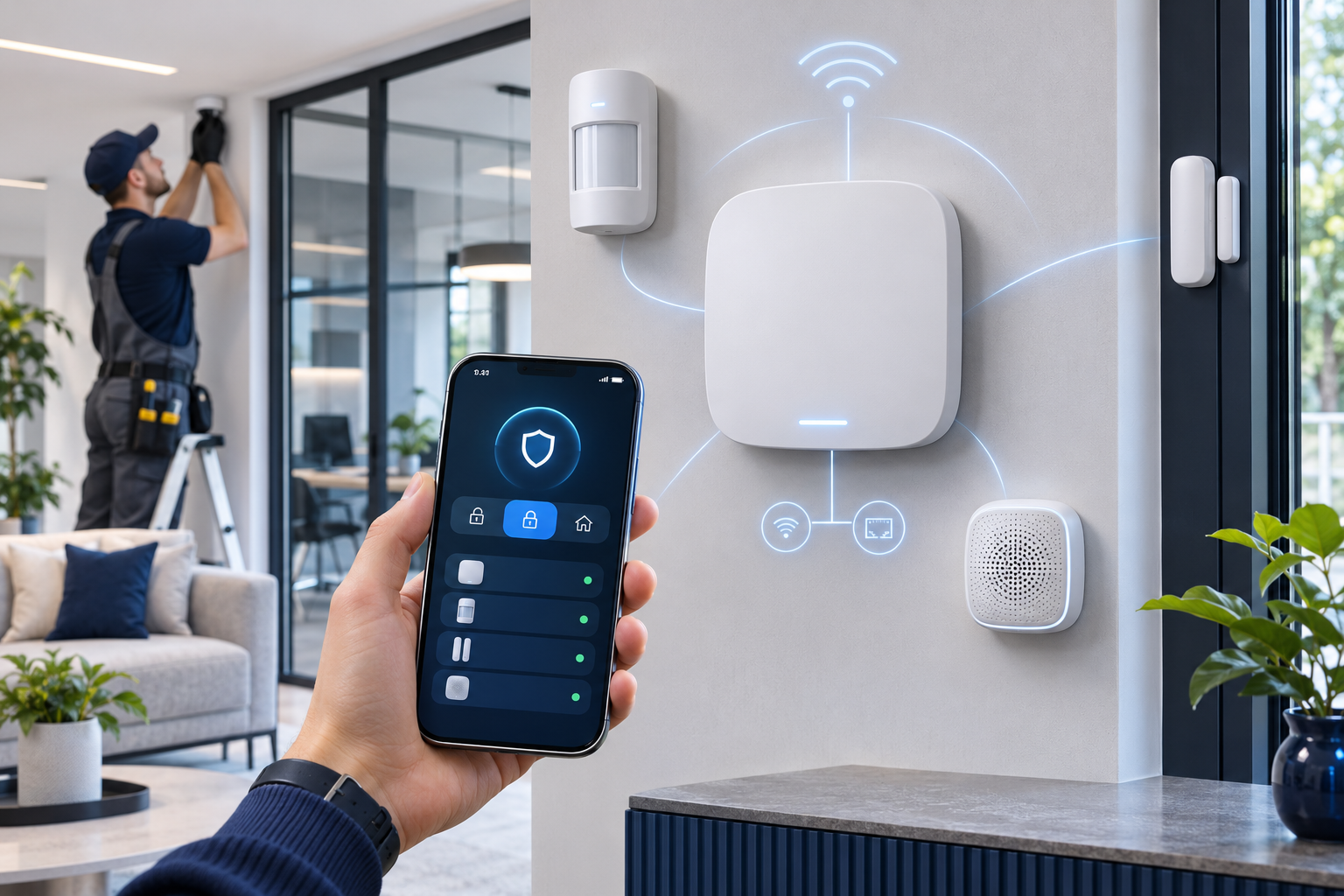
Ajax alarm systems are electronic security solutions developed to detect theft and intrusion attempts, notify users of security events, and create various security automations with supported devices. With wireless motion detectors, door and window sensors, sirens, control panels, and mobile application infrastructure, they respond to diverse security needs from residences to commercial businesses.
Ajax Systems offers features that distinguish it from traditional intruder alarm systems with its Jeweller wireless communication technology, Fibra wired alarm infrastructure, and MotionCam photo verification solutions. The product family includes devices for monitoring dangers such as smoke, temperature, carbon monoxide, and flood, in addition to motion and opening detection.
However, the correct Ajax alarm system should not be chosen solely based on wireless or smart features. The risk level of the area to be protected, sensor placement, communication continuity, backup power capacity, certification requirements, and alarm monitoring center integration should all be evaluated together.
What is Ajax Systems?
Ajax Systems is a manufacturer that develops intruder alarm systems, video surveillance devices, fire and life safety products, and security automation technologies.
The brand's security architecture is based on collecting information from various sensors in a central control panel and transmitting it to users or professional monitoring centers via appropriate communication channels.
The Ajax product ecosystem generally consists of the following components:
Hub control panels: Manage security devices, evaluate events, and control notification processes.
Motion detectors: Sensors designed to detect human movement in protected areas.
Door and window sensors: Detect the opening of doors or windows.
Photo verification detectors: Generate photos related to alarm events to aid in event assessment.
Sirens and control devices: Provide audible alerts, arming, and disarming functions.
Fire and flood devices: Generate alerts for various dangers in supported scenarios.
Mobile and professional software: Enables system configuration, user management, and monitoring of alarm events.
Not all Ajax products work with the same control panel or communication protocol. Model compatibility must be verified before installation.
How Do Ajax Alarm Systems Work?
At the heart of the Ajax alarm system is a control panel called the Hub.
Appropriate detectors transmit detected security events to the hub via supported communication methods such as wireless Jeweller or wired Fibra.
When a detector senses an alarm condition while the system is armed, the control panel acts according to pre-configured scenarios.
These actions may include activating the siren, sending notifications to the user, or transmitting the event to the appropriate alarm monitoring center.
The basic operating process is as follows:
The detector senses motion, a door opening, or another event.
Event information is transmitted to the hub.
The control panel evaluates the status of the detector and the security zone.
An alarm is generated under the necessary conditions.
Siren, mobile notification, or monitoring center scenarios are executed.
The event is logged in the supported system records.
The time required to generate and transmit an alarm depends on the devices used, the communication channel, settings, and connection conditions.
What is Ajax Jeweller Wireless Communication Technology?
Jeweller is Ajax's proprietary two-way wireless communication technology developed to enable communication between security sensors and compatible control panels.
The system supports the transmission of alarm and status information from detectors, as well as the supervision of device connections.
Key features of Jeweller technology include:
Two-way wireless communication.
Device authentication and encrypted data transmission.
Monitoring of signal jamming attempts.
Regular control of device connection status.
Communication structure designed for low power consumption.
Communication range of up to 2,000 meters in open spaces for supported models.
The 2,000-meter range is a manufacturer-specified value for open areas and suitable radio conditions. Reinforced concrete structures, metal doors, distances between floors, and radio frequency interference can reduce the actual range.
Jeweller is not a sensor technology that connects directly to a Wi-Fi network. Communication between the detector and the control panel is carried out via Ajax's own radio communication infrastructure.
Therefore, Wi-Fi network coverage and Jeweller sensor coverage should be evaluated separately.
Differences Between Ajax Wings and Fibra Technologies
In the Ajax ecosystem, different data transmission technologies are used besides Jeweller.
Wings: Photo Alarm Verification
Wings is a wireless communication technology used to transmit images captured by supported MotionCam detectors to the hub.
While Jeweller transmits alarm and event data, Wings handles the image transmission for compatible photo verification devices.
This distinction allows the transmission of alarm signals and photo data to be managed as separate communication functions.
However, photo transmission time can be affected by signal level, connection conditions, photo resolution, and the control panel used.
Fibra: Wired Alarm Communication
Fibra is Ajax's communication technology developed for compatible wired security devices.
In Fibra-based systems, detectors connect to the supported hybrid control panel via appropriate cabling infrastructure.
This architecture can be considered for new buildings where cabling is feasible or for projects planning a centralized security infrastructure.
Fibra technology should not be considered an IP camera protocol operating over Ethernet or a standard network switch. The manufacturer's specified cable, connection topology, and line requirements must be applied.
Comparison of Ajax Communication Technologies
Technology | Communication type | Primary use |
|---|---|---|
Jeweller | Wireless radio | Alarm, status, and device control data |
Wings | Wireless image data transmission | Photo alarm verification |
Fibra | Wired communication | Compatible wired alarm sensors |
These technologies are not direct alternatives to each other. In a hybrid alarm project, Jeweller and Fibra can be used together, while Wings support may be additionally required for photo verification.
Ajax Hub Alarm Panels and Models
One of the key components determining the capacity of an Ajax alarm system is the control panel.
When selecting a Hub, the number of devices, supported communication technologies, cellular connectivity options, and photo verification support should be examined.
Ajax Hub 2 Jeweller
Hub 2 is a family of control panels that work with Jeweller-based wireless detectors and can receive photo verification data from compatible MotionCam devices.
According to the manufacturer's stated capacity values, Hub 2 can manage up to 100 compatible devices.
Cellular communication features in the Hub 2 product family vary by version. For example, Hub 2 (2G) and Hub 2 (4G) models do not support the same mobile connectivity technologies.
Therefore, the full model code and operator support for the device to be used in Turkey must be verified.
Ajax Hub 2 Plus Jeweller
Hub 2 Plus is one of the control panels offering higher device capacity and alternative connection methods.
According to the manufacturer's technical specifications:
Support for up to 200 compatible devices.
Ethernet connection.
Wi-Fi connection.
Cellular communication supported via two SIM cards.
Jeweller and Wings communication support.
Photo alarm verification.
User groups and automation scenarios.
are available.
However, a capacity of 200 devices does not unconditionally mean that all possible device combinations and analytical functions can be used.
Ajax Hub Hybrid
Hub Hybrid was developed to combine Jeweller wireless devices and Fibra wired sensors within the same system architecture.
This approach can be particularly considered in the following projects:
Newly constructed commercial facilities.
Applications where existing wired infrastructure will be utilized.
Systems planned for expansion with wireless devices.
Areas where both wired and wireless sensors are required.
For a hybrid system to be installed, the Fibra line capacity supported by the control panel, total number of devices, cable length, and compatible device versions must be checked.
Ajax Superior and Grade 3 Systems
Ajax's professional product portfolio includes the Superior series and solutions for higher security grade requirements.
In the manufacturer's 2026 product announcements, Superior Hub Hybrid 2, Superior MegaHub, and EN 50131 Grade 3 certified wireless intrusion protection solutions are highlighted.
Grade 3 is one of the security grades defined for specific threat levels under the EN 50131 standard.
However, a manufacturer offering Grade 3 supported products does not mean that all Ajax control panels and sensors are Grade 3 certified.
The required security grade must be determined by the project's risk assessment; and it must be verified that the selected hardware and system configuration meet the relevant certification conditions.
How to Compare Ajax Hub Models?
Control panel | Core infrastructure | Key feature | Consideration for selection |
|---|---|---|---|
Hub 2 | Wireless Jeweller | MotionCam photo support | 2G/4G model differences |
Hub 2 Plus | Wireless Jeweller | Higher device capacity, Wi-Fi, LTE | Device and scenario limits |
Hub Hybrid | Jeweller + Fibra | Wired and wireless devices | Fibra line and device compatibility |
Superior Hub Hybrid 2 | Professional hybrid architecture | High security and capacity-focused solution | Certification and product version |
Superior MegaHub | Large-scale professional system | High device capacity target | Current technical documentation and license conditions |
This table shows the general positioning of product families. For final selection, the manufacturer's current technical data sheets and compatibility lists should be used.
Ajax Alarm Detectors and Sensor Types
Ajax's detection products enable the identification of different risks according to the characteristics of the protected area.
MotionProtect Motion Detectors
The MotionProtect series consists of devices designed to detect human movement using passive infrared (PIR) detection technology.
In suitable models and installation conditions, features are available that help reduce false alarms caused by pets.
However, pet immunity does not guarantee that animals will not trigger an alarm under any circumstances.
Conditions such as mounting height, detector orientation, and pets being able to climb onto furniture should be considered.
DoorProtect Door and Window Sensors
The DoorProtect series consists of magnetic contact sensors designed to detect the opening of a door or window.
The position between the door leaf and the frame, the mounting surface, and the magnet distance must be correctly chosen.
Some advanced models can also evaluate conditions such as impact or tilt in addition to opening detection.
However, it should not be assumed that all DoorProtect products have the same sensor features.
GlassProtect Glass Break Detectors
The GlassProtect family includes detectors designed to detect appropriate glass break sounds.
These devices can be considered for store windows, glazed entrances, and certain residential applications.
The detection distance of the glass break detector, the type of glass protected, and the acoustic conditions of the environment must be checked according to manufacturer documentation.
MotionProtect Outdoor and Curtain Type Detectors
Ajax outdoor detectors offer options for protecting gardens, terraces, building perimeters, and specific outdoor access points.
Supported products may include dual detection, masking detection, and enhanced filtering features against specific environmental conditions.
Curtain type detectors can be considered for protecting a specific line or narrow detection zone.
In outdoor applications, the detector's field of view must be tested, taking into account moving plants, vehicles, animals, and environmental conditions.
What is Ajax MotionCam? How Does Photo Alarm Verification Work?
MotionCam is Ajax's product family that combines motion detection and photo alarm verification functions.
When a motion alarm occurs in these devices, event-related photos can be generated according to the compatible configuration.
Photo verification can help users or authorized monitoring center operators assess the probable cause of an alarm.
For example, when a motion alarm occurs in a protected store, images sent by MotionCam can provide additional information for evaluating the cause of the alarm.
Difference Between MotionCam and MotionCam (PhOD)
Standard MotionCam models perform photo verification linked to an alarm event in supported configurations.
MotionCam (PhOD), in models supporting the Photo on Demand feature, allows authorized users to receive photos on demand under specific conditions.
This feature depends on user authorization and privacy settings.
The authority to take photos on demand should not be automatically granted to all users.
Does MotionCam Replace a Security Camera?
No. MotionCam is primarily designed for motion detection and event-related image verification.
The device taking photos does not mean it provides all the functions of professional IP cameras, such as continuous video streaming, NVR recording, extensive image archives, or detailed video analytics.
Therefore, MotionCam and CCTV systems are not used for the same purpose; they can complement each other in suitable projects.
Ajax Fire, Carbon Monoxide, and Flood Solutions
Beyond intrusion detection, the Ajax product family also includes devices for monitoring various other dangers.
Ajax FireProtect 2
The FireProtect 2 family includes detectors that sense smoke, temperature, and, in certain models, carbon monoxide.
For example, FireProtect 2 (Heat/Smoke/CO) Jeweller contains sensors for monitoring three different types of hazards.
According to the manufacturer's technical documentation, the detector has different battery options:
SB: Sealed battery version designed to offer up to 10 years of life under specific usage conditions.
RB: Version using replaceable batteries.
Actual battery life may vary depending on the product version, configuration, and operating conditions.
Important distinction: Carbon monoxide (CO) detection is not the same as natural gas or LPG leak detection. It should not be assumed that a CO detector also detects methane or LPG gas.
Ajax EN 54 Fire Alarm Systems
In its 2026 product announcements, Ajax also features commercial fire detection and alarm solutions centered around the EN54 Fire Hub Jeweller.
However, two different application categories should be distinguished here:
Fire detectors for residential and specific use areas, operating independently or in conjunction with the alarm ecosystem.
Commercial fire detection and alarm systems designed to meet the relevant EN 54 requirements.
The presence of a detector like FireProtect 2 does not mean that any Ajax intruder alarm panel meets all building fire alarm requirements.
In fire detection projects in Turkey, current legislation, relevant TS EN 54 standards, and necessary conformity documents must be taken as a basis.
Ajax LeaksProtect and WaterStop
Among Ajax's flood detection solutions are LeaksProtect sensors.
These devices can generate an alarm upon contact with water when positioned correctly.
Motorized valve solutions like WaterStop can be used in automation scenarios to shut off water ingress in supported installations.
These devices can be particularly considered for residences, kitchens, technical rooms, and areas with plumbing risks.
However, a water detection or valve shut-off system does not replace periodic plumbing inspections and mechanical safety measures.
Can Ajax Alarm Systems Be Controlled via Mobile Phone?
Ajax offers functions that allow users to remotely manage their security system via mobile applications.
In supported systems, users can:
Arm or disarm the alarm system.
View the status of detectors.
Receive alarm and fault notifications.
Manage different security areas according to their permissions.
Check the battery and connection status of devices.
Review supported MotionCam photos.
Run appropriate automation scenarios.
Ajax PRO applications are designed for installation, technical service, and professional management functions.
The necessary internet, user account, and connection requirements for mobile application use should be evaluated according to the system architecture.
Do Ajax Alarm Systems Work Without Internet?
In Ajax systems, local alarm detection and remote notification functions should be distinguished.
Local Wi-Fi internet is not required for Jeweller communication to continue between the Hub and detectors.
However, for the hub to send remote notifications or communicate with an alarm monitoring center, an appropriate external communication channel is needed.
This channel can be Ethernet, Wi-Fi, or cellular data connection, depending on the model.
The ability to use a different channel when the internet or a communication channel is interrupted helps ensure system continuity.
However, the presence of multiple communication options does not guarantee that notifications will always be delivered in the event of any connection interruption.
Operating time during a power outage also depends on the hub's backup power capacity and operating conditions.
Ajax Alarm Monitoring Center Integration
Ajax systems can connect to professional alarm monitoring centers via supported communication methods and protocols.
The manufacturer's documentation includes protocol options such as Contact ID and SIA DC-09.
With proper integration, alarms, faults, tampering, and various system events can be transmitted to the monitoring center.
However, the transmission of alarm events and the transmission of photo verification are different functions. It should not be assumed that every alarm monitoring software supports MotionCam photos.
Furthermore, the purchase of an Ajax alarm system does not automatically include professional monitoring services or security personnel intervention.
The scope of monitoring and intervention services is determined by the service provider's contract.
Security Standards in Ajax Alarm Systems
When evaluating intruder alarm systems, the EN 50131 standard family is an important technical reference.
These standards cover security grades, functional requirements, and relevant device performance criteria for intrusion and hold-up alarm systems.
The expected threat level at the facility is considered when determining the security grade.
For example, while Grade 2 may be sufficient for certain commercial applications, Grade 3 requirements may arise in higher-risk projects.
However, the security grade should not be evaluated solely based on the Hub model used.
All selected relevant components, installation architecture, communication methods, and project compliance requirements must be checked together.
The presence of the Ajax brand name does not mean that all devices have the same certification or security class. Product and system compliance must be verified with current certification documents.
Advantages and Technical Limitations of Ajax Alarm Systems
Key features of Ajax alarm solutions include offering various wireless and wired architectures, centralized mobile management, photo alarm verification, and an evolving professional product ecosystem.
However, the following limitations should be considered when selecting a system:
Wireless range is affected by building structure and radio environment.
Battery-powered sensors require maintenance and replacement.
Not all Hub models have the same device capacity.
Fibra and Jeweller devices cannot be used together in every control panel.
MotionCam photo verification is not continuous CCTV recording.
Mobile notifications depend on internet or cellular communication continuity.
Professional alarm monitoring service may be a separate service.
Manufacturer's certification statements must be examined on a model and configuration basis.
For large-scale facilities, zone, group, user, and communication capacity must be calculated separately.
In Which Areas Can Ajax Alarm Systems Be Used?
Homes and Apartments
They can be considered for residential security with door-window detection, indoor motion detectors, sirens, and mobile notification features.
In residences, alarm systems should be considered in conjunction with mechanical door security and appropriate camera solutions.
Villas and Detached Houses
Suitable outdoor and indoor detectors can be used for gardens, facades, entrance areas, and different security zones within the building.
In outdoor protection, reducing the risk of false alarms and verifying the field of view are important.
Stores and Retail Businesses
Motion, glass break, and opening sensors can be considered for protecting display windows, entrances, warehouses, and sales areas against intrusion.
Photo alarm verification can help in evaluating events outside business hours.
Offices and Plazas
Specific office rooms, archives, technical spaces, and entry points can be managed as separate security zones.
In businesses with multiple users or departments, authorization and alarm arming rules should be planned in advance.
Warehouses and Industrial Areas
Suitable wired or hybrid systems can be used in specific sections of warehouses and production facilities.
However, large metal structures, high ceilings, electromagnetic environments, and the project's risk class affect system selection.
In industrial projects, necessary product certifications and environmental resistance conditions must also be verified.
Technical Checklist for Ajax Alarm System Selection
The following questions should be answered before system design and installation:
Has a security risk analysis been conducted for the building or area to be protected?
Has the requirement for a wireless, wired, or hybrid system been determined?
Is the Hub's supported device, user, and security group capacity sufficient?
Have the control panel's 2G, 4G, Ethernet, and Wi-Fi options been verified?
Has each detector's Jeweller or Fibra compatibility been checked?
Have signal tests been performed at the mounting points of wireless detectors?
Have the motion detectors' field of view and potential sources of false alarms been examined?
Has the mechanical installation of door-window sensors been verified?
Have masking and environmental conditions been tested for outdoor detectors?
Have MotionCam photo verification and privacy settings been configured?
Have internet, cellular communication, and power outage scenarios been tested?
Has alarm monitoring center integration and event protocols been verified?
Has the required EN 50131 security grade and certification scope been determined?
Has the compliance of fire detectors with applicable fire safety regulations been evaluated?
Has a plan been created for battery replacement, periodic maintenance, and alarm tests?
Have user permissions, account security, and personal data protection been evaluated?
This checklist is for preliminary technical evaluation purposes. The final system selection and security grade should be determined based on the project's risk class and the manufacturer's current technical documentation.
Frequently Asked Questions About Ajax Alarm Systems
What is an Ajax alarm system?
Ajax is an electronic security system consisting of control panels, detectors, sirens, and software solutions designed to detect intrusion and various security events.
Are Ajax alarm systems wireless?
Ajax offers wireless Jeweller-based systems. Additionally, hybrid solutions using Fibra wired communication technology and combining both technologies are available.
Can Ajax alarm systems work without internet?
Supported local detection and siren functions can continue to operate without an internet connection. However, an appropriate external communication channel is required for remote notifications and professional monitoring.
Can live camera feeds be viewed with Ajax MotionCam?
MotionCam is primarily designed for photo alarm verification. For continuous live video monitoring and recording requirements, appropriate security cameras and recording systems should be considered.
Do Ajax alarm systems require a monthly subscription?
The use of the basic system, professional alarm monitoring, cellular data, and additional services are different cost items. Mandatory or optional services should be checked according to the product and service contract to be purchased.
What is the range of Ajax alarm systems?
For devices supported by Jeweller technology, communication ranges of up to 2,000 meters in open areas are stated. The actual range in real buildings may be lower and should be verified with field testing.
Can Ajax alarm systems perform fire detection?
Suitable FireProtect 2 models offer smoke, temperature, and carbon monoxide detection functions. However, the regulatory compliant fire alarm system requirements for a commercial building must be evaluated separately.
Are Ajax alarm systems reliable?
Ajax features encrypted communication, device supervision, tamper detection, and redundant connection options in suitable models. However, reliability depends not only on product features but also on correct project design, installation, testing, and maintenance processes.
How Should Ajax Alarm Systems Be Evaluated?
Ajax Systems offers a broad product ecosystem, from wireless Jeweller technology to Fibra hybrid solutions, from photo alarm verification to professional security integrations.
While wireless solutions can provide installation flexibility in residential and small business settings, wired and hybrid architectures can be considered for more comprehensive projects.
MotionCam photo verification helps in better evaluating alarm events in suitable applications, while mobile applications and professional monitoring integrations provide various management options.
However, in determining the correct Ajax alarm system, security risk, communication continuity, sensor coverage, system compatibility, and required security standards should be evaluated before the number of devices.
The success of a professional alarm project depends on correct installation, commissioning tests, and periodic maintenance processes, in addition to product features.