
How to Reset the Password on a Samsung IP Camera: Password Reset Guide
How do you reset a forgotten administrator password on Samsung and Samsung Techwin IP security cameras? A technical guide to factory resets, the reset button, IP Installer, Wisenet Device Manager, and reinstallation.
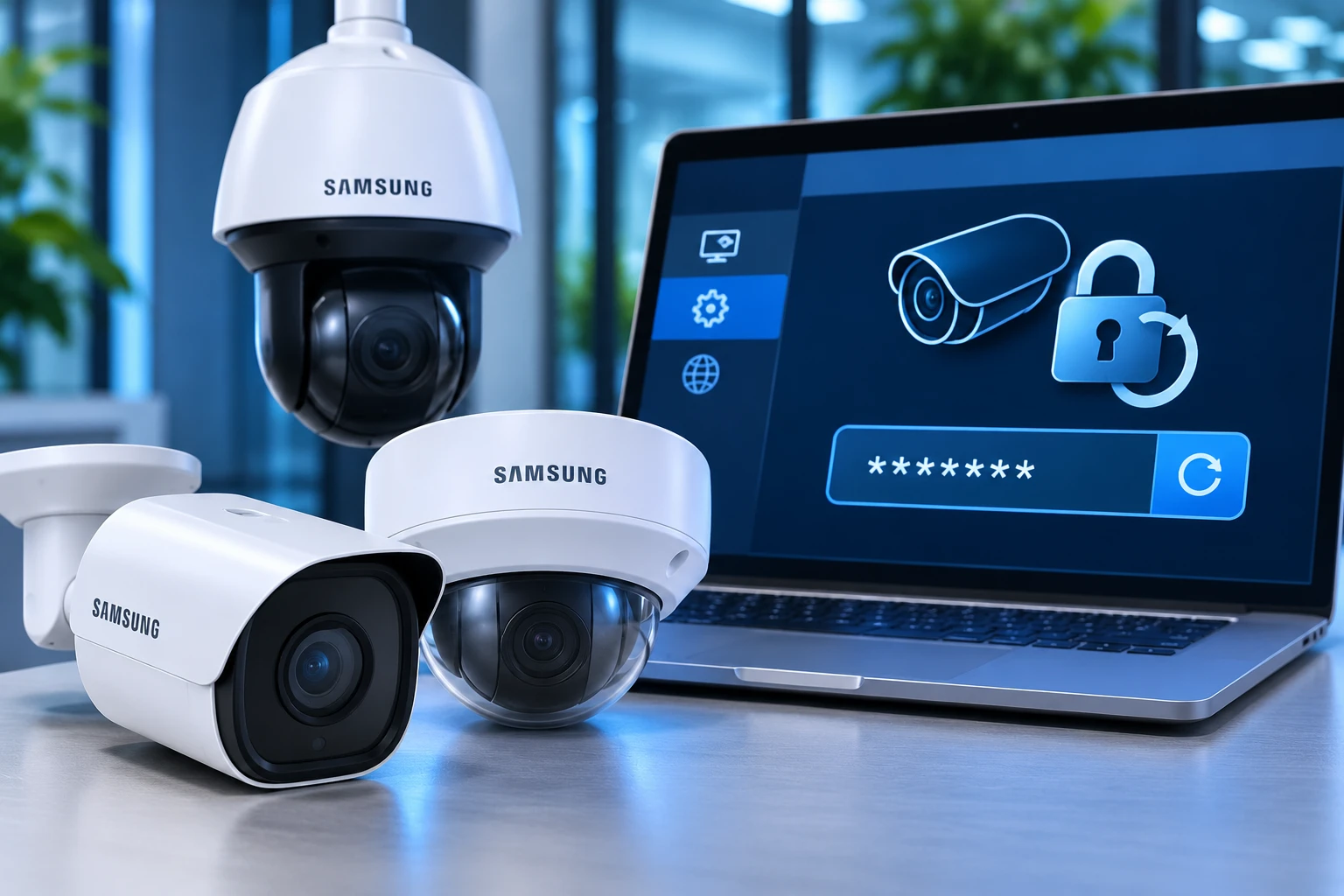
Samsung IP security cameras have been used for many years in homes, shops, shopping malls, factories, and corporate security projects. The product family of professional security cameras developed under the Samsung Techwin brand now continues under Hanwha Vision.
You may need to reset the password on a Samsung IP camera if the administrator password is forgotten, the technical service provider changes, a used camera is purchased, or the existing security system is reconfigured.
Samsung IP camera password reset procedures may vary depending on the camera model, year of manufacture, hardware design, and firmware version.
Changing a password, resetting a password, and restoring factory settings are different procedures. An incorrect reset procedure may cause the camera’s existing network and imaging configurations to be lost.
Why reset a Samsung IP camera password?
A password reset may be needed in the following situations with Samsung security cameras:
Administrator password forgotten
Camera access credentials lost
Technical service provider changed
Purchase of a used security camera
NVR recorder replaced
ONVIF user credentials forgotten
Security system reinstalled
Suspected unauthorized access
Camera network configuration changed
Before resetting, it is advisable to check the existing access credentials and the camera’s connection status.
Which Samsung IP camera models can be reset?
Samsung Techwin developed a wide range of professional IP camera series for different applications.
Camera series | Camera type and application |
|---|---|
Samsung SNO | Outdoor bullet IP cameras |
Samsung SND | Dome IP cameras |
Samsung SNV | Vandal-resistant dome IP cameras |
Samsung SNB | Box-type IP cameras |
Samsung SNP | PTZ IP cameras |
Samsung SNF | Panoramic and fisheye cameras |
Samsung SNO-L | Wisenet Lite bullet cameras |
Samsung SND-L | Wisenet Lite dome cameras |
Samsung SNV-L | Wisenet Lite vandal-resistant cameras |
Commonly used older-generation Samsung IP camera models include devices such as SNO-L6013R, SNO-6084R, SNV-6084R, SND-6084, SNB-6004, and SNP-6320.
Do not assume that the same reset procedure applies to every camera model.
What are the default username and password for a Samsung IP camera?
Factory-set login credentials for Samsung IP cameras may vary depending on the device’s year of manufacture and firmware version.
On many professional Samsung Techwin IP cameras, the administrator account is admin designated as.
Older-generation devices may have factory-set passwords, while newer firmware versions may require users to create a new password during initial setup.
There is no single default password that applies to all Samsung IP cameras. Consult the official user manual for the specific device.
Samsung IP camera password reset methods
Depending on the current access status, different methods can be used to change or reset the password on Samsung IP cameras.
1. Change the Samsung camera password through the web interface
If the current administrator password is known, you can create a new password without restoring the camera to factory settings.
The general procedure is as follows:
Configure your computer to communicate with the camera over the same network.
Enter the camera’s IP address in a web browser.
Sign in using the existing administrator credentials.
Open the Setup menu.
Go to the user management section.
Select the relevant user account.
Create a new password.
Save the settings.
Verify the change by signing in with the new password.
Menu names may vary depending on the firmware version.
This method can preserve the existing camera IP address, recording profiles, image settings, and video analytics configurations.
2. Reset a Samsung IP camera using the physical reset button
Many Samsung Techwin IP camera models have a physical reset button for restoring the device to factory settings.
The general procedure for authorized users and technical service personnel is as follows:
Identify the camera’s exact model number.
Check the reset procedure in the official user manual for the model in question.
Verify that the camera’s power connection is correct.
Perform the physical reset as specified by the manufacturer.
Wait for the camera to restart.
Find the camera again using IP Installer or compatible device management software.
Configure administrator access.
Reconfigure the network and image settings.
Some reset guides for older-generation Samsung cameras specify holding the reset button for 10 seconds. However, this duration should not be considered a manufacturer instruction applicable to all Samsung models.
For detailed information about different reset methods by brand, How to Reset Different Cameras: An IP Camera Reset Guide by Brand you can read our article titled.
3. Restore factory settings through software
On supported Samsung IP camera models, a factory reset option is available through the web interface.
This function is usually located under the system management, maintenance, or reboot menu.
In most cases, you must sign in with an administrator account to perform a software reset.
Some camera models may allow other system settings to be reset while preserving the network configuration.
4. Recover the password through authorized technical service
Seek assistance from an authorized technical service provider if the camera has no physical reset button, cannot be accessed, or its existing configuration must be preserved.
When submitting a technical support request, prepare the camera model, serial number, MAC address, current IP address, firmware version, and information confirming device ownership.
Where is the reset button on a Samsung IP camera?
The location of the reset button varies according to the camera’s physical design.
Camera type | Access to the reset button |
|---|---|
Bullet camera | Housing or service compartment |
Dome camera | May be beneath the protective dome cover |
Vandal-resistant dome camera | May be inside the protective housing |
Box camera | Rear panel or service compartment |
PTZ camera | Model-specific service compartment |
Fisheye camera | Service area inside the housing |
Do not damage the sealing gaskets when opening service covers on outdoor cameras.
Incorrect installation may compromise the camera’s IP66 or IP67 environmental protection ratings.
What is Samsung IP Installer?
Samsung IP Installer is device management software used to detect older-generation Samsung Techwin network cameras on a local network and configure their network parameters.
On supported devices, IP Installer helps perform the following tasks:
Finding Samsung IP cameras on the network
Viewing camera IP addresses
Identifying MAC addresses
Viewing camera model information
Assigning a static IP address
Configuring DHCP settings
Adjusting subnet mask and gateway settings
Samsung IP Installer is not, by itself, password recovery software capable of resetting every forgotten camera password.
The range of supported devices may differ between IP Installer, used to manage older-generation Samsung IP cameras, and Wisenet Device Manager, used today.
Differences between Samsung IP Installer and Wisenet Device Manager
Feature | Samsung IP Installer | Wisenet Device Manager |
|---|---|---|
Period of use | Older-generation Samsung Techwin | Hanwha Vision and Wisenet |
Network device discovery | Yes | Yes |
IP address configuration | Yes | Yes |
Bulk device management | Limited | Available on supported devices |
Firmware management | Limited | Available on supported devices |
Initial setup management | Model-dependent | Model-dependent |
Recovery of forgotten passwords | No universal support | No universal support |
Compatibility with older cameras | Supported older models | Depends on device compatibility |
When selecting software, check whether the camera model is supported by the application in question.
How do you find the IP address after resetting a Samsung IP camera?
The current IP address of a Samsung IP camera restored to factory settings may change.
Some models use a fixed factory IP address, while others may obtain an IP address automatically through DHCP.
To find the camera’s current IP address on the network, you can take the following steps:
Check the camera’s PoE or external power supply.
Connect your computer to a suitable local network shared with the camera.
Run Samsung IP Installer or compatible Wisenet Device Manager software.
Scan the devices on the network.
Identify the correct camera by its MAC address and model number.
Set up an appropriate network configuration for the camera.
Configure administrator access and check the live view.
Do not assume that all Samsung IP cameras have the same factory IP address.
Which settings are erased when a Samsung IP camera is reset?
A full factory reset may restore the camera’s existing configurations to their default values.
Camera setting | Status after reset |
|---|---|
Administrator password | May be reset |
User accounts | May be deleted |
IP address | May change |
Subnet mask | May revert to the default value |
Gateway and DNS | May be reset |
Camera resolution | May revert to the default value |
FPS and bitrate | May change |
H.264/H.265 settings | May be reset depending on the model |
WDR | May revert to the default value |
ONVIF users | May be deleted |
Motion detection | May require reconfiguration |
Video analytics rules | Can be deleted |
Privacy masks | Can be deleted |
PTZ preset settings | Model-dependent |
Date and time | Can be reset |
HTTPS certificates | Depends on the scope of the reset |
Where possible, it is recommended to back up the current system configuration before performing a factory reset.
Are recordings deleted when a Samsung IP camera is reset?
Restoring Samsung IP cameras to factory settings does not normally directly delete past camera recordings stored on an external NVR or VMS server.
However, new video recordings may not be captured until the camera is reconnected to the recording system after the reset.
Recording medium | Effect of camera reset |
|---|---|
NVR HDD | Past recordings are normally retained |
VMS server | Past recordings are normally retained |
NAS storage | Existing files are generally retained |
microSD card | Depends on the camera model and reset scope |
Cloud storage | Depends on the service configuration |
Formatting the microSD card or recording drive may result in the loss of existing camera recordings.
Recording drives or memory cards should not be formatted solely to reset the camera password.
How do you connect an NVR after resetting a Samsung IP camera?
If the camera's IP address or administrator password changes, the connection between the NVR and the camera may be lost.
In this case, the camera access credentials on the recording device must be updated.
Connecting to Samsung and Hanwha Vision NVRs
Access the camera recording menu through an authorized NVR administrator account and configure the connection using the camera's current IP address and user credentials.
Compatibility between older Samsung IP cameras and newer-generation Hanwha Vision NVRs should be assessed separately.
ONVIF connection to an NVR from another brand
ONVIF-enabled Samsung IP cameras can be integrated with compatible recording devices from other brands.
Check the following parameters during connection:
Camera IP address
ONVIF username and password
Supported ONVIF profiles
Camera connection ports
H.264 video format or H.265 if supported
Main stream and substream profiles
Camera resolution
FPS and bitrate values
The ability to receive live video over ONVIF does not mean that all manufacturer-specific video analytics functions are supported.
No video after resetting a Samsung IP camera
There may be several reasons why video is unavailable from the camera after a reset.
Possible problem | Recommended solution |
|---|---|
Camera IP address has changed | Rediscover it using IP Installer |
Camera password has changed | Update the NVR access credentials |
IP address conflict | Check the network configuration |
PoE power issue | Check the power supply and switch connection |
ONVIF account deleted | Reconfigure the authorized ONVIF account |
Codec incompatibility | Compare the camera and NVR video formats |
VLAN issue | Check the network segments |
Legacy browser requirement | Use an access method supported by the manufacturer |
Firmware incompatibility | Consult the technical documentation for the specific model |
Hardware failure | Seek support from an authorized technical service provider |
Older Samsung IP cameras in particular may experience web interface compatibility issues with modern internet browsers.
Some older models use ActiveX or browser components that are no longer supported. Therefore, when managing older devices, safe access methods supported by the manufacturer should be considered.
Why won't a Samsung IP camera reset?
A factory reset may fail for the following reasons:
Applying the reset procedure for the wrong model
Physical failure of the reset button
Insufficient power supply
PoE connection issue
Camera motherboard failure
Firmware-related issues
Attempting to access the camera using its old IP address after the reset
The device discovery software in use does not support the camera
Uncontrolled electronic intervention on the camera or attempts to connect motherboards from different models may cause permanent damage to the device.
Cybersecurity risks of older Samsung IP cameras
Some Samsung IP cameras that have been in use for many years may run older firmware versions that are no longer actively supported by the manufacturer.
This can result in unpatched security vulnerabilities, compatibility issues with current software, and risks of unauthorized access.
The following measures are recommended for older-generation Samsung security cameras:
Change factory-default passwords
Use strong, unique administrator passwords
Do not expose cameras directly to the internet
Segregate camera networks using VLANs
Disable unused network services
Check for the latest supported firmware version
Remove unnecessary user accounts
Consider replacing devices that no longer receive security updates
Resetting an older-generation IP camera does not eliminate the device's existing cybersecurity vulnerabilities.
Technical checklist after resetting a Samsung IP camera
In professional security camera systems, recommissioning should be completed using the following checks.
Check item | Function to verify |
|---|---|
Administrator password | Authorized access |
IP address | Network communication |
Live video | Main and substreams |
NVR connection | Camera access |
Video recording | Continuous recording |
Recording playback | Data access |
Resolution | Image quality |
FPS and bitrate | Recording performance |
Night vision | IR illumination |
WDR | Backlight performance |
ONVIF | System integration |
Motion detection | Event management |
Privacy masks | Personal data protection |
PTZ functions | Movement and preset settings |
Date and time | Recording timestamp accuracy |
Firmware | Cybersecurity |
Configuration backup | System sustainability |
After a reset, receiving live video alone is not enough. Recording, event detection, and system security functions must also be verified.
Frequently asked questions
I forgot my Samsung IP camera password. What should I do?
Identify the camera's exact model number and consult the manufacturer's model-specific password reset procedure. If necessary, seek assistance from an authorized technical service provider.
How many seconds should I hold down the Samsung IP camera reset button?
The reset duration varies by camera model. Although a 10-second reset time is specified for some older Samsung models, the user manual for the product in question should be followed.
Does a Samsung IP camera lose its password when the power goes out?
No. A normal power outage does not erase the administrator password stored on the camera.
Can a Samsung IP camera be reset remotely?
On supported models with authorized administrator access, the camera can be restored to factory settings through the web interface.
Does Samsung IP Installer reset the camera password?
Samsung IP Installer is primarily used for camera discovery and network configuration. It is not a universal tool capable of resetting all camera passwords.
Does the IP address change when a Samsung IP camera is reset?
Yes, the camera's IP address may change after a full factory reset. The camera can be rediscovered using compatible network discovery software.
Are NVR recordings deleted when a Samsung IP camera is reset?
Under normal circumstances, past recordings on the NVR are not deleted. However, new recordings may not be made until the camera is reconnected.
Are Samsung Techwin and Hanwha Vision the same?
Samsung Techwin's professional security technology operations later continued under the name Hanwha Techwin, and the company has since adopted the Hanwha Vision brand.
Is resetting a Samsung IP camera password the same as resetting a Samsung DVR?
No. IP cameras and DVR recording devices have different hardware and authentication systems. Their reset procedures are not the same.
Does resetting a Samsung IP camera fix hardware failures?
No. Restoring factory settings may resolve some software and configuration problems. It does not repair faults in the lens, image sensor, motherboard, or power circuit.
Conclusion
The Samsung IP camera password reset process should take the camera model, firmware version, and current system configuration into account.
If the current administrator account is accessible, changing the password while preserving the camera settings is the preferred approach. A factory reset should be performed only after considering the other options.
Samsung IP Installer and compatible Wisenet Device Manager software can be used to rediscover the camera and complete network configuration after a reset.
For older-generation Samsung security cameras in particular, firmware support, compatibility with current recording devices, and cybersecurity risks should be assessed separately.
A successful IP camera password reset is complete only when administrator access has been restored and the image, recording, network communication, and security functions have all been fully verified.