
How to Reset a Hanwha Vision IP Camera Password
How do you reset a forgotten administrator password on Hanwha Vision, Wisenet, and Samsung IP cameras? A technical guide to password recovery, factory resets, using Wisenet Device Manager, and reconfiguration.
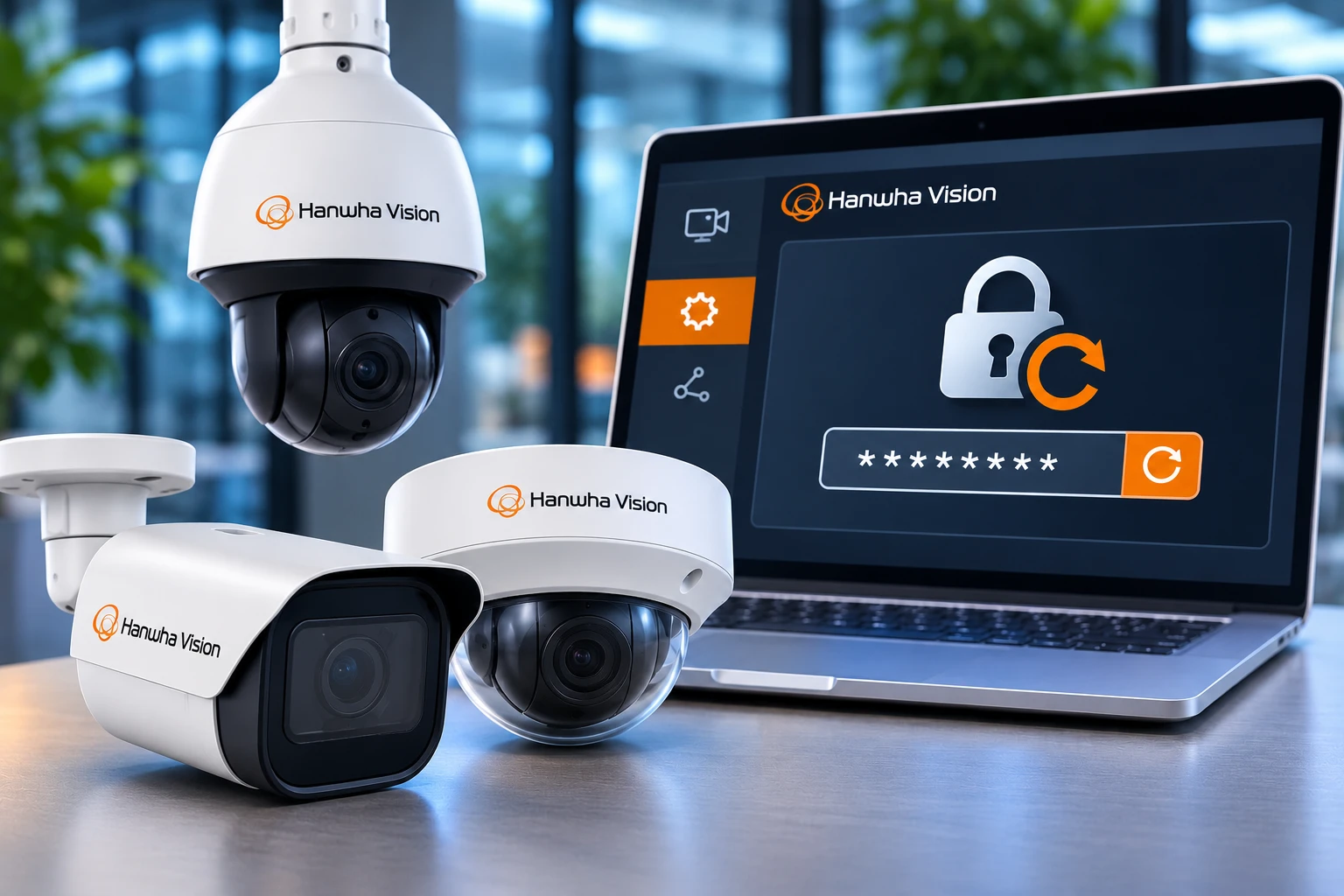
Hanwha Vision, formerly known as Hanwha Techwin, is used in a wide range of security projects, from homes to large industrial facilities, with its IP security cameras developed under the Wisenet brand.
A need to reset the password on Hanwha Vision IP cameras may arise if the administrator password is forgotten, the technical service provider changes, camera connection details are lost, or the existing security system is reconfigured.
Hanwha Vision IP camera password reset procedures may vary depending on the camera model, hardware revision, year of manufacture, and firmware version.
Changing an IP camera password and restoring the camera to factory settings are not the same operation. Restoring factory settings may result in the loss of the existing network, imaging, and video analytics configurations on the camera.
Why reset a Hanwha Vision IP camera password?
Password resets may be needed in security camera systems in the following situations:
Forgotten administrator password
Unknown access credentials for the former technical service provider
Purchase of a second-hand IP camera
Change of system administrator
Suspected unauthorized access
NVR replacement
Integrating the camera into a different security system
Loss of ONVIF user credentials
Reconfiguration of the camera network
Before resetting, determine whether the problem is actually caused by the password.
Which Hanwha Vision IP camera series can be reset?
Hanwha Vision develops various IP camera families for different security needs.
Camera series | Usage category |
|---|---|
A Series | Cost-effective video security solutions |
Q Series | General-purpose professional IP cameras |
X Series | Advanced imaging and video analytics |
X Plus Series | Advanced professional camera applications |
P Series | High-end, AI-powered cameras |
T Series | Special-purpose and industrial cameras |
SNO and SNV Series | Older-generation Samsung IP cameras |
SNP Series | Older-generation PTZ cameras |
PNM Series | Multisensor and panoramic cameras |
In addition to the camera series, the full model number is also important in determining the reset method.
For more information about Hanwha Vision product families, see the following content:
What is the default password for a Hanwha Vision IP camera?
For a significant proportion of new-generation Hanwha Vision IP cameras, users must create a new administrator password during initial setup.
The administrator username on many models is defined as admin as.
The initial security configurations may differ between older Samsung Techwin cameras and newer-generation Wisenet cameras.
Therefore, it would not be accurate to speak of a single factory password that works on all Hanwha Vision IP cameras.
Hanwha Vision IP camera password reset methods
Different password management and reset methods are available for Hanwha Vision IP cameras, depending on existing access permissions and the camera model.
1. Changing the password through the web interface
If the current administrator password is known, it can be changed without restoring the camera to factory settings.
The general procedure is as follows:
Make sure your computer can communicate with the camera over the network.
Enter the camera's IP address in a web browser.
Sign in with the current administrator account.
Open the Setup menu.
Go to the user management section.
Select the administrator account or the user whose password you want to change.
Create a new password.
Save the changes.
Verify the change by signing in with the new password.
Menu names may vary by camera model and firmware version.
This method can preserve the camera's current IP address, imaging settings, and other system parameters.
2. Password management with Wisenet Device Manager
Wisenet Device Manager is network device discovery and management software developed by Hanwha Vision.
On supported devices, it helps perform the following tasks:
Finding IP cameras on the network
Viewing camera model numbers
Identifying MAC addresses
Configuring IP addresses
Managing devices with authorized user credentials
Firmware updates
Bulk configuration on supported devices
Creating initial setup passwords
To manage cameras through Wisenet Device Manager, the computer and cameras must have a suitable network connection.
Wisenet Device Manager is not a universal password recovery tool that can directly reset every forgotten camera password. Available functions depend on the device model, software version, and current access permissions.
The software and current technical documentation Hanwha Vision official website are available through.
3. Restoring factory settings through software
On supported Hanwha Vision IP camera models, a factory reset can be performed through the web interface.
This is generally done using the factory defaults function, found under the System or Upgrade/Restart menu.
In most cases, access to the current administrator account is required for a software reset.
Some models may offer different reset options that preserve network settings. Before proceeding, check which parameters the selected option will affect.
4. Restoring factory settings with the physical reset button
Many Hanwha Vision IP camera models have a physical reset function.
This feature may be used when administrator credentials have been lost or the device needs to be reconfigured.
The physical reset method may vary according to the following factors:
Camera model
Hardware revision
Camera housing type
Firmware version
Reset button design
Duration specified by the manufacturer
Before performing a physical reset, identify the device's exact model number and consult the relevant official user manual.
After a reset performed by authorized technical personnel, the camera should be restarted and returned to its initial setup configuration; a new administrator password should be created, and the network settings should be configured again.
Applying reset procedures for other brands or camera models is not recommended.
5. Password recovery through authorized technical service
Seek support from an authorized technical service provider if the camera is difficult to access physically, the reset function does not work, or the existing configuration must be preserved.
Prepare the following information for technical support:
Camera model number
Serial number
MAC address
Current IP address
Firmware version, if accessible
Camera connection status
Proof of device ownership or authorization to service it
Through the manufacturer's support channels, assess the recovery options supported by the relevant camera model.
Where is the reset button on a Hanwha Vision IP camera?
The reset button's location may vary depending on the camera housing design.
Camera type | Physical access characteristics |
|---|---|
Dome camera | The protective housing may need to be opened |
Bullet camera | Access to the service compartment may be required |
Turret camera | Service access depends on the housing design |
PTZ camera | Maintenance and service access specific to the model |
Panoramic camera | Special housing and service design |
Multisensor camera | Hardware configuration specific to the model |
Thermal camera | Special housing and environmental protection requirements |
For outdoor cameras, after opening the housing, it is important to correctly reinstall the sealing gaskets, covers, and fasteners.
Incorrect reassembly may adversely affect the camera's environmental protection ratings, such as IP66 or IP67.
Comparison of Hanwha Vision IP camera reset methods
Method | Is the current password required? | System settings |
|---|---|---|
Changing the password through the web interface | Yes | Preserved |
Authorized management with Device Manager | Depends on the operation | Depends on the operation |
Software factory reset | Usually yes | Can be reset |
Physical factory reset | Depends on the model | Can be reset |
Recovery through authorized service | Authorization verification required | Depends on the method |
Normal restart | Depends on the operation | Preserved |
Which settings are deleted when a Hanwha Vision IP camera is reset?
Depending on the model used and the reset option selected, various configurations may be lost when factory settings are restored.
System parameter | Effect of factory reset |
|---|---|
Administrator password | Can be reset |
User accounts | Can be reset |
IP address | May change |
Subnet mask and gateway | Can be reset |
DNS settings | Can be reset |
Video resolution | May revert to the default value |
FPS and bitrate | May revert to the default value |
H.264/H.265 settings | May change |
WDR settings | Can be reset |
Video analytics rules | May be deleted |
ONVIF users | May be deleted |
Privacy masks | May be deleted |
Alarm inputs and outputs | Can be reset |
HTTPS certificates | Depends on the reset scope |
NTP and time settings | Can be reset |
PTZ preset and tour settings | Depends on the model |
When recommissioning AI-powered IP cameras in particular, video analytics rules may need to be configured again.
How do you find the IP address after resetting a Hanwha Vision camera?
After the camera is restored to factory settings, it may no longer be accessible using its previous IP address.
Wisenet Device Manager can be used to determine the camera’s new network address.
The general commissioning sequence is as follows:
Check the camera’s PoE or suitable external power connection.
Connect the computer to the appropriate network segment for the camera.
Launch the Wisenet Device Manager software.
Scan for devices on the network.
Identify the correct camera by its model and MAC address.
Complete the initial setup steps.
Create a strong administrator password.
Configure the IP address, subnet mask, and gateway information appropriate for the project.
Check access to the web interface and the live view.
Whether the camera automatically obtains an IP address through DHCP or uses its factory IP address depends on the model and network configuration.
How do you connect an NVR after resetting a Hanwha Vision IP camera?
Changing the camera password and IP address may interrupt communication between the camera and the NVR.
In this case, the access details for the relevant camera channel must be updated on the NVR.
Adding a camera to a Hanwha Vision NVR
Using an authorized NVR management account, open the camera registration menu and enter the camera’s new IP address and user credentials.
Once the camera connection is established, check the live view and recording functions.
On some PoE-enabled recording devices, compatible cameras with factory settings may be detected automatically.
For detailed information about Hanwha Vision recording devices, Hanwha Vision NVR Models and Technical Specifications you can read our article titled
Adding a camera to an NVR from another brand via ONVIF
Hanwha Vision IP cameras can be integrated with recording devices from other brands via the ONVIF protocol on supported models.
After resetting, check the following parameters:
ONVIF username and password
ONVIF access permissions
Camera IP address and port details
Supported ONVIF profiles
H.264 and H.265 compatibility
Main stream and substream settings
Resolution and FPS values
Audio and video analytics support
Being able to receive video via ONVIF does not mean that all manufacturer-specific functions are supported.
Are recordings deleted when a Hanwha Vision camera is reset?
The effect of resetting an IP camera on existing video recordings depends on where the recordings are stored.
Recording medium | Effect of camera reset |
|---|---|
Recordings on the NVR’s HDD | Not deleted under normal conditions |
Recordings on the VMS server | Not deleted under normal conditions |
Camera microSD card recordings | Depends on the model and scope of the reset |
NAS recordings | Existing files are generally retained |
Cloud recordings | Depends on the service and configuration |
Resetting the camera does not directly delete past footage stored on the NVR. However, no new recordings may be made until the camera is reconnected.
Formatting the microSD card, however, may result in the loss of existing local recordings.
In systems containing footage that may serve as forensic evidence, data-protection procedures should be followed before taking action.
Unable to log in to a Hanwha Vision IP camera even though the password is correct
Camera access problems are not always caused by a forgotten password.
Possible problem | Recommended solution |
|---|---|
Incorrect camera IP address | Verify the address with Device Manager |
IP address conflict | Check the network configuration |
Incorrect username | Verify the authorized account credentials |
Keyboard language issue | Check the characters being entered |
Account lockout | Review the camera’s security policy |
PoE power supply issue | Check the switch and power budget |
VLAN configuration | Check the network segments |
HTTPS access issue | Review the certificate and connection settings |
ONVIF password issue | Verify the ONVIF user credentials |
Firmware incompatibility | Contact the manufacturer’s technical support |
Network cable fault | Test the physical connection |
Assessing these possibilities before resetting the password can prevent unnecessary configuration loss.
Why does resetting a Hanwha Vision IP camera fail?
There may be several reasons why a factory reset fails.
These include following a reset procedure for the wrong model, insufficient power, hardware failure, camera firmware problems, and network configuration errors.
Also, even if the camera has been reset, trying to access it using its old IP address may give the impression that the process failed.
For this reason, the camera’s current status on the network must always be checked after resetting.
Hanwha Vision IP camera password creation rules
Strong, unique administrator passwords should be used for security cameras.
The supported password lengths and character combinations for Hanwha Vision cameras may vary according to the firmware version.
Observe the following criteria when creating a secure password:
Use uppercase and lowercase letters.
Use numbers and special characters.
Avoid passwords that are easy to guess.
Do not use the same password for all cameras.
Avoid passwords made up of the company name or camera model.
Store passwords in secure password management systems.
Manage technical service and user access permissions separately.
Technical checklist after resetting a Hanwha Vision IP camera
After recommissioning the camera, it is recommended to check the following functions.
Check | Feature to verify |
|---|---|
Administrator access | New password works |
Network connection | IP address and communication |
Live view | Main and substreams |
NVR connection | Camera recording status |
Image quality | Resolution, FPS, and bitrate |
Night vision | IR and low-light performance |
WDR | Backlight performance |
Video analytics | Person, vehicle, and event detection |
Privacy mask | Protection of sensitive areas |
ONVIF | Third-party integration |
PTZ functions | Preset, tour, and movement |
Date and time | NTP synchronization |
microSD card | Local recording status |
Cybersecurity | User permissions and firmware |
System backup | Saving the current configuration |
A successful password reset does not mean that all the camera’s security functions are working correctly.
In professional CCTV projects in particular, image, recording, and video analytics functions should be verified after the camera is recommissioned.
Frequently asked questions
I forgot my Hanwha Vision IP camera password. What should I do?
Identify the camera’s exact model number and consult the manufacturer’s model-specific password recovery and reset procedures. Contact an authorized technical service provider if necessary.
Can a Hanwha Vision IP camera be reset remotely?
If authorized administrator access is available, supported models can be restored to factory settings through the web interface.
Can Wisenet Device Manager reset a forgotten password?
Wisenet Device Manager is not a universal password recovery tool. The password management functions available depend on the camera model and authorization requirements.
Does a Hanwha Vision camera lose its password during a power outage?
No. During normal power outages, saved camera passwords and configuration information are not deleted.
Does the IP address change when a Hanwha Vision IP camera is reset?
A full factory reset may change the IP address and network configuration. The camera can be detected again through Wisenet Device Manager.
Will the NVR continue recording when the camera password is changed?
The camera access credentials on the NVR may need to be updated. Continued operation of the existing connection cannot be guaranteed.
Are the reset methods for Samsung IP cameras and Hanwha Vision cameras the same?
Not always. Older Samsung Techwin devices and newer-generation Hanwha Vision cameras may have different hardware and security architectures.
Are AI settings deleted when a Hanwha Vision camera is reset?
A full factory reset may restore video analytics configurations to their default values. Analytics regions and event rules should be checked again.
Can resetting a camera fix a hardware fault?
No. Resetting can resolve some software- and configuration-related problems. It does not repair faults in the sensor, lens, motherboard, or power circuit.
Conclusion
The password reset process for a Hanwha Vision IP camera should take into account the device’s current security configuration, hardware features, and firmware version.
If existing administrator access can be retained, changing only the password should be preferred. A factory reset should be performed only after assessing its effects on the current configuration.
After resetting, the network connection, NVR integration, image quality, recording functions, and video analytics features should be verified again.
In professional security camera systems, a successful password reset is complete not merely when administrator access is restored, but when the security system is operating fully and reliably.