
Brickstream 2300, 2310, 2500 and 2510 Comparison: Technical Specifications and Differences
We compare the Brickstream 2300, 2310, 2500 and 2510 people-counting sensors. We examine 3D stereo technology, lenses and mounting heights, PoE, Ethernet, Path Linking, analytics licenses, BLE Employee Filtering, accuracy validation, the 2026–2028 product lifecycle, and criteria for moving from legacy systems to next-generation sensors.
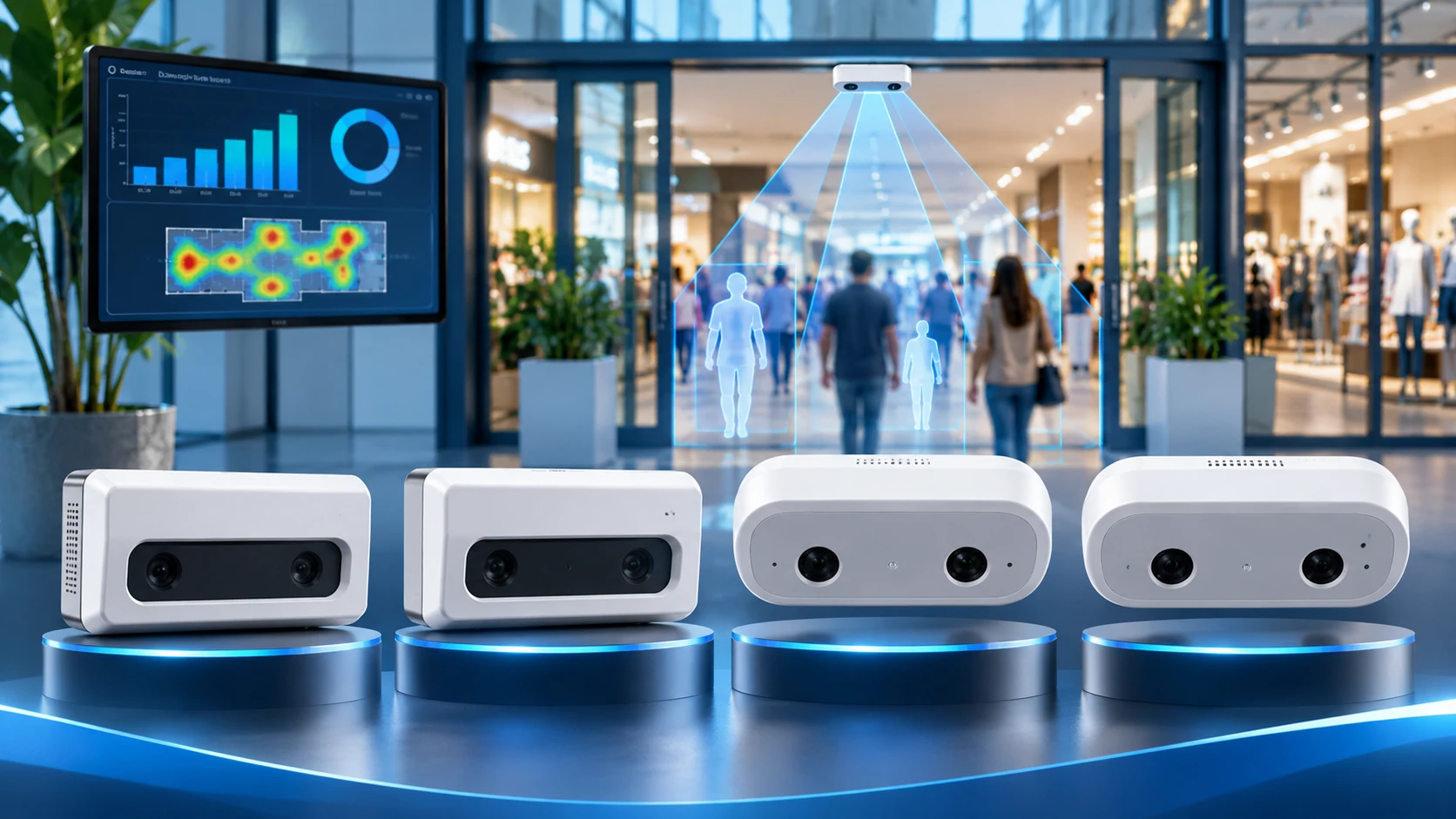
Brickstream 2300, 2310, 2500 and 2510 are professional 3D people-counting sensors designed to measure visitor entries and exits in retail stores, shopping centers and commercial facilities.
All four models use stereoscopic imaging technology. However, their hardware designs, mounting options, Ethernet connections, software licenses and staff-filtering features differ.
Brickstream 2300 and 2310 belong to the previous-generation sensor family. Brickstream 2500 and 2510, meanwhile, use Teledyne FLIR’s Brickstream 3D Gen 2 platform.
The next-generation 2500 and 2510 sensors stand out for their wider lens coverage options, Gigabit Ethernet connectivity, advanced analytics licenses and modern device-management infrastructure.
A key advantage of the 2510 model is that it supports Bluetooth Low Energy (BLE)-based staff filtering and optional Wi-Fi connectivity .ள supports.
However, not all advanced analytics functions are included as standard. License, hardware accessory, firmware and data-integration requirements should be assessed for each model.
For businesses still using Brickstream 2300 and 2310 systems, the service-life extension terms announced in 2026 have become an important factor in modernization decisions.
This technical comparison covers the hardware features, lens and mounting options, people-counting accuracy, Path Linking, Employee Filtering, data transfer, product lifecycle and criteria for moving to next-generation sensors across all four models.
What Are Brickstream 2300, 2310, 2500 and 2510?
Brickstream people-counting sensors are network-connected devices that analyze people’s movements using dual-optics stereoscopic imaging technology.
The sensors are usually mounted above an entrance. Depth information derived from images captured by two cameras can be used to assess people’s direction of travel and certain physical characteristics.
Brickstream 2300
Brickstream 2300 is a previous-generation stereo people-counting sensor.
It has been used for entry/exit counting, zone-based movement analysis, queue and service statistics, RS-485 connectivity and, in compatible systems, electronic article surveillance (EAS) integration.
Brickstream 2310
Sensormatic documents describe Brickstream 2310 as a model that can directly replace Brickstream BIC-2300.
The manufacturer states that the two devices are equivalent in physical construction, mounting, core functions and connections.
However, their firmware files differ.
Brickstream 2500
Brickstream 2500 is a stereo people-counting sensor on the next-generation 3D Gen 2 platform.
It supports advanced image processing, centralized device management, licensed multi-zone counting and queue analysis.
However, the 2500 does not support the USB Wi-Fi/BLE and Employee Filtering features specific to the 2510.
Brickstream 2510
Brickstream 2510 is the model that supports the Wi-Fi/BLE adapter for the 3D Gen 2 platform.
One of the 2510’s key differentiators is its ability, with BLE staff tags and a compatible software license, to distinguish employee traffic from customer traffic.
Technical Specifications Compared Across the Four Brickstream Models
The table below is based on legacy BIC-2300/BIC-2310 documents, the Brickstream 3D Gen 2 data sheet and the 6.4 installation guide.
Specification | 2300 | 2310 | 2500 | 2510 |
|---|---|---|---|---|
Product generation | Previous generation | Previous generation | 3D Gen 2 | 3D Gen 2 |
Imaging | 3D stereo | 3D stereo | 3D stereo | 3D stereo |
Camera configuration | Dual optics | Dual optics | Dual optics | Dual optics |
Ethernet | 10/100 Mbps | 10/100 Mbps class | 10/100/1000 Mbps | 10/100/1000 Mbps |
PoE | Yes | Yes | Yes | Yes |
Max. power | 4.5 W in the old catalog | Verify against revision | 6 W | 6 W |
Lens options | Multiple variants | Multiple variants | 2.5 / 6 mm | 2.5 / 6 mm |
Counting zones | Up to 6 in the old guide | Up to 6 in the old guide | Up to 32 with a license | Up to 32 with a license |
Path Linking | Yes | Yes | Yes | Yes |
RS-485 | Documented | Same legacy-generation architecture | Requires separate verification | Requires separate verification |
USB Wi-Fi/BLE | Unverified | Unverified | Not supported | Optional |
BLE Employee Filtering | Support unverified | Support unverified | Not supported | With a license |
Housing colors | Depends on version | Depends on version | White documented | White / black |
Management | Legacy web interface | Legacy web interface | Gen 2 interface | Gen 2 interface |
Product status | Previous generation | Previous generation | Certain codes discontinued | In the current manufacturer catalog |
Technical note: The information in the 2300 and 2310 columns is based specifically on Sensormatic BIC models. For different Brickstream hardware revisions, check the model label and data sheet.
Comparison of Lenses and Mounting Heights
Mounting height and lens focal length are important parameters when selecting a people-counting sensor.
Two devices using the same technology can cover very different areas when fitted with different lenses.
Brickstream 2300 and 2310 Lenses
Sensormatic’s BIC-2300 and BIC-2310 installation guides specify the following lens and mounting options.
Lens | Documented mounting height |
|---|---|
2.5 mm | 2.44–4.57 m |
2.9 mm | 3.66–5.49 m |
3.8 mm | 4.57–7.01 m |
6 mm | 6.10–10.06 m |
These values have been converted from the mounting limits in Sensormatic’s 2019 BIC installation guide.
There are significant differences between lens options and product variants, particularly in the 2300 series.
The correct mounting height cannot be determined from the Brickstream 2300 name alone without checking the label on an older device.
Brickstream 2500 and 2510 Lenses
Lens options have been simplified in the next-generation 3D Gen 2 family.
Lens | Mounting height | Relevant models |
|---|---|---|
2.5 mm | 2.2–7 m | 2500 / 2510 |
6 mm | 6–14 m | 2500 / 2510 |
Next-generation sensors with a 6 mm lens may be considered, particularly for entrances to stores and shopping centers with high ceilings.
However, a greater mounting-height capability does not necessarily mean wider floor coverage in every situation.
Mounting-Height Considerations
Actual ceiling height.
Entrance width.
The sensor’s lens option.
Camera field of view.
Position of the crossing line.
Tracking distance before the line.
Sensor tilt angle.
Likelihood of people occluding one another.
Analytics features to be used.
Choosing the right sensor should be based on reliably measuring the target entrance area, rather than on the maximum mounting height.
Differences Between Brickstream 2300 and 2310
Sensormatic’s official installation documents describe the Brickstream 2310 as a direct replacement alternative for the 2300.
The physical construction, connections and core functions of both models are considered the same.
Physical Compatibility
For compatible product variants, an existing Brickstream 2300 sensor can be replaced with a 2310.
This may make it possible to retain the existing mounting position and basic connection infrastructure.
However, before replacing the device, verify:
Lens option.
Hardware code.
PoE or external power supply.
The sensor’s physical condition.
Mounting accessory.
These should be verified.
Firmware Difference
One of the most important service differences between the 2300 and 2310 is their firmware files.
The Sensormatic installation guide states that the device may reject a firmware file intended for the wrong model.
Therefore:
The firmware file for a 2300 sensor should not be selected for use on a 2310.
Check the device’s exact model through the web interface or on the hardware label.
Path Linking Compatibility
Sensormatic states that 2300 and 2310 devices can be used in the same multi-sensor group when configured appropriately.
This feature is important when replacing faulty devices in existing wide-entrance systems.
However, multi-sensor calibration and counting accuracy should be rechecked after replacement.
Differences Between Brickstream 2500 and 2510
Brickstream 2500 and 2510 belong to the same 3D Gen 2 hardware family.
Their core stereo people-counting architecture, mounting and lens options are therefore similar.
The main distinction is wireless connectivity and staff-filtering features.
Feature | Brickstream 2500 | Brickstream 2510 |
|---|---|---|
Stereo people counting | Yes | Yes |
2.5 mm lens | Yes | Yes |
6 mm lens | Yes | Yes |
PoE | Yes | Yes |
Gigabit Ethernet | Yes | Yes |
Advanced counting license | Yes | Yes |
Queue analysis | With a compatible license | With a compatible license |
Multi-sensor connection | Yes | Yes |
USB Wi-Fi/BLE dongle | Not supported | Supported |
BLE Employee Filtering | Not supported | Optional |
Black housing | Not found in documented 2500 codes | Yes |
New-product availability | Certain models discontinued | In the current catalog |
Key Advantage of the Brickstream 2510
Thanks to its supported BLE employee-filtering feature, the 2510 helps distinguish employee movements from customer traffic.
This feature may be important for accurately reporting store conversion rates and net visitor counts.
However, BLE support does not mean that employee filtering is enabled by default on every device.
What Is Brickstream 2510 Employee Filtering?
Employee Filtering, an analytics feature designed to distinguish employees’ store-entry and exit movements from customer counts.
Brickstream 2510 can use Bluetooth Low Energy (BLE) technology for this purpose.
How Does Employee Filtering Work?
In a compatible system, an employee carries a BLE-based electronic tag.
The sensor aims to identify employee crossings using BLE connectivity and analytics data about people’s movements.
This may make it possible to evaluate employees separately in customer-traffic reports.
Required Components
Brickstream 2510 sensor.
Compatible USB Wi-Fi/BLE adapter.
Employee Filtering license.
BLE employee tags.
Compatible firmware and configuration.
Employee data support in the reporting system.
The license code specified by the manufacturer for this function SWP-EMPFL-2510 is as follows.
BLE Tag Options
The Brickstream product family includes BLE tags in card, disc, and wristband formats.
However, the tags may differ in physical design and how they are used.
Is Employee Filtering Error-Free for Every Crossing?
No.
Matching performance may be affected, particularly when an employee passes together with a customer, multiple employees enter at the same time, or a tag is not worn appropriately.
For this reason, employee-filtering accuracy should be measured separately from overall people-counting accuracy.
Comparison of People-Counting and Analytics Licenses
In Brickstream systems, licensing directly affects which analytics functions can be used.
License coverage is not the same on the older 2300/2310 platform and the newer 2500/2510 platform.
Older-Generation 2300 and 2310
The Sensormatic BIC installation guide describes configurations of up to six reporting zones and advanced analytics license options.
Queue, service, and certain advanced functions may require separate licenses, depending on the software version in use.
3D Gen 2 — 2500 and 2510
According to the November 2023 FLIR 6.4 installation guide:
License level | Function described |
|---|---|
Basic License | 1 counting zone, basic privacy, and encryption |
Advanced Counting | Counting up to 32 zones |
Advanced Firmware | Queue, service, detection, and traffic maps |
Employee Filtering | Employee filtering specific to the 2510 |
Wi-Fi | Wireless connectivity specific to the 2510 |
Other licenses | Functions such as Tailgating and Occupancy |
Are 32 Zones Standard on Both Models?
No.
The fact that models 2500 and 2510 have analytics capacity for up to 32 zones does not mean that all of these zones can be used with the basic license of the device purchased.
The basic license provides one counting zone; the relevant advanced license is required for greater capacity.
Brickstream Path Linking Comparison
Path Linking is a technology that enables multiple sensors to work together across wide entrances.
2300 and 2310 Path Linking
The Sensormatic BIC installation guide describes:
One primary sensor.
Two connected sensors.
a configuration of up to three sensors is described.
The relevant Path Linking license must be enabled on the primary sensor.
The 2300 and 2310 models can be included in the same sensor group in a compatible configuration.
2500 and 2510 Path Linking
The 3D Gen 2 platform also supports multi-sensor Path Linking.
However, the maximum supported number of sensors and licensing requirements should be verified against the firmware in use and the relevant configuration guide.
Are Path Linking and Re-ID the Same?
No.
Path Linking is intended to associate movements between the detection areas of specific sensors.
Re-ID, by contrast, is a broader technological concept for matching the same person again at different times or detection points.
Therefore, Path Linking support does not mean that a sensor can recognize returning visitors over the long term.
People-Counting Accuracy of Brickstream Models
Manufacturer-published accuracy figures should not be compared directly unless they were tested under the same conditions.
Brickstream 2300 and 2310
No independent numerical accuracy guarantee applicable to all installations has been verified in older Sensormatic sources.
For this reason, the accuracy claim for the newer 3D Gen 2 products should not be applied directly to the 2300 and 2310.
Brickstream 2500 and 2510
In FLIR’s 3D Gen 2 installation guide, under certain conditions, an average counting error of ±5% is specified.
The conditions for this claim include:
A reference count of at least 100 people.
Lighting above 12.5 lux.
A mounting tilt of no more than 5°.
A specified mounting height.
A following distance of at least 90 cm before the counting line.
Clean lenses.
An adequate field of view.
Correct calibration.
are required.
Different results may be obtained in applications outside the manufacturer’s test limits.
The fact that the 2500 and 2510 share an accuracy claim for the same product family does not show that the two models will deliver exactly the same performance in every setting.
How Should Model Accuracy Be Compared?
In a professional comparison, the real-world performance of all four models should be measured against reference counts.
Recommended Comparative Tests
Test scenario | Behavior to measure |
|---|---|
Single entry | Basic entry count |
Single exit | Exit count |
Two people side by side | People separation |
Crowded group | Performance under heavy traffic |
Simultaneous crossing in opposite directions | Direction accuracy |
Return movement | Repeat counting |
Shopping cart | Object filtering |
Child and adult crossing | Height filtering |
Multi-sensor overlap | Path Linking |
BLE-tagged employees | 2510 Employee Filtering |
Network outage | Data integrity |
Restart | Configuration continuity |
Brickstream 2300 and 2310 Production and Support Status
Brickstream 2300 and 2310 are now regarded as previous-generation devices.
However, being older-generation devices does not mean that all existing systems will stop working on the same date.
Sensormatic’s March 2026 Announcement
Sensormatic Solutions, on March 10, 2026, that it had published an extension of the service period for BIC-2300 and BIC-2310.
Key dates in the official announcement:
Stage | Date |
|---|---|
End of sales | May 6, 2021 |
Initial service end / end of product life cycle | September 30, 2024 |
Previous service-extension target | September 30, 2027 |
New extension end date in the March 2026 announcement | December 31, 2028 |
These dates apply to Sensormatic’s relevant BIC-2300/BIC-2310 support program.
What Conditions Are Required for Support Through 2028?
According to the manufacturer’s announcement, devices seeking the service extension must meet conditions including:
The hardware must be active and operational.
Firmware version 5.12 or later.
TLS 1.3 support.
The MQTT protocol must be enabled.
Required updates must be completed by December 31, 2026.
Compliance with Sensormatic’s network and security requirements.
The devices must be revalidated by Sensormatic.
The required remote or on-site service access must be provided.
and other such conditions apply.
Meeting these conditions is important for eligibility for the service extension.
December 31, 2028 is not an unconditional support guarantee for all Brickstream 2300 and 2310 devices. The manufacturer may end the service extension earlier in certain cybersecurity or hardware-failure situations.
Important: FTP and Older Custom Integrations
The March 2026 announcement includes a critical change for existing users.
On BIC-2300/BIC-2310 devices included in the service-extension program, older FTP-based data outputs and certain custom data streams are being removed.
The data are planned to be provided through Sensormatic’s current API infrastructure.
Therefore, a reporting system that receives the existing XML/FTP integration directly from the sensor may not continue to work in the same way after migration to the service-extension program.
In such a project, system renewal should not be treated solely as a firmware update.
Data transfer, reporting software, and integration architecture should be reviewed together.
Firmware downgrades or configuration changes made without the manufacturer’s written approval may also invalidate the service-extension conditions.
Has Brickstream 2500 Production Been Discontinued?
In a product change notification dated February 17, 2023, PCN-2023-003 Teledyne FLIR announced that production of certain Brickstream 2500 models would be discontinued.
Affected product codes:
BPC-2500-25W.
BPC-2500-60W.
The official announcement specifies:
Stage | Date |
|---|---|
Last order | November 30, 2023 |
Last shipment | April 30, 2024 |
as the dates.
Which Models Are Recommended Instead of the 2500?
The manufacturer offers a transition option to the following 2510 models:
2510M-25W.
2510M-25B.
2510M-60W.
2510M-60B.
However, replacing a 2500 sensor with a 2510 does not mean that all installation settings and licenses can be transferred automatically.
The device’s physical installation, license coverage, and data integration should be revalidated.
Current Product Status of Brickstream 2510
Teledyne Vision Solutions’ current product catalog lists Brickstream 2510M models.
The manufacturer:
2510M-25W.
2510M-25B.
2510M-60W.
2510M-60B.
variants.
These models differ in lens and housing color.
The 2510’s Wi-Fi/BLE, Employee Filtering, and centralized device-management features are among the factors that make it worth considering for new or modernized retail projects.
Can a 2510 Replace a Brickstream 2300 or 2310?
Although the 2500 and 2510 belong to the same product family, the 2300 and 2310 are older-generation devices.
Accordingly, moving from a 2300/2310 to a 2510 should not be treated as a simple, like-for-like hardware replacement.
Mounting Compatibility
The physical dimensions and mounting accessories of the 2300 and 2510 differ.
Existing ceiling openings, mounting brackets, and cable routes must be checked.
Lens and Coverage
For example, if an older 2300 sensor uses a 3.8 mm lens, the new 2510 does not have the same lens.
The new lens should be selected based on:
Mounting height.
Door width.
Field of view.
Required tracking distance.
These factors must be reassessed.
Network Infrastructure
While the older 10/100 Mbps network connection is sufficient for the 2300/2310, the 2510 offers Gigabit Ethernet capacity.
However, because people-counting data volumes are small, higher Ethernet speed alone does not indicate that measurement accuracy will improve.
Data Integration
Data packets, timestamps, and analytics fields may differ between older and newer sensors.
This information must be mapped correctly in the central software.
Analytics Licenses
Do not assume that queue or Path Linking licenses in the old system will automatically transfer to the new sensor.
Staff Filtering
If BLE Employee Filtering is to be used on the 2510, an additional adapter, license, and staff tags may be required.
Data Continuity When Modernizing Older Brickstream Systems
In chain-retail deployments, replacing a sensor is not merely a device swap.
The counts generated by a new sensor may differ from those of the previous model.
Therefore, an increase or decrease in reported visitor numbers does not always reflect a change in actual customer traffic.
Example
If an older Brickstream 2300 sensor undercounts some people during heavy traffic, the new 2510 sensor may produce a higher visitor count over the same period.
This increase may result from the system's measurement behavior.
Therefore, when comparing periodic data after the transition, the following should be taken into account:
The reference accuracy of the old sensor.
The reference accuracy of the new sensor.
Counting-zone definitions.
Child and object filtering settings.
Shopping-group parameters.
Staff exclusion.
Reporting time intervals.
must be taken into account.
Continuity of historical visitor data is an important part of acceptance testing for accuracy in sensor-refresh projects.
Technical Service and Troubleshooting for Brickstream Models
The basic troubleshooting sequence may be similar for older and newer Brickstream systems.
However, firmware, menus, and hardware features vary by model.
1. Power Supply
Check PoE or, if present, the external power connection.
2. Device Model
Determine the exact model: 2300, 2310, 2500, or 2510.
3. Firmware Version
Record the software version of the device in question.
4. Network Connection
Test the IP address, Ethernet connection, and access to the central server.
5. Sensor Calibration
Check the mounting height, tilt, and tracking area.
6. Counting Lines
Verify the entry and exit directions.
7. Multi-Sensor Connection
In systems with Path Linking, check the connections and alignment between sensors.
8. Data Transfer
Verify that the central software receives all sensor records without omissions.
9. Licenses
Check that features such as queue counting, multi-zone counting, and Employee Filtering are enabled.
10. Validation
Perform a manual reference count after the technical work.
Which Brickstream Model Should You Choose?
Project need | Assessment |
|---|---|
Existing 2300 is faulty | Compatible 2310 or modernization, depending on support conditions |
Existing 2310 is faulty | Compatible legacy stock or transition to 2510 |
Operational 2300/2310 system | Check eligibility for service extension through 2028 |
Existing 2500 system | Compare the technical condition with the cost of transitioning to 2510 |
New standard people counting | Assess current 2510 options |
BLE staff filtering | 2510, with suitable licenses and accessories |
High-ceiling entrance | 2510, with a suitable 6 mm lens |
Queue and service analysis | 2500/2510, with suitable advanced licenses |
Legacy FTP-based reporting | Review Sensormatic service-extension terms and the API transition |
These recommendations are intended for preliminary selection.
The final decision should be based on the product's current availability and support status, total project cost, and field validation.
Frequently Asked Questions About Brickstream 2300, 2310, 2500 and 2510
Are Brickstream 2300 and 2310 the same?
Sensormatic defines BIC-2310 as a direct replacement for BIC-2300 in terms of physical construction, mounting, function, and connectivity. However, the firmware files are different.
Can the Brickstream 2310 be used instead of the 2300?
Yes, with a suitable model, lens, and configuration. Calibration and counting accuracy should be checked again after replacement.
What is the difference between Brickstream 2500 and 2510?
Both models belong to the 3D Gen 2 family. The 2510 supports optional USB Wi-Fi/BLE and Employee Filtering.
Can the Brickstream 2500 filter staff?
The BLE Employee Filtering feature specific to the 2510 is not supported on the 2500.
Does Brickstream 2510 support Wi-Fi?
Yes. It is supported with a compatible USB adapter and the required license. This does not mean that power is supplied through Wi-Fi.
At what height can Brickstream 2510 be installed?
The specified range is 2.2–7 meters for a 2.5 mm lens and 6–14 meters for a 6 mm lens.
At what height can Brickstream 2300 be installed?
It varies depending on the lens and BIC variant. The Sensormatic guide specifies approximate ranges of 2.44–4.57 meters for 2.5 mm and 6.10–10.06 meters for 6 mm.
Are Brickstream 2300 and 2310 still supported?
Sensormatic has extended the service period for eligible devices under certain conditions through December 31, 2028. The program is subject to firmware and security requirements.
Is firmware 5.12 mandatory for the 2300 and 2310?
Participation in Sensormatic's 2026 service-extension program requires firmware 5.12 or later, along with other security requirements.
Will FTP continue on the 2300 and 2310?
Under Sensormatic's 2026 service-extension terms, the legacy direct FTP data streams of devices enrolled in the program are being discontinued. Data will be provided through current Sensormatic APIs.
Has the Brickstream 2500 been discontinued?
FLIR announced November 30, 2023, as the last order date and April 30, 2024, as the last shipment date for product codes BPC-2500-25W and BPC-2500-60W.
Is Brickstream 2510 a current model?
The current Teledyne Vision Solutions catalog includes 2510M models.
Which Brickstream model provides the most accurate people-counting results?
There is no independent accuracy ranking for the four models based on tests conducted at the same site using the same method. Actual accuracy should be compared through standardized field tests.
Is there a lens difference between the 2510 and 2500?
Both models are available with 2.5 mm and 6 mm lens options.
Is Re-ID possible with Brickstream 2510?
Path Linking and Employee Filtering are not the same as long-term person Re-ID. Standard product documentation does not confirm a long-term unique-visitor re-identification feature.
Conclusion: Which of Brickstream 2300, 2310, 2500, and 2510 Should You Choose?
Brickstream 2300, 2310, 2500, and 2510 represent different generations of professional 3D people-counting technology.
The 2300 and 2310 are older-generation models that can replace one another in compatible configurations.
The 2500 and 2510 use the newer Brickstream 3D Gen 2 platform.
The 2510 differs from the 2500 through Wi-Fi/BLE connectivity and Employee Filtering, while also providing access to more modern licensed analytics and management options.
The service-life extension announced in 2026 for existing 2300/2310 systems allows the hardware to remain in use under certain conditions. However, the program's cybersecurity and data-integration requirements should be carefully assessed.
For new projects or major modernization work, the current 2510 product family may be considered after verifying lens selection and licensing requirements.
Choosing the right sensor for a professional Brickstream people-counting project depends on assessing the hardware generation, mounting geometry, software licenses, counting accuracy, data integrity, and long-term service terms together.