
Avigilon Camera Systems, Technologies, Features, and Selection Guide
What are Avigilon camera systems and how to choose them? We examine Avigilon's Unity and Alta platforms, H6A, H6X, H6SL, H5A, and Alta A5 camera series, Appearance Search, AI-powered video analytics, NVR recording, DORI/PPM, cybersecurity, and professional CCTV system criteria within Motorola Solutions.
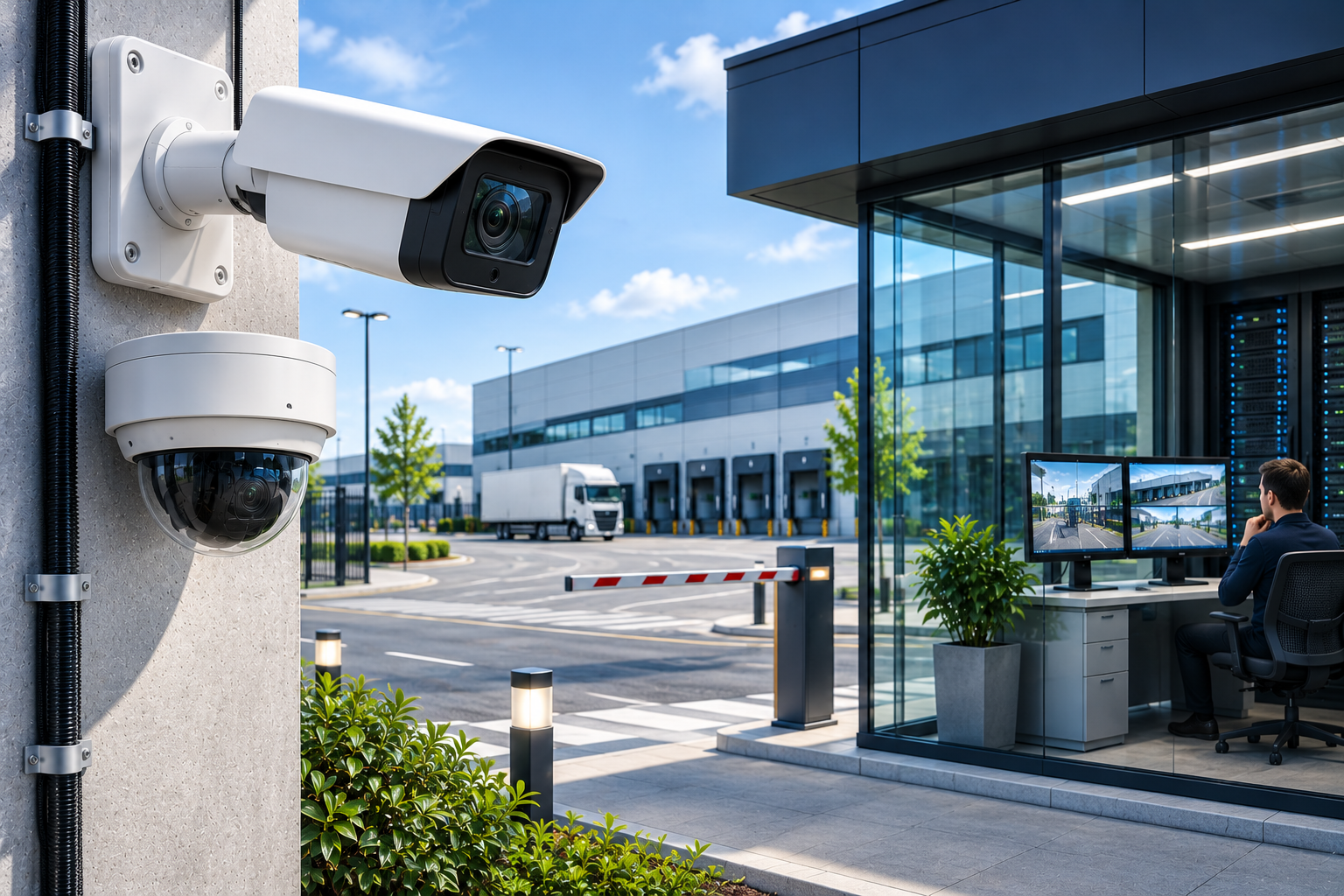
Today, security camera systems are not merely devices used for imaging and recording. Thanks to artificial intelligence, advanced video analytics, cloud technologies, and centralized security management, modern CCTV systems help detect and evaluate security incidents more quickly.
Avigilon, a manufacturer operating in this field, is a security technology brand that offers high-resolution IP security cameras, AI-powered video analytics technologies, video management software, and access control solutions.
Canadian-based Avigilon was acquired by Motorola Solutions on March 28, 2018, and currently operates within Motorola Solutions' integrated physical security ecosystem.
Avigilon's current product portfolio includes different camera families such as H6A, H6X, H6XP, H6SL, H5A, and Alta A5.
One of the key features that distinguish the brand from traditional CCTV solutions is its offering of imaging hardware alongside advanced video analytics and security management software.
Technologies such as Avigilon Unity Video, Avigilon Alta Video, Appearance Search, Unusual Activity Detection, Focus of Attention, and AI NVR are among the solutions that can be considered for professional security projects.
However, not every Avigilon-branded camera has the same features. Camera resolution, lens, low-light performance, AI capacity, recording architecture, and software compatibility can vary from model to model.
Therefore, selecting the right Avigilon camera system requires a combined evaluation of security needs, camera technology, image detail, video analytics, recording capacity, system integration, and cybersecurity.
So, what are Avigilon camera systems, how do they work, what are the differences between Unity and Alta, and which Avigilon solution should be preferred for professional CCTV projects?
What are Avigilon Camera Systems?
Avigilon camera systems are electronic video surveillance solutions consisting of IP security cameras, video management software, AI-powered analytics applications, recording devices, and integrated security components.
Avigilon's product portfolio includes:
IP bullet, dome, and box cameras.
PTZ and movable camera systems.
Panoramic and multi-sensor cameras.
Thermal and special-purpose security cameras.
AI-powered video analytics.
NVR and AI NVR recording systems.
Avigilon Unity Video management software.
Avigilon Alta cloud-based security platform.
License plate recognition solutions.
Access control and alarm integrations.
Compatible cloud connectivity and central management tools.
Avigilon camera systems can be utilized in various projects, from small businesses to multi-location corporate facilities, and from energy infrastructures to shopping malls.
However, the true capacity of the system depends not only on the camera but also on the VMS platform used, the recording infrastructure, and licenses.
Which Country's Brand is Avigilon?
Avigilon is a Canadian-based security camera and video analytics technology brand.
The company previously operated with its headquarters in Vancouver, British Columbia.
Motorola Solutions acquired Avigilon on March 28, 2018, integrating video security and AI-powered analytics technologies into its product portfolio.
Today, Avigilon is offered alongside Motorola Solutions' video security, access control, and other physical security solutions.
However, it should not be assumed that all Avigilon-branded camera models are manufactured in the same country or use the same hardware architecture.
The product's origin, manufacturing information, and relevant certifications should be checked on a model-by-model basis.
How Do Avigilon Camera Systems Work?
Avigilon IP cameras generate video through image sensors and transmit image data over a digital network to the appropriate recording or management system.
A typical Avigilon camera system may consist of the following components:
Avigilon IP camera.
PoE or appropriate power supply.
Ethernet or fiber optic network infrastructure.
NVR or appropriate video recording server.
Video management software.
Hard disk or appropriate storage system.
Security operator and monitoring clients.
Necessary alarm and access control integrations.
In suitable models, analysis operations such as human and vehicle detection can be performed directly on the camera.
This is called Edge Analytics.
In some systems, video analytics tasks can be run on an AI NVR or an appropriate server.
In Avigilon Alta systems using a cloud architecture, relevant analysis, management, and recording functions can be distributed among the camera, local connectivity component, and cloud services.
Therefore, it is not accurate to speak of a single recording and analysis architecture in Avigilon camera systems.
What is Avigilon Unity?
Avigilon Unity is a security platform designed for the centralized management of on-premise video security and access control systems.
In this platform, important components of the recording and security infrastructure can be located at the business's own facility or in a server environment it controls.
The Unity ecosystem can combine:
Avigilon Unity Video.
Avigilon Unity Access.
Unity Cloud Services.
Compatible Avigilon IP cameras.
NVR and AI NVR recording solutions.
Advanced video analytics.
What is Avigilon Unity Video?
Avigilon Unity Video is VMS software used for monitoring live images from IP cameras, recording, analyzing events, and managing security operations.
Unity Video is the current product continuation of the previous Avigilon Control Center (ACC) software family.
However, the features and licenses of older ACC versions and new Unity Video versions are not identical.
Difference Between Avigilon ACC and Unity Video
ACC 6 and ACC 7 are Avigilon's previous generations of video management software.
Unity Video 8 is the next-generation platform offering an updated software architecture and management features.
According to Avigilon's support statement dated July 2026, a Smart Plan or upgrade license may be required for certain versions when transitioning from ACC 7 to Unity Video.
Therefore, businesses with existing ACC systems should check the following before upgrading:
Software version.
Camera and NVR compatibility.
Existing licenses.
Smart Plan status.
Recording and configuration backups.
It should not be assumed that all ACC 7 systems can be automatically and freely upgraded to Unity Video.
What is Avigilon Alta?
Avigilon Alta is a platform that combines cloud-based video security and access control solutions.
Alta focuses particularly on meeting the needs for centralized management of security systems across multiple locations and remote access.
The Avigilon Alta portfolio includes:
Alta Video.
Alta Access.
Alta camera systems.
Cloud Connector devices.
Suitable cloud-based video analytics.
Alarm and event management.
Supported integration applications.
What is Avigilon Alta Video?
Alta Video is cloud-based video management software.
With supported cameras and appropriate connectivity infrastructure, it can offer functions such as:
Live viewing.
Recording access.
Remote system management.
AI-powered event analysis.
Visual and similarity-based video search.
Evaluation of human and vehicle movements.
Multi-location security management.
What Does a Cloud Connector Do?
Avigilon Alta Cloud Connector is a family of devices that enable suitable existing IP cameras to connect to the Alta cloud platform.
This approach can make it possible to leverage certain cloud management and AI features without replacing all security cameras.
However, the ability to connect an existing camera via a Cloud Connector does not guarantee that all manufacturer features will be transferred to the Alta system.
Camera model, connection method, license, video analytics support, and network requirements must be verified separately.
Differences Between Avigilon Unity and Alta
| Technical criterion | Avigilon Unity | Avigilon Alta |
|---|---|---|
| Core approach | On-premise/organization-controlled system | Cloud-first system |
| Video management | Unity Video | Alta Video |
| Recording infrastructure | NVR or suitable local servers | Cloud/edge recording based on product and service |
| Internet dependency | Local functions can operate without internet in suitable architecture | Internet is important for management and cloud services |
| Remote management | Can be supported with Unity Cloud Services | One of the platform's core features |
| Integration of older cameras | Via compatible VMS and NVR | Via suitable Cloud Connector |
| Typical use | Corporate projects requiring local data control | Multi-location businesses desiring centralized cloud management |
This comparison shows general architectural differences. Cloud storage, data residency, recording during internet outages, and licensing terms should be evaluated on a project-specific basis.
The choice between Unity or Alta should be made not solely based on camera price, but on data management, recording duration, network infrastructure, and the operational requirements of the business.
What are Avigilon Camera Series?
Avigilon offers camera families designed for different performance and usage needs.
Avigilon H6A Camera Series
The H6A is a camera family distinguished by its advanced AI-powered video analytics features.
Suitable H6A dome and bullet models may include:
Up to 8 MP resolution.
AI-powered human and vehicle classification.
Video analytics events.
Built-in IR illumination.
WDR imaging.
Audio analytics in certain models.
ONVIF Profile S, T, G, and M compliance.
H6A cameras can be used for factory perimeter security, building entrances, large facilities, and applications requiring advanced event analysis.
Avigilon H6X Camera Series
The H6X is an IP camera family offering advanced imaging and video analytics features.
Notably, the absence of a built-in microphone in H6X Dome models is an important design feature for specific projects where audio collection is not desired.
Suitable models may include:
Up to 8 MP resolution.
Human and vehicle analysis.
Certain unusual motion and crowd events.
Dynamic privacy masking.
IR illumination options.
Advanced WDR.
ONVIF compliance.
The absence of a built-in microphone does not mean the device is exempt from all personal data and privacy risks.
Avigilon H6XP Camera Series
The H6XP is a camera family that focuses on integration with certain environmental sensors and alarm applications, in addition to advanced video security functions.
Suitable H6XP dome and bullet models can connect with some Z-Wave-based devices.
This allows supported sensor events to be correlated with video security processes.
However, the actual compatibility, connection range, and system integration of devices should be checked on a model-by-model basis.
Avigilon H6SL Camera Series
The H6SL is a versatile IP camera family that can be used in various indoor and outdoor applications.
Depending on the specific dome and bullet model, it may include:
Resolution options such as 2, 3, 5, or 8 MP.
AI-powered human and vehicle analysis.
IR illumination.
WDR.
Vandal-resistant housing options.
Suitable integration with Unity or Alta platforms.
H6SL can be considered for general corporate imaging and appropriate analytics requirements.
Avigilon H5A Camera Series
The H5A is a camera family designed for various special design and imaging needs.
The portfolio includes products such as:
H5A Multisensor.
H5A Modular.
H5A PTZ.
H5A Thermal.
H5A Corner.
H5A Multisensor can offer imaging options up to 180, 270, or 360 degrees in suitable configurations.
H5A Thermal can be used in specific thermal imaging and perimeter security applications.
However, not all H5A models have the same thermal, PTZ, or analytics features.
Avigilon Alta A5 Camera Series
The Alta A5 is a camera family designed for the cloud-based Alta Video platform.
It includes suitable dome, bullet, and 360-degree models.
Certain A5 Dome models offer up to 4K imaging, AI-powered video and audio analytics, remote management, and related cloud services.
However, using a cloud-based camera does not mean that recording duration or storage capacity is unlimited.
Avigilon Camera Series Comparison
| Camera family | Core approach | Primary usage criterion |
|---|---|---|
| H6A | Advanced AI and imaging | Human/vehicle detection, perimeter security |
| H6X | AI, imaging, and specific privacy features | Analytics, microphone preference, WDR |
| H6XP | Camera and supported sensor integration | Z-Wave, alarm, video analytics |
| H6SL | Multi-purpose professional IP camera | Image, cost, basic/advanced AI |
| H5A | Multi-sensor, modular, thermal, and special solutions | Application-specific imaging |
| Alta A5 | Cloud-based IP security cameras | Alta integration, remote management |
The table shows the general approach of product families. AI functions, range, sensor support, and platform compatibility must be verified according to the product's full model number.
Avigilon AI-Powered Camera Technologies
Avigilon is one of the manufacturers focused on AI-powered image analytics and event investigation technologies.
However, the operating method and capacity of AI functions are not the same for every camera.
Human and Vehicle Detection
Suitable Avigilon cameras can detect and classify specific objects such as humans and vehicles in the image area.
This approach can help evaluate security-related events more effectively compared to traditional motion detection systems.
For example, an alarm can be generated for a person entering the perimeter security zone of a factory.
However, lighting, mounting, object size, and environmental conditions can affect false alarms or detection errors.
What is Avigilon Appearance Search?
Avigilon Appearance Search is an AI-powered search technology that helps search recorded videos for human or vehicle images based on specific visual characteristics.
For example, in a suitable Unity Video system, a security operator can:
Select an image of a person related to a specific event.
Initiate a search based on visual characteristics.
Review similar images in supported camera recordings.
Evaluate the possible sequence of movements.
This approach can reduce the need to manually review hours of video footage.
However, Appearance Search is not the same as biometric authentication.
Individuals with similar clothing or physical appearance may appear in the matching results.
The generated results must be verified by a human operator.
What is Unusual Motion Detection?
Unusual Motion Detection (UMD) is a technology that attempts to identify unusual motion events by learning motion patterns in the camera's scene.
For example, if unexpected motion occurs in an area where there is normally no movement, the system can show this to the operator.
What is Unusual Activity Detection?
Unusual Activity Detection (UAD) focuses on evaluating unusual behaviors of humans or vehicles detected by suitable cameras.
The main difference between UMD and UAD is that UMD focuses on motion patterns, while UAD focuses on classified human and vehicle behaviors.
According to Avigilon Unity Video 8.9 documentation, the initial learning periods for the systems also differ: approximately two weeks for UMD and approximately one week for UAD.
While event reporting can be done during these periods, it should be noted that detection behavior may change over time.
What is Focus of Attention?
Focus of Attention is a user interface approach that helps the operator prioritize security-critical events among numerous camera feeds.
This feature can be used for:
Prioritizing analytical events.
Quick evaluation of relevant camera feeds.
Managing alarm density.
Directing the operator's attention to critical events.
However, Focus of Attention does not replace the security operator's decision-making responsibility.
Avigilon Facial Recognition and License Plate Reading Features
Avigilon's suitable camera, NVR, and software systems may include advanced identity and vehicle analysis functions.
Facial Recognition
In supported Unity Video solutions, face matching and certain watchlist functions can be used with appropriate licenses and analytics infrastructure.
However, the support for these features does not mean that all Avigilon cameras perform facial recognition by default.
Since facial recognition applications can pose biometric data processing risks, technical and legal requirements should be evaluated separately.
License Plate Recognition (LPR)
Avigilon offers various LPR solutions for detecting vehicle license plates and recording related events.
In suitable systems, it may be possible to:
Obtain license plate images.
Read license plate characters.
Correlate vehicle movements with recordings.
Evaluate authorized license plate lists.
Generate alarms for specific vehicle events.
However, camera resolution alone is not sufficient for successful license plate reading.
Camera angle, vehicle speed, night IR illumination, license plate pixel density, and algorithm requirements should be evaluated together.
Avigilon NVR and AI NVR Systems
Avigilon offers NVR and AI NVR systems for different camera and recording scales.
Avigilon NVR6
NVR6 is a family of recording devices specifically designed for professional recording requirements within the Unity Video ecosystem.
According to the manufacturer's product description, suitable configurations offer options for up to 400 cameras and 440 TB of storage.
However, these upper limits do not mean that all NVR6 models will provide the same performance.
Avigilon AI NVR 2
AI NVR 2 is a family of devices that can perform AI operations in addition to recording functions.
It can provide server-based video analytics functions, especially for cameras that do not have advanced AI analytics built-in or from suitable third parties.
According to the manufacturer's description, the AI NVR 2 family includes:
Configurations supporting up to 400 cameras.
Storage options up to 440 TB.
AI-powered image analytics.
Centralized device management.
Certain cloud connectivity and device health functions.
However, the maximum number of cameras, AI analysis capacity, and recording bandwidth should not be interpreted as simultaneously reaching their highest values independently.
Difference Between NVR6 and AI NVR 2
NVR6 focuses on high-capacity recording and system infrastructure.
AI NVR 2, on the other hand, can be considered for projects where advanced video analytics will be performed specifically on the server.
Both products have different performance options depending on the model and configuration.
The correct device selection should be made based on the analysis workload, total video bitrate, and recording retention requirements, as well as the number of cameras.
Hard Disk and Recording Duration Calculation in Avigilon Camera Systems
Recording retention duration is one of the most important technical selection criteria in security camera systems.
Especially in facilities with a large number of high-resolution cameras, storage capacity must be calculated correctly.
Example Recording Calculation
Assume in a facility:
Number of cameras: 16.
Average video bitrate per camera: 4 Mbps.
Daily recording: 24 hours.
Retention target: 30 days.
Total video bitrate:
16 × 4 = 64 Mbps
Theoretical raw video data amount for 30 days:
64 × 86,400 × 30 / 8 = 20.74 TB
In this example, approximately 20.7 TB of storage is calculated for video data alone.
However, the actual disk requirement can vary depending on factors such as:
Camera resolution.
H.264/H.265 compression.
Motion intensity in the scene.
Video frame rate.
Continuous or event-based recording.
Audio and analytical metadata.
RAID and redundancy.
Storage system reserve.
Therefore, this calculation is not a definitive disk capacity recommendation.
Especially in cloud systems like Alta, recording duration should be evaluated separately based on the connection architecture and service subscription terms.
Recording duration should be determined not only by theoretical calculation but also by verifying that past recordings are actually accessible after the system is installed.
What to Consider When Choosing an Avigilon Camera?
In professional Avigilon CCTV projects, multiple technical criteria should be evaluated when selecting the correct camera model and system architecture.
1. Camera Purpose
First, determine the camera's specific task, such as general area surveillance, perimeter intrusion detection, incident investigation, or vehicle recognition.
2. Unity or Alta Architecture
Data storage, local control, cloud management, internet connectivity, and cost requirements should be evaluated.
3. Camera Resolution and Lens
Camera resolution, target distance, and field of view width should be evaluated together.
A high megapixel value alone does not guarantee a more reliable security image.
4. DORI and PPM Analysis
PPM (Pixels Per Meter) refers to the number of pixels per meter of the horizontal area viewed at the target distance.
Basic formula:
PPM = Horizontal image resolution / Horizontal field of view width at target distance
For example, if a camera with 3840 horizontal pixels resolution views an area 16 meters wide at the target distance:
3840 / 16 = 240 PPM
This value helps evaluate image detail.
However, it alone does not guarantee that a person's identity can be definitively determined or that AI object detection will work with specific accuracy.
5. IEC 62676-4:2025 Standard
IEC 62676-4:2025 is the current application standard for the planning, design, installation, testing, commissioning, and maintenance of video surveillance systems for security purposes.
The second edition, published on October 9, 2025, replaces the previous 2014 version.
In new projects, not only the classic DORI approach but also the image detail requirements of the current standard should be evaluated.
For a more detailed technical explanation, GüvenlikOnline's article What is DORI Analysis in Camera Systems? can be reviewed.
6. Night Vision and WDR
IR illumination, low-light performance, image noise, and WDR features should be tested under real field conditions.
The clarity of moving targets in night images should be checked specifically.
7. AI Compatibility
Verify which camera, NVR, and software combination supports Appearance Search, human-vehicle classification, and other AI features.
8. Environmental Durability
For outdoor applications, IP water/dust protection, IK mechanical impact resistance, and operating temperature should be checked.
9. Recording and Network Capacity
The number of cameras, bitrate, PoE power budget, recording device performance, and storage system should be calculated together.
10. Cybersecurity and Technical Support
Firmware updates, device certificates, network segmentation, licensing, and support lifecycle should be part of the purchasing decision.
Are Avigilon Cameras ONVIF Compatible?
Certain Avigilon IP camera models support ONVIF standards.
For example, the product documentation for current H6A dome and bullet models describes ONVIF Profile S, T, G, and M support.
However, it should not be assumed that all Avigilon cameras have the same profiles.
Why is ONVIF Compatibility Important?
ONVIF provides standard interfaces that facilitate the interoperability of IP-based security devices from different manufacturers.
This allows suitable Avigilon cameras to be integrated into third-party recording or video management systems.
However, merely obtaining live video does not guarantee that advanced video analytics events and manufacturer-specific features will also be supported.
Therefore, the following functions should be tested separately:
Live video.
Recording.
PTZ control.
Audio.
Analytical metadata.
Alarm notifications.
Recording playback.
For official compliance, the ONVIF Conformant Products database can be used.
Cybersecurity in Avigilon Camera Systems
IP security cameras are devices connected to corporate computer networks.
Therefore, cybersecurity in camera systems is not limited to just user passwords.
Suitable Avigilon products may include functions such as:
Secure boot.
Signed firmware.
Hardware-based security components.
Supported encrypted communication.
Certificate and device identity management.
Security status monitoring on suitable devices.
Update mechanisms.
However, a camera supporting secure boot does not mean that all Avigilon products have the same security certifications.
Avigilon Cybersecurity Checklist
Default and weak passwords should not be used.
User access should be authorized.
Camera networks should be kept in appropriate network segments.
Unnecessary services should be disabled.
Product firmware versions should be monitored.
Secure methods should be used for remote access.
Recording and management servers should be protected separately.
Encryption and data transfer conditions for cloud connections should be examined.
Access and event logs should be checked.
System backup and disaster recovery procedures should be prepared.
A camera being accessible via the cloud or the internet does not mean that operating the device directly exposed to the internet without protection is secure.
Avigilon Camera Systems and KVKK (Personal Data Protection Law)
Recording images of specific or identifiable individuals with security cameras can constitute personal data processing activity.
Therefore, regardless of whether Avigilon or another brand of camera is used, obligations regarding the protection of personal data in Turkey should be evaluated.
The Personal Data Protection Authority's statement on the use of security cameras in workplaces is an important official source on this matter.
Specifically:
The purpose of camera use must be clearly defined.
Imaging should be limited to necessary areas.
Employee and visitor privacy must be observed.
The necessary obligation to inform must be fulfilled.
Access permissions to recordings must be restricted.
Recording retention periods must be determined.
Audio recording must be evaluated separately.
Facial recognition and biometric analysis functions must be examined from a legal perspective.
Conditions for international data transfer in cloud services must be evaluated.
How is Appearance Search Evaluated from a KVKK Perspective?
Appearance Search can help search recordings based on individuals' visual characteristics.
However, it is not the same process as facial recognition and biometric authentication.
Nevertheless, tracking individuals through images and correlating their movements can create personal data processing risks.
Therefore, the feature should be evaluated not only based on its technical capacity but also on its purpose of use, data processing method, and legal conditions.
The presence of facial recognition or person tracking features on a camera does not mean that this feature can be legally used in every environment.
In Which Sectors Are Avigilon Camera Systems Used?
Factories and Industrial Facilities
Can be used for factory perimeter security, warehouse entrances, loading areas, and designated security zones.
Shopping Malls
Camera and analytics systems can be utilized at mall entrances, parking lots, technical areas, and security operations centers.
Chain Stores
Unity or suitable Alta architectures can be used for centralized management of security cameras across multiple locations.
Hospitals and Healthcare Institutions
Camera and access control integration can be implemented in security-critical areas.
Patient and employee privacy must be evaluated separately.
Logistics and Warehouses
Security cameras and appropriate AI analytics can be used at vehicle entrances, loading docks, and in warehouse operations.
Airports and Transportation Facilities
Centralized video management can be considered for security projects with extensive camera infrastructure and numerous operators.
Banks and Financial Institutions
Can be used for branch and building security, record management, and appropriate analytical event investigations.
Energy and Critical Infrastructure
Suitable Avigilon systems can be considered for projects where camera, recording, redundancy, and cybersecurity must be planned together.
Which Avigilon Camera System Should Be Preferred?
| Usage area | Solution to consider | Primary criterion |
|---|---|---|
| Small business | H6SL or suitable Alta A5 | Image quality, recording, and cost |
| Store and retail | H6SL, H6A or Alta A5 | AI, event search, remote management |
| Factory perimeter security | H6A/H6X and suitable Unity infrastructure | Distance, false alarms, night vision |
| Special sensor integration | H6XP | Z-Wave and supported devices |
| Large open area | Suitable H6A PTZ and fixed camera | Optical zoom, coverage |
| Panoramic viewing | H5A Multisensor or H6A Fisheye | Field of view and pixel detail |
| Multi-location business | Alta Video | Cloud management, connectivity, subscription |
| Critical corporate facility | Unity Video, NVR6/AI NVR 2 | Recording continuity, AI, and security |
This table represents a general selection approach. The exact camera model, VMS version, license, and recording architecture must be determined on a project-by-project basis.
Common Mistakes in Avigilon Camera Installation
Selecting cameras based solely on megapixel value.
Assuming Unity and Alta architectures are the same.
Not checking camera and VMS compatibility.
Not calculating lens and target distance.
Not testing night image quality.
Interpreting Appearance Search results as definitive identity verification.
Incorrectly configuring AI detection zones.
Underestimating NVR recording and analysis capacity.
Inadequate planning of PoE and network bandwidth.
Not testing system behavior in case of cloud connection loss.
Neglecting license and software upgrade requirements.
Ignoring cybersecurity and KVKK obligations.
Not verifying recording continuity and playback.
Technical site surveys, correct product selection, and documented commissioning processes are crucial in preventing these errors.
Periodic Maintenance in Avigilon Camera Systems
Periodic maintenance in professional Avigilon camera systems is not limited to just cleaning camera lenses.
Maintenance includes checking:
Camera housings and lenses.
Day and night images.
Focus and viewing angles.
IR and WDR performance.
AI analytics zones.
Human and vehicle detection accuracy.
NVR and AI NVR operating status.
Hard disk and recording retention duration.
Unity or Alta connections.
Cloud Connector statuses.
Network, PoE, and power infrastructure.
Firmware and software versions.
User permissions.
Verification of alarms and historical recordings.
Changing analytical zones or camera positions, in particular, can affect detection performance.
A camera providing a live feed alone does not prove that recordings, AI analyses, and alarm functions are working correctly.
Avigilon Camera System Technical Checklist
Is the purpose of the camera system defined?
Is the Unity or Alta platform correctly chosen?
Have H6A, H6X, H6XP, H6SL, H5A, or Alta A5 options been evaluated?
Is camera and VMS compatibility checked?
Are lens, field of view, and target distance calculated?
Are DORI/PPM and current image detail criteria evaluated?
Is day and night image quality tested?
Are AI features verified based on model and license?
Are Appearance Search and other event investigation functions tested?
Is the NVR or cloud recording architecture determined?
Is storage capacity and recording duration calculated?
Are network bandwidth and PoE budget sufficient?
Is ONVIF and third-party integration verified?
Is a cybersecurity and software update plan prepared?
Are KVKK, audio recording, and cloud data transfer evaluated?
Are recording and alarm functions verified by playback?
Is a periodic maintenance and technical support plan established?
This checklist is prepared for general technical evaluation purposes. It does not replace product documentation, relevant standards, and project-specific engineering work.
Frequently Asked Questions
What are Avigilon camera systems?
Avigilon camera systems are solutions consisting of IP security cameras, NVR recording devices, video management software, AI analytics, and related security integrations.
Which country's brand is Avigilon?
Avigilon is a Canadian-based security technologies brand. It has been part of Motorola Solutions since 2018.
What is Avigilon Unity?
Unity is an Avigilon platform focused on managing on-premise video security and access control infrastructures.
What is Avigilon Alta?
Alta is an Avigilon platform that encompasses cloud-based video security and access control solutions.
What is the difference between Avigilon Unity and Alta?
Unity focuses on an on-premise and organization-controlled system architecture, while Alta focuses on cloud-based management and remote access. Both solutions may offer suitable integration and cloud connectivity options.
What is Avigilon Appearance Search?
Appearance Search is an AI-powered video search technology that helps search recorded images for humans or vehicles based on visual characteristics.
What is the difference between Avigilon H6A and H6SL?
H6A offers products for more advanced AI and imaging requirements, while H6SL can be considered for general professional IP camera applications with broad coverage. Exact features depend on the model.
Are Avigilon cameras AI-powered?
Many current Avigilon camera models offer AI-powered video analytics. However, not every model supports the same algorithms, licenses, or analysis performance.
Do Avigilon cameras work with other brand NVRs?
Certain models can connect to third-party NVR or VMS systems with appropriate ONVIF profiles. However, advanced analytics and manufacturer-specific functions must be verified separately.
Do Avigilon cameras work without internet?
Suitable Unity recording and local network infrastructure can operate without internet. The connectivity requirements for cloud management functions in the Alta platform are different.
Do Avigilon cameras provide color images at night?
Certain models can provide color images in low-light conditions. However, actual performance depends on the sensor, lens, ambient light, and exposure settings.
What determines Avigilon camera prices?
Camera series, resolution, lens, AI features, housing protection, VMS license, NVR, storage, and cloud services affect the total cost.
Conclusion: Correct Architecture and AI Selection are Crucial in Avigilon Camera Systems
Avigilon camera systems offer various solution options in professional IP imaging, AI-powered video analytics, and integrated security management.
Avigilon Unity and Alta platforms create different architectural options between local system management and cloud-based security applications, while the H6A, H6X, H6XP, H6SL, H5A, and Alta A5 camera families offer solutions for different imaging requirements.
Technologies such as Appearance Search, Unusual Activity Detection, and Focus of Attention can help evaluate security incidents more quickly.
However, a successful Avigilon CCTV project is not completed merely by purchasing advanced camera or AI technology.
The correct lens, image detail, recording capacity, secure network architecture, analytical accuracy, and system integration must be planned together.
Especially in factory, shopping mall, warehouse, logistics center, public building, and critical infrastructure projects, professional site surveys, technical design compliant with current standards, and real-world field verification are important.
The most suitable Avigilon camera system is not the one with the most features, but the system that reliably, measurably, and sustainably meets the facility's security needs.