
Axis Camera Systems: Technologies, Features, and Selection Guide
What are Axis camera systems and how to choose them? We examine Axis IP cameras, ARTPEC-9, Object Analytics, Lightfinder, Forensic WDR, Zipstream, Camera Station, and Edge Vault technologies. A technical guide for M/P/Q/F camera series, artificial intelligence, DORI/PPM, recording capacity, cybersecurity, and professional CCTV installation.
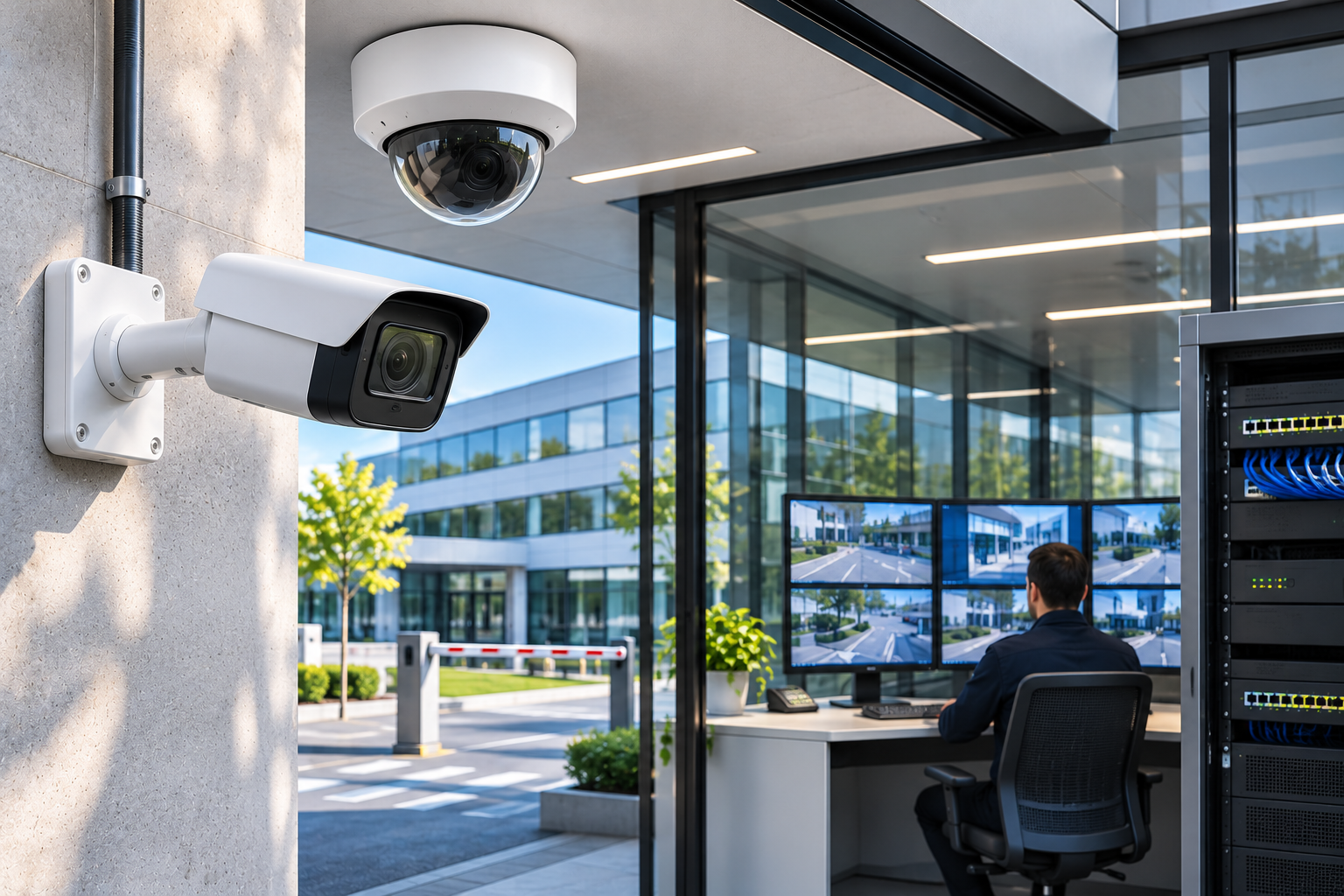
Security camera systems are used in many areas, from homes to corporate offices, factories to shopping malls, and critical infrastructure facilities. Today, professional CCTV systems are expected not only to generate and record images but also to accurately detect security incidents, reliably store recordings, and integrate with other security technologies.
Among the manufacturers operating in this field, Axis Communications is a Sweden-based network video and electronic security technologies company.
Axis camera systems are utilized in projects of various scales due to their IP-based imaging, high image quality, open integration infrastructure, on-camera artificial intelligence analytics, and cybersecurity features.
Specifically, technologies such as ARTPEC-9, AXIS Object Analytics, Lightfinder, Forensic WDR, OptimizedIR, Zipstream, and Axis Edge Vault are prominent components in Axis' professional video security solutions.
However, not all Axis-branded cameras have the same technical specifications. Camera resolution, lens options, low-light performance, AI capacity, recording features, and cybersecurity functions may vary by product model.
For example, a wide-angle camera with 4K resolution may not always provide sufficient detail to identify a person at a long distance. Similarly, a camera with advanced AI analytics may not achieve the expected object detection performance under unsuitable mounting or lighting conditions.
Therefore, the correct Axis camera system selection requires a comprehensive evaluation of security needs, image detail, lens, mounting location, night vision, recording infrastructure, and cybersecurity criteria.
So, what are Axis camera systems, how does ARTPEC-9 work, what are the differences between Axis camera series, and how do you choose the right Axis camera for professional CCTV projects?
What Are Axis Camera Systems?
Axis camera systems are solutions developed or offered by Axis Communications, consisting of IP cameras, image analytics applications, video recording and management software, and related electronic security components.
The Axis product portfolio includes:
IP bullet, dome, and box cameras.
PTZ and speed dome cameras.
Panoramic and multi-sensor cameras.
Modular camera systems.
Thermal cameras.
Special certified cameras for explosive environments.
Radar and other detection systems.
On-camera video analytics applications.
Video recording and management solutions.
Network audio systems, intercom, and access control components.
Thanks to this portfolio, Axis products can be used not only for imaging purposes but also in integrated systems where different security components work together.
However, it should not be assumed that every product supports all functions.
In a professional Axis CCTV project, the camera, recording device, software, network, and analytics features must be compatible.
How Do Axis Camera Systems Work?
Axis IP cameras digitally process data obtained from the image sensor and transmit it over the network.
Images can be stored on a local recording device, a video management server, or other supported storage infrastructures, depending on the system architecture.
A typical Axis camera system includes the following components:
Axis IP security camera.
PoE or suitable separate power supply.
Ethernet or fiber optic network.
NVR, recording server, or supported local storage.
Video management software.
Required monitoring and management terminals.
Other security integrations required by the application.
In certain Axis cameras, image analysis can be performed via the on-camera processor.
This approach is called Edge Computing or on-camera processing.
For example, a suitable Axis camera can analyze people or vehicles in its field of view and generate events according to defined security rules.
Thus, it may not be necessary to send the entire image to a separate analysis server for certain analytical functions.
However, it should not be assumed that all system features will run on the camera or that every analytical event is compatible with every software.
What Are Axis Camera Series?
Axis offers numerous camera series for different needs.
Axis M Series Cameras
The AXIS M series generally offers product options for basic and economical professional IP imaging needs.
Suitable models may include:
Image transmission over IP.
Various resolutions.
Built-in or model-specific night vision features.
Basic or certain advanced analytics functions.
Compact mounting options.
They can be considered for small and medium-sized businesses, offices, stores, and general area surveillance applications.
However, it should not be assumed that all products in the M series have the same processor, AI, or cybersecurity features.
Axis P Series Cameras
The AXIS P series is a broad family of IP camera products for various professional CCTV applications.
Models covering bullet, dome, and other camera designs may feature advanced image processing, AI analytics, low-light performance, and various lens options.
For example, current models like the AXIS P3285-LVE with an ARTPEC-9 processor support AV1 video compression and on-camera deep learning processes.
The P series can be considered for offices, stores, parking lots, factories, and corporate facilities.
Axis Q Series Cameras
The AXIS Q series offers high-performance camera solutions for advanced security applications.
Depending on the product model, features may include:
Advanced optical zoom.
High image quality.
Strong low-light performance.
PTZ features.
Advanced AI analytics.
Electronic image stabilization.
Durability in harsh environmental conditions.
They can be particularly considered for monitoring large facilities, transportation areas, and specific critical security points.
However, it should not be assumed that all cameras in the Q series have PTZ or the same advanced imaging features.
Axis F Series Modular Cameras
The AXIS F series offers modular camera systems where the camera sensor unit and the main processing unit can be used as separate physical components.
This architecture allows the camera sensor to be placed in a small or special mounting point while the main unit is located elsewhere, in suitable applications.
The modular design can be considered for:
Tight mounting spaces.
Specific in-vehicle applications.
Special housing requirements.
Multi-sensor architectures.
Some industrial and specialized imaging scenarios.
However, a modular design does not mean the device can be used for all types of covert surveillance. Privacy and legal requirements must be evaluated separately.
Comparison of Axis M, P, Q, and F Camera Series
| Camera family | General approach | Primary selection criterion |
|---|---|---|
| AXIS M | Basic and economical professional imaging | Image quality, price, basic functions |
| AXIS P | Comprehensive professional IP camera solutions | Lens, AI, night vision, integration |
| AXIS Q | Advanced and high-performance applications | Optical performance, special functions, durability |
| AXIS F | Modular and special mounting architectures | Sensor/main unit compatibility, placement, application need |
This comparison shows the general positioning of product families. Exact specifications should be evaluated based on the product model and version.
What is Axis ARTPEC?
ARTPEC is a family of System on Chips (SoC) developed by Axis specifically for network-based video security systems.
These processors support various imaging and computing functions within the camera.
The core tasks of the ARTPEC platform include:
Image processing.
Video encoding and compression.
On-camera analytics.
Deep learning acceleration in suitable models.
Device security functions.
Axis has developed the ARTPEC processor architecture across different generations.
However, not all Axis cameras use the same ARTPEC processor. Axis may also use SoC platforms from different processor manufacturers in some of its products.
What is Axis ARTPEC-9?
ARTPEC-9 is Axis' ninth-generation System on Chip, introduced on November 20, 2024.
ARTPEC-9 is designed to improve image quality, artificial intelligence analytics, video encoding efficiency, and device security.
One of its most significant innovations is its support for the AV1 video encoding standard.
Key Features of ARTPEC-9
Advanced AI processing on camera.
More powerful image analysis capability.
AV1 video encoding support.
Data optimization with Zipstream.
Enhanced image processing.
Support for device security functions.
How Does AI Work with ARTPEC-9?
In suitable Axis cameras, deep learning processes can be accelerated by dedicated computing units on the processor.
One of the components Axis uses for this purpose is called DLPU (Deep Learning Processing Unit).
The DLPU helps supported models run more efficiently on the camera.
For example, it can be used for tasks such as classifying people, vehicles, or specific objects.
However, not every camera using the same ARTPEC generation may have the same processing capacity or support the same analytical applications.
What is Axis AV1 Technology?
AV1 is an open video encoding standard developed by the Alliance for Open Media.
Axis has brought AV1 support to professional network video systems with the ARTPEC-9 platform.
The goal of AV1 is to improve data transmission and storage efficiency while preserving video quality under suitable encoding and image conditions.
This approach is particularly important in high-resolution video systems.
However, using an AV1-supported camera does not mean that all NVR and VMS software automatically support this format.
Difference Between AV1, H.264, and H.265
H.264, H.265, and AV1 are different video encoding standards.
Generally, next-generation encoding technologies aim to provide the same perceptual image quality at a lower bitrate under certain conditions.
However, actual performance depends on:
Camera processor.
Encoder settings.
Amount of motion in the image.
Frame rate.
Resolution.
Video management software used.
Even if the camera supports AV1, the AV1 compatibility of the recording system, video player, and related integrations must be independently verified.
What is AXIS Object Analytics?
AXIS Object Analytics is an AI-based object analysis application that runs on supported Axis cameras.
The system can be used to detect, classify, track, and count specific objects such as people and vehicles.
AXIS Object Analytics runs on-camera on compatible devices.
What Functions Does Object Analytics Offer?
Depending on the supported device and application scenario, functions such as:
Human detection.
Vehicle detection.
Specific vehicle classifications.
Virtual line crossing.
Object detection within a zone.
Dwell time in specific areas.
Entry-exit counting.
Real-time occupancy analysis.
Queue and direction analysis in suitable versions.
Automatic notifications for specific security events.
can be offered.
For example, an alarm event can be generated when a person enters a specific security zone in a camera installed around a factory.
Vehicle passages can be counted in a parking lot, or vehicles parked in a specific area can be monitored.
Difference Between Object Analytics and Traditional Motion Detection
Traditional motion detection is based on changes in the image.
AXIS Object Analytics, in suitable models, can evaluate whether detected objects belong to target classes such as people or vehicles.
This approach can help reduce unnecessary alarms caused by trees swaying in the wind or certain environmental movements.
However, AI analytics does not completely eliminate false alarms.
Actual detection performance depends on target size, camera angle, lighting, movement speed, and environmental conditions.
Can People Counting Be Done with Axis Cameras?
Yes. Specific people counting scenarios can be created in models supported by AXIS Object Analytics.
For example:
Counting people passing through a door.
Estimated number of people in a specific area.
Evaluation of human movement directions.
Monitoring occupancy trends of a specific area.
may be possible.
However, the presence of a people counting feature on a standard IP camera does not mean the device will provide the same accuracy as specialized 3D stereoscopic people counting sensors.
Especially in high human density, side-by-side passages, and multi-entry facilities, detection performance should be verified with real field tests.
In professional people counting projects, not only catalog features but also entry-exit accuracy, counting deviation, and data reliability should be evaluated.
What is Axis Lightfinder?
Axis Lightfinder is an imaging technology aimed at obtaining usable color images in low-light conditions.
This technology uses highly light-sensitive sensors, suitable optical components, and image processing methods together.
What Does Lightfinder 2.0 Provide?
Lightfinder 2.0 aims to improve image detail and color reproduction in low light compared to previous generations.
Under suitable cameras and operating conditions, it can provide advantages such as:
Color image in low light.
Reduction of image noise.
Clearer viewing of moving objects.
Benefiting from shorter exposure times.
However, using Lightfinder does not guarantee that unlit color images can be obtained in every environment where there is no light at all.
When evaluating low-light performance, not only the quality of an empty scene but also the image clarity of moving people and vehicles should be considered.
What is Axis Forensic WDR?
WDR (Wide Dynamic Range) is a technology aimed at balancing very bright and very dark regions within the same image.
Axis Forensic WDR focuses on preserving security-critical image details in challenging lighting conditions.
For example:
Glass-fronted building entrances.
Parking lot entrances and exits.
Factory doors exposed to sunlight.
Areas where bright outdoor and dark indoor environments are viewed together.
are points where Forensic WDR use can be considered.
However, the actual image quality of the camera should not be determined solely by looking at the high WDR dB value specified in the technical specifications.
Image processing method, exposure, sensor, and moving target performance should be evaluated together.
What is Axis OptimizedIR?
OptimizedIR is Axis' infrared illumination technology used in compatible cameras.
This approach aims to help use IR illumination more effectively according to camera imaging conditions.
In suitable models, IR illumination behavior can be linked to the lens's angle of view.
This can achieve more appropriate illumination for viewing certain near and distant targets.
However, IR illumination distance does not guarantee reliable facial recognition or license plate reading at the same distance.
Actual imaging success depends on the lens, target distance, PPM, shutter speed, and environmental conditions.
What is Axis Zipstream?
Axis Zipstream is an intelligent compression technology aimed at reducing video data volume while preserving security-critical image details.
Unlike traditional fixed compression approaches, it helps evaluate motion and important image regions in the scene.
How Does Zipstream Work?
In a camera image:
Moving targets such as people and vehicles.
Security-critical details.
Static background.
Amount of motion in the scene.
can affect encoding efficiency.
Zipstream aims to preserve critical details while reducing data volume in less important image regions, in suitable configurations.
Which Formats Can Zipstream Be Used With?
According to Axis' official technology descriptions, Zipstream can be used with H.264, H.265, and AV1 in suitable devices.
However, AV1 support is not available in all camera models.
How Much Does Zipstream Reduce Storage Needs?
A single savings rate does not apply to all systems.
Actual data volume varies depending on the scene's motion intensity, video encoding settings, and image quality goals.
Therefore, recording capacity calculations should not be based solely on the potential compression advantages stated by the manufacturer.
What is Axis Edge Vault?
Axis Edge Vault is a security platform that integrates hardware-based cybersecurity functions in supported Axis devices.
This platform leverages various technologies to protect device identity, cryptographic keys, and software integrity.
What Security Features Does Axis Edge Vault Offer?
Depending on the model, features may include:
Secure Boot.
Signed OS.
Secure key storage.
Device identity authentication.
TPM or secure hardware components.
Signed Video.
Encrypted file system and related protections.
What is Signed Video?
Signed Video is a technology that enables cryptographic signatures to be added to video data produced by suitable Axis cameras.
This feature can help verify whether an image has been altered after being signed.
However, Signed Video does not guarantee:
That the content of the image is definitively interpreted correctly,
That the camera is always looking at the correct point,
That the recording automatically meets all legal evidentiary requirements,
That the identity of individuals in the image is definitively determined.
Signed Video is a technical security mechanism that helps verify the integrity and origin of video data.
The scope of Edge Vault features should be checked based on the product model and software version.
What is Axis Camera Application Platform (ACAP)?
AXIS Camera Application Platform (ACAP) is an open application platform that enables the development and execution of custom software applications on Axis devices.
ACAP can support cameras not only in generating images but also in performing specific custom analysis and integration tasks.
In Which Areas Is ACAP Used?
Custom video analytics applications.
Human and vehicle detection.
Specific industrial monitoring scenarios.
Automation of security events.
Retail analytics.
Suitable third-party software integrations.
Custom image processing applications.
However, not every ACAP application runs on all Axis cameras.
The application's required processing capacity, supported AXIS OS version, processor architecture, and necessary licenses should be checked.
Why Is ACAP Important?
ACAP can enable the development of specific applications needed beyond the standard analytics offered by the manufacturer.
For example, if a specific image analysis application is required in an industrial facility, a software solution running on a suitable Axis camera can be considered.
However, the actual accuracy and reliability of custom software in critical security applications should be tested separately.
What is Axis Camera Station?
Axis offers different software solutions for video surveillance and recording management.
These products include AXIS Camera Station Pro and AXIS Camera Station Edge.
AXIS Camera Station Pro
AXIS Camera Station Pro is a professional VMS solution used for video monitoring, recording, and management.
In supported systems, it may include:
Live view monitoring.
Recording and playback.
Event search.
Multi-camera management.
User and access permissions.
Access control integration.
Specific multi-site management functions.
Supported cloud connectivity options.
Camera Station Pro can be used in professional facility applications with suitable server and recording architecture.
AXIS Camera Station Edge
AXIS Camera Station Edge offers a video management approach that leverages camera and cloud components, not requiring a separate local recording server.
It can be particularly considered for suitable small and medium-sized applications.
However, as a cloud-first solution, internet connectivity is important for many management and access functions.
The availability of a cloud storage option does not mean that all images are automatically recorded to the cloud.
Comparison of Camera Station Pro and Edge
| Criterion | Camera Station Pro | Camera Station Edge |
|---|---|---|
| Core architecture | Server-based professional VMS | Camera and cloud-centric management |
| Local recording server | Used in suitable systems | Separate server not mandatory |
| Internet dependency | Local functions can work without internet in suitable architecture | Many management functions require internet |
| Integration | Extensive professional integration options | Simpler supported management features |
| Typical project | Enterprise and comprehensive security systems | Suitable, easily manageable applications |
Exact specifications depend on software version, service terms, and device compatibility.
What is Axis Site Designer?
AXIS Site Designer is an Axis design tool that simplifies the planning of security systems.
This application can be used to select suitable products and estimate system resources.
With Site Designer:
Camera positions and fields of view can be planned.
Different Axis camera models can be compared.
Network bandwidth estimates can be made.
Recording duration and storage needs can be calculated.
PoE power consumption can be evaluated.
Suitable recording solutions can be planned.
Bill of materials for the project can be prepared.
However, the estimated bandwidth or recording duration generated by the software does not guarantee results under real field conditions.
Especially the amount of motion in the scene and lighting conditions can affect data consumption.
Therefore, calculations should be verified with estimated data before the project and with actual measurement data after commissioning.
How to Calculate Axis NVR and Recording Duration?
In Axis camera systems, recording capacity should be determined based on the number of cameras, bitrate, recording method, and storage duration.
Example Recording Capacity Calculation
Let's use the following assumptions for a CCTV system:
Number of cameras: 10.
Average camera bitrate: 3 Mbps.
Daily recording duration: 24 hours.
Recording retention target: 30 days.
Total video bitrate:
10 × 3 Mbps = 30 Mbps
Approximate video data for 30 days:
30 × 86,400 × 30 / 8 = 9.72 TB
This result only shows the approximate raw video data volume.
Actual storage needs may vary depending on:
Camera resolution.
Use of H.264, H.265, or AV1.
Zipstream settings.
Amount of motion in the scene.
Frame rate.
Audio recording.
RAID or redundancy configuration.
Available capacity of the storage system.
Therefore, the 9.72 TB raw data calculation should not be directly considered as a specific physical disk capacity recommendation.
In professional CCTV projects, recording duration should be verified by playing back actual past recordings, in addition to theoretical calculations.
Are Axis Camera Systems ONVIF Compatible?
Axis offers different standard interfaces and integration possibilities for IP-based security systems.
Certain Axis cameras support ONVIF profiles.
ONVIF defines standard interfaces that facilitate the interoperability of IP-based physical security products from different manufacturers.
However, it should not be assumed that all Axis cameras support all ONVIF profiles.
In compatibility evaluation, the following should be checked together:
Camera model.
AXIS OS version.
Supported ONVIF profile.
NVR or VMS used.
Required video, recording, and analytics functions.
What is Axis VAPIX?
VAPIX is Axis' Application Programming Interface (API) technology that provides access to various functions of its network products.
This interface can be used in areas such as camera management, video functions, and device events in suitable integrations.
However, VAPIX support does not mean that any third-party software will automatically be compatible with all Axis features.
Actual integration tests are important in multi-brand systems.
What to Consider When Choosing an Axis Camera?
In professional Axis camera selection, decisions should not be made solely based on the camera series or megapixel value.
1. Camera Purpose
The camera's purpose, whether it's general area surveillance, people viewing, vehicle tracking, perimeter security, or specific analytical tasks, should be determined beforehand.
2. Camera Resolution and Lens
High resolution can provide more pixels over a wide area. However, the detail required at the target distance depends on the lens and field of view.
3. DORI and PPM Analysis
PPM (Pixels Per Meter) refers to the number of pixels per meter of horizontal image width at the target distance.
Basic formula:
PPM = Horizontal image resolution / Horizontal field of view at target distance
For example, if a camera with 3840 horizontal pixel resolution views an area 16 meters wide at a certain distance:
3840 / 16 = 240 PPM
This calculation helps evaluate image detail.
However, it alone does not guarantee success in facial recognition or identification.
The IEC 62676-4:2025 standard is the current technical reference for planning, installation, testing, and commissioning of video surveillance systems.
The new version also updates the image detail classification.
Therefore, in new projects, evaluation should be based not only on old DORI values but also on applicable current standards and the actual imaging task.
For more detailed information, GüvenlikOnline's article What is DORI Analysis in Camera Systems? can be reviewed.
4. Night Vision and Moving Image Quality
Lightfinder, IR, and other imaging features should be evaluated in real-world conditions.
Especially, the clarity of moving objects in night images should be tested.
5. Video Analytics Performance
If AXIS Object Analytics is to be used, human or vehicle detection scenarios should be tested in real-world conditions.
The camera manufacturer's general analytics descriptions do not guarantee the same success under all conditions.
6. Cybersecurity
Axis Edge Vault, secure boot, and device management features should be evaluated on a model-specific basis.
7. Environmental Protection
For outdoor cameras, the IP protection class should be checked, and for areas with impact risk, the IK protection class should be checked.
8. Recording and Integration
When using Camera Station or third-party VMS, license, analytics compatibility, recording capacity, and device support should be examined.
How to Ensure Cybersecurity in Axis Camera Systems?
Hardware-based security features in Axis devices can provide significant advantages.
However, no single camera alone eliminates all cybersecurity risks.
In professional Axis CCTV projects:
Strong and unique user passwords should be used.
Administrator privileges should be restricted.
The camera network should be kept in appropriate network segments.
Unnecessary internet connection ports should be closed.
Supported HTTPS and related secure communication features should be evaluated.
AXIS OS updates should be followed.
Manufacturer's security advisories should be reviewed.
Access and event logs should be regularly checked.
Device identity and certificate management should be planned.
System configuration should be backed up before updates.
Axis' AXIS Device Manager and AXIS Device Manager Extend tools can help manage device inventory and software versions in suitable systems.
Especially in multi-site systems, central tracking of software versions and device support lifecycles is important.
How Are Axis Camera Systems Evaluated Under KVKK?
Recording images of specific or identifiable individuals with Axis or another brand of camera may constitute a personal data processing activity.
In Turkey, these processes should be evaluated under Law No. 6698 on the Protection of Personal Data, along with other relevant legislation.
The Personal Data Protection Authority's statement published in 2026 regarding the use of security cameras in workplaces draws attention to issues of purpose limitation, proportionality, privacy, and data security.
In this context:
The purpose of camera use must be determined.
Unnecessary areas should not be monitored.
The privacy of employees and visitors must be observed.
Cameras should not be used in toilets, changing rooms, and similar private areas.
Necessary illumination obligations must be fulfilled.
Access permissions to images must be restricted.
Recordings should not be stored longer than necessary.
Personal data security must be ensured.
More intrusive processes such as audio and biometric analysis should be evaluated separately.
The presence of human detection or other AI features on a camera does not imply that these functions are legally appropriate for every use case.
Especially processes aimed at identifying individuals or evaluating employee behavior should be handled separately.
Where Are Axis Camera Systems Used?
Factories and Industrial Facilities
Can be used for factory perimeter security, warehouse entrances, loading areas, and critical facility points.
Suitable Axis camera and analytics systems can help detect specific area violations.
Shopping Malls
Different camera models can be considered for shopping mall parking lots, technical areas, entry points, and security zones.
Stores and Retail
Store security, incident recording, and in suitable systems, applications such as visitor counting or occupancy analysis can be performed.
However, professional people counting accuracy should be evaluated separately.
Logistics and Warehouses
Can be used for monitoring vehicle entrances, loading ramps, and critical material areas.
Banks and Corporate Offices
Imaging and recording solutions can be considered for designated entry points and security-critical areas.
Ports and Transportation Facilities
PTZ, multi-sensor, thermal, and specialized camera solutions can be used for monitoring large open areas.
Critical Infrastructure Facilities
In energy, water, and other critical infrastructure facilities, cybersecurity, camera durability, and system continuity are important selection criteria.
Residential Complexes and Homes
Camera systems can be considered for suitable security zones in apartments, residential complexes, and detached houses.
Relevant personal data and privacy conditions must be considered during installation.
Which Axis Camera System Should Be Preferred?
| Application area | Solution to consider | Primary criterion |
|---|---|---|
| Small business and office | Suitable M or P series | Image, recording, and total cost |
| Store and retail | Suitable AI-supported P/Q models | Image and analytics accuracy |
| Factory perimeter security | P/Q series and suitable specialized detection solutions | Target distance, night, and false alarm |
| Large outdoor area | Combination of PTZ and fixed cameras | Coverage, optical zoom |
| Tight mounting space | F series modular camera | Sensor placement and main unit compatibility |
| Complex lighting | Model with Lightfinder and Forensic WDR support | Low light, contrast, and motion |
| Critical security system | Suitable P/Q or specialized camera | Image, hardware security, continuity |
| Multi-location business | Camera Station Pro or suitable Edge architecture | Management, storage, and integration |
| Special industrial environment | Certified special camera | Temperature, IP/IK, and required certification |
The table is for general technical guidance. For precise model selection, site survey, manufacturer documentation, and project requirements should be taken as primary.
Common Mistakes in Axis Camera Installation
Selecting the camera based solely on its megapixel value.
Failure to calculate lens and target distance.
Neglecting DORI/PPM evaluation.
Incorrect determination of camera mounting angle.
Failure to test night vision in real conditions.
Incorrect configuration of AI analytics zones.
Assuming that all on-camera analytics features are supported by the NVR.
Failure to check AV1 or other video encoding compatibility.
Insufficient calculation of PoE power budget.
Incorrect determination of recording capacity and storage duration.
Neglecting AXIS OS and device security checks.
Failure to perform recording and analytics verification tests after commissioning.
Site surveys, correct product selection, and documented commissioning processes are important in reducing these errors.
Periodic Maintenance in Axis Camera Systems
Periodic maintenance should be planned for the long-term reliability of Axis camera systems.
Maintenance should include checking:
Camera lens and housing.
Mounting brackets and connections.
Day and night images.
Lens focus and field of view.
NVR or VMS recording status.
Hard disk and storage health.
PoE and network connections.
AXIS OS versions.
User permissions.
Object Analytics detection scenarios.
Event and alarm notifications.
Playback of past recordings.
The camera providing a live view alone does not indicate that the system is working correctly.
A reliable CCTV maintenance process should include verification of imaging, recording, alarm, and analytics functions under real operating conditions.
Axis Camera System Technical Checklist
Is the purpose of the camera system determined?
Has the need for M/P/Q/F or special series been evaluated?
Are the camera resolution and lens features suitable?
Have target distance and PPM calculations been made?
Has night and low-light performance been tested?
Has the need for Lightfinder, Forensic WDR, or OptimizedIR been determined?
Are Object Analytics features supported in the model?
Have AI scenarios been verified under real field conditions?
Have ARTPEC processor and AV1 requirements been evaluated?
Have video compression and storage calculations been made?
Has camera, NVR, and VMS compatibility been checked?
Has the correct Camera Station Pro/Edge architecture been chosen?
Have PoE power budget and network bandwidth been calculated?
Have ONVIF, VAPIX, or ACAP integration requirements been reviewed?
Have Axis Edge Vault features been verified on a per-product basis?
Has AXIS OS and cybersecurity configuration been checked?
Have KVKK and privacy obligations been evaluated?
Have playback and video export operations been tested?
Has a maintenance and technical support plan been created?
This checklist is prepared for general technical evaluation. It does not replace manufacturer installation guides and project-specific engineering requirements.
Frequently Asked Questions
What are Axis camera systems?
Axis camera systems are professional CCTV solutions consisting of IP network cameras, video analysis applications, recording devices, and video management software.
Which country is Axis a brand of?
Axis Communications is a Sweden-based manufacturer of electronic security and network video technologies.
Are Axis camera systems good?
Axis offers various professional solutions in IP video, analytics, and device security. However, the suitability of a system should be evaluated not by brand name, but by the model's technical specifications, image performance, project requirements, and total cost.
What is Axis ARTPEC-9?
ARTPEC-9 is Axis' next-generation camera processor platform that supports functions such as AI image analytics, video processing, and AV1 encoding.
What is Axis Object Analytics?
AXIS Object Analytics is an AI-supported application used in compatible cameras for detecting, classifying, tracking, and counting objects such as people and vehicles.
What is Axis Lightfinder?
Lightfinder is an Axis imaging technology aimed at obtaining usable color images in low-light conditions.
What does Axis Forensic WDR do?
Forensic WDR helps create more balanced image details in conditions where there are bright and dark areas in the same scene.
What is Axis Zipstream?
Zipstream is an Axis compression technology aimed at reducing video data volume while preserving security-critical image details.
What is Axis Edge Vault?
Axis Edge Vault is a hardware-based cybersecurity platform that provides secure boot, cryptographic key storage, device identity, and certain video integrity functions in supported devices.
What is the difference between Axis Camera Station Pro and Edge?
Camera Station Pro focuses on a professional server-based video management architecture, while Camera Station Edge offers a camera and cloud-based management approach. Features and connectivity requirements differ.
Do Axis cameras work with other brand NVRs?
Supported Axis cameras can be used in third-party NVR/VMS systems with suitable ONVIF profiles or other integration methods. Full compatibility must be verified separately.
Can Axis camera systems work without internet?
Axis systems with suitable local network and recording infrastructure can perform local viewing and recording without an internet connection. Cloud and remote access functions have different connectivity requirements.
What determines Axis camera prices?
Prices depend on the camera series, resolution, lens, AI processing capacity, environmental durability, cybersecurity features, recording infrastructure, and software licenses.
Conclusion: The Right Technology and System Architecture Are Crucial in Axis Camera Systems
Axis camera systems offer various solutions in professional IP imaging, artificial intelligence analytics, and electronic security integration.
The ARTPEC-9 processor and AV1 support enhance next-generation video processing capacity, while AXIS Object Analytics can make on-camera human and vehicle analysis more comprehensive.
Imaging technologies such as Lightfinder, Forensic WDR, and OptimizedIR aim to support image quality in different lighting conditions.
Axis Edge Vault demonstrates that camera security is not limited to image generation; device identity, software integrity, and data security are also important.
However, the success of a professional Axis CCTV system is not solely achieved by selecting an advanced camera or processor.
The correct lens, target distance, image detail, recording capacity, network security, video analytics verification, and maintenance processes must be planned together.
Especially in factories, shopping malls, stores, logistics, and corporate facilities, technical surveys, project design in accordance with current IEC standards, and real field tests are important.
The most suitable Axis camera system is not the one with the highest resolution or the most AI features, but rather the solution that reliably, verifiably, and sustainably meets the facility's actual security needs.