
Model Code: VIP100-IP-ASN1
VIP100-IP-ASN1
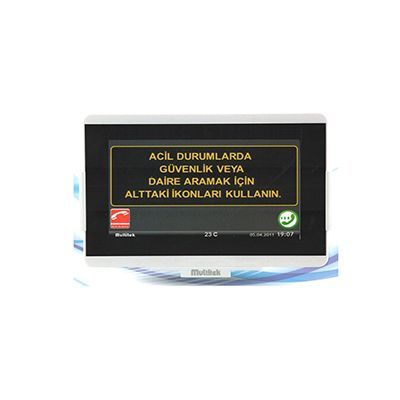
10" Elevator Feature IP Monitor
Product description
Perform all features related to the device by touching the device screen. Long-lasting screen with fast touch recognition and capacitive touch function.
Analog clock showing real time, date and ambient temperature information on the device homepage, and an emergency call button to be used in emergencies.
Icons recalling active features.
Screen feature that enters sleep mode to save energy, and exits sleep mode upon touch.
GUI pages and icons providing easy operation of the device.
Calling apartments and all units just like using a phone via intercom feature.
Calling security, doorman, site manager, site service with a single touch, video connection to the apartment door.
Log of outgoing and incoming numbers. Easy calling of apartments with phonebook feature.
Do not disturb, follow me, divert if busy, etc. features.
Connecting to and monitoring apartment doors with a single touch.
Ability to call all apartments / units and make video calls.
Superior audio and video quality.
Viewing the calling apartment / unit number and name on screen (CID feature).
Calls coming from different units (door, security, internal doorbell, apartment) ring with distinct melodies. Ability to change and load these melodies optionally.
Ability to use the device as an alarm clock.
Ability to connect to apartment door camera, flat door camera, security cameras, and site cameras with a single key.
Sending and receiving messages among all devices via messaging feature.
Recording images of calls from the door (1000 images). (Unlimited with SD card.)
Placing orders to a destination on the network (or internet) via services feature, such as calling a taxi, ordering newspapers.
Checking device status and detecting faults.
Connecting the device to the network very easily and quickly within seconds. No technical knowledge required for device connection and maintenance.
Updating system software and adding new functions via SD card or computer.
Very easy operation with explanatory icons.
Elevator module is mounted in the elevator in the building.
a) When mounted inside the elevator with a display, the desired person is called and two-way video communication can be made by touching the Emergency Call and Call icon in emergencies. If desired, messages belonging to the residential complex or advertisements received for revenue generation can also be played on the elevator module screen. These messages or video advertisements are uploaded to the module via SD card or computer.
b) If the elevator module is desired without a screen, the module is mounted in a concealed compartment of the elevator and a button connected to the module is provided for calling in emergencies.
Elevator module is supplied together with STD Base, Tablet, and EoP connection devices. The device does not use the flexible cable of the elevator.