
Commax Video Door Phone: Models, Connections and Selection Guide
Commax video door phone systems let residents in apartments, villas and workplaces see visitors, speak with them and control an electric door lock. We examine CDV-series monitors, 4-wire analog connections, IP intercom options, door-station compatibility, door-release connections, common faults and how to choose the right system.
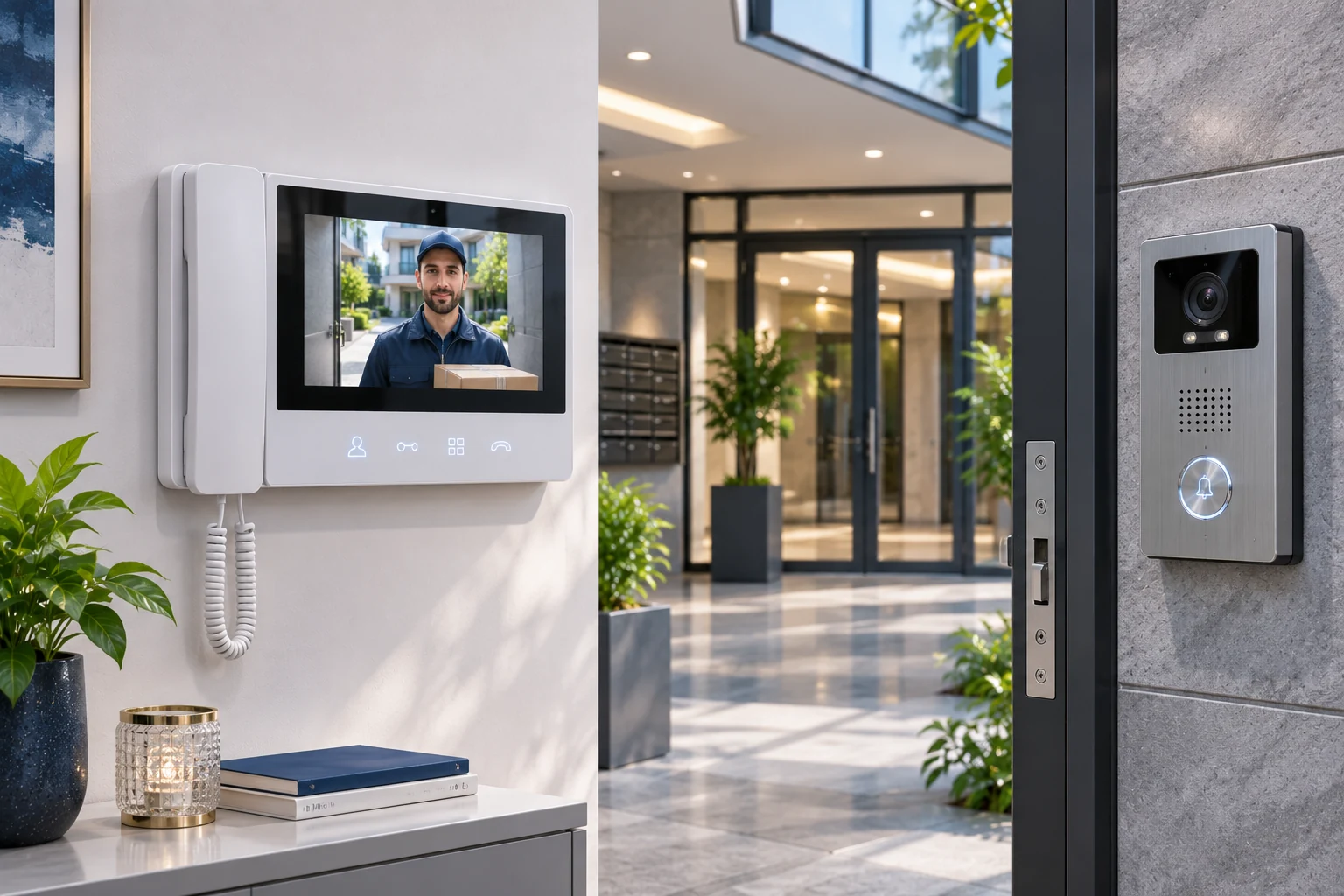
Commax video door phones are intercom systems that let users see visitors at the door, talk with them and control a compatible electric door lock in homes, apartments, villas and workplaces. They work with indoor video monitors, outdoor door-camera stations, communications infrastructure and door-release components.
South Korea-based COMMAX is a long-established manufacturer developing video door phones, audio intercoms, apartment entrance panels and smart building systems. The company's history dates back to 1968.
The Commax product range includes options ranging from traditional video door phones with 4.3-inch and 7-inch screens to IP-based touchscreen intercom systems. Models such as CDV-43K, CDV-43M, CDV-70M, CDV-70H2 and CDV-70Y are used in analog video intercom applications, while CIP-series products can offer more extensive functions with suitable network infrastructure.
However, the right Commax video door phone is not simply the model with the largest screen or the most modern design. Existing wiring, the outdoor door station, communications protocol, electric-lock compatibility and number of apartments must all be assessed together.
Users who want to replace only an indoor monitor in an existing apartment system should make sure that the new device is genuinely compatible with the old system.
What Is a Commax Video Door Phone?
A Commax video door phone is an electronic door communication device that enables two-way communication between the camera and audio unit at an entrance and a monitor inside an apartment or building.
Video door phone systems generally have three core functions:
Visitor viewing: The image from the outdoor door camera is sent to the indoor monitor.
Audio conversation: The visitor is spoken to through a microphone and speaker.
Door release: A release command is sent to a compatible electric lock or door-control system.
Supported models may also allow multiple cameras, additional indoor monitors, communication with a concierge or security guard, and control of different entrance points.
Traditional Commax video intercoms and IP intercom solutions have different system architectures.
This distinction matters particularly when installing a new system or modernizing an existing one.
How Does a Commax Video Door Phone Work?
The basic operating principle of a Commax video door phone is to transmit video and audio from the outdoor door station to the indoor monitor.
A typical analog system works in this sequence:
A visitor presses the call button on the outdoor door station.
The call signal is transmitted to the indoor monitor over a wired connection.
The visitor's image appears on the monitor.
The user speaks with the visitor using either a handset or hands-free mode.
If necessary, the user presses the door-release button on the monitor.
A compatible lock-control circuit activates the electric door-release mechanism.
When the conversation ends, the system returns to standby.
Some models may allow users to view the outdoor door camera even when a visitor has not pressed the call button.
However, not all Commax monitors support recording, mobile apps or remote conversations over the internet.
Components of Commax Video Intercom Systems
Indoor Monitor
The indoor monitor is the primary user device for viewing visitors and holding conversations.
The Commax range includes different screen sizes, such as 4.3 inches and 7 inches.
Depending on the model, features may include touch buttons, hands-free speech, handset operation, connections for multiple cameras or IP communications.
Outdoor Door-Camera Station
The outdoor door station captures the visitor's image and voice.
A typical station includes a camera, call button, microphone, speaker and, on certain models, low-light illumination.
Commax's DRC-series products are examples of door-camera stations used in various analog video intercom applications.
Electric Door Lock
A compatible electric strike, door lock or control circuit is required to release the door from the monitor.
The lock's operating voltage, current requirement and control method are important.
Power Supply and Wiring
On analog models, the connection between the monitor and door station is made according to the cable configuration specified by the manufacturer.
Some Commax monitors use direct mains power, while some IP products support PoE.
The device's rating label and the manufacturer's installation diagram should be followed when connecting power.
Commax Video Door Phone Models
Monitors in the Commax range differ in screen size, connection type, operating method and number of supported entrances.
Commax CDV-43K
CDV-43K is an analog video door phone model with a 4.3-inch color screen.
Technical specifications listed in the GüvenlikOnline product catalog:
4.3-inch LCD screen.
Four-wire door-camera connection.
Support for a door station with one camera.
Door-release function.
Communication with a compatible parallel phone.
Communication with a concierge in suitable apartment systems.
Surface mounting.
AC 100–240 V power supply.
CDV-43K can be considered for compatible analog systems where a single camera connection is sufficient.
However, when designing a new system, the model's current availability and service status should be confirmed against the old product catalog.
Commax CDV-43M
The CDV-43M family includes video intercom options with a 4.3-inch screen and hands-free calling.
The Turkish product information page describes the CDV-43M Pearl as supporting connection to an outdoor door station with two cameras and four-wire cabling.
Key functions:
4.3-inch screen.
Hands-free audio conversation.
Connection for two outdoor door cameras.
Door release.
Connection to a compatible parallel intercom.
Surface mounting.
Although CDV-43M and CDV-43K have the same screen class, their camera connection capacities differ.
The two models should therefore not be assumed to have identical technical specifications.
Commax CDV-70M
CDV-70M is one of Commax's analog monitor models with a 7-inch screen.
The GüvenlikOnline catalog lists the following features:
7-inch LCD screen.
Hands-free calling.
Connection for a door station with two cameras.
Four-wire door-camera communications.
Door-release function.
Connection to a compatible parallel intercom.
AC 100–240 V power supply.
Surface mounting.
This model may be suitable for compatible villas or homes where control of two separate entrance points is required.
Commax CDV-70H2
CDV-70H2 is a family of Commax monitors with a 7-inch screen designed for hands-free communication.
The Turkish product page lists connections for two cameras, four-wire cabling, door release and communication with a concierge in suitable apartment installations.
However, the model names involve an important distinction.
CDV-70H2 and CDV-70HM2 should not be treated as the same device.
A purchase decision should not assume that memory-card or photo-recording features specified for CDV-70HM2 are available in every variant of CDV-70H2.
Commax CDV-70Y
CDV-70Y is an analog video intercom model with a 7-inch screen and slim-body design.
According to the product information page:
7-inch screen.
Hands-free communication.
Connection to two door cameras.
Four-wire system.
Compatible parallel intercom.
Door-release feature.
Surface mounting.
It may be suitable particularly for compatible homes with two entrances.
Commax CIP-70QPT IP Monitor
Unlike analog CDV models, CIP-70QPT stands out for IP-based communications and smart-home integration features.
The Turkish product information page lists the following features:
7-inch multi-touch screen.
10/100 Ethernet connection.
PoE support.
SIP protocol.
Connection to compatible smartphones.
Tuya-based integration options.
Expandable design with supported peripherals.
This product may be considered particularly for new IP intercom installations or smart-building systems whose compatibility has been confirmed.
However, SIP support does not guarantee direct compatibility with every function of all IP intercom devices.
Technical Comparison of Commax Models
Model | Screen | System type | Door-camera connection |
|---|---|---|---|
CDV-43K | 4.3 inches | Analog, 4-wire | 1 |
CDV-43M | 4.3 inches | Analog, 4-wire | 2 |
CDV-70M | 7 inches | Analog, 4-wire | 2 |
CDV-70H2 | 7 inches | Analog, 4-wire | 2 |
CDV-70Y | 7 inches | Analog, 4-wire | 2 |
CIP-70QPT | 7 inches | IP, Ethernet/PoE | Depends on the IP system configuration |
This comparison applies to the product versions specified. The number of connectable cameras or monitors should be confirmed based on the exact product model and the other system components in use.
Commax 4-Wire Video Door Phone Connection
Many Commax analog video intercom models use a four-wire connection.
These systems use separate signal and power lines between the monitor and outdoor door station, as specified by the manufacturer.
However, there is a critical technical distinction:
Using four wires does not mean that all Commax or other-brand video intercoms have the same pinout.
Connector order, signal functions and power ratings may vary by model.
Therefore, when upgrading an existing four-wire system, wiring should not be based solely on the number of cables.
Points to Check in a 4-Wire Connection
Identify the exact model numbers of the old monitor and outdoor door station.
Check continuity and connection quality of the existing cables.
Confirm the function of each line from the manufacturer's diagram.
Check the supply voltage for the camera station.
Assess cable gauge, line length and possible voltage drop.
Determine whether the electric lock requires a separate power supply.
After installation, test the call, video, audio and door-release functions.
Especially in older analog systems, incorrect wire matching can prevent the monitor from displaying an image or damage certain devices.
For devices powered by mains electricity, connections and other work must be performed by qualified technical personnel with electrical safety ensured.
Differences Between 2-Wire, 4-Wire and IP Video Intercoms
Wiring and communications methods used in video intercom systems may differ.
Feature | 2-wire system | 4-wire analog system | IP system |
|---|---|---|---|
Communications | May be manufacturer-specific | Analog signal and control lines | Network protocols |
Wiring | Compatible two-wire infrastructure | Four-wire connection suited to the model | Ethernet and supported network infrastructure |
Monitor compatibility | Depends on the system family | Pinout and model compatibility required | Protocol and software compatibility required |
Mobile access | Model-dependent | Generally not a standard feature | On supported products |
Multi-apartment use | System-dependent | Suitable distribution architecture | Depends on network and server architecture |
Expansion | Manufacturer capacity limits | Line and device limits | Network, licensing and device capacity |
A single universal wiring protocol should not be assumed to exist for two-wire systems.
Similarly, a CIP-series IP monitor cannot be fitted directly in place of an existing four-wire Commax monitor merely by changing the cable connector.
An IP conversion requires assessment of the network infrastructure, outdoor door station and other system components together.
Commax DRC-40K Door Camera
DRC-40K is one example of a camera-equipped outdoor door station used in analog Commax video intercom systems.
The Turkish product information page lists the following features:
Color camera.
Four-wire connection.
Metal body.
Wall mounting.
Two-way audio conversation.
Illumination that supports low-light conditions.
Suitable power supply from the monitor.
When selecting an outdoor door station, it is important that the camera produce an adequate image not only during the day but also at night.
Backlighting at the building entrance, the station's mounting height, its field of view and ambient lighting can all affect the visitor's image.
Opening Doors with a Commax Video Door Phone
One of the core functions of Commax video door phones is controlling a compatible electric door lock.
However, the presence of a door-release button does not mean that every electric lock can be connected directly to the monitor.
The following factors should be considered in the door-control system:
Type of electric lock.
Lock supply voltage and current.
Output configuration of the monitor or control panel.
Requirement for a dry contact or powered output.
Need for a suitable relay or additional power supply.
Duration of the door-release command.
Lock behavior during a power outage.
Emergency evacuation and fire-safety requirements.
For example, an electric strike and an electromagnetic lock do not operate on the same principle.
One releases the latch when power is applied, while another system may behave differently when power is cut.
The lock-control architecture should therefore be designed to suit the door's purpose and security requirements.
At doors used along escape routes in particular, electric access control must not obstruct emergency evacuation.
Can Commax Video Door Phones Be Viewed on a Phone?
Not all Commax video door phones offer remote communication via smartphone.
Traditional analog CDV-series products are designed primarily for video conversations and door release through the indoor monitor.
Some IP-based models, however, can support mobile conversations or remote door control through a suitable network connection and software.
For example, the Turkish product information page for CIP-70QPT describes smartphone connectivity and remote-control functions.
The following conditions should be verified for mobile functions:
Compatible outdoor door station.
Monitor software version.
Supported mobile app.
Network and internet requirements.
Availability of the service in the region.
User accounts and access permissions.
Account security is especially important if the door-release feature is used through a mobile app.
Common Faults in Commax Video Intercom Systems
Problems with video door phones may originate in the monitor, outdoor station, wiring, power supply or electric lock.
The following table can be used for initial troubleshooting.
Fault symptom | Possible causes | Initial check |
|---|---|---|
Monitor does not turn on | Power interruption, device fault | Power supply and power line |
Bell rings, but no image | Camera, video line, monitor | Outdoor station and video connection |
Image present, no audio | Microphone, speaker, audio line | Audio directions and connections |
Call does not come through | Button, call line, addressing | Station and call circuit |
Door will not open | Lock, relay, power supply, cable | Output command and lock circuit |
Image is distorted | Cable, connection, power quality | Line continuity and voltage |
One apartment is not working | Apartment monitor or connection | Lines specific to the apartment |
No apartments are working | Central power supply or common station | Shared system components |
IP monitor is offline | Network, PoE, IP configuration | Switch, addressing, connection |
Bell Rings but There Is No Image
First check whether the monitor's screen is operating normally.
Then inspect the outdoor door camera's power supply, video line and connection status.
For diagnosis, it is important to determine whether the problem occurs only at a particular door station or at all entrances.
There Is an Image but No Sound
An image does not mean that audio communication is working correctly.
Check the microphone, speaker, audio line and monitor audio settings.
Door Release Does Not Work
A door-release problem may not originate directly in the monitor.
The lock's power supply, release relay, cable connections and the door's mechanical condition should each be checked separately.
The Monitor Was Replaced, but the System Does Not Work
Using a new monitor from the same brand is not sufficient by itself.
In four-wire analog systems in particular, the pinout, call method, outdoor-station compatibility and power supply must be verified.
In centralized multi-apartment systems, fitting a different monitor in one apartment requires compatibility with the entire system architecture.
What to Consider When Choosing a Commax Video Door Phone
1. Existing System Type
Determine whether the building uses an analog four-wire, two-wire, digital or IP-based system.
2. Outdoor Door-Station Model
Confirm that the new monitor will work with the existing outdoor door station.
3. Screen Size
A 4.3-inch or 7-inch screen can be considered in terms of ease of use.
However, a larger screen does not automatically increase the outdoor camera's resolution or image quality.
4. Handset or Hands-Free Conversation
Make the choice based on usage habits, installation location and accessibility needs.
5. Number of Camera Connections
Choose a suitable monitor according to whether there is one entrance or two separate entrance points.
6. Door-Release Compatibility
Confirm that the electric lock and the required control circuit will work with the product.
7. Apartment and Concierge Communications
In multi-apartment installations, check compatibility with the lobby station, distributors and security-unit communications.
8. IP and Mobile Access
If remote conversations or smartphone connectivity are required, assess a supported IP model and software infrastructure.
9. Electrical Supply
Check the monitor and outdoor station's power requirements against the existing installation.
10. Service and Spare Parts
Check the device's current availability, warranty status and technical service support.
Commax Video Door Phone Installation Checklist
- Has the exact model of the existing system been identified?
- Has the system type—analog, digital or IP—been confirmed?
- Has compatibility between the indoor monitor and outdoor door station been checked?
- Have the number, gauge and condition of the existing cables been checked?
- Has the cable pinout been verified against the manufacturer's diagram?
- Have the power supply and supply voltage been checked?
- Is the outdoor door station's field of view suitable?
- Have daytime and nighttime images been tested?
- Have the call button and bell function been checked?
- Has two-way audio communication been tested?
- Do the door-release command and electric lock work?
- If an additional monitor or second camera is connected, has it been tested?
- Has compatibility with the apartment building's shared system been confirmed?
- For IP systems, have network and PoE capacity been checked?
- If mobile access is required, have user permissions been configured?
- Have power or internet outage scenarios been assessed?
- Have data-protection and privacy requirements been checked?
- Have the user been given operating instructions and maintenance recommendations?
Commax Video Door Phones and the KVKK
When video intercom systems are used in apartment buildings, images of visitors and, in certain circumstances, their personal data may be processed.
Personal data security is especially important in systems that can record or make images remotely accessible through a mobile app.
The Personal Data Protection Authority's notice on security cameras in apartment buildings stresses that purpose limitation, proportionality, retention periods and user privacy should be considered when monitoring shared areas.
A video door phone does not necessarily perform the same functions as a continuously recording CCTV camera.
The actual data-processing activity should therefore be determined separately.
For example, an analog monitor that displays an image only during a call may not process data under the same conditions as an IP intercom that records visitors' images and makes them accessible through the cloud.
Frequently Asked Questions About Commax Video Door Phones
What is a Commax video door phone?
A Commax video door phone is an intercom device that lets users view a visitor at the building entrance on an indoor monitor, talk with them and control a compatible electric door.
Does a Commax video door phone work without the internet?
Traditional analog Commax video intercoms can work without an internet connection if they have suitable wired infrastructure and power. In IP systems, continued functionality depends on the product's local and cloud architecture.
How many inches is the Commax CDV-43K?
CDV-43K is a model with a 4.3-inch LCD screen.
How many inches is the Commax CDV-70M?
CDV-70M is an analog video door phone model with a 7-inch screen.
Will a Commax monitor work with another brand's outdoor door station?
Not always. Even if the number of wires is the same, communications, power and pinouts may differ. Compatibility should be verified for each model.
Can a Commax video intercom be viewed on a phone?
Mobile communication may be possible on some IP models with a supported app and system configuration. This feature should not be assumed to be standard on traditional analog CDV models.
Can a Commax 4-wire monitor be connected to 2-wire wiring?
Do not assume that it can be connected directly. Suitable system converters or different infrastructure may be required. Connections not supported by the manufacturer should not be used.
What should be checked if Commax door release does not work?
Check the electric lock's power supply, lock circuit, relay or control output, connection cables and the door's mechanical condition.
Does a Commax video intercom record continuously?
Not all models do. Recording support depends on the monitor's technical specifications and, where applicable, those of the IP system.
Can a Commax monitor in an apartment building be replaced on its own?
It may be possible if a compatible replacement monitor is used. However, the central system model, outdoor door station, apartment connections and monitor compatibility should be checked.
Conclusion: How to Choose the Right Commax Video Door Phone
Commax video door phones offer a range of products for managing visitor communications and door release at apartment and residential entrances.
CDV-series analog monitors may suit existing wired systems, while CIP-series IP products can provide broader communications options in suitable network and smart-building infrastructure.
However, product selection should not be based solely on screen size, design or the door-release button.
The right Commax video door phone is a device that works compatibly with the existing door station, provides the required video and audio communication, controls the electric lock safely and meets long-term maintenance needs.
For this reason, before installing a new system or replacing an existing monitor, product codes, connection diagrams, system compatibility and technical service terms should always be assessed.