
Audio Recording on Security Cameras: How Does It Work, and Is It Legal?
How does audio recording on security cameras work, and is it legal in Türkiye? We examine microphone-equipped IP cameras, NVR and DVR audio-recording settings, ONVIF compatibility, audio storage requirements, and the differences between live listening and recording. We explain the legal risks under KVKK decisions and Article 133 of the Turkish Penal Code, including risks for workplaces and apartment buildings, as well as how to configure systems properly.
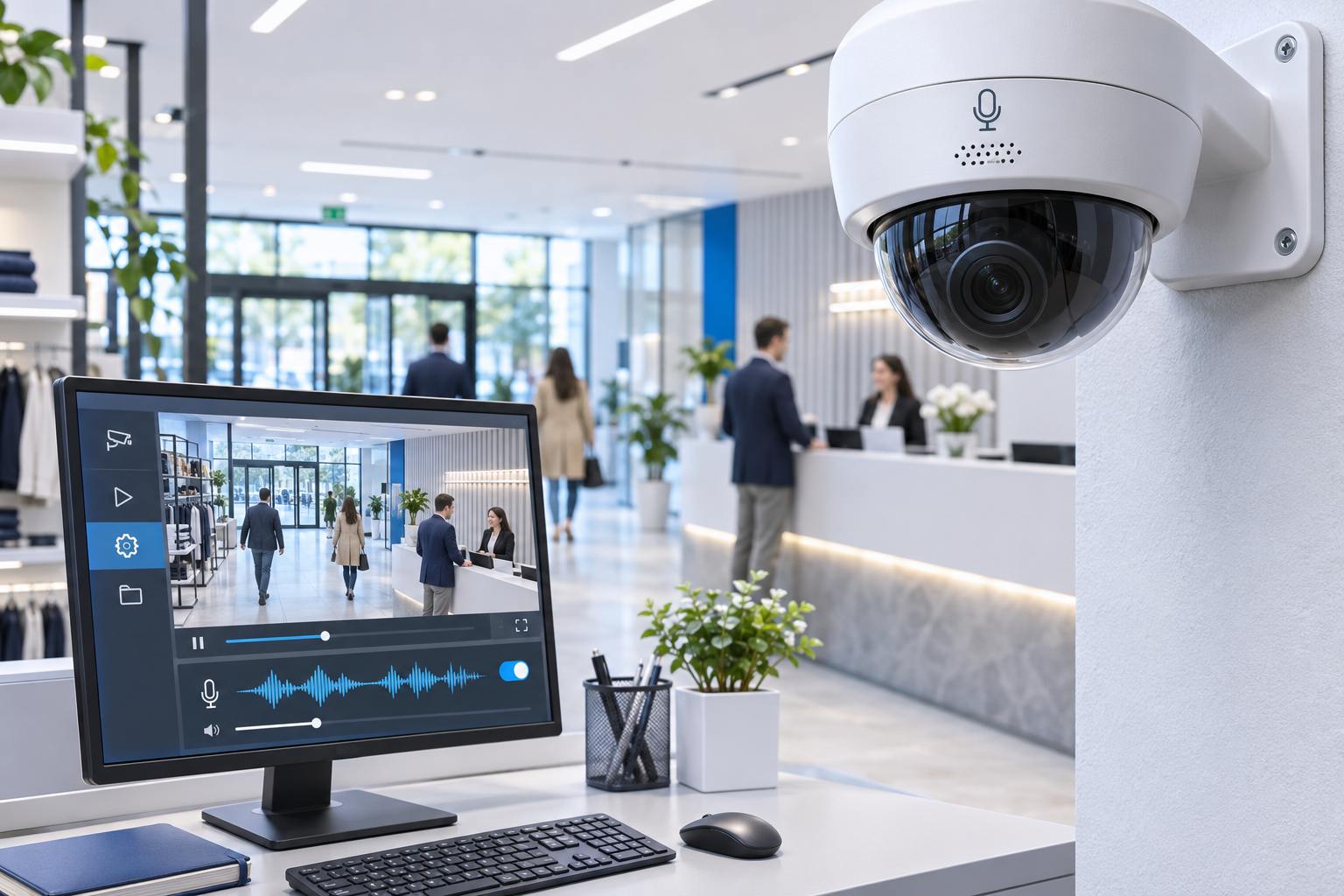
Audio recording on security cameras is the process of digitally processing sounds captured by a microphone and recording them together with, or separately from, video. Microphone-equipped IP cameras, DVR and NVR devices with audio inputs, and certain video management software may support this technology.
Today, security cameras are used for more than capturing images. Some models include features such as built-in microphones, external microphone inputs, two-way talk, sound detection, and acoustic event analysis.
However, the audio-recording capability of security cameras has technical and legal consequences that differ from those of video recording.
In Türkiye, whether audio recording with a security camera is lawful depends not on the device’s technical features, but on the purpose and necessity of the recording, its legal basis, and its effect on people’s fundamental rights.
Decisions by the Personal Data Protection Board indicate that recording additional ambient audio for security needs that can be met through video alone may breach the principle of proportionality.
In this guide, we examine how microphone-equipped security cameras work, IP camera and NVR audio-recording technologies, audio encoding methods, technical compatibility, and personal data protection requirements in Türkiye.
What Is Audio Recording on Security Cameras?
Audio recording on a security camera involves converting sounds detected by the camera’s built-in microphone or an external microphone connected to the system into electronic data and storing it on a designated medium.
On compatible systems, audio data can be recorded in sync with video.
The main components are:
Built-in or external microphone.
Audio input circuit and analog-to-digital conversion.
Audio encoding and compression.
IP network or suitable analog recording connection.
NVR, DVR, VMS, or local storage medium.
Recording playback and authorization infrastructure.
The audio-recording feature is not enabled by default on every camera that supports it.
Even if some models have a microphone, separate configuration may be required to add audio to the video stream.
Nor should it be assumed that a device supporting live audio transmission can store audio in every recording mode.
How Does Audio Recording on Security Cameras Work?
The technical process for recording audio on an IP camera generally consists of five stages.
1. Microphone Detection of Sound
The camera’s built-in microphone or a compatible external microphone converts ambient acoustic vibrations into electrical signals.
Microphone performance depends on its sensitivity, directionality, position, and ambient noise.
2. Converting Sound into Digital Data
The camera or audio interface converts the analog microphone signal into digital data.
Parameters such as the sampling frequency and audio input level are used at this stage.
3. Audio Encoding
Audio data can be encoded using G.711, AAC, G.726, or another codec supported by the device.
Codec selection affects audio quality, data volume, and recording-system compatibility.
4. Transmitting Audio and Video
On an IP camera, audio and video can be transmitted over the same network through suitable media streams.
Technically, however, audio and video are separate data streams. The recording and playback system must associate them correctly.
5. Recording and Playback
The camera or recording device stores audio data in a supported file format or recording structure.
Depending on the functions offered by the recording system, authorized users can play video together with audio.
Important: Hearing audio in a camera’s live view does not prove that audio is also being saved in past recordings.
Types of Microphone-Equipped Security Cameras
IP Cameras with Built-in Microphones
Some dome, turret, and bullet IP cameras have built-in microphones.
With suitable configuration and under lawful conditions, these devices can transmit audio data over a network.
However, having a built-in microphone does not mean that audio recording should be enabled in every setting.
Cameras with External Microphone Inputs
Some professional IP camera models support an external microphone or audio input interface.
This option may be used in systems with a specific audio-capture requirement for which legal compliance has been established.
For an external microphone connection, check the camera’s audio input type, the suitable signal level, and compatibility with the manufacturer’s equipment.
Wi-Fi Cameras with Microphones
Many smart home cameras may have built-in microphones.
In some devices, the microphone is used only for two-way communication, while others may also record audio with video.
Product specifications should therefore distinguish between “microphone,” “two-way audio,” and “audio-video recording.”
DVR and NVR Systems with Audio Inputs
Some DVR and NVR devices can be used with cameras that have audio inputs.
In analog systems, audio may be connected to the recording device through a separate input, while in IP systems audio data can be transmitted as a network stream.
However, the presence of an audio input on an NVR does not mean that audio from every camera channel will be recorded automatically.
The Difference Between Audio Recording, Live Listening, and Two-Way Audio
Three features are often confused when choosing a security camera.
Feature | Primary function | Is audio stored? |
|---|---|---|
Live audio listening | Transmitting microphone audio in real time | Not necessarily |
Audio-video recording | Recording audio and video | Yes |
Two-way talk | Communication through a microphone and speaker | Depends on the device and settings |
Sound-level detection | Generating an event from specific sound changes | Raw audio recording may not be required |
Acoustic event analysis | Classifying specific sound events | Depends on the algorithm and system |
These features are not legally equivalent either.
For example, a user communicating with a visitor through a two-way audio door intercom is not engaging in the same data-processing activity as the continuous recording of all conversations in a workplace.
Nevertheless, live listening or audio analysis cannot automatically be considered exempt from legal obligations simply because no recording is made.
The concept of personal data processing is not limited to long-term data storage.
Is Audio Recording on Security Cameras Legal?
In Türkiye, this question cannot be answered with an unconditional yes or no that applies to every use case.
However, decisions and current statements by the Personal Data Protection Board show that continuously recording ambient conversations for general security purposes poses serious legal risks . تي
Two main areas of law are central to the assessment:
Law No. 6698 on the Protection of Personal Data: The processing of audio data is assessed in terms of legal basis, purpose limitation, necessity, proportionality, transparency, and data security.
Turkish Penal Code No. 5237: In particular, unlawfully listening to, recording, or disclosing non-public conversations may, under certain conditions, give rise to criminal liability.
Therefore, before enabling the microphone feature in a CCTV system, legal compliance must be established as well as technical suitability.
KVKK’s Audio Camera Decision No. 2020/212
The Personal Data Protection Board’s decision dated 12 March 2020 and numbered 2020/212, the Board’s decision, is one of the most important official assessments concerning the use of audio recording on security cameras.
The decision concerns the use of a security camera with audio-recording capability at a public institution.
The Board’s assessment emphasizes that recording audio in addition to video, which can meet the security need, constitutes a more serious intrusion in terms of personal data processing.
Key Principles from the Decision
The fact that video recording for security purposes may be appropriate in certain circumstances does not automatically make audio recording lawful.
Whether audio recording is genuinely necessary must be assessed separately.
If the same purpose can be achieved through video recording, recording conversations as well may breach the principle of proportionality.
The Board also considered that recording audio and video together could cause individuals to feel that they are under constant surveillance.
Accordingly, the general assumption that audio recording may provide additional security is not, by itself, a sufficient legal justification.
KVKK’s Education Institution Decision No. 2023/1461
Dated 24 August 2023 and Board Decision No. 2023/1461, it concerns the recording of video and audio through cameras at an educational institution.
The decision separately examined whether audio recording was necessary in addition to video recording for a security purpose that could be achieved through video.
In the case at issue, the Board did not find the processing of audio recordings lawful.
Furthermore, having a valid legal basis for video recording at an educational institution does not show that the audio data of employees and others can be recorded on the same grounds.
This decision is an important reference when assessing audio features in CCTV systems, particularly in schools, nurseries, and other educational institutions.
KVKK’s Workplace Decision No. 2023/2007
Dated 30 November 2023 and Board Decision No. 2023/2007, it concerns the recording of audio and video by camera in a security booth at a workplace.
The Board found that, in the specific case, there was no valid condition for processing personal data that justified audio recording.
In this context, it was decided that the data controller be fined an administrative fine of 125,000 TL and that the unlawfully processed audio data be destroyed.
This was the fine imposed in the specific case in 2023. It should not be treated as a general or fixed penalty amount for 2026.
Why the Decision Matters for Businesses
The presence of a microphone in a security camera or the aim of protecting employees was not considered sufficient on its own.
In the Board’s approach, the necessity of audio recording, whether the same purpose can be achieved through video, and people’s fundamental rights are particularly important.
It is therefore not appropriate to enable audio recording automatically as a standard camera feature in businesses.
Can Security Cameras Record Audio in Workplaces?
Using security cameras in workplaces and recording employees’ conversations are different activities.
The notice published by the Personal Data Protection Authority on 8 June 2026, Considerations for Using Security Camera Systems in Workplaces states that audio recording is an extremely intrusive method.
The Authority emphasizes that audio recording should not be used unless its lawful justification and necessity are clearly established.
Can an Employer Record Audio Through Every Camera?
No.
An employer’s authority to install security cameras does not grant the authority to continuously record all employee conversations.
Recording for purposes such as monitoring employee performance, tracking their conversations, or exercising general control may pose serious risks to personal data protection and privacy.
Does Informing Employees Make Audio Recording Legal?
Not on its own.
Informing employees or putting up a sign stating that audio and video are being recorded at the workplace does not remedy the absence of a lawful condition for processing data.
The transparency obligation and the legal basis for data processing are separate requirements.
Is Employee Consent Sufficient?
For explicit consent to be legally valid, it must relate to a specific matter, be based on information, and be given freely.
The imbalance of power between the parties in an employment relationship makes it important to assess whether consent was given freely.
Moreover, the existence of explicit consent does not automatically make every broad or disproportionate recording activity appropriate.
Is Audio Recording Legal in Shops and Supermarkets?
Security cameras in shops and supermarkets may be used to protect goods, prevent theft, and investigate specific incidents.
However, continuously recording the conversations of customers and employees at cash registers, in sales areas, or in staff areas requires a separate legal assessment.
For example, CCTV cameras in a shop recording video is not equivalent in scope to also recording conversations customers have while paying.
A general shop-security rationale should not, by itself, be considered sufficient to record ambient audio continuously.
Less intrusive alternatives should be considered, particularly in areas where customer discussions, conversations between employees, and private communications may be recorded.
Using Audio-Enabled Cameras in Apartment Buildings and Residential Complexes
Security cameras may be used in apartment buildings and residential complexes to protect common areas.
However, recording people’s conversations at an apartment entrance, in an elevator, in a corridor, or in other common areas may constitute a more serious intrusion than video recording.
The Personal Data Protection Authority’s notice on apartment security cameras, dated 8 June 2026, explains that the conditions for processing personal data and privacy must be assessed when monitoring common areas.
Can an Apartment Management Board Decide to Record Audio?
A decision by apartment management does not, by itself, resolve legal issues that may arise under KVKK or the Turkish Penal Code.
Management and common-area provisions under the Condominium Law must be considered together with personal data processing requirements.
Legal risks are high, particularly for common-area systems that continuously record neighbours’ conversations.
For this reason, not recording ambient audio in standard apartment CCTV installations is a less intrusive design approach.
Audio Recording on Security Cameras and Article 133 of the Turkish Penal Code
Article 133 of the Turkish Penal Code, concerns listening to and recording non-public conversations between people.
Under this article, unlawfully listening to or recording non-public conversations between people may constitute a crime under certain conditions.
Unlawfully disclosing the content of conversations obtained in this way may also give rise to separate liability.
Does Every Audio Recording Constitute an Offence under Article 133?
No. It cannot be said that every audio-recording activity automatically satisfies the elements of the same offence.
The nature of the conversation, the position of the person making the recording, the status of consent, and the legal circumstances must be assessed in each case.
However, recording non-public conversations without permission through a CCTV camera’s microphone may pose a serious criminal-law risk.
Depending on the circumstances, provisions concerning privacy and the unlawful processing of personal data under Article 134 of the Turkish Penal Code may also become relevant.
Accordingly, an assessment under KVKK does not replace the review required under criminal law.
Is a Sign Saying Audio Is Being Recorded Sufficient?
No.
Simply displaying a sign saying “Audio and video recording is in progress in this area” does not, by itself, make audio recording lawful.
The data controller processing personal data through a camera system must first determine what data is processed, for what purpose, and under which legal condition.
Where there is a lawful processing activity, the transparency obligation under Article 10 of KVKK must also be fulfilled.
In this context, the notice should include necessary elements such as the data controller’s identity, the purpose of processing, information on transfers, the legal basis, and the data subject’s rights.
Conversely, adding a warning sign to an audio-recording system that has no legal basis does not automatically make the system lawful.
How to Enable Audio Recording on Security Cameras
The necessary legal assessment must be completed before audio recording is enabled.
The following steps may be applied to IP camera and NVR systems that technically support audio recording.
IP Camera Audio-Recording Settings
Although they vary by manufacturer and model, the main checkpoints are:
Confirm that the camera supports a built-in microphone or a suitable audio input.
Check whether the microphone is enabled.
Review the audio input level and codec options.
Determine whether audio is included in the media stream to be used.
Confirm compatibility with the recording system.
Test audio and video together under legally authorized test conditions.
Menu names may vary by manufacturer.
For example, Axis’s official technical guides explain that audio must be added separately to the media stream and to the recording stream profile in use.
NVR Audio-Recording Settings
In a system assessed as lawful for audio recording, the following checks are generally performed on the NVR:
Whether the audio stream is received from the camera.
Whether the recording device supports the audio codec in use.
Whether audio recording is enabled for the relevant channel.
Whether audio is also saved in the recording schedule.
Whether audio is retained during playback and export.
Access permissions for audio recordings.
In many recording systems, live audio,, recorded audio, and audio in exported recordings can be managed through different settings.
Therefore, a working microphone alone does not show that the entire audio-recording chain is functioning.
Audio Recording in DVR Systems
In analog CCTV systems, audio recording may require a DVR with a suitable audio input or a supported camera-interface connection.
It should not be assumed that every analog camera or DVR supports audio recording.
In particular, audio transmission over coaxial cable depends on the analog video technology in use and the interfaces supported by the devices.
Audio Recording Not Working: Technical Troubleshooting Table
In a system where audio recording is legally permitted, issues can be investigated as follows.
Symptom | Possible technical cause | Check |
|---|---|---|
Live video, no audio | Microphone or stream setting | Camera audio input and stream |
Live audio, none in recording | Audio recording not enabled | Recording profile and channel setting |
Audio in recording but cannot be heard | Playback device or codec issue | Player and codec compatibility |
Intermittent audio | Network loss or synchronization | Network and time information |
Audio too quiet | Input level or microphone position | Audio gain and device specifications |
Distorted audio | Excessive gain or ambient noise | Microphone and encoding setting |
No audio on a different-brand NVR | Stream or codec incompatibility | Model, firmware, and ONVIF |
No audio in exported video | Export profile does not include audio | Export settings |
These checks should not be interpreted as advice to enable audio recording without establishing legal compliance.
The default practice is to keep ambient audio disabled unless a necessary and legally verified need exists.
ONVIF Audio Support in Security Cameras
ONVIF provides standardized interfaces that improve interoperability between IP cameras and video management systems.
ONVIF Profile T, and, alongside advanced video-streaming functions, includes features related to two-way audio transmission on supported devices.
However, ONVIF compatibility between a camera and an NVR does not guarantee that all audio features will work in every combination.
In particular:
Audio codec support.
Selection of the microphone source.
Association of audio with the video stream.
Audio recording.
Audio playback from recordings.
Two-way audio transmission.
must be verified separately.
Furthermore, support for live audio transmission through ONVIF does not automatically show that the recording device can write audio to past recordings.
GüvenlikOnline’s What Is ONVIF? What Does It Do in IP Camera and NVR Systems? guide covers profile and device compatibility in greater detail.
Audio Codec Types in Security Cameras
Audio encoding technologies used in IP cameras affect sound quality, storage requirements, and system compatibility.
Audio codec | General characteristics | Considerations |
|---|---|---|
G.711 | Common audio encoding standard | High data volume in certain applications |
G.726 | Compressed speech audio | Device and software compatibility |
AAC | Compressed audio at different bit rates | Profile and codec support |
Opus | Flexible audio encoding technology | Support in the recording system |
PCM | Uncompressed or minimally processed audio data | High data requirements |
Codec selection does not guarantee that live audio or recordings will work identically across all devices.
Audio quality also depends on more than the codec. The microphone, audio input circuit, sampling frequency, ambient noise, and acoustic conditions all matter.
How Much Does Audio Recording Increase HDD Capacity Requirements?
Audio recording can increase the total data volume in a video-recording system.
However, the storage load from audio depends on the codec and bit rate used.
The theoretical calculation for a continuous audio stream is:
Daily audio data (GB) = Audio bit rate (kbps) × 0.0108
This formula assumes uninterrupted recording for 24 hours and decimal data units.
Example Audio Storage Calculation
Average audio bit rate | One day of recording | 30 days of recording |
|---|---|---|
32 kbps | 0.346 GB | 10.37 GB |
64 kbps | 0.691 GB | 20.74 GB |
128 kbps | 1.382 GB | 41.47 GB |
For example, assuming that each camera in a 16-channel system assessed as legally compliant records an audio stream at 64 kbps:
16 × 64 × 0.0108 × 30 = 331.78 GB
Approximately 332 GB of additional audio data is generated in 30 days.
For comparison, if each of the same cameras records continuous video at 4 Mbps, audio data accounts theoretically for approximately 1.6% of video data.
This calculation is not a recommendation to enable audio recording in every case.
Low storage requirements do not mean that audio recording has a low legal impact.
For guidance on determining the retention period, How Many Days Should Security Camera Footage Be Kept? see the guide.
Are Sound Detection and Audio Recording the Same Thing?
No.
Some security cameras and audio analysis systems can detect specific acoustic events and generate alerts.
For example, suitable systems may offer functions for detecting changes in certain sound levels or specific classes of acoustic events.
However, these analyses can be implemented using different architectures.
A system may generate only information about specific events without continuously storing raw audio data.
Another system may also create a recording while carrying out audio analysis.
Therefore, three separate elements should be defined in the technical specification:
Detection and processing of audio data.
Generating an event or alarm as a result of audio analysis.
Recording and storing audio data.
Not storing raw audio does not mean that personal data protection obligations cease to apply in every case.
The scope of data processing should be assessed separately, particularly in systems that process people’s conversations.
Can Audio-Enabled Security Camera Recordings Be Used as Evidence?
The fact that an audio or video recording has been obtained technically does not mean that it constitutes legally valid evidence in every case.
The method by which recordings were obtained, their lawfulness and integrity, and the relevant judicial procedure must be assessed.
In particular, unlawfully recording non-public conversations may also raise a separate issue under criminal law.
It is therefore not a sound legal approach for businesses to record all conversations continuously on the assumption that “evidence may be needed later.”
If recordings need to be retained or shared with competent authorities in connection with a specific incident, data protection and procedural law requirements should be assessed.
To preserve recording integrity, technical measures such as access logs, accurate time information, preservation of the original file, and authorized export procedures are important.
What Should the Retention Period for Audio Recordings Be?
There is no single general retention period that applies to all CCTV audio recordings in Türkiye.
The retention period depends first on whether the relevant audio data can lawfully be processed.
If there is no legal basis, making a recording only for a short time does not automatically make the processing appropriate.
Where lawful conditions for data processing exist, the retention period must also be connected to the purpose, necessary, and proportionate.
In addition:
It should be determined who can access the recordings.
Unnecessary copies of audio data should not be created.
Management of exported recordings should be restricted.
Appropriate deletion and destruction procedures should be established.
Data processing and transfer conditions in cloud systems should be assessed.
Technical and Legal Checklist for Audio Recording on Security Cameras
- Has the reason for needing audio recording been clearly defined?
- Has it been assessed whether the same purpose can be achieved through video recording alone?
- Has a valid legal condition for audio recording been identified?
- Has an assessment been made under Article 133 of the Turkish Penal Code and other relevant provisions?
- Have the necessity and proportionality requirements for audio recording been assessed?
- Have the rights of employees, visitors, and other relevant people been considered?
- Have the applicable transparency obligations been identified?
- Has the default status of the camera’s microphone been checked?
- Has it been confirmed that the feature is disabled on channels where audio recording is not enabled?
- Have the technical compatibility of the microphone, codec, and recording system been checked?
- Have live audio, audio recording, and two-way communication functions been distinguished?
- Have access permissions for audio recordings been restricted?
- Have the retention period, deletion, and destruction processes been determined?
- Have permissions for exporting and sharing recordings been checked?
- Have the conditions for cloud services and transfers of data abroad been reviewed?
- Has provision been made to log changes to the system?
- Is the need for audio recording reassessed at regular intervals?
This checklist is intended for general preliminary technical and legal assessment. The lawfulness of audio recording should be assessed separately in light of the relevant use case and legislation.
Frequently Asked Questions About Audio Recording on Security Cameras
Do security cameras record audio?
Some cameras with built-in or external microphone support can record audio. However, not all security cameras have a microphone or audio-recording capability.
Is audio recording with a security camera legal?
In Türkiye, the lawfulness of audio recording depends on its purpose, necessity, proportionality, personal data processing conditions, and other applicable legal provisions. Continuous ambient audio recording for general security purposes may pose serious legal risks.
Can workplaces record audio using cameras?
A legal basis for video recording does not automatically extend to audio recording. KVKK decisions and the workplace notice dated 2026 show that the necessity of audio recording must be assessed separately and carefully.
Is employee consent sufficient for audio recording?
Not in every case. The validity of consent, whether it was given freely, other rights, and the principle of proportionality must be assessed together.
Does a warning sign make audio recording legal?
No. A warning sign or notice, by itself, does not establish a valid legal condition for processing.
Can security cameras record audio in apartment buildings?
Continuous recording of ambient audio in apartment buildings and residential complexes may create serious personal data protection and privacy risks. A management decision alone does not establish legal compliance.
Can a microphone-equipped IP camera transmit audio recordings to an NVR?
This is technically possible with compatible camera and NVR systems. However, the audio codec, recording settings, and system compatibility must be verified. Technical capability does not mean legal authorization.
Why does audio recording not work on an NVR?
Possible causes include the camera microphone, audio codec, setting for adding audio to the video stream, recording-channel configuration, or playback software.
Do all ONVIF cameras support audio recording?
No. Audio support depends on the profiles, features, and software versions implemented by the camera and recording device.
Is live audio listening the same as audio recording?
No. Live listening and storing audio are different technical processes. However, live audio processing without recording may also require legal assessment depending on the circumstances of use.
Can audio recordings be used as evidence in court?
The evidentiary value of recordings depends on how they were obtained, their lawfulness, and the circumstances of the specific proceedings. It cannot be said that every audio recording will automatically be admitted.
Does audio recording increase HDD capacity requirements?
Yes. Audio recording generates additional data, but the amount depends on the codec and bit rate. For example, a continuous 64 kbps audio stream theoretically generates approximately 0.69 GB of data per day.
Conclusion: How Should Audio Recording on Security Cameras Be Assessed?
Audio recording is one of the technical features available in modern IP cameras and video management systems.
With built-in microphones, external audio inputs, audio codecs, and suitable NVR/VMS infrastructure, audio data can be transmitted and recorded together with video.
However, the technical possibility of audio recording does not mean it should be enabled automatically in a security system’s design.
The Personal Data Protection Board’s decisions Nos. 2020/212, 2023/1461, and 2023/2007 show that recording ambient audio in addition to video for security needs that can be met through video may create serious legal issues.
The right approach is to treat audio recording not as a standard CCTV feature, but as a data-processing activity whose genuine necessity and legal basis must each be verified separately.
Accordingly, it is recommended that ambient audio recording be disabled by default in security camera projects, that only limited needs which can be legally justified be assessed separately, and that all data-processing activities be managed securely.